A Friendly Dragon Just Walked Into Your Room
Snap a photo of your playroom, living room, or bedroom. In less than 2 minutes, WonderLens turns it into a magical video of a curious, friendly dragon exploring your actual space, sniffing at your furniture, peering around corners, and settling down by the couch with a contented puff of smoke. Adventure has never felt this real.
🪄 Create Your Dragon VideoYour first video is free, no credit card, no app, no subscription
See It to Believe It
Watch how WonderLens transforms an ordinary room into a dragon's den.
How to Create Your Own Dragon Video
Step 1
Snap a Photo
Take a photo of your playroom, living room, bedroom, anywhere you want the dragon to explore.
Step 2
Choose the Dragon
Select the Dragon from our gallery of magical characters.
Step 3
Watch the Magic
In a few minutes, a friendly dragon appears in your space. Download, share, and watch the adventure begin.
Why WonderLens Dragon Videos Look Real
Every dragon video starts with your photo. WonderLens analyzes the scene in your image, identifying the floor, walls, furniture, doorways, and open spaces, so it knows exactly where a dragon could naturally appear. This scene understanding is what separates a believable video from an obvious fake. The dragon doesn't float in mid-air or clip through your table; it pads across your actual floor, nudges your actual chair, and curls up beside your actual couch.
Lighting is the detail that makes or breaks realism. WonderLens reads the direction, color temperature, and intensity of the light in your photo, then applies matching highlights and shadows to the dragon. If your playroom has bright overhead lights, the dragon's scales glint with the same crisp highlights while its shadow falls sharply beneath it. Warm lamplight, afternoon sun through a window, a dim corridor, the AI adapts to each one so the creature feels like it truly belongs in the room.
Movement matters just as much as appearance. The dragon doesn't slide or pop into frame, it walks with curious, deliberate steps, wings tucked, tail swaying, head turning to investigate its surroundings. These lifelike animations are what make kids squeal with excitement and parents do a double-take. The result is a short, shareable video that looks like you found a dragon in your house, except you made it in under two minutes from your phone.
Creative Ways to Use Your Dragon Video
Adventure-Themed Parties
Create a video of a dragon exploring the party room. Play it during the celebration for a moment of pure wonder that makes any adventure or medieval-themed party legendary.
Playroom Discovery
Show your child that a dragon visited their playroom while they were away. The video proof of a dragon among their toys is a video they'll talk about for years.
Dragon-Loving Kids
For kids obsessed with dragons, this video makes the fantasy feel real. It's the perfect surprise for any dragon enthusiast, no birthday or holiday required.
Social Media Magic
Post your dragon video on Instagram, TikTok, or Facebook. Dragon videos consistently get comments, shares, and serious engagement from other parents and fantasy fans.
Frequently Asked Questions
How do I create a realistic dragon video?
Just snap a photo of any room in your home, a playroom, living room, or bedroom. Upload it to WonderLens, select the Dragon character, and in a few minutes you'll have a magical video of a friendly dragon exploring your actual space. The AI matches lighting, shadows, and surroundings perfectly.
Is the dragon scary?
Not at all! The WonderLens dragon is friendly, curious, and playful, think baby dragon, not fire-breathing monster. It explores your room with wide eyes and gentle movements. Kids love it because it feels like discovering a magical pet, not encountering a scary creature.
Is the dragon video realistic enough for kids to believe?
Yes. WonderLens uses cinematic AI video generation to place the dragon naturally into your photo. The dragon casts real shadows, its scales catch the light in your room, and it moves with lifelike curiosity. Kids are consistently amazed, it looks like you really caught a dragon on camera.
How long does it take to create a dragon video?
Most videos are ready in a few minutes. Upload a photo, select the Dragon, and watch the magic happen. You can download and share the video immediately.
How much does it cost to make a dragon video?
Your first video is free, just drop your email, no credit card. After that, video packs start at $5.99 for 3 videos. No subscriptions or hidden fees.
Can I share the dragon video?
Absolutely! Every video can be downloaded as an MP4 and shared via text, email, social media, or AirDrop. Dragon videos are a hit on social media, other parents and dragon fans love them.
Simple Pricing, No Surprises
Your first video is free. After that, no subscriptions or hidden fees, just buy the videos you need.
More Magical Characters
The Dragon is just the beginning. Explore our full cast of characters.

Unicorn
A real unicorn appears in your room

Star Fairy
A watercolor fairy princess sprays glittering stars

Brontosaurus
A photoreal Brontosaurus lumbers in and sweeps his long neck around your room
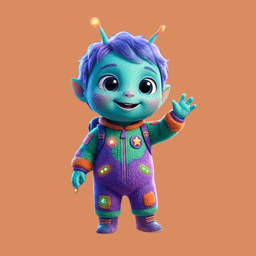
Alien Friend
A cute alien kid with glowing antennae wanders in and curiously investigates your space

Rainbow Butterfly
A magical rainbow butterfly erupts in rainbow arcs, sparkling stars, and swirling glitter
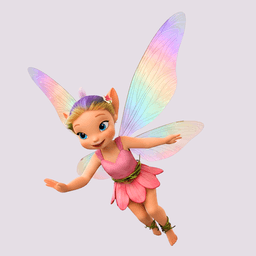
Pixie Fairy
A glowing pixie fairy flutters through your space

T-Rex
A photoreal T-Rex waddles into your room

Triceratops
A photoreal Triceratops walks into your room

Tiger
A tiger pads quietly into your space and explores around your room

Mermaid
A beautiful mermaid splashes around as she explores your room
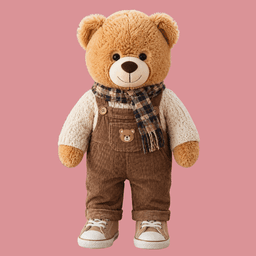
Teddy Bear
A delightful teddy bear makes a surprise appearance in your room

Princess
A storybook princess in a glittering ball gown twirls into your room

Superhero
A masked superhero soars into your space, ready to save the day

Astronaut
An astronaut in a spacesuit explores your space for new discoveries

Santa Claus
Catch Santa delivering presents in your living room

Leprechaun
A mischievous leprechaun sneaks through your home with a pot of gold

Easter Bunny
The Easter Bunny hops through your home

Pegasus
A beautiful Pegasus gracefully flies into your space before trotting off
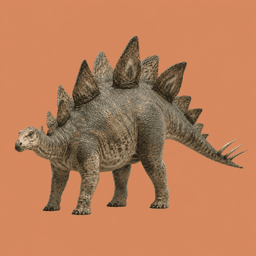
Stegosaurus
A photoreal Stegosaurus lumbers into your room, plates and all

Koala
A calm koala wanders in and looks curiously around your space

Rainbow Horse
A magical rainbow horse with a pastel mane walks gracefully through your space
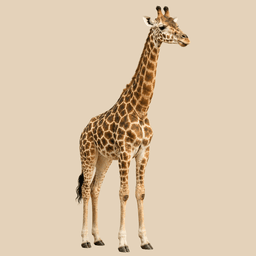
Giraffe
A real giraffe dips its long neck through your room

Lion
A majestic lion pads calmly through your room

Elephant
A gentle elephant ambles in and explores with its trunk
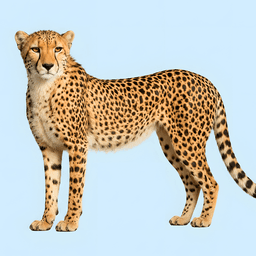
Cheetah
A sleek cheetah prowls smoothly across your room

Tortoise
A patient tortoise slowly explores your space

Pirate
A swashbuckling pirate captain explores your room

Wizard
A wise wizard with a long beard explores your room

Panda
A cuddly panda ambles in and explores your space

Robot
A friendly robot whirs in and looks around your room

Penguin
A waddling penguin explores your room
Unleash the Adventure
Give your kids proof that dragons are real, friendly ones, at least.
🪄 Create Your Dragon Video