Create memorable Easter animations: a step-by-step guide for parents
May 8, 2026
Picture this: Easter morning is two weeks away, your kids are bursting with excitement, and you want to give them something they'll talk about long after the candy is gone. You want to create an animation, something playful and personal, but the idea of doing it yourself feels a little daunting. Here's the truth: making a magical Easter animation with your family doesn't require a film degree or expensive software. With a smartphone, a handful of toys, and a simple plan, you can pull together something genuinely wonderful. This guide walks you through everything, from gathering supplies to adding those personal touches that make kids' eyes go wide.
Table of Contents
- What you need for a simple Easter animation
- Step-by-step: Making your own stop-motion Easter animation
- Personalizing your animation: Resurrection Eggs and storytelling tips
- Digital shortcut: Web-based and app animation, pros and cons
- Common mistakes and troubleshooting tips for first-timers
- Our take: Why simple family animations are the best Easter gift
- Make your Easter even more magical: Next steps
- Frequently asked questions
Key Takeaways
| Point | Details |
|---|---|
| Simple tools, big results | You only need everyday items and a phone to make a magical Easter animation at home. |
| Story-first approach | Short, child-driven stories—like Resurrection Eggs—make animations more meaningful for kids. |
| Stability is key | A steady camera and small movements make stop-motion videos smoother and more enjoyable. |
| Digital shortcuts available | Web-based animation apps provide an easy, no-filming alternative for fast Easter creativity. |
| Perfection optional | The most cherished animations are imperfect, fun, and involve the whole family in the process. |
What you need for a simple Easter animation
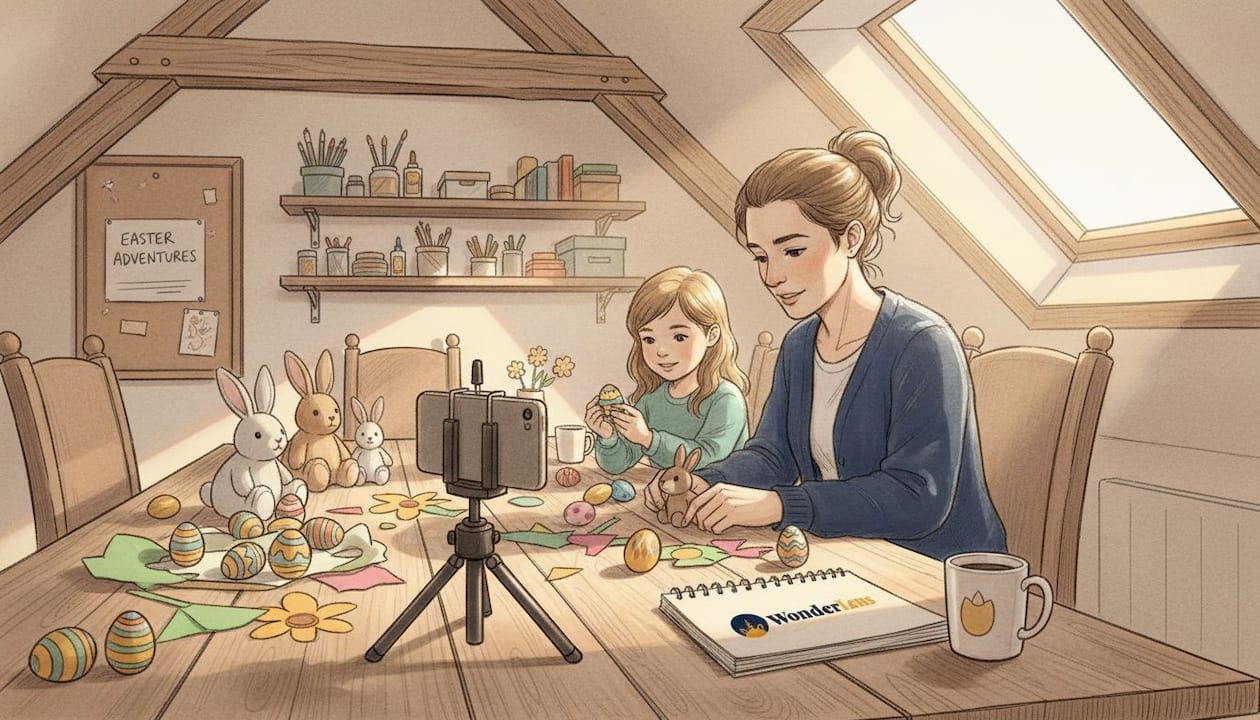
Before starting, it's important to gather everything you'll need. The good news is that you probably already have most of it sitting around the house. There are two main paths you can take: stop-motion animation using physical props, or a digital approach using a browser-based tool or simple code editor. Both are totally doable for parents with no animation background.
Stop-motion essentials:
- A smartphone or tablet with a decent camera
- A small tripod, or a stack of books to keep your phone perfectly still
- A flat, well-lit surface for your "stage" (a table near a window works great)
- Easter-themed props: plastic eggs, small figurines, stuffed animals, paper cutouts
- A simple stop-motion app (more on this below)
- Natural or soft lamp lighting to avoid harsh shadows
Digital animation essentials:
- A laptop or desktop computer with a modern browser
- A basic code editor (free options like VS Code work perfectly)
- Some knowledge of HTML, CSS, and JavaScript, or a willingness to follow a tutorial
Parents can create stop-motion animations by planning a short, simple story, setting up a stable camera on a tripod or books, moving characters in tiny increments, snapping a photo after each move, and then compiling the frames in a stop-motion app at around 8 to 12 frames per second for smooth motion. For a purely digital approach, CSS and JavaScript animation uses keyframe-based transitions and class toggling to create smooth effects without any filming at all.
Not sure which approach fits your family? Here's a quick comparison:
| Feature | Stop-motion | Web-based digital |
|---|---|---|
| Equipment needed | Phone, tripod, props | Computer, code editor |
| Time to complete | 1 to 3 hours | 30 to 90 minutes |
| Kid involvement | High (they can move pieces) | Moderate (design decisions) |
| Technical skill needed | Very low | Basic to intermediate |
| End result | Charming, tactile video | Clean, shareable animation |
| Best for | Ages 4 and up | Parents with some coding comfort |
For a broader look at your options, our Easter video tools overview covers even more ways to build something special this spring.
Pro Tip: Raid your kid's toy box before buying anything new. Small plastic animals, LEGO figures, or even folded paper bunnies make fantastic Easter animation characters, and using familiar toys makes the story feel instantly personal to your child.
Step-by-step: Making your own stop-motion Easter animation
With your tools ready, you'll want to follow these straightforward steps for making your animation. The process is simpler than most parents expect, especially once you break it into small, manageable chunks.
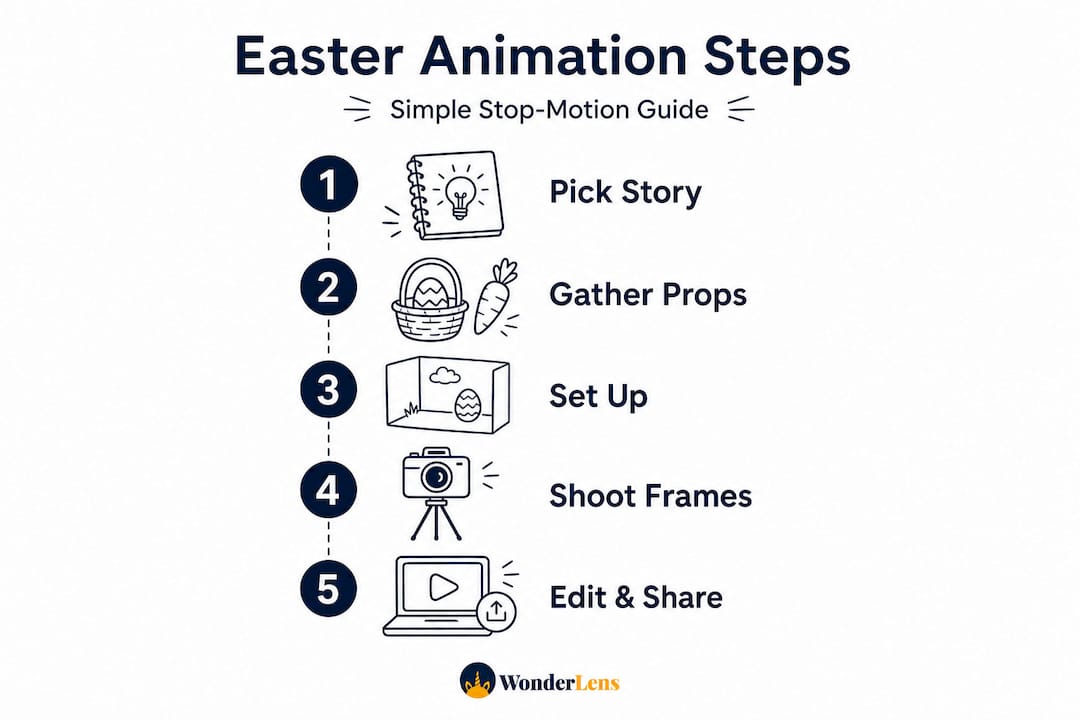
- Plan your story. Keep it short. Three to five scenes is plenty. Think: bunny hops across the table, finds an egg, places it in a basket. A simple arc with a beginning, middle, and end gives your animation shape without overwhelming anyone.
- Build your set. Lay out a background (a piece of colored poster board or a spring-themed tablecloth works beautifully), arrange your props, and set up your phone on its stable surface. Lock your phone's exposure and focus so the lighting stays consistent throughout.
- Do a test run. Move your character slightly and take two or three test photos. Check that your camera isn't wobbling between shots. Even a tiny shift in camera position will make the final video look shaky.
- Start shooting. Move your character in very small steps, about half an inch at a time, and take a photo after every single movement. This is where patience pays off. More photos equal smoother motion.
- Import and compile. Open your stop-motion app, import your photos in order, and set the playback speed to 8 to 12 frames per second. Preview it, make any adjustments, and export your video.
- Add finishing touches. Many apps let you layer in music, sound effects, or title cards. A quick "Happy Easter from [your child's name]!" caption at the end makes it feel complete.
Stop-motion projects work best when you iterate one step at a time, adding one new object or movement per photo so the accumulation of change feels natural and satisfying on screen. The key technical rule is consistency: a stable setup with tiny incremental moves is the single biggest factor in whether your final video looks smooth or choppy.
"The magic of stop-motion is that it's made of imperfect, hand-crafted moments. Every tiny movement you see on screen was placed there by someone who cared."
For a dose of inspiration before you start, watch this Easter stop-motion example to see what's possible with simple materials. And for more ideas on making the experience feel extra special, check out our magical Easter stop-motion tips and our full step-by-step video making guide.
Assigning family roles makes this even more fun:
| Role | Who does it | What they do |
|---|---|---|
| Director | You (the parent) | Approves each move before the photo |
| Character wrangler | Older child (6+) | Moves the figurines carefully |
| Photographer | You or a co-parent | Taps the shutter after every move |
| Props manager | Younger child | Hands over props when needed |
Pro Tip: Keep filming sessions under 20 minutes for younger kids. Short bursts of creativity are far more productive than marathon sessions that end in tears and lost interest.
Personalizing your animation: Resurrection Eggs and storytelling tips
Once you know the steps, making your animation special for your own family is all about storytelling and tradition. One of the most charming Easter storytelling frameworks you can borrow is the Resurrection Eggs concept, even if you're not using it for its original religious purpose. The structure is genuinely brilliant for animation planning.
A Resurrection Eggs storyboard works like this: number a set of plastic eggs, place one small symbol or prop inside each egg, and open them in sequence. Each egg reveals the next beat of your story. For animation purposes, each egg becomes one scene. It's a ready-made, visual storyboard that kids can hold in their hands.
Here's how to adapt it for your Easter animation:
- Collect six to twelve plastic Easter eggs and number them.
- Place one small prop in each egg: a tiny flower, a mini carrot, a feather, a sticker.
- Open egg one, introduce that element into your animation scene, and shoot.
- Move to egg two, add the next prop, and shoot the next scene.
- Continue until your story reaches its satisfying end (the filled basket, the final egg, the happy bunny).
For younger children, simplify the sequence by using only four or five eggs and keeping the final scene as the big, joyful payoff. Less is genuinely more when your audience is three or four years old and attention spans are short.
More ways to personalize your animation:
- Record your child's voice as a narrator and add it over the finished video
- Use your child's favorite stuffed animal as the main character
- Add a custom message at the end: "From the Easter Bunny, just for Lily"
- Include a real photo of your child at the end, waving hello to the bunny
For even more creative family ideas, our Easter memory ideas collection has plenty of inspiration to spark your own traditions.
Digital shortcut: Web-based and app animation, pros and cons
If you're short on time or want an all-digital option, consider this streamlined approach. Web-based animation skips the photo-taking process entirely and lets you build moving scenes directly on screen.
A web-based Easter animation uses CSS keyframe animations for smooth transitions (think a spinning Easter egg or a bouncing bunny) and JavaScript to toggle visual effects when a user clicks or the page loads. You don't need to film anything. You design your shapes, write a short animation sequence, and the browser does the rest.
Here's a quick comparison to help you decide:
| Factor | Stop-motion | Web-based animation |
|---|---|---|
| Filming required | Yes | No |
| Kids can help directly | Very easily | Less hands-on |
| Shareable format | Video file | Link or GIF |
| Rewatch experience | Cozy and personal | Polished and interactive |
| Creative learning value | Spatial, physical | Logical, visual design |
Web animation is a great fit for animated Easter cards, a festive banner on a family website, or a looping screensaver on the living room TV while the kids hunt for eggs. It's quick to set up if you're comfortable with basic code. For parents who want to go deeper into blending animation with real family photos, our guide on adding animated characters to photos shows you a beautiful middle path.
Pro Tip: If coding feels like too big a stretch, apps like Stop Motion Studio or Canva's animation tools let you drag, drop, and animate Easter elements without writing a single line of code.
Common mistakes and troubleshooting tips for first-timers
Even with careful planning, a few hiccups are common. Here's how to sidestep the usual pitfalls before they derail your creative Easter morning.
The most common stop-motion problems and their fixes:
- Wobbly video: Your camera moved between shots. Use a tripod or wedge your phone more firmly into a book stack. Retake any frames that look misaligned.
- Jumpy characters: Your movements were too large. Go back and add more photos between your existing frames to smooth out the jumps.
- Inconsistent lighting: A cloud passed over the window mid-shoot. Use an artificial light source instead of relying solely on natural light, so brightness stays steady.
- Disengaged kids: The session ran too long. Take a five-minute break, change one element of the scene, and restart with a fresh prop or challenge.
- Confusing final video: No clear story direction. Always plan at least a rough beginning, middle, and end before you shoot even one frame.
A stable tripod setup with tiny, deliberate moves and the right fps range of 8 to 12 is the foundation of every smooth stop-motion result. And when more than one person is involved, clear communication between collaborators is just as important as the technical setup. Decide before each shot who is moving the character, who is pressing the shutter, and what the next position should be.
"One parent moves, one parent shoots. That simple division of roles eliminates 90% of the confusion that causes shaky, inconsistent footage."
For ideas on keeping your kids excited and engaged throughout the whole project, our tips on boosting engagement with Easter videos are worth a quick read before you start.
Our take: Why simple family animations are the best Easter gift
Here's something we genuinely believe, and it runs a little counter to what most people expect: the most magical Easter animations are rarely the most polished ones. The videos that kids beg to rewatch aren't the ones with perfect lighting or seamless editing. They're the ones where you can hear a sibling giggle off-camera, where the bunny moves a tiny bit crookedly, where the basket tips over and someone carefully sets it right before the next photo.
Authenticity is what makes a family animation irreplaceable. Any child can watch a beautifully produced Easter video online. But a video where their own stuffed rabbit hops across the kitchen table they eat breakfast at every morning? That's something no amount of production budget can replicate. Perfection is actually the enemy here. It creates pressure that slows you down and distances the kids from the process.
The families who create the most memorable Easter animations are the ones who dive in with imperfect materials, assign everyone a silly job, and laugh at the wobbly bits. Your kids aren't grading your frames-per-second. They're watching themselves be part of the story. That's the gift.
So give yourself permission to make something charmingly imperfect this Easter. The memories you capture will be far more valuable than a flawless video that nobody had fun making.
Make your Easter even more magical: Next steps
If you're excited for more Easter animation options, there's plenty more to discover for next-level family fun.
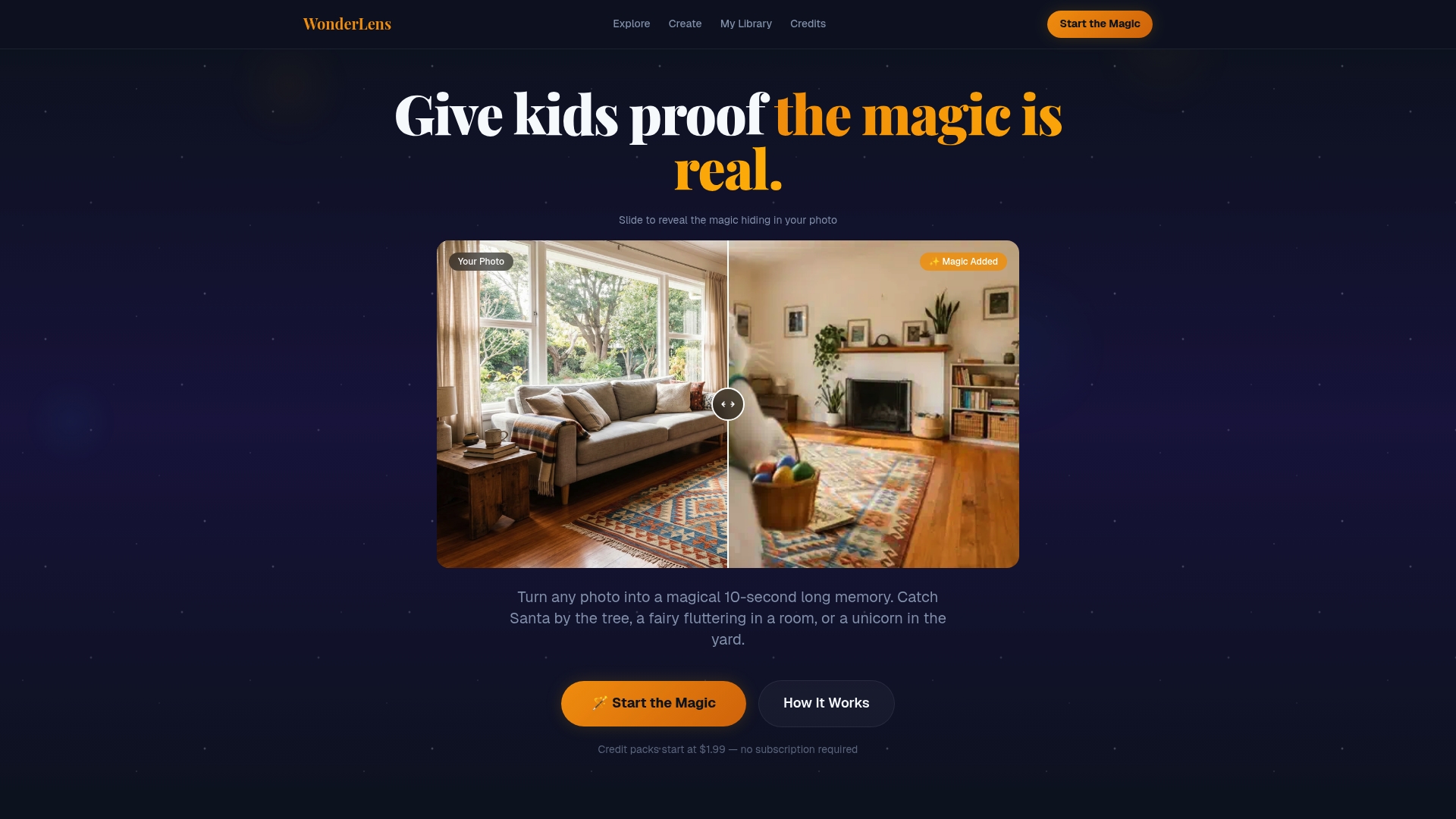
Once you've had a taste of creating your own Easter animation, you might find yourself wanting to take the magic even further. At WonderLens, we make it easy to bring fully animated, cinema-quality holiday characters right into your own home environment. Imagine a realistic Easter Bunny hopping through your actual living room, casting real shadows on your floor, twitching its nose in the golden morning light. No filming required on your end. Just one photo of your space and a little bit of wonder. Explore our realistic Easter Bunny video and see how WonderLens can add a whole new layer of magic to your family's Easter morning, starting at just $1.99.
Frequently asked questions
What is the best app for making a simple Easter stop-motion animation with kids?
Stop Motion Studio is highly recommended for beginners, offering a kid-friendly interface and a straightforward workflow where you use an app and snap a photo after each incremental change. It's free to download and works on both iOS and Android.
How many pictures do I need for a 30-second stop-motion Easter video?
Aiming for 8 to 12 frames per second means you'll need between 240 and 360 photos for a 30-second video. Start with 8 fps if this is your first project to keep the shooting session manageable.
What's the quickest way to make a digital Easter animation without filming?
A CSS and JavaScript animation using keyframe-based transitions is the fastest no-filming option, letting you animate Easter shapes or images directly in a browser. If coding isn't your strength, a drag-and-drop tool like Canva gets you there just as quickly.
Are stop-motion Easter animations safe for young children to create?
Yes, as long as an adult supervises small parts and lights throughout the session. Assign younger kids roles that don't involve handling tiny props, like calling out "cheese!" before each photo.
How can I make my animation feel more personal for my kids?
Let your children choose the story details, record their own voices for narration, or use their favorite toys as the main characters. A Resurrection Eggs storyboard approach gives even very young kids a hands-on way to guide the story from scene to scene.
Recommended
- How Easter animations create magical memories for families — WonderLens | WonderLens
- How to make Easter fantasy videos for magical memories — WonderLens | WonderLens
- Why animated Easter videos boost family engagement — WonderLens | WonderLens
- How to make magical Easter memories at home with kids — WonderLens | WonderLens