Top 5 aisantamaker.com Alternatives 2026
May 17, 2026
Creating personalized short-form AI videos for holidays and social sharing is often slowed down by complicated interfaces or apps that require subscriptions and app installs. Many popular tools cap video length, add watermarks to free drafts, or demand upfront subscriptions even when users only need a handful of clips per year. This comparison shows which AI video makers offer pay-per-clip pricing, browser-based convenience, and flexible export policies so you can pick the best fit for fast holiday surprises or social content experiments.
Table of Contents
WonderLens
At a Glance
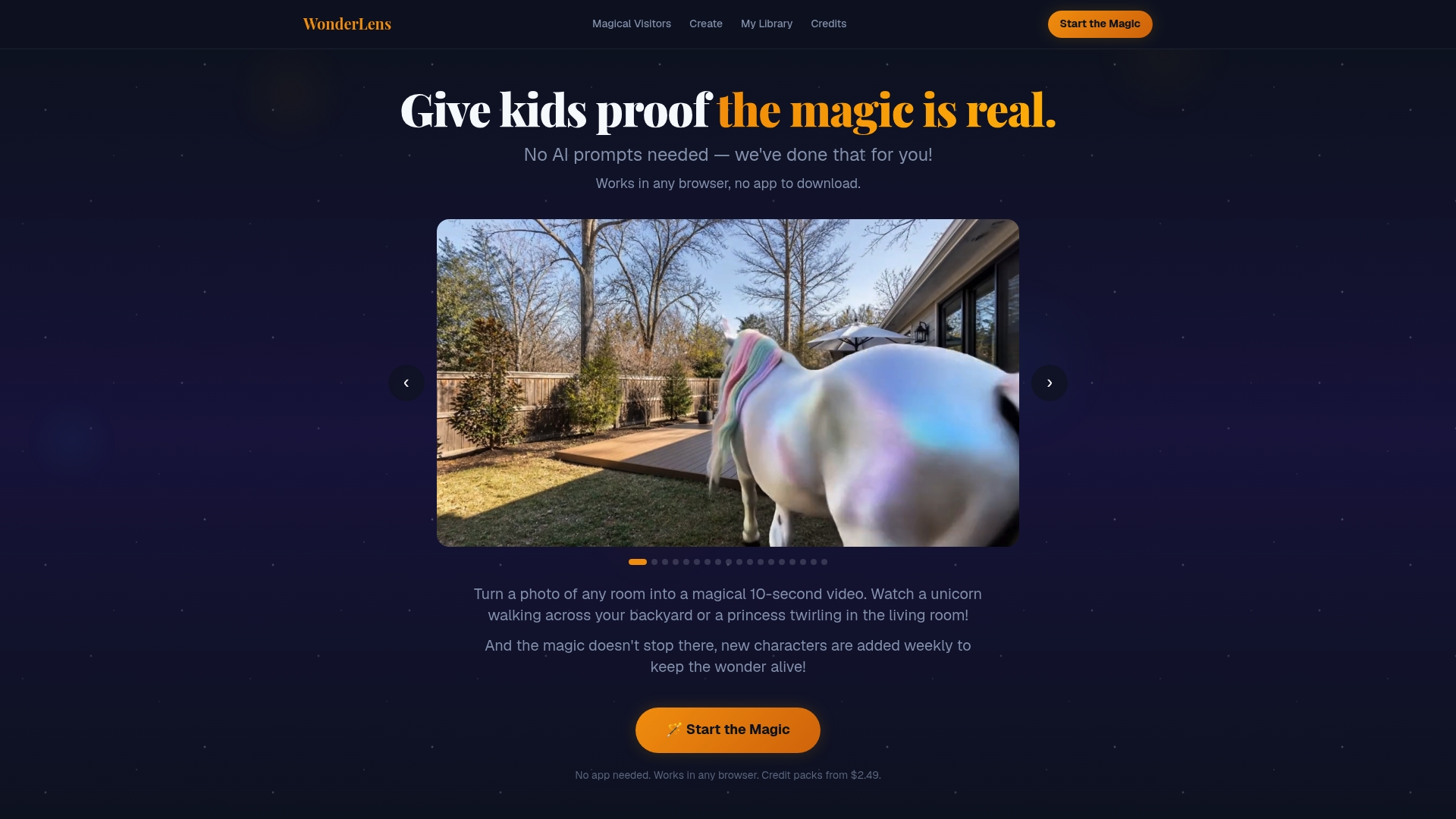
Produces a realistic, cinematic 10-second video of a unicorn, Santa Claus, or dragon placed directly into a photo of your home for a single credit. The workflow is browser-based and three steps: upload a photo, pick a character, and download the short clip in minutes.
Core Features
- AI-generated realistic videos that place characters into user scenes with attention to lighting and shadow.
- No app download: everything runs in any modern browser so parents can finish a clip on a phone or laptop fast.
- Wide character library including Santa Claus, Easter Bunny, unicorns, dragons, princesses, and superheroes, with new additions regularly.
- Short, shareable 10-second outputs that fit social sharing and holiday reveals.
Key Differentiator
Generates character-specific, photoreal short videos without requiring prompt engineering or any software installation. The rendering focuses on believable shadow casting and movement so the animated figure looks part of the room rather than a flat sticker.
Pros
- You can produce a finished clip without learning prompts or editing timelines, which frees parents to create surprises quickly.
- The browser-first approach removes app-store friction so grandparents can make a Santa clip on an older laptop without installing anything.
- Family-safe positioning and curated characters reduce content worries when sharing with kids and relatives.
- Credit pricing makes occasional use predictable: one video equals one credit, a clear transaction model for holiday projects.
- The short runtime makes the videos ideal for messaging apps and social posts where attention spans are brief.
Cons
- Video length caps at 10 seconds, which limits users who want longer storytelling or extended scenes.
Who It's For
Parents and families who want quick, believable holiday or birthday surprises without diving into video editing. This fits users who value convenience and realism over longer form content or complex customization.
Unique Value Proposition
Single credit per finished clip, with credits starting at $2.49, lets a parent pay per surprise rather than subscribe. That pricing model combined with a browser-only three-step flow removes setup barriers and keeps occasional holiday use inexpensive and fast.
Real World Use Case
A parent uploads a living room photo late on Christmas Eve, selects Santa Claus, and creates a realistic 10-second clip that shows Santa placing gifts under the tree. The clip is ready to send to a child on Christmas morning and becomes part of the family tradition.
Website: https://wonderlens.ai
AISaver
At a Glance
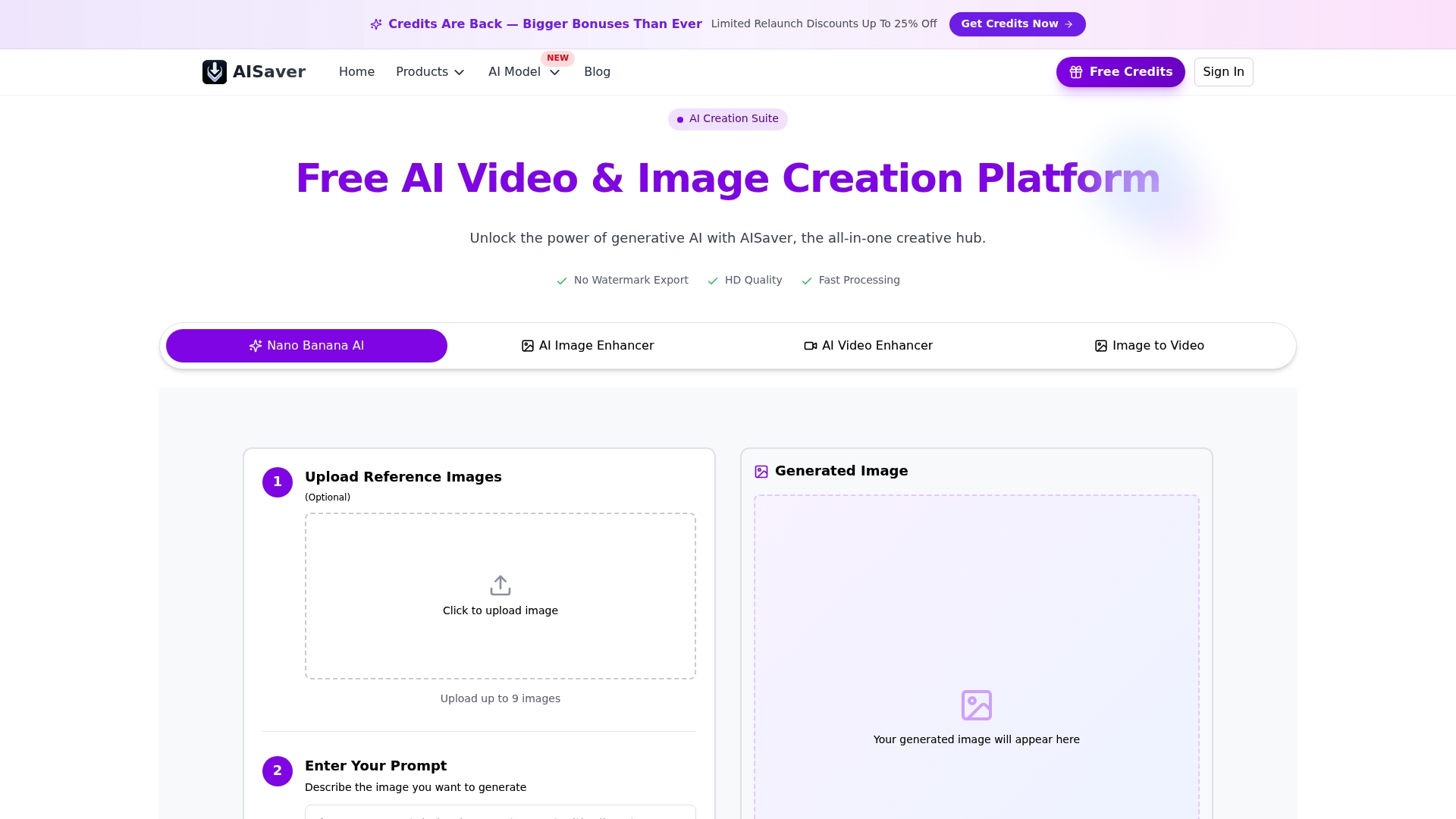
One-time credit packs start at $9.99, and AISaver advertises that credits never expire — a pay-as-you-go model aimed at creators who do not want recurring fees. The platform combines image and video synthesis with editing tools in a single dashboard.
Core Features
- High-fidelity AI video and image generation with watermark-free exports and HD output.
- Neural rendering that supports photorealistic and artistic styles alongside video motion controls for pan, tilt, and zoom.
- Unified workflow to generate, animate, and refine assets without switching apps; preset aspect ratios for Reels and Shorts.
- Face swapping, background removal, upscaling, and inpainting built into the same interface for faster iteration.
Key Differentiator
AISaver leans into a single multimodal workspace that merges diffusion, video synthesis, and language-model driven prompts. That integrated approach targets creators who want end-to-end production in one place rather than stitching together separate generators and editors.
Compared with WonderLens, AISaver focuses on open-ended social content and professional editing workflows rather than holiday character placement and in-room realism.
Pros
- Consolidates many tasks into one dashboard, so exporting a clip, upscaling a frame, and swapping a face happens without file juggling.
- HD quality exports and no watermarks make final assets ready for client delivery or sponsored content with minimal cleanup.
- Cloud rendering and fast processing speed reduce turnaround time for batch social posts and trend-driven videos.
- Preset aspect ratios and motion controls speed up platform-specific production for TikTok and Instagram.
- The interface is approachable enough for beginners while retaining controls that designers expect.
Cons
- Limited verified user feedback on major review platforms makes it hard to gauge long term reliability from independent sources.
- Some users report unwanted browser behaviors or unexpected page openings, which raises trust questions for cautious buyers.
- Free tier or trial limitations are unclear, and the credit model may frustrate casual users who prefer a predictable monthly plan.
When It May Not Fit
If you prioritize fully vetted vendor reputation or independent user studies, AISaver may feel risky given the sparse verified reviews and reported site behavior concerns. Teams that need enterprise security audits or SSO are likely to look elsewhere.
Who It's For
Content creators, social media marketers, digital artists, and small businesses that want a single tool to prototype, polish, and publish short-form video and image content. Ideal when speed and output quality matter more than conservative vendor track record.
Real World Use Case
A digital influencer used AISaver to generate 4K animated videos and realistic images for a TikTok campaign, cutting production time and cost while keeping a polished look. The creator reported faster iteration on trend ideas because rendering and edits stayed inside one tool.
Pricing
AISaver sells one-time credit packs starting at $9.99 and rising to $225 for larger bundles. No subscription is required and the vendor states credits do not expire, which suits intermittent creators who want control over spend.
Website: https://aisaver.io
AI Video Maker

At a Glance
The vendor advertises unlimited free drafts at 480p with no watermark, which makes quick testing of short holiday clips frictionless for families and creators. Paid tiers add credits for upscaling, watermark removal, and commercial rights but recent user reports raise concerns about generation reliability and slow support.
Core Features
- Create videos from text prompts or uploaded images with simple step by step controls.
- Unlimited 480p drafts for free and higher resolution exports available through paid plans and credits.
- AI upscaling and built in sound tools let you boost quality and add audio tracks.
- Support for consistent character generation across shots to keep a character uniform across clips.
- Priority rendering and commercial rights are offered to paid subscribers.
Key Differentiator
That free draft model at 480p lets you try many edits without spending credits, which suits families testing animated surprises before an event. Paid plans scale to watermark free 720p exports and credit based advanced tools when you want a final version for sharing or printing.
Pros
-
Affordable entry pricing and credit packages make higher resolution exports manageable for small teams and parents producing seasonal videos.
-
The interface is approachable for non technical users so you can assemble a short clip from a text prompt or a handful of photos in minutes.
-
A broad feature set covers upscaling, audio additions, and image editing so you do not need multiple apps for basic post production.
-
Flexible subscriptions let you cancel anytime and buy credits as needed for occasional high res deliveries.
-
The platform supports high volume output which is useful for social media schedules and repeat holiday campaigns.
Cons
-
Third party reviews report frequent failures when generating benign content because of strict moderation rules, which interrupts creative flow.
-
Enforcement appears inconsistent which causes confusion about what prompts will succeed.
-
Multiple user reports describe slow or unresponsive customer support when a render fails or credits are consumed unexpectedly.
-
The free plan limits exports to watermarked 480p and short lengths which forces upgrades for shareable results.
When It May Not Fit
If you need rock solid reliability for a production pipeline or you cannot tolerate occasional generation failures, this service may frustrate you. Teams that require rapid, guaranteed turnaround or enterprise grade support will find the current support posture limiting.
Who It's For
Individuals, small teams, and family creators who want inexpensive, high volume AI video generation for social posts and holiday surprises. Good for people who can tolerate some trial and error to get the right output.
Real World Use Case
A small digital marketing team uses text prompts and product images to produce dozens of short promos for a seasonal campaign. They save time on concept iterations with the free drafts but report multiple failed renders and moderation blocks during tight deadlines.
Pricing
Free for basic drafts. Paid plans start at $49.99/quarter for Premium which adds 720p exports, watermark free output, and commercial rights. The Pro tier is $89.99/quarter and adds concurrent jobs plus priority rendering.
Website: https://aivideomaker.ai
AI Video Generator
At a Glance
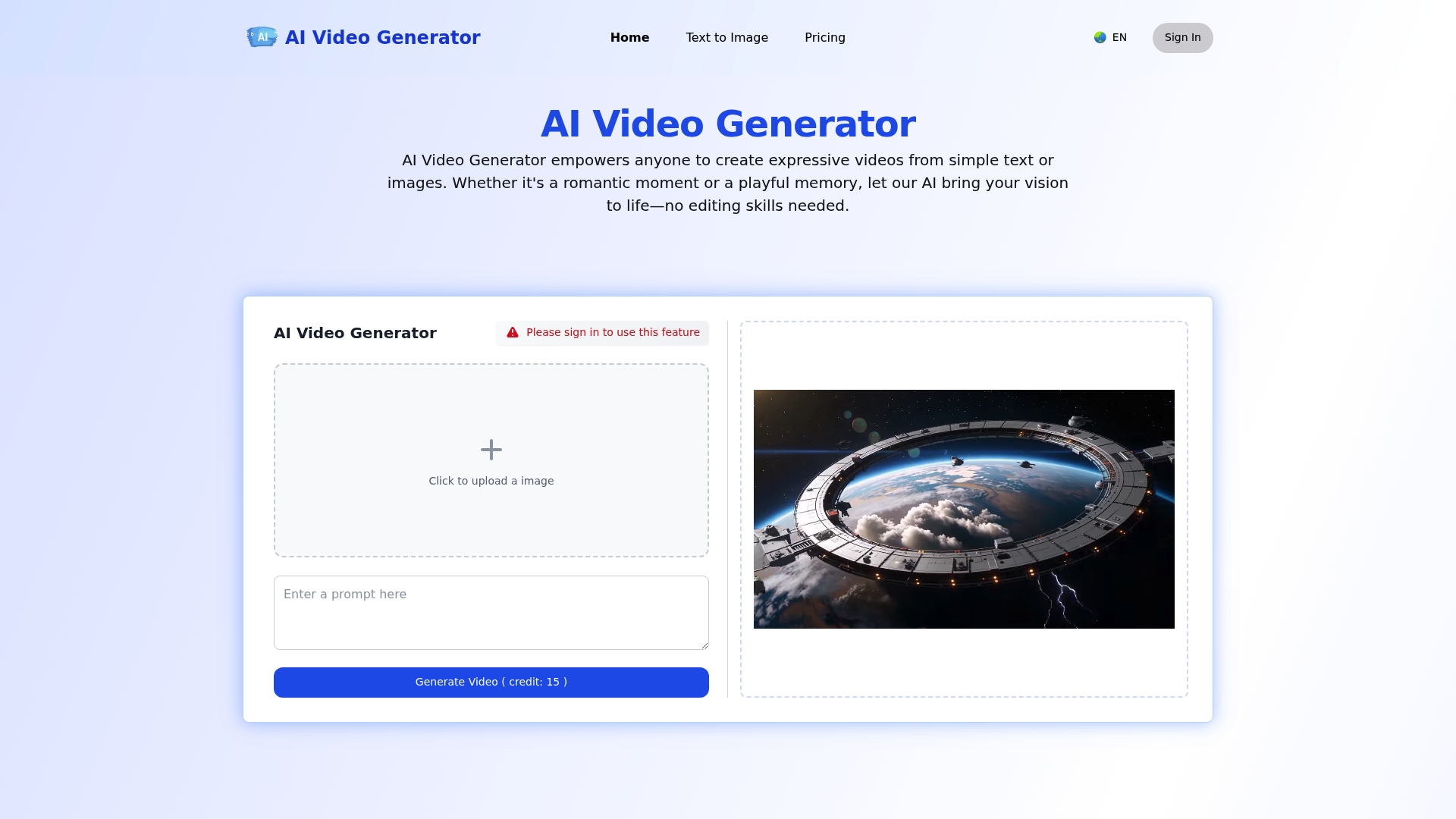
The free tier ships with 5 credits, enough to try a handful of short clips and test different styles without paying. The platform turns still photos or text prompts into animated clips using an emotion-driven animation approach and aims for high-resolution exports.
Core Features
- Emotion-driven animation that gives faces and scenes subtle, expressive motion.
- Upload a photo or enter a text prompt and let the system generate a short cinematic clip.
- High-resolution exports formatted for social platforms with instant download or sharing options.
- Prompt-based scene and style personalization with multilingual support for captions and prompts.
Key Differentiator
What stands out is the focus on emotionally believable motion rather than flashy effects. The workflow requires no editing skills, so you describe the feeling you want and the model handles the animation, framing, and export settings for social sharing.
Pros
- Easy to use for noneditors. The upload and prompt flow gets a usable clip in minutes without a timeline or keyframes.
- Outputs look polished. The combination of facial micro motion and ambient scene movement produces more cinematic results than sticker overlays.
- Flexible subscription plans let frequent creators buy credits or subscribe monthly or annually depending on use volume.
- Privacy is emphasized in the product material, which matters if you plan to animate family photos.
Cons
- Free usage is limited. The initial 5 credits may feel restrictive if you want to experiment with many prompts or multiple export sizes.
- Ongoing reliance on credits and subscriptions can add up for casual users who only need the tool occasionally.
- Manual fine control is limited. If you want frame by frame adjustments or detailed animation curves, this tool will frustrate you.
When It May Not Fit
If you need precise manual editing or advanced compositing, this product does not offer those controls. It prioritizes speed and ease over detailed animator controls.
If you only create a single holiday clip per year, the credit and subscription model may be a poor fit for infrequent use.
Who It's For
Content creators, small businesses, and social media hobbyists who want quick, emotionally expressive videos from photos or short prompts. It fits people who prefer describing a scene to building one in a timeline.
Real World Use Case
A social media marketer uploads product photos and a short promotional caption, then generates multiple vertical clips to A B test on stories and reels. The result is faster content output that keeps visual quality consistent across posts.
Pricing
Plans start at $11.9 per month with monthly or annual billing options, and a free tier with 5 credits for trial use. Paid plans add more credits and higher export resolutions for frequent creators.
Website: https://ai-image-video.org
Taskmaker

At a Glance
Taskmaker's marketing materials claim an all-in-one suite with 70+ templates and support for more than 70 languages, covering writing, image generation, and code in one interface. That positioning makes it a broad content workbench rather than a specialist tool.
Core Features
Taskmaker groups AI writing templates, multilingual generation, image and art creation, and code output into a single dashboard. Team controls and analytics sit alongside AI chat assistants trained for industry scenarios. Security includes 2FA and PCI DSS compliance.
Key Differentiator
The platform combines language breadth and multiformat output with built-in team management and analytics. Unlike WonderLens, which focuses on short animated holiday videos, Taskmaker aims to replace several content tools at once for teams that produce articles, ads, and code snippets in multiple languages.
Pros
- All formats in one place cuts switching time. You can draft an article, generate social images, and output a code example without exporting between apps.
- Multilingual support helps teams localize quickly when launching campaigns in multiple markets. That languages claim above is central to the pitch.
- Templates speed up repetitive tasks. The library includes more than 70 starting points for blog posts, ad copy, and email sequences.
- Security and team features mean marketing teams can control access and track usage rather than sharing generic accounts.
- Pricing tiers are straightforward for teams that need predictable monthly credits and seat allocations.
Cons
- Teams needing highly technical or niche content will likely require custom model tuning beyond the standard templates and prompts.
- The vendor does not publish customer testimonials or independent case studies on the product page, which makes vetting real-world results harder.
- Smaller individual users who only need occasional outputs may find the Gold and Platinum tiers more than they need, given credit allocations.
When It May Not Fit
If your primary goal is creating short personalized animated videos for family occasions, Taskmaker is the wrong tool. It is not built for scene compositing or character animation like WonderLens. Also, projects with strict domain expertise may need specialist models rather than general templates.
Who It's For
Content creators, marketing teams, small to medium businesses, and developers who need a single platform to generate written content, imagery, and code. Good for teams that value centralized controls and analytics over single purpose creative tools.
Real World Use Case
A marketing team uses Taskmaker to produce weekly blog posts, generate matching social images, and create product description variants for A B testing. The workflow reduces handoffs between copywriters, designers, and engineers.
Pricing
Monthly plans start at $9.99 for Silver, $19.99 for Gold, and $49.99 for Platinum. Each tier offers increasing words, image credits, and advanced features to match team size and output needs.
Website: https://taskmaker.ai
Comparative Analysis
The diverse platforms assessed here showcase varying strengths tailored to different user goals, highlighting trade-offs that can clarify the right choice per individual needs.
Accessibility and User Convenience
WonderLens excels in accessibility with a browser-based interface that facilitates quick, hassle-free video creation without any application installation. This model uniquely suits users seeking immediate results without compromising quality. In contrast, AISaver and AI Video Generator leverage multimodal dashboards, combining creation and editing functionalities. However, these require users to navigate a larger suite of tools, which may elongate onboarding for less frequent users.
Quality of Outputs and Customization Options
When precision and customization are prioritized, AISaver and Taskmaker provide an advantage due to their extensive editing interfaces and controls. In comparison, WonderLens optimizes simplicity and focuses exclusively on generating photoreal videos of predefined, curated characters. Users needing specialized, highly editable content may find the other tools more accommodating despite their steeper learning curve.
Best Fit Scenarios
- For families seeking to craft a special, realistic moment during holidays or celebrations and value a user-friendly workflow, select WonderLens.
- Content creators who aim for high-quality, consistent asset production within a single platform should consider AISaver for its editing suite.
- Individuals testing creative concepts on tight budgets might prefer AI Video Maker, given its free plan.
- Social media marketers focused on emotionally engaging narratives may find AI Video Generator's emotionally intricate animations especially impactful.
- Teams requiring centralized management of diverse content types should explore Taskmaker's integrated approach.
Our Pick: WonderLens
WonderLens serves as an effective tool for individuals looking to create immersive, photoreal holiday-themed animations effortlessly. Its focus on simplicity, combined with the absence of app downloads and explicitly curated content, makes it stand out for budget-conscious and casual creators. While competitors offer advantages in customization and advanced controls, WonderLens prioritizes ease of use and timely results. Scenarios requiring detailed animation control may lean better toward competitors like AISaver.
AI Video Creation Tools Comparison
Discover which platform provides the best workflow for generating realistic, short-form videos with ease.
| Product | Core Feature | Key Differentiator | Best for | Pricing | Notable Limitation |
|---|---|---|---|---|---|
| Wonderlens | AI-generated cinematic short videos | Browser-based workflow, no app required | Families creating holiday surprises | $2.49 per credit | Video length is capped at 10 seconds |
| AISaver | Multimodal video and image creation | End-to-end asset generation and editing | Social media marketers and digital artists | From $9.99 per credit pack | Sparse independent user reviews raise reliability concerns |
| AI Video Maker | Draft AI videos with editing tools | Unlimited free drafts at 480p resolution | Individuals creating seasonal animated clips | Free drafts, $49.99 quarterly | Strict moderation rules disrupt benign content generation |
| AI Video Generator | Emotion-driven animated clips | Subtle expressive motion for scenes | Small businesses and social media hobbyists | $11.9 per month | Limited manual controls for detailed animation adjustments |
| Taskmaker | Multiformat creative workbench | All-in-one suite with 70+ templates | Teams producing content across multiple formats | From $9.99 monthly | Lacks tools for short animated video creation for family use cases |
Experience Magical Holiday Surprises with WonderLens
If you are searching for easy ways to create personal, enchanting content for family celebrations like Christmas or Easter, WonderLens offers a perfect solution. Unlike typical AI tools that focus on broad video editing, WonderLens specializes in transforming your own home photos into cinematic, 10-second videos with beloved characters such as Santa Claus, unicorns, or dragons. This focus on photoreal animation with accurate lighting and shadow lets you craft truly immersive magical moments that children will treasure.

Bring holiday magic directly into your living room by using WonderLens today. Visit WonderLens to start creating personalized animated videos quickly and easily. Buy credits starting at $1.99 and surprise your family with unique, realistic clips that turn any photo into a captivating memory. Upload your photo, pick a character, and download your video within minutes to share joy instantly.
Frequently Asked Questions
What character options does Wonderlens offer for creating videos?
Wonderlens includes a wide character library, featuring options like Santa Claus, unicorns, and dragons. This extensive selection allows users to create fun and personalized videos for various occasions like holidays and birthdays. Families looking for quick, enjoyable video experiences will find this character diversity appealing.
How does Wonderlens compare to AISaver in terms of video quality?
AISaver provides high-fidelity video and image generation with watermark-free exports, catering to a professional audience. Wonderlens, on the other hand, focuses on generating short, realistic videos of characters within user photos, making it ideal for families seeking quick holiday surprises. Users can choose based on whether they prioritize high-quality, professional outputs or fun, family-oriented content.
Which platform is better for casual users wanting to make quick holiday videos?
Wonderlens is more suited for casual users looking to create quick holiday videos, producing 10-second clips in just three simple steps. With its straightforward interface and the ability to download videos quickly, users can easily craft surprises without needing advanced video editing skills. Casual creators seeking simplicity will appreciate this ease of use.
Can I try Wonderlens without making a financial commitment first?
Wonderlens operates on a credit system where users pay per video, starting at $2.49 for each finished clip. This model allows users to test the platform with minimal financial risk before committing to more extensive projects. Users who prefer low-commitment options will find this pricing structure attractive.
What is the maximum video length Wonderlens can produce?
Wonderlens caps video length at 10 seconds, which can limit storytelling for users wanting longer content. This feature supports quick sharing on social media, but users needing more extensive narratives might find it restrictive. Families focusing on short, fun surprises may still find this time limitation manageable.