20 Christmas Countdown Video Ideas for Families
August 9, 2026
The fastest way to start: pick one of these high-impact Christmas countdown video ideas, grab a free template, and you can have something shareable ready in under an hour.
- Photo slideshow countdown (16:9 or 9:16, 30–60 sec) — layer family photos behind animated numbers; use a free template from any drag-and-drop editor.
- Daily door reveal (9:16, 15 sec per day) — film yourself opening a different door or box each morning; stitch clips into a reel at the end.
- Animated number reveal (9:16, 10–15 sec) — kinetic typography counts down from 25; pair with a looping jingle for instant holiday feel.
- 12 Days of Christmas mini-series (16:9, 30 sec each) — one short clip per day, each with a new activity or gift reveal.
- Santa arrives in your living room (9:16 or 16:9, 10 sec) — use Wonderlens to place a realistic Santa character inside your own home photo for a magical surprise moment.
- Advent calendar grid (1:1, 15–30 sec) — reveal one square of a 25-box grid each day; works perfectly for Instagram feed posts.
- Baked-goods countdown (9:16, 15 sec) — film one new holiday treat per day; fast to shoot, universally relatable.
- Elf peek-in reveal (9:16, 10 sec) — add a fairy or elf character into a corner of your living room photo using Wonderlens for a cinematic, kids-first surprise.
Key Takeaways
The single most effective Christmas countdown video is one you can actually finish: pick one format, gather assets before you start editing, and save the character reveal for the finale.
| Point | Details |
|---|---|
| Pick one format first | Match your idea to a platform aspect ratio (9:16, 1:1, or 16:9) before touching any tool. |
| Use templates to save time | Modular templates like the 12-day After Effects file let you re-time scenes without rebuilding from scratch. |
| License music carefully | Use YouTube Audio Library, Epidemic Sound, or Artlist to avoid Content ID claims on TikTok, Instagram, and YouTube. |
| Hook viewers in 2 seconds | Lead with a bold countdown number or movement — silent autoplay means your first frame does the selling. |
| Wonderlens for the finale | Add a realistic Santa or character clip from Wonderlens as the payoff moment; credits start at $1.99 and the first video is free. |
Table of Contents
- Which formats and aspect ratios work best for each platform?
- 20 Christmas countdown video ideas you can make right now
- How to turn any idea into a finished countdown video in 3 steps
- Where do you find templates, stock footage, and music?
- How Wonderlens adds cinematic character surprises to your countdown
- How to make your countdown video more shareable
- Useful starting points for templates and stock footage
- The part of countdown videos most creators get wrong
- Wonderlens brings the magic home for your countdown finale
- Sources
Which formats and aspect ratios work best for each platform?
Matching your countdown video to the right format is what separates a clip that looks native from one that looks cropped and awkward.
- 9:16 vertical (1080×1920): TikTok, Instagram Reels, YouTube Shorts. Best for daily reveals, character inserts, and quick kinetic-text countdowns. Keep clips to 15–30 seconds for maximum completion rates.
- 1:1 square (1080×1080): Instagram grid and Facebook feed. Ideal for advent-calendar-style grid reveals and photo slideshow posts.
- 16:9 widescreen (1920×1080): YouTube, Facebook Watch, and email embeds. Use for longer 12-day series episodes (30–90 seconds each) or behind-the-scenes montages.
Template types and how long each takes:
- Number reveal / kinetic typography — fastest; most drag-and-drop editors have these built in. Ready in 10–15 minutes.
- Advent box/grid — moderate effort; requires consistent framing across 25 clips. Plan the shoot in one session.
- Photo slideshow — fast; upload photos, set timing, add music. Under 20 minutes with a template.
- Animated overlay — moderate; motion-graphic overlays drop onto footage but may need After Effects for custom timing.
- Character insert — fast with Wonderlens; upload your home photo, select a character, download in seconds.
- Live-action montage — slowest; requires filming, logging, and cutting real footage.
Pro Tip: Drag-and-drop editors (like those offering built-in Christmas countdown templates) are the fastest path for families and casual creators. After Effects templates, such as the modular Twelve Days of Christmas template, give you more control over timing and camera moves but assume you already know the software. Pick your skill level first, then your template.
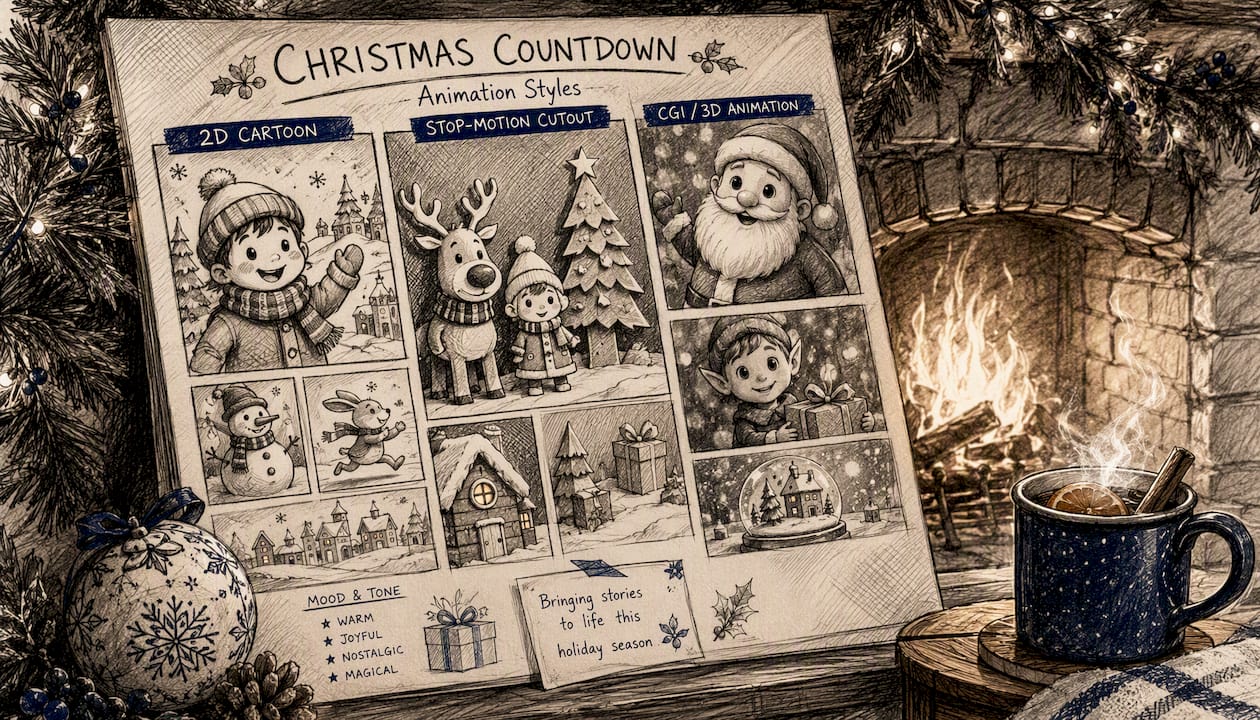
For a deeper look at animation styles and when each fits, the types of holiday animations guide on the Wonderlens blog breaks it down clearly.
20 Christmas countdown video ideas you can make right now
These span families, kids, social creators, and simple party uses. Each entry includes a one-line concept, a mini-script or execution note, and a production shortcut.
-
Santa arrives in the living room — Place a realistic Santa character into your home photo. Caption: "He's here. 🎅 Only [X] days left." Use Wonderlens Santa for cinematic lighting and shadow realism; done in minutes.
-
Daily door reveal — Open a different door each morning and react on camera. Caption: "Day [X]: What's behind door number…?" Shoot vertical; stitch in CapCut or any mobile editor.
-
12 Days of family surprises — One short clip per day showing a family activity: cookie decorating, tree trimming, caroling. Use the After Effects 12-day template for consistent motion graphics across all 12 episodes.
-
Animated number countdown — Bold kinetic typography counts down from 25 to 1 with a snowfall overlay. Caption: "[X] days of magic left." Any template editor handles this in under 15 minutes.
-
Advent calendar grid reveal — Post a 1:1 square each day, slowly filling a 5×5 grid. Caption: "Day [X] unlocked. 🎄" Plan all 25 shoots in one afternoon.
-
Baked-goods reveal — Film one new holiday treat per day: gingerbread men, peppermint bark, yule log. Caption: "Day [X] smells incredible." Overhead flat-lay shot, 15 seconds, no editing needed beyond a trim.
-
Elf peek-in — Add a fairy or elf character peeking around a doorframe in your home photo. Caption: "The elf spotted something. 👀" Wonderlens handles the lighting match so the character looks like it actually belongs there.
-
Kids' singalong countdown — Pair a simple countdown song with bright, stable framing and singalong captions. Kid-focused countdowns perform well when captions are large and easy to follow on mobile. Caption: "Sing along! [X] days to go!"
-
Stop-motion ornament reveal — Move ornaments one frame at a time onto a bare tree branch. Caption: "Watch the tree come alive. 🎁" Shoot 30–40 frames; import into any stop-motion app.
-
Behind-the-scenes wrapping room — Film the chaos of gift wrapping with a countdown timer in the corner. Short-form behind-the-scenes formats consistently rank among the most shareable creative video styles. Caption: "Day [X]: The wrapping struggle is real."
-
Time-lapse tree decorating — Set up a tripod and shoot the tree going from bare to fully decorated. Caption: "From bare to beautiful in [X] seconds." Speed up 4x in any editor.
-
Fireplace ambiance countdown — Loop a crackling fireplace clip with a countdown number overlay and soft holiday music. Caption: "[X] cozy days left." Use royalty-free fireplace footage from Vecteezy's Christmas countdown library.
-
Gift-stack reveal — Add one wrapped gift to a growing stack each day, filmed from the same angle. Caption: "The pile grows. Day [X]." Consistent framing is the only trick here.
-
Fairy lights switch-on — Film the moment the tree lights turn on each evening, with a day number overlay. Caption: "Night [X]. ✨" Shot on a phone in portrait; no editing beyond a text overlay.
-
Family photo slideshow — Compile one family photo per day into a 30-second end-of-season recap. Caption: "25 days, 25 memories." Any photo-to-video app handles this in minutes; see the best Christmas photo-to-video apps for quick options.
-
Dragon or unicorn surprise — Place a fantasy character (dragon, unicorn) into your living room photo for a non-traditional holiday reveal kids will love. Caption: "Something magical visited us. 🦄" Wonderlens supports multiple characters beyond Santa.
-
Countdown with a daily affirmation — Pair a countdown number with one short, warm holiday message per day. Caption: "Day [X]: Today, we're grateful for…" Text-only kinetic typography; fastest format to produce.
-
Recipe reveal series — Share one holiday recipe ingredient or step per day, building to the full dish on Christmas Eve. Caption: "Day [X] ingredient: Can you guess the dish?" Vertical format, overhead shot.
-
Neighborhood lights tour — Film 10–15 seconds of a different decorated house each night. Caption: "Night [X] favorite lights. 💡" No editing beyond a trim and a number overlay.
-
AI Christmas video surprise — Use Wonderlens to create a personalized AI Christmas video where a holiday character appears inside your actual home. Caption: "He came early. 🎅" Upload one photo, pick a character, and share the 10-second clip as your countdown finale.
How to turn any idea into a finished countdown video in 3 steps
Step 1: Plan (5 minutes)
Choose your idea, platform, and duration before you touch any tool.
- Pick one idea from the list above.
- Decide the platform: TikTok/Reels (9:16), Instagram grid (1:1), or YouTube (16:9).
- Set your duration: 10–15 seconds for daily posts, 30–90 seconds for series episodes.
- List the assets you need: photos, stock clips, music, character insert, or template.
- Confirm your posting schedule — daily posts require a buffer of at least 3–5 clips ready before you go live.
Step 2: Assemble (15–30 minutes)
Gather everything before you open your editor.
- Download your template or stock footage first (see the next section for sources).
- Import your photos or clips and arrange them in chronological order.
- Add music early — match the tempo of your cuts to the song's downbeats. Short, repeating musical motifs that sync with a countdown tick make the video feel faster and more shareable.
- Drop in your countdown number overlay or character insert.
- For personalized holiday videos, add the Wonderlens clip as the anchor moment — typically the final frame or the reveal beat.
Step 3: Polish and export (10 minutes)
- Check color consistency across clips — a warm grade (slightly orange/yellow) reads as festive on every platform.
- Add captions. Captions increase watch time on silent autoplay feeds.
- Export at the platform's native resolution: 1080×1920 for vertical, 1920×1080 for widescreen.
- For TikTok and Reels, keep the file under 500 MB and use H.264 encoding for fastest upload.
Where do you find templates, stock footage, and music?
Good assets cut your production time in half. Here are the most reliable starting points.
Stock footage and motion graphics:
- Vecteezy's Christmas countdown library lists hundreds of countdown clips and motion graphics, many available for free download with attribution.
- Pixabay and Pexels offer royalty-free holiday footage with no attribution required for personal or commercial use.
- Mixkit provides free video templates and stock clips under a license that allows commercial use without credit.
Templates:
- The Twelve Days of Christmas After Effects template is modular, so you can re-time camera moves and durations without rebuilding the whole composition — a real time-saver for multi-day series.
- Drag-and-drop template marketplaces offer ready-to-edit Christmas countdown templates that reduce production time compared with building animations from scratch.
Music:
- YouTube Audio Library: free, no attribution required for most tracks.
- Epidemic Sound and Artlist: subscription-based, full commercial sync rights.
- Pixabay Music: free with no attribution for personal and commercial use.
Pro Tip: Pick a music loop with a clear downbeat every 2–4 beats, then cut your visuals to land on those beats. A countdown tick that hits exactly on the downbeat feels satisfying and keeps viewers watching. Avoid tracks that fade in slowly — your first 2 seconds need energy.
Quick licensing checklist:
- Personal use only: free stock sites with personal-use licenses (always check the individual asset page).
- Commercial use: confirm the license explicitly says "commercial" — Mixkit, Pixabay, and Pexels generally do; some Vecteezy free assets require attribution.
- Music sync rights: streaming platforms (TikTok, Instagram, YouTube) have Content ID systems. Use tracks from YouTube Audio Library, Epidemic Sound, or Artlist to avoid muted or claimed videos.
- Attribution: when required, add a text credit in the video description, not the video itself.
For a broader look at fast photo-to-video workflows, the best Christmas photo-to-video apps guide covers the top options side by side.
How Wonderlens adds cinematic character surprises to your countdown
Wonderlens is built for exactly the moment in a countdown video where you want something genuinely magical — not a sticker overlay, but a character that casts real shadows, catches your room's actual lighting, and looks like it belongs there.
What it offers for countdown videos:
- Realistic AI-rendered characters (Santa, elves, fairies, unicorns, dragons) placed inside your own home photos.
- Accurate lighting and shadow integration so the character matches your room's existing light source.
- 10-second animated clips, ready to download and drop into any video timeline.
- Browser-based creation — no app download, no design skills needed.
- Credits start at $1.99; the first video is free.
How to integrate a Wonderlens clip into your countdown:
- Upload a clear photo of your living room, bedroom, or any space where the character should appear.
- Select your character — Santa for a classic reveal, or a fairy, dragon, or unicorn for a fantasy twist.
- Download the 10-second animated clip.
- Import it into your video editor as the final scene or the big reveal moment in your countdown timeline.
- Add a caption: "He finally arrived. 🎅 Merry Christmas!"
Families use Wonderlens clips as the finale of a 25-day countdown — the payoff moment after weeks of daily posts. Social creators use them as standalone surprise clips that drive comments and shares. For creative tips on building the full holiday surprise workflow, the Wonderlens blog walks through the process step by step.
How to make your countdown video more shareable
A great countdown idea still needs the right delivery to travel on social.
Platform-specific tips:
- TikTok: Post between 7–9 PM local time. Hook viewers in the first 2 seconds with movement or a bold number on screen. Use trending holiday audio when possible.
- Instagram Reels: Use the first frame as your thumbnail — make the countdown number large and centered. Add 3–5 hashtags in the caption, not the comments.
- YouTube Shorts: Write a descriptive title with the day number ("Day 12 of our Christmas countdown"). Shorts with consistent series titles build subscriber momentum.
- Facebook: Post natively (not a link share) for better reach. Square format outperforms vertical on Facebook feeds.
Engagement hooks that work:
- End each daily clip with a question: "Which door should open tomorrow?" or "Guess what's in the box!"
- Use Instagram's poll sticker on Stories to let followers vote on the next reveal.
- Pin a comment on TikTok with the full countdown playlist link.
Common pitfalls that kill shareability:
- Intros longer than 2 seconds — viewers scroll before the content starts.
- Audio that doesn't sync with the visual cuts — it reads as unpolished.
- Missing captions on a vertical video — most mobile users watch on silent.
- Inconsistent framing across daily clips — it breaks the series feel.
Useful starting points for templates and stock footage
A short list of pages worth bookmarking before you start building.
- Vecteezy Christmas countdown library — best for ready-to-download stock clips and motion graphics; many are free with attribution.
- Twelve Days of Christmas After Effects template — best for creators who want full control over a multi-day series with modular, re-timeable scenes.
- Format — best for format inspiration; covers whiteboard, time-lapse, and behind-the-scenes styles you can adapt into countdown formats.
- Wonderlens holiday surprises blog — best for step-by-step creative tips on building character-driven surprise moments into your countdown.
- Dailymotion Christmas countdown examples — best for pacing and narrative structure inspiration from published countdown videos.
The part of countdown videos most creators get wrong
Most advice on Christmas countdown videos focuses on tools and templates. That's useful, but it misses the real problem: most countdown series die on Day 4.
The conventional wisdom says "plan 25 days of content." What it doesn't say is that the format has to be so simple you can execute it half-asleep on a Tuesday morning in December. The creators whose countdowns actually reach Day 25 are the ones who picked the easiest possible format — a single photo, a single number overlay, a single caption — and committed to it. The ones who built elaborate multi-scene productions burned out before Christmas week.
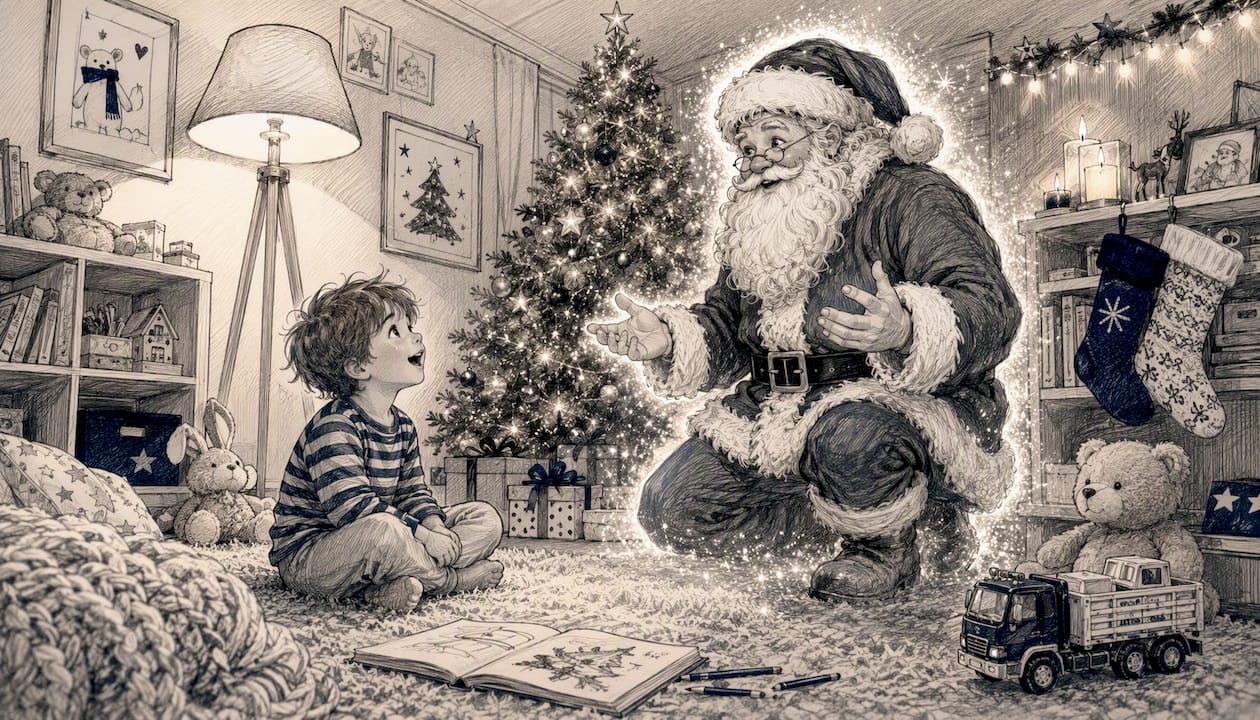
The character-surprise format is the exception to the simplicity rule, and it's worth the extra effort precisely because it's the moment viewers actually share. A realistic Santa appearing in your living room photo, with shadows that match your lamp and a golden glow that catches your tree, lands differently than a numbered text overlay. It's the clip that gets sent to grandparents. It's the one kids ask to watch again.
So the real advice is this: use the simplest format you can sustain for 25 days, and save your one high-effort moment for the finale. That's the structure that works.
Wonderlens brings the magic home for your countdown finale
After 24 days of daily posts, your countdown deserves a finale that actually stops the scroll. Wonderlens places a cinematic, AI-rendered holiday character directly inside a photo of your home — Santa walking through your living room, an elf peeking around your tree, a fairy hovering near the fireplace — with lighting and shadows that match your actual space.

There's no design experience needed, no app to download, and no long setup. Upload your photo, choose your character, and your 10-second animated clip is ready to download and share. It's the kind of moment kids replay on Christmas morning and parents send to the whole family group chat. The first video is free, and additional credits start at $1.99. Create your holiday character video now and make Day 25 unforgettable.
Sources
- Christmas Countdown Stock Video Footage for Free ...
- Twelve Days of Christmas – After Effects Template
- 8 Creative Video Artist Ideas - Format
Recommended
- Tips for Personalized Holiday Videos Families Will Love. WonderLens | WonderLens
- Christmas Tradition Enhancement Tips for Families. WonderLens | WonderLens
- Creative Tips for Christmas Surprises That Families Love. WonderLens | WonderLens
- Best Holiday Keepsake Ideas for Families in 2026. WonderLens | WonderLens