Top 6 Santavideomaker.app Alternatives 2026
June 17, 2026
Finding a personalized holiday video maker that truly thrills children with magical realism can be tricky during the busy season. Many platforms lock the best features behind high-priced subscriptions or limit character options to basic templates. This comparison spotlights pricing, realism, and creative controls across six Santa video makers so you can pick the right fit for your holiday surprise.
Table of Contents
- WonderLens
- Pika
- SuperMaker AI Santa Video Generator
- AI Santa Video Generator
- Santa Videos
- MakeFilm AI
- Comparison of alternatives
WonderLens
At a Glance
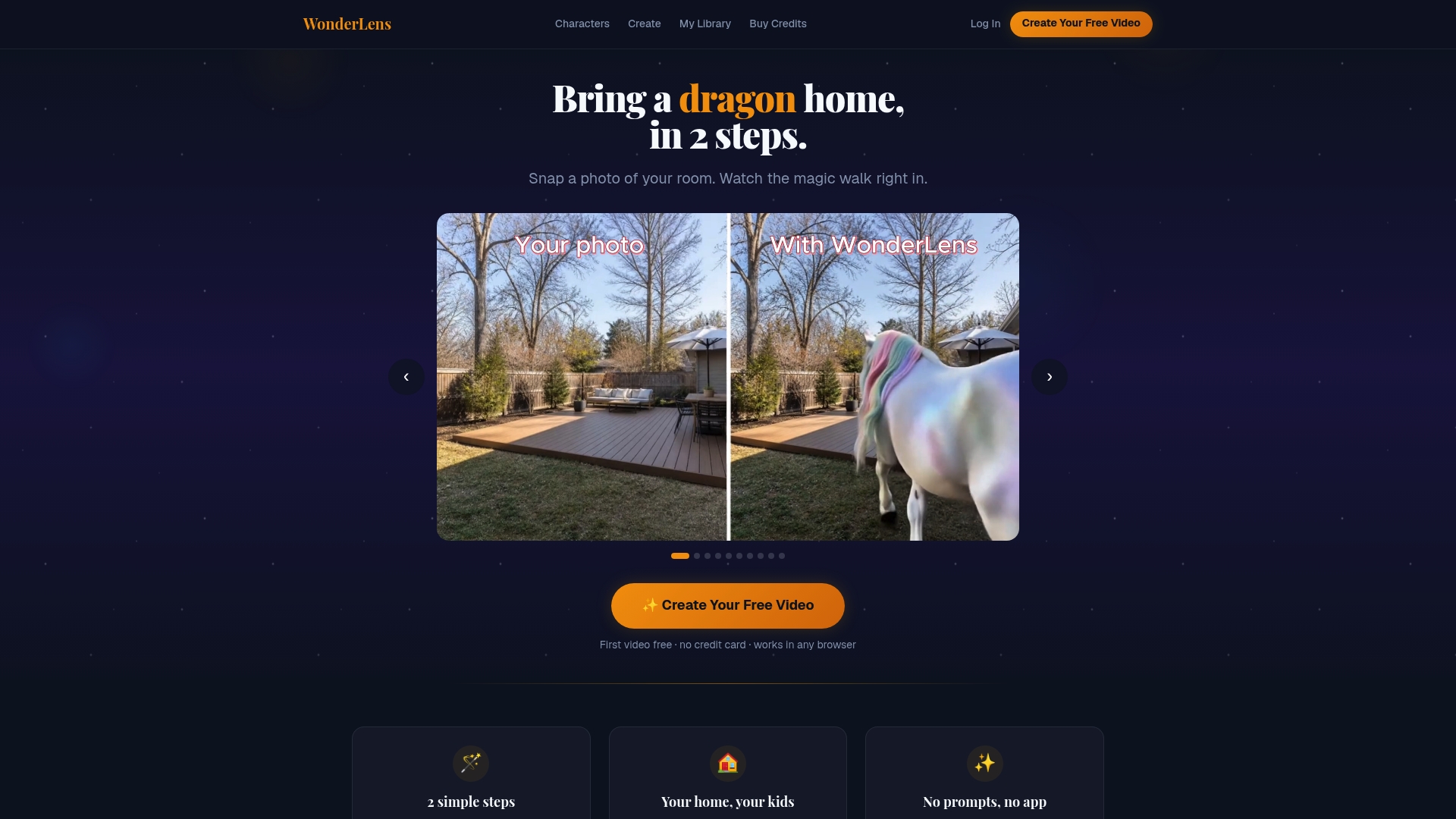
AI analyzes your photo for lighting, shadows, and layout to place animated characters that look like they belong in your room. According to the company, the rendering completes in just a few minutes. Videos are short, about 10 second long, downloadable, and owned by you for sharing with family.
Core Features
- Upload a photo of any room or outdoor space and let the software read the scene.
- Choose from characters such as unicorns, dragons, Santa, and the Easter Bunny.
- AI analyzes the scene for lighting and shadows to position characters with believable illumination.
- Generates a 10 second animated video of the character moving through your scene.
- Videos are downloadable, shareable, and owned by the user.
Key Differentiator
The platform uses scene analysis to match lighting and layout so characters cast convincing shadows and move with contextual believability. That scene-aware placement makes the result look less like a sticker and more like a real visit. For parents, that realism often creates a stronger reaction from children when they watch the clip.
Pros
-
No app required. WonderLens runs in any browser on phone, tablet, or computer, so you can create from the device you already use.
-
Family-friendly moderation is built in. The content is safety-reviewed for children and avoids inappropriate character behavior.
-
First video free lets you test the effect on a single scene without risk, so you can see results before buying credits.
-
Easy workflow with no prompts or editing needed. Upload a photo, pick a character, and get a shareable file in minutes.
-
Wide variety of characters with new options added regularly keeps the experience fresh for repeat celebrations.
Cons
- Dependent on scene quality. Cluttered or poorly lit photos can produce less convincing videos, so simple, well lit shots work best.
Who It's For
Parents and families who want a quick, magical way to surprise children for holidays and small celebrations. You should enjoy short, shareable clips rather than longer productions. This fits occasional creators who prefer pay per use over ongoing subscriptions.
Unique Value Proposition
First video free and pay per video credit pricing makes it easy to try a Santa or unicorn visit without a subscription commitment. That model keeps cost predictable for holiday projects and special events. Families who create a handful of clips a year can control spending by buying small credit packs.
Real World Use Case
A parent uploads a tidy living room photo the night before Christmas and selects Santa. The tool returns a 10 second clip showing Santa by the tree with realistic shadows. The parent downloads the file and shares it with relatives or plays it for the child on Christmas morning.
Pricing
First video free. Afterward, credits are available at $2.49 for one credit, 3 credits for $5.99, and 5 credits for $8.99. The pay per video model works well for occasional holiday usage without an ongoing fee.
Website: https://wonderlens.ai
Pika
At a Glance
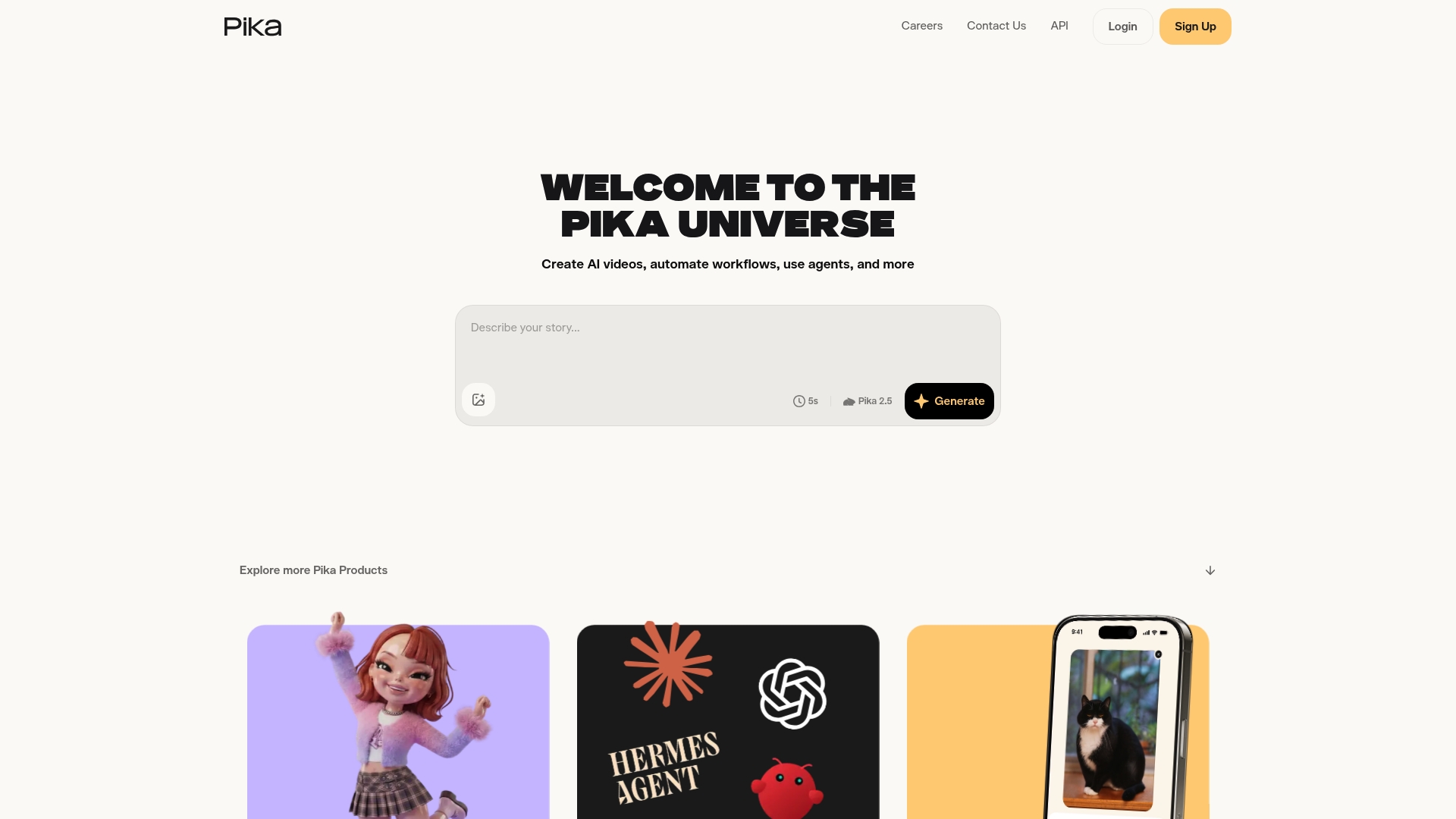
Pika uses proprietary models named Pikascenes, Pikaffects, and Pikaswaps to generate creative video effects that look unlike simple filters. The platform targets creators who chase social trends and unusual visual treatments. For parents seeking realistic holiday characters inside their living room, Pika feels more experimental than cozy.
Core Features
- Pikascenes and Pikaffects for scene level and mood adjustments that change lighting and motion across a clip.
- Pikaswaps and Pikadrifts for replacing elements and adding surreal or playful motion to footage.
- Multiple subscription plans with credit allotments for different generation volumes and resolutions.
- API access so you can automate video creation or integrate models into a larger workflow.
- Web app and mobile app support for quick, social-ready exports.
Key Differentiator
The standout is Pika's in-house model suite. Having models built by the same team means effects and transitions behave consistently. That focus makes Pika a strong choice for social creators wanting novel video styles rather than parents who want photo-real holiday animations like those Wonderlens emphasizes.
Pros
- Unique model set. The in-house models produce effects you will not find in generic toolkits, which helps content stand out on social feeds.
- Flexible plans. Multiple subscription tiers let active creators buy more credits and generate higher resolution output when needed.
- API available. Developers can script or batch-create videos for scheduled posting or integration into creator tools.
- Feature depth. The platform combines scene editing, swap tools, and mood affects for layered creativity.
- App and web options. You can work on your phone for quick clips or on desktop for longer edits.
Cons
- Video length varies by model, and some models limit you to short clips. That restricts creators wanting long form content.
- Subscription costs may put casual parents off if they only want an occasional holiday surprise.
- Ownership and privacy depend on your subscription tier. Some videos may be publicly visible by default per the vendor's notes.
- Several integrations and features are still evolving as the product matures.
When It May Not Fit
If your priority is a short, private holiday clip that blends a Santa or fairy into your actual living room with realistic shadows, pick a product focused on cinematic realism. If you need fully private video delivery by default or mainly want one-off family keepsakes, Pika may not match your expectations.
Who It's For
Content creators, social media marketers, and AI curious users who want bold visual effects and trendable clips. Parents who make occasional social posts will like the creative effects, but families seeking grounded holiday magic should look at platforms focused on in-home realism like Wonderlens.
Real World Use Case
A creator records a 10 second scene on their phone. They apply a Pikascene to shift lighting and add a Pikaswap to insert a dancing character. The API then queues several variations for split testing across platforms. The result needs minimal manual editing and performs well for quick trend posts.
Pricing
Pika lists plans from free tiers up to paid plans with high credit bundles. See the vendor site for exact tiers and what each credit buys. Visit the pricing page for the current breakdown and resolution options.
Website: https://pika.art
SuperMaker AI Santa Video Generator
At a Glance
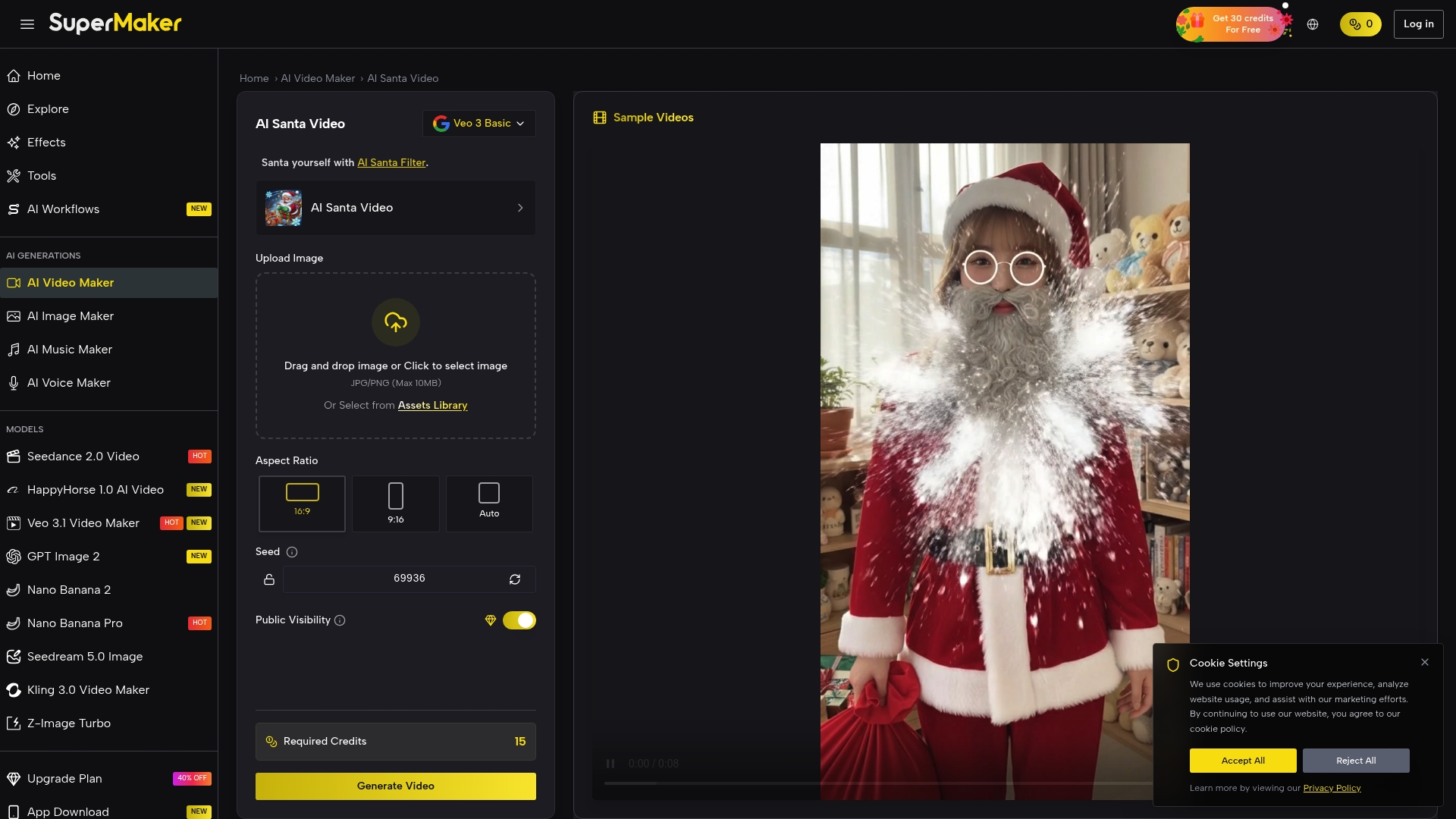
According to the vendor, SuperMaker finishes Santa videos in 10–40 seconds. That speed makes it easy for parents and creators to generate holiday clips between errands or during short breaks. The results lean intentionally toward funny, meme-style Santa characters rather than realistic CGI.
Core Features
- Instant transformation of a single photo into a short Santa video with automatic background handling.
- Multiple Santa styles and themes for variety so you can pick goofy, classic, or over-the-top looks.
- Optimized for TikTok, Reels, and Shorts so output matches common vertical formats and social codecs.
- Automatic face detection and animation that finds faces in group and pet photos without manual masking.
- Fast rendering that targets mobile workflows and low-friction sharing.
Key Differentiator
SuperMaker centers on automatic face detection plus a suite of humorous Santa looks. That pairing speeds production and slants results toward viral-ready memes rather than polished cinematic effects. For families who want quick, laugh-out-loud clips to share, this focus trims setup time and decision fatigue.
Pros
- Easy upload and generate process. Parents can make a holiday clip in moments without prior editing skills.
- Viral-ready format optimized for social platforms. The tool packages aspect ratio and motion for Reels and Shorts.
- Fast rendering times reduce wait and let you create several variations in one sitting.
- Multiple humorous Santa styles give variety for siblings, pets, or group shots.
- Supports group and pet photos so whole families can appear in the same Santa scene.
Cons
- Results are intentionally exaggerated and meme-like, not realistic CGI or cinematic renderings.
- Customization stops at style selection. There is limited control over pose, lighting, or detailed facial tweaks.
- Output quality depends on the input photo. Low-resolution or poorly lit images produce weaker animations.
When It May Not Fit
If you want realistic shadowing, natural lighting, or cinematic movement for a family keepsake, this product will not meet that need. It also does not suit users who require fine control over facial expressions or scene composition. Choose a different tool when photorealism and advanced editing matter more than quick social clips.
Who It's For
Parents, holiday enthusiasts, and social creators who prioritize speed and laughs will get the most value. This product fits households that want playful content for social feeds rather than museum-quality visual keepsakes. Meme creators and brands looking for fast seasonal posts will also find it convenient.
Real World Use Case
The vendor describes a social media influencer who uploaded a photo, generated a humorous Santa clip, and posted it to TikTok. That post reportedly gained thousands of views and engagement, illustrating how the format can join fast-moving holiday trends. For a parent, the same flow works for creating quick family greeting clips to share with relatives.
Website: https://supermaker.ai/video/ai-santa-video
AI Santa Video Generator
At a Glance
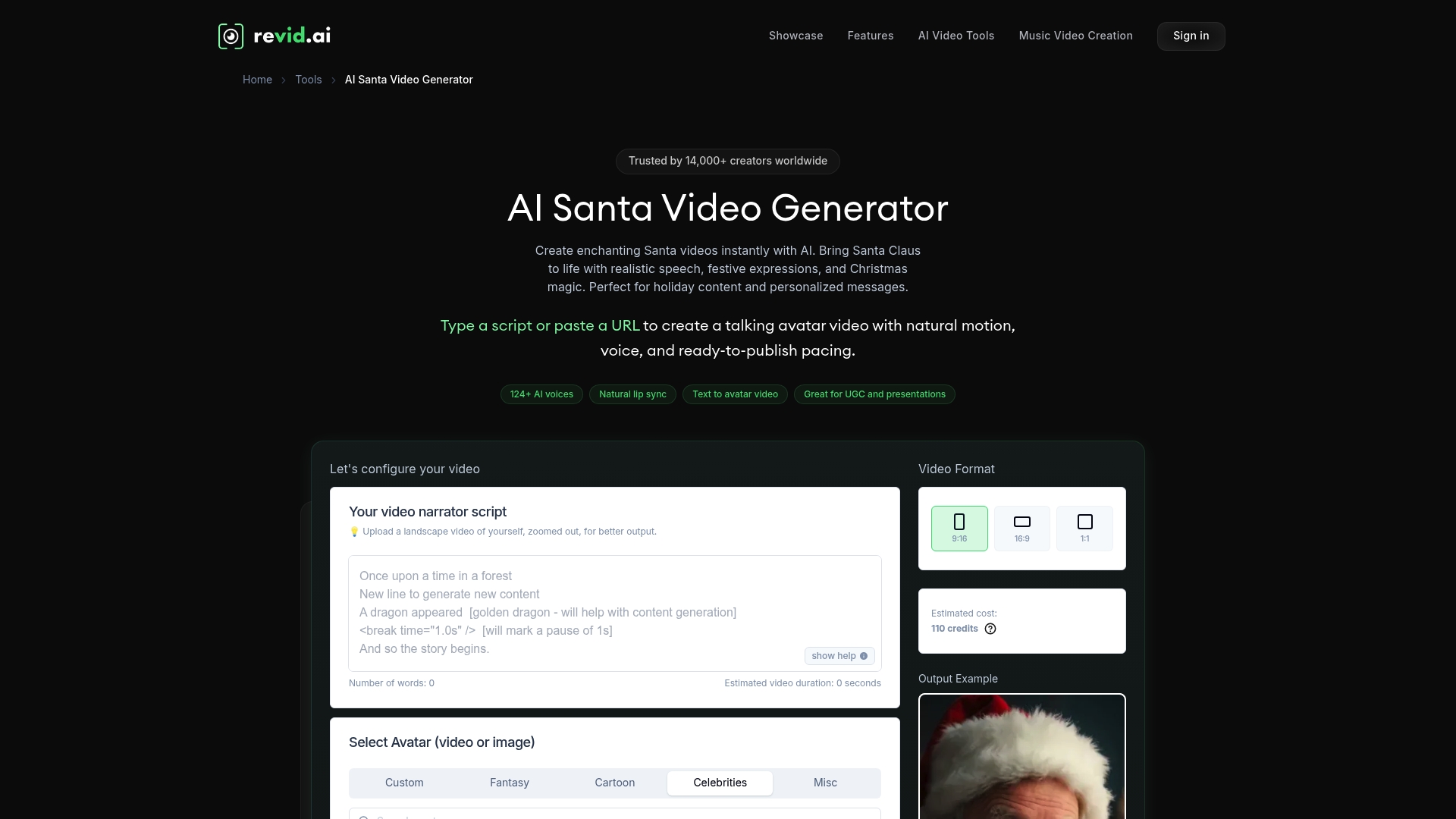
Over 124 AI voices in 70+ languages are available for crafting Santa messages. That range makes it easy to match voice and language to your child or audience. The tool accepts scripts or URLs and outputs videos in portrait, landscape, or square formats within minutes.
Core Features
- AI-generated Santa avatar with realistic speech and expressions so you can produce a talking Santa without filming.
- Script or URL input for quick personalization; paste a script or link and the system animates the avatar.
- Multiple aspect ratios that include portrait, landscape, and square for social posts and family messages.
- Custom avatar upload and voice recording let you use a family photo or your own voice for a more personal effect.
- B roll addition and direct publishing options simplify getting finished clips onto social platforms.
Key Differentiator
The core distinction is automatic animation of customizable Santa avatars from scripts or URLs. That process handles speech syncing and expressions so you avoid manual lip sync or motion editing. For families and small teams, this cuts production work while keeping the result expressive enough for holiday surprises.
Pros
-
Fast creation. You can turn a short script into a shareable Santa video in minutes without a camera or studio.
-
Broad voice coverage. The large voice library supports many languages and accents for family members from diverse backgrounds.
-
Flexible publishing. Exports in multiple formats and direct social publishing save time when you want to post or send messages.
-
Personalization options. Uploading a custom avatar or recording a voice helps the video feel unique to your family.
-
Cost and time saver. Parents avoid booking shoots and editing sessions when making one off holiday greetings.
Cons
-
Emotional nuance is limited. The vendor acknowledges that finely tuned facial emotion may not match a live performance.
-
Credits restrict scale. The credits model may limit heavy use for families wanting dozens of videos.
-
Output quality varies. Final realism depends on the source photo, voice input, and avatar choice.
-
Potential cost for many clips. Producing high volumes could become expensive depending on the plan.
When It May Not Fit
If you need theatrical, cinema level emotion from Santa, this tool may miss subtle cues. High volume creators who want unlimited clips may find the credit system restrictive and costly. If your photos or recordings are low quality, the output will reflect those limits and may feel less lifelike.
Who It's For
Parents, teachers, and small brand teams who want quick and charming Santa messages will find this useful. Content creators who need fast social clips will appreciate the aspect ratio options. Families who want one or a few personalized keepsakes get more value than high output studios.
Real World Use Case
A small gift shop created personalized Santa clips for customers during the holidays. The shop used script templates, swapped languages for different communities, and published clips to social media to increase engagement. The result produced ready to publish holiday content without a film crew.
Website: https://revid.ai/tools/santa-video-generator
Santa Videos
At a Glance
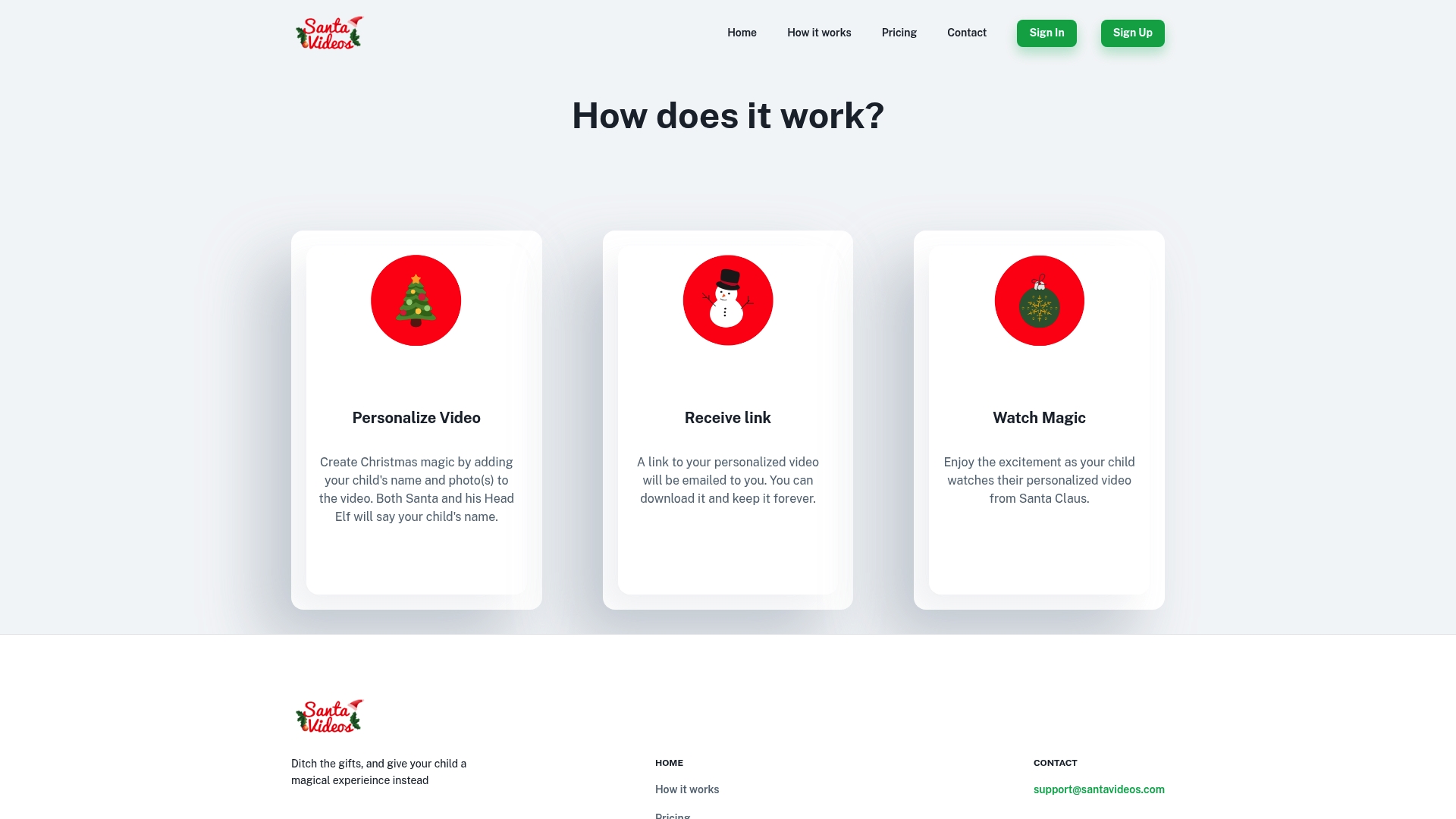
Santa Videos provides API access so partners can generate personalized Santa messages for groups or clients. The service places a child s name and photo directly into a short holiday video. Parents receive a downloadable link by email for permanent keepsakes. The workflow is focused and straightforward for busy families.
Core Features
-
Personalized Santa videos that incorporate a child s name and photo into a short holiday message. This creates a direct, personal moment for the child.
-
Downloadable links delivered by email so families can save and share the video with relatives. The link model avoids bulky file transfers.
-
API access for partners to generate videos at scale, useful for schools or event organizers integrating messages into their services.
-
Simple web based account management that automates personalization and delivery for parents and administrators.
-
A family friendly presentation designed to feel safe and festive for young viewers.
Key Differentiator
Santa Videos centers on holiday messages and partner integration. The platform s combination of a consumer workflow and a partner API makes it easy for schools, clubs, and agencies to produce many personalized videos. That focus differs from broader tools that include multiple fantasy characters or cinematic rendering. Santa Videos trades breadth for a streamlined, holiday specific production path.
Pros
-
Simple parent workflow. Upload a photo, enter a name, and get a shareable link sent by email.
-
Scales for organizations. The API access lets schools or vendors produce videos for entire lists of children.
-
Keepsakes that last. Downloadable links let families archive or replay videos without extra steps.
-
Clear holiday tone that enhances seasonal excitement for children. The content targets classic Santa imagery and messaging.
-
Easy platform management. The site handles personalization and delivery so organizers do not need custom tooling.
Cons
-
Personalization stops at name and photo. The platform does not offer deeper scene edits or custom dialogue.
-
No multilingual options are advertised. Families who need native language videos may not find support here.
-
Videos appear fixed after creation. There is no stated way to edit or further personalize a video after it is generated.
-
Strictly seasonal content. The service focuses on Santa and is not suitable for non Christmas occasions.
When It May Not Fit
If you want videos featuring non Santa characters or year round fantasy options, this product will feel narrow. Families needing bilingual or region specific sayings will likely want another choice. Creative teams that require fine control over scenes, voice lines, or repeat edits will find the platform limiting. Large campaigns that need varied holiday themes may prefer a more flexible provider.
Who It's For
Parents who want a quick, heartfelt Santa message for their child will find this service easy to use. Holiday event organizers and schools planning mass personalized greetings will benefit from the partner API. Small businesses running seasonal promotions can add a festive touch without building their own video pipeline.
Real World Use Case
A local elementary school collects photos and names for each student. The school uses the API to generate personalized Santa videos and emails links to families before winter break. Parents download the videos and share them with grandparents, creating a simple, repeatable holiday tradition.
Website: https://santavideos.com/howitworks
MakeFilm AI
At a Glance
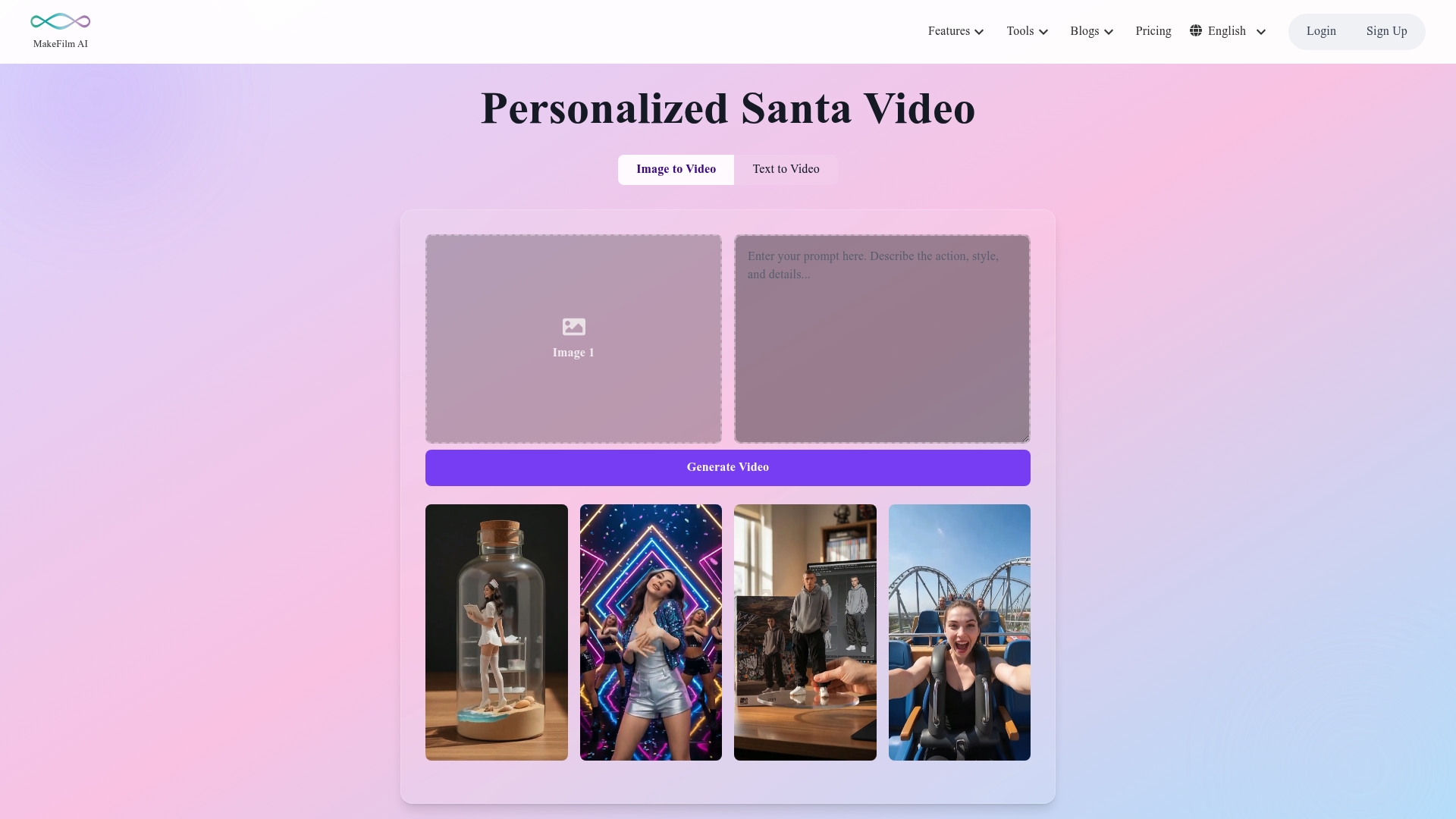
A free tier includes 100 credits, according to the company. That free tier makes it easy to test personalized Santa videos without upfront cost.
MakeFilm AI focuses on lifelike Santa messages that combine image, voice, and text personalization. The service advertises HD output and multilingual voice synthesis for broader family reach.
Core Features
MakeFilm AI includes an AI Video Generator that turns uploaded photos and text into short, realistic video clips. The platform also offers an AI Voice Generator with multilingual voice synthesis for messages in different languages. An Image Generator helps craft custom scenes or character elements when you lack a photo. Personalization options let you add names, photos, and specific lines to tailor each message.
Key Differentiator
MakeFilm AI centers on generating highly realistic, customizable Santa messages without technical steps. The product combines visual rendering and voice synthesis in one flow so you can produce a finished clip quickly. That approach targets families and small organizations that want a polished, shareable holiday moment with little setup.
Pros
-
Realistic, customizable Santa videos that make home celebrations feel special. Each clip can include a child name and family photo for a personal touch.
-
Easy to use for nontechnical parents. The interface guides you through uploading a picture, writing a short script, and choosing a voice.
-
Multilingual voice support for families that speak different languages. This helps include grandparents or relatives who prefer another language.
-
Offers secure options at higher plans, according to the vendor, which may appeal to schools and organizations handling student data.
-
Works for both family use and small campaigns. You can reuse credits for occasional videos or buy more for events.
Cons
-
Quality can vary by input photo and script clarity, so you may need to test a few versions. Generated results are not always identical to studio footage.
-
The product relies on an internet connection. Offline use is not supported.
-
Premium features and larger credit packages add cost for high volume use, which may matter for schools or nonprofits running many messages.
When It May Not Fit
If you need guaranteed frame by frame control for professional broadcast work, this service is not the right fit. Large organizations that require in house hosting or bespoke animations will find the platform limiting. Also avoid it if you cannot rely on internet access during production or delivery.
Who It's For
Parents who want a quick, magical surprise for children will find MakeFilm AI practical and joyful. Small schools and community groups can produce seasonal clips without hiring a studio. Marketers at small businesses can use it for holiday outreach that feels personal.
Real World Use Case
A parent uploads a living room photo, selects a friendly voice, and adds a short script about cookies and good behavior. The family tests a free credit, tweaks the line about a favorite toy, and sends the final HD clip to relatives. Kids get a realistic Santa message that looks and sounds like it belongs in their home.
Website: https://makefilm.ai/tools/personalized-santa-video
Comparison of alternatives
When seeking alternatives to santavideomaker.app, several personalized holiday video makers stand out, each excelling in unique areas to cater to varied needs.
Feature Focus: Photorealism vs. Creativity
WonderLens prioritizes realism by employing advanced lighting and shadow analysis to integrate animated characters into uploaded scenes, creating magical moments for children. In contrast, "Pika" excels in offering creative tools catered to social media influencers aiming for bold, trend-informed effects.
Customization Options and Specialized Outputs
"MakeFilm AI" distinguishes itself by providing multilingual voice-over capabilities and allowing detailed text-based animations. Meanwhile, "SuperMaker AI Santa Video Generator" offers simplified, humorous short videos optimized for viral social media sharing, which contrasts with "Santa Videos"' straightforward approach of integrating user-provided photos and texts into holiday-themed videos on a scalable format perfect for organizations.
Best fit
- Families seeking realism and believability in holiday animations will find WonderLens ideal due to its focus on detailed lighting and shadow replication.
- Creators looking to engage audiences with vivid, imaginative video effects should consider Pika for its expansive creative tools.
- For those requiring quick and humorous holiday clips, SuperMaker AI Santa Video Generator is perfect.
- Multilingual families or those seeking to add spoken elements to their videos will benefit from the diverse options offered by MakeFilm AI.
- Organizations needing large-scale personalized video messages for events can utilize Santa Videos and its API tools effectively.
Our pick
WonderLens emerges as the best choice for families desiring magical realism in their holiday videos due to its unique ability to combine user photos with realistically animated characters through precise lighting and shadow algorithms. However, for specific needs like multilingual narratives or exaggerated humor, exploring alternatives like MakeFilm AI or SuperMaker might align better with those objectives.
Comparing advancements in AI-generated holiday videos, the offerings vary in realism, customization, and audience focus, aiding families and creators in making a well-informed choice.
| Product | Key Feature | Best For | Pricing | Limitation |
|---|---|---|---|---|
| Wonderlens | Scene-aware character placement with realistic lighting | Holiday-themed family video creation | First video free, subsequent credits from $2.49 | Limited by photo quality for scene accuracy |
| Pika | Proprietary models for creative and surreal video effects | Social creators seeking innovative visuals | Not disclosed | Focuses on artistic effects, less realism |
| SuperMaker AI Santa Video Generator | Quick-rendering, humorous Santa animations | Casual creators prioritizing speed | Not disclosed | Intentionally exaggerated, meme-style results |
| AI Santa Video Generator | Multilingual scripts with customizable Santa avatars | Parents customizing holiday messages | Not disclosed | Emotional nuance may not meet live-action quality |
| Santa Videos | API-based personalization of names and photos | Scalable uses for organizations | Not disclosed | Focused on Santa, lacks multilingual functionality |
| MakeFilm AI | Realistic multilingual Santa video creation | Individual family moments or small events | Free tier with 100 credits, pricing for extra use | Internet connection required for video generation |
Discover a Magical Alternative to santavideomaker.app with Wonderlens
Struggling to find a santavideomaker.app alternative that brings enchanting realism to your holiday videos? Wonderlens offers a perfect solution by transforming your own photos into captivating 10-second animations featuring Santa, unicorns, and other beloved fantasy characters. Its AI-driven scene analysis ensures natural lighting and shadows, creating a magical and believable experience that feels like a real visit right in your living room.
Why choose Wonderlens?
- No complicated editing or apps required
- Family-safe and moderated content
- First video free so you can try before buying
- Pay-per-video credits keep costs simple and flexible
Bring holiday joy to your family with Wonderlens’ lifelike animations that children will treasure. Visit Wonderlens to create your own magical moments today.
FAQ
How does Wonderlens generate personalized holiday videos?
Wonderlens generates personalized holiday videos by analyzing your uploaded photos for lighting and shadows, ensuring that animated characters match the scene realistically. This feature allows for believable animations that enhance the magic of any holiday moment, making it easy for families to create delightful surprises.
What is the difference between SuperMaker and Wonderlens?
SuperMaker excels at producing quick, humorous Santa videos with a range of funny styles, allowing for instant delivery of viral-ready content. However, Wonderlens focuses on realistic scene integration and believable animations, making it ideal for families seeking heartfelt magical moments rather than memes.
Can I use Wonderlens for scenes that are poorly lit?
Wonderlens works best with well-lit, tidy photos; cluttered or poorly lit images can lead to less convincing video results. Users should aim for clear lighting conditions to achieve optimal animations that truly capture the holiday spirit.
Which platform offers the first video free?
Wonderlens stands out by offering the first video free, allowing users to test its effects without commitment. This feature is particularly useful for families who want to try creating personalized holiday clips before investing in more credits.
Does Pika support bulk video generation?
Pika allows for multiple subscription plans and API access for bulk video generation, but it is more targeted at social creators than families. For families seeking occasional personalized clips, Wonderlens is a simpler option that requires no ongoing subscription, focusing on delightful holiday surprises.