What is visual realism in home videos? Make magic feel real
May 3, 2026
Most parents assume that a sharper, higher-resolution video automatically looks more realistic. It seems logical. But when you're trying to make Santa walk through your living room or a fairy flutter past your Christmas tree, resolution alone won't convince your kids. What actually makes magical home videos feel real is a combination of lighting, shadows, movement, and visual integration. Get those right, and even a simple 10-second clip can leave your children completely speechless.
Table of Contents
- What does visual realism really mean?
- The building blocks of believable magic
- Common mistakes that shatter realism
- How to achieve seamless visual realism at home
- Why "real enough" might be the magic formula
- Our take: Visual realism is about wonder, not perfection
- Bring your own magic to life
- Frequently asked questions
Key Takeaways
| Point | Details |
|---|---|
| Perceived realism matters most | What feels real on screen is more important than sharpness or resolution. |
| Integration is key | Match lighting, shadows, and camera behavior for believable fantasy effects. |
| Avoid common pitfalls | Check for mismatched lighting, hard edges, blur, or timing glitches before sharing your video. |
| Good enough is great | Focus on joyful reactions from kids rather than chasing technical perfection. |
What does visual realism really mean?
Now that we know what most people get wrong about realism, let's unpack what visual realism truly means in home-video magic.
When parents talk about a video looking "real," they usually mean it feels believable. That's different from being technically perfect. A blurry photo of a real dragon would still feel more convincing than a crystal-clear animation floating awkwardly above your couch with the wrong lighting.
As one film and media expert puts it, visual realism means "perceived realism (visual fidelity) rather than objective, scientifically verifiable likeness to reality." In other words, realism lives in the viewer's mind, not in the pixel count.
For kids especially, the brain judges what it sees against what it expects. A dragon that catches your living room's warm lamplight feels present. One that glows with a cold, unnatural blue does not. The same applies to any fantasy character, whether it's a unicorn stepping across your hallway or Santa crouching beside your fireplace.
The main building blocks of visual realism in home videos are:
- Lighting: Does the character's brightness and color temperature match the room?
- Shadows: Does the character cast a shadow that matches the room's light source?
- Perspective: Is the character the right size and angle for where it appears?
- Integration: Does the character feel like it belongs in the scene, or does it look pasted on?
Understanding digital media realism for holiday magic starts right here. Resolution is just one small tool in a much bigger kit.
The building blocks of believable magic
Understanding it's not just sharp images, let's break down the specific elements that actually fool our eyes and our kids' imaginations.
Think of a scene where a fairy is hovering near your child's bedroom door. For that to feel real, every visual cue needs to match. Viewers judge realism by whether lighting, materials, and perspective match real-world camera behavior. It's not about resolution at all.
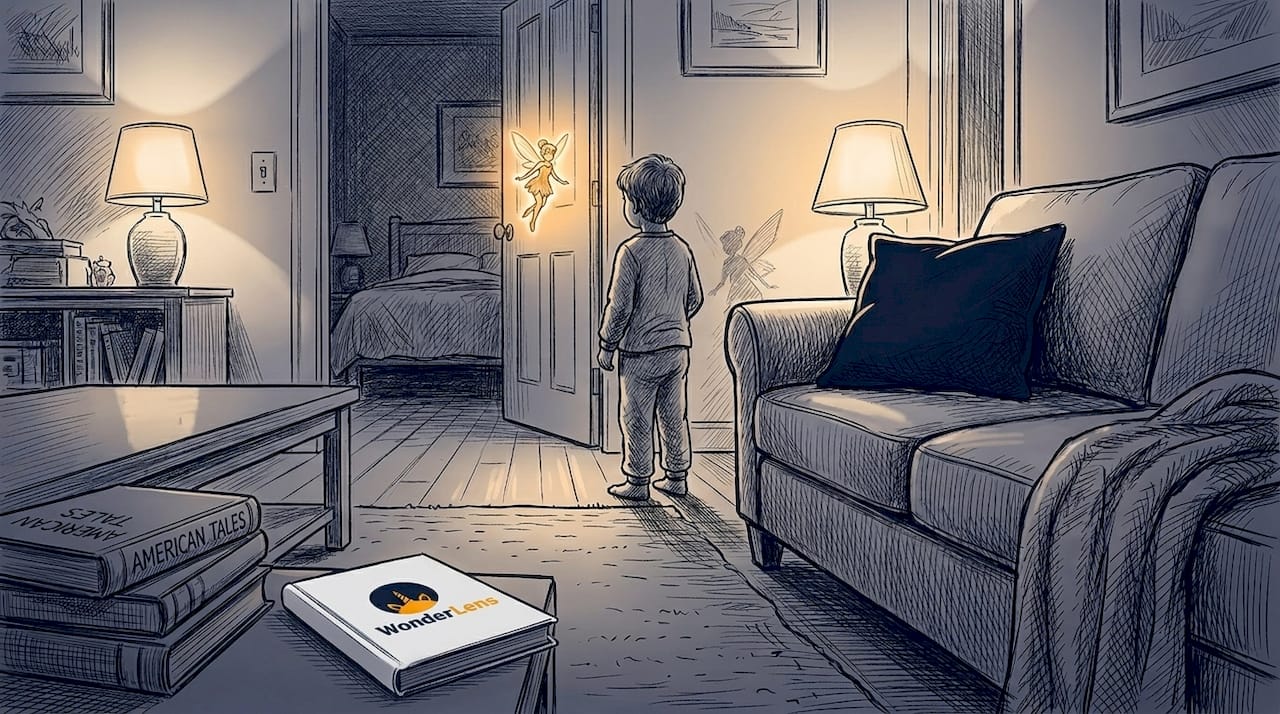
Here's how each building block works in practice:
| Visual cue | What it does | Why it matters |
|---|---|---|
| Lighting | Matches brightness and color to the scene | Prevents the "glowing cutout" effect |
| Shadows | Grounds the character in the space | Makes it feel physically present |
| Perspective | Correct size and angle relative to camera | Stops characters from looking flat |
| Edge blending | Smooth transition between character and background | Removes the "pasted on" look |
| Movement | Natural motion with environmental interaction | Creates life and presence |
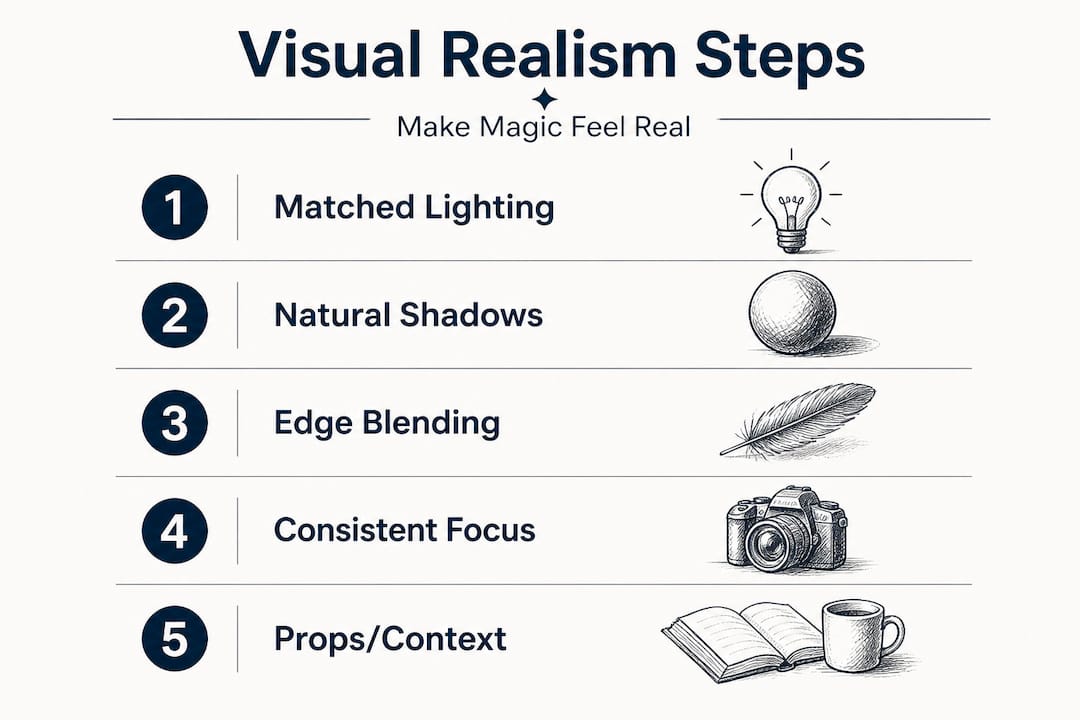
The steps to getting these right follow a clear order:
- Start with your room's light source. Note where the main light is coming from. A lamp on the right means shadows fall left.
- Match the character's lighting direction. The character needs to be lit from the same side as your room.
- Check shadow placement. Shadows should fall in the same direction as every other shadow in your scene.
- Smooth the edges. Hard cutout edges immediately signal "fake." Soft, natural blending keeps the illusion alive.
- Add natural movement. A fairy that hovers with a slight drift feels alive. One that stays perfectly still looks like a sticker.
Pro Tip: Before recording your home footage, turn on all the lights in the room and note which direction they cast shadows. Taking a quick reference photo of a simple object with a visible shadow helps you or your video tool match lighting perfectly later.
When you're integrating fantasy into home photos, each of these cues needs to work together. Miss just one, and the illusion cracks.
Common mistakes that shatter realism
Now that you know what should go right, it's crucial to see where magical home videos often go wrong so you can spot and prevent these errors.
Even parents who pay close attention to lighting and composition can run into problems. The most common realism-breakers are subtle, and that's exactly why they're so easy to miss.
Mismatched lighting and shadows between foreground characters and background footage are the top culprits, along with timing and temporal coherence problems like jitter that make a scene feel synthetic even if individual frames look sharp.
Here's a quick comparison of what works versus what breaks the magic:
| What creates believability | What destroys it |
|---|---|
| Soft shadow matching room's light direction | No shadow or shadow pointing the wrong way |
| Character sized correctly for the scene | Character too large or too small |
| Natural, fluid movement | Jittery or stiff animation |
| Edges blended smoothly into the background | Hard cutout edges around the character |
| Character color temperature matches room | Character looks too bright or too blue |
The most common mistakes parents encounter include:
- Lighting mismatch: The room is warm and golden, but the character looks like it's lit by a cold studio light.
- Missing or wrong shadows: A dragon standing in your sunlit kitchen should cast a shadow. Without one, it hovers in a way that feels wrong to even a young child.
- Hard edges: If you can clearly trace the outline of an animated character against your wall, the illusion is broken.
- Jitter and movement issues: A character that trembles unnaturally or snaps between positions feels mechanical, not magical.
- Focus inconsistency: If your background footage is slightly out of focus but your character is razor sharp, the brain immediately notices the mismatch.
If you want to add fairies to holiday videos that actually convince your kids, avoiding these pitfalls is just as important as getting the good stuff right. Similarly, when adding animated characters to family photos, the same rules apply. Every visual cue has to fit together like puzzle pieces.
The good news is that once you know what to look for, these errors become easy to catch before you share the video with your child.
How to achieve seamless visual realism at home
Knowing what can go wrong, let's focus on how you can actively achieve magical, realistic results for your holiday videos.
You don't need a film crew or professional editing software. What you need is intentional setup before you shoot your footage. Consistent lighting, shadows, and correct integration cues are the foundation of any convincing fantasy home video.
Follow these steps for the best results:
- Record steady footage. Use a tripod or prop your phone against a stable surface. Shaky footage makes it harder to blend characters naturally.
- Light your room deliberately. Warm, even lighting from one direction creates clear shadows that an animated character can match. Avoid mixed light sources that pull shadows in different directions.
- Note your light direction. Before you start, place a simple object like a toy or cup in the shot. See where its shadow falls. That's your reference point.
- Choose your character placement thoughtfully. Place the fantasy character near a physical object in the room. A dragon near your bookshelf, a fairy beside your lamp. This grounds the character in the real environment.
- Check edge blending carefully. After generating your video, zoom in and look at where the character meets the background. Smooth, slightly soft edges signal realism. Sharp, hard outlines signal "editing project."
- Preview with your kids briefly. Kids are surprisingly good at spotting when something feels off. If they say "that looks a little weird," take it seriously and adjust before the big reveal.
- Use tools that automate integration cues. AI-powered platforms handle lighting matching and shadow generation automatically, which removes a lot of the guesswork and gives you professional-level results at home.
Pro Tip: Record your home footage at the same time of day you plan to show the final video. Morning light and evening light feel different on camera, and matching those conditions creates a stronger sense that the character is truly in your space.
When you want to create magical videos for kids that hold up to scrutiny, these steps make the difference between a video that gets a polite smile and one that makes your child gasp. You can also explore Easter fantasy video ideas for seasonal inspiration that applies the same principles beautifully.
Why "real enough" might be the magic formula
Finally, let's talk about how much realism you really need for magical holiday memories.
Here's something worth knowing. At a certain point, chasing technical perfection can actually work against you. Children's imaginations are incredibly powerful. They want to believe. They are already halfway there before the video even starts.
Beyond certain thresholds, additional fidelity may yield diminishing returns, and presentation and screening conditions can matter just as much.
That last point about presentation is often overlooked. Watching a magical video on a large TV in a dimly lit living room feels more immersive than watching the same video on a bright phone screen in a noisy kitchen. The experience around the video shapes how real it feels just as much as the video itself.
A few practical ideas to maximize the "real enough" effect:
- Show the video on the biggest screen available for maximum impact.
- Dim the room lights before pressing play.
- Build some anticipation beforehand. Tell your child you caught something on camera last night.
- Watch their face, not the screen. Their reaction will tell you everything.
The stat that matters most here isn't pixels per inch. It's this: the moment your child's eyes go wide and they grab your arm because they just saw a dragon in the living room, you've achieved perfect realism. That reaction is the whole point.
Striving for Hollywood-level perfection is a worthy goal, but don't let it paralyze you. A video with warm, matched lighting, a natural shadow, and a character that moves fluidly will create genuine wonder. It doesn't have to be flawless. It has to feel right.
Our take: Visual realism is about wonder, not perfection
With all this in mind, here's our lived perspective on what makes "realism" magical in the home video context.
After working closely with families creating these personalized videos, one thing stands out clearly. Kids' imaginations do the heavy lifting. Parents often worry that a shadow is slightly off or that the fairy's glow looks a touch too bright. Meanwhile, their child is absolutely convinced a real fairy just flew through the hallway.
The emotional connection children bring to these moments is your biggest ally. They are not film critics. They are believers. Your job is to give their imagination something credible to hold onto, not to produce a visual effects reel.
We've seen videos with technically imperfect shadows create tears of joy. We've also seen technically cleaner videos fall flat because the setup lacked warmth or the character was placed awkwardly. Realism is about the whole feeling, not isolated technical details.
The real lesson is this: don't let the pursuit of visual perfection crowd out the creativity and warmth that make these videos special. Use good lighting, place your character thoughtfully, and trust your AI tools to handle the technical integration. Then step back and let the magic do its work.
Understanding fantasy integration magic means accepting that wonder isn't a technical specification. It's an emotional response. Your video is the spark. Your child's imagination is the flame.
Bring your own magic to life
Inspired to start blending fantasy with everyday moments? Here's how WonderLens can help you make it real.
You don't need Hollywood software, editing skills, or hours of free time. WonderLens was built specifically so parents can create cinematic, believable magical videos right from their own living rooms. Upload a photo of your space, choose a character from dragons and fairies to Santa and unicorns, and the platform's AI handles lighting matching, shadow casting, and natural movement for you.

Every detail we covered in this article, including matched lighting, grounded shadows, and smooth edge blending, is handled automatically so your video feels genuinely real. Credits start at just $1.99, and the whole process takes minutes. This Christmas, Easter, or any day in between, you can give your child a memory they'll talk about for years. Visit WonderLens today and create your first magical moment.
Frequently asked questions
What makes a fantasy character look real in home videos?
Matching lighting, shadows, and camera focus to your original video shot is the key to convincing results. A key realism requirement is consistent lighting and shadows so the character doesn't look pasted on.
Does higher video resolution guarantee realism?
No, realism depends more on natural visual cues than sharpness or resolution alone. Visual realism means perceived realism rather than objective likeness to reality, which goes far beyond pixel count.
What is the biggest mistake when adding animation to family videos?
The most common mistake is mismatched lighting or shadows, making the animation look fake and disconnected from the scene. Mismatched lighting and shadows are among the most frequent realism-breaking issues in composite video work.
Is there such a thing as "too real" in magical home videos?
Sometimes chasing perfect realism delivers fewer magical results because kids care more about story and believability than pixel perfection. Beyond certain fidelity thresholds, additional technical detail can yield diminishing returns on the actual wonder your child experiences.
How can I check if my video looks real enough to kids?
Show them a short preview and watch their reaction closely. If they react with surprise, excitement, or genuine belief, your visual realism is working exactly as it should.
Recommended
- What realism in digital media means for holiday magic — WonderLens | WonderLens
- How to create magical videos kids will truly love — WonderLens | WonderLens
- Bring an Astronaut Into Your Home — Realistic Video | WonderLens | WonderLens
- Bring a Real Unicorn Into Your Home — Realistic Video | WonderLens | WonderLens