How to create magical videos kids will truly love
April 30, 2026
Every parent knows that look: eyes wide, jaw dropped, pure wonder washing over a child's face when something truly magical happens. Generic holiday e-cards and store-bought greetings rarely produce that reaction. A video of Santa waving at a random child is sweet, but a video of Santa stepping into your living room, mentioning your child by name, and waving at the exact spot where your family Christmas tree stands? That is something else entirely. This guide walks you through everything you need, from AI-powered personalization to hands-on DIY techniques, to create holiday videos that your kids will talk about for years.
Table of Contents
- What you need to create magical videos
- Step-by-step: Creating magical videos with AI
- DIY and hybrid magical video methods
- Ensuring safety, quality, and magical reactions
- Our perspective: Crafting real magic with technology, tradition, and family
- Create unforgettable magical videos with WonderLens
- Frequently asked questions
Key Takeaways
| Point | Details |
|---|---|
| Choose your method | AI tools offer speed and personalization; DIY or hybrid methods add creativity and authenticity. |
| Prepare quality inputs | High-resolution photos and well-crafted prompts ensure magical results for your child. |
| Blend traditions | Combining AI-generated clips with family montages delivers lasting, truly magical family memories. |
| Prioritize safety | Always check content for age appropriateness and supervise children during video creation. |
| Maximize reactions | Use a child’s name and favorite characters to create videos that delight and amaze every holiday. |
What you need to create magical videos
Now that you understand the importance of personalization, let's organize what you'll need for each approach. There are two main routes: AI-powered video generation and traditional DIY methods. Both have their place, and knowing what each requires upfront saves you time and frustration.
AI-powered tools
AI-powered photo animation has made it remarkably easy to create personalized videos in minutes. The primary method for personalized magical videos is using AI generators where you input your child's name, age, photos, and specific details to get a custom, one-of-a-kind clip in just a few minutes. Here is what you need to get started:
- A smartphone or tablet with a decent camera (12 megapixels or higher works well)
- Clear, well-lit photos of your home interior, ideally taken in natural daylight
- An AI video platform with character libraries and personalization options
- A reliable internet connection for uploading photos and downloading finished clips
- A credit or payment method since most quality AI platforms charge per video generated
DIY tools and craft supplies
The non-AI DIY approach covers stop-motion animation with toys or paper cutouts, flip books, and family photo montages compiled into short films. These methods require a different toolkit:
| Method | Materials needed | Time required | Skill level |
|---|---|---|---|
| Stop-motion | Toys, paper figures, steady camera, tripod | 2 to 4 hours | Beginner to intermediate |
| Flip book | Index cards, markers, thumb | 30 to 60 minutes | Beginner |
| Photo montage | Family photos, free editing app | 1 to 2 hours | Beginner |
| AI video generation | Quality photos, AI platform, credits | 5 to 15 minutes | Beginner |
Gathering your tools ahead of time means you can move quickly when the magic moment arrives, especially around busy holidays when every minute counts.
Step-by-step: Creating magical videos with AI
With your toolkit ready, you can now follow these steps to produce truly magical, personalized videos quickly using AI. The process is simpler than most parents expect, and the results can genuinely take your child's breath away.
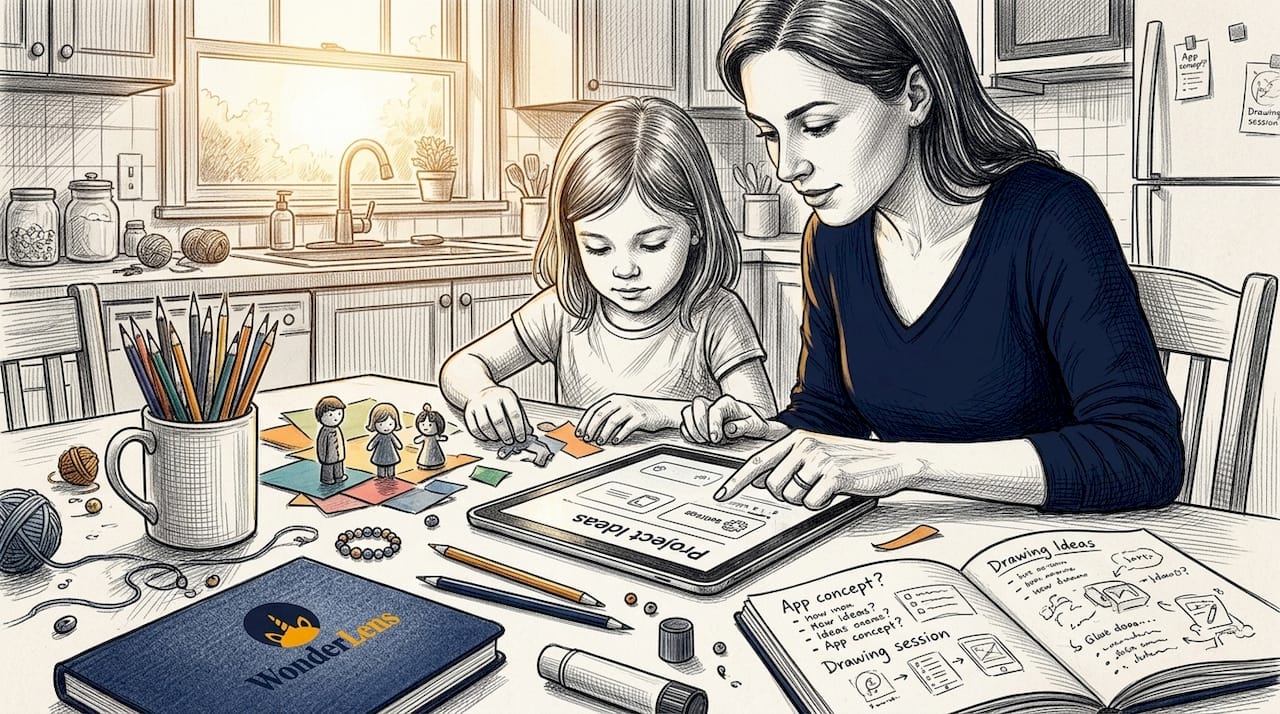
Step 1: Choose your AI platform and character. Look for platforms that offer realistic character animation, not flat sticker overlays. You want Santa's coat to catch the light from your fireplace, or a fairy's wings to cast tiny shadows on your floor. Check whether the platform specializes in holiday characters or offers a broader range including superheroes, fairies, and fantasy creatures.
Step 2: Gather and prepare your photos. Take several photos of the spaces where you want the character to appear. Shoot in good lighting, avoid blurry shots, and take pictures from multiple angles. The better your input photos, the more realistic the final video will look. Close-up shots of specific spots, like beside your Christmas tree or near the Easter basket, give the AI more detail to work with.
Step 3: Enter your child's details. Most platforms ask for your child's name, age, and sometimes specific details like their favorite color or a wish list item. This is where the real personalization happens. The more specific you are, the more the finished video will feel like it was made just for your family.
Step 4: Write or select your prompt. For AI video tools, a clear and specific prompt dramatically improves results. Instead of typing "Santa in living room," try "Santa standing near a decorated Christmas tree in a cozy living room, waving warmly at a young child." Prompt clarity is one of the biggest factors in output quality.
Step 5: Generate and review. Submit your request and wait for the video to generate. Benchmarks from Magic Hour's 2026 AI video research show that platforms like Veo rank highest for prompt adherence and scene stability, while tools like Laila generate full stories in 3 to 4 minutes and ImagineArt produces 5-second clips in just 3 to 5 minutes. Review the output carefully before showing your child.
Step 6: Share the magic. Download your video, or share it directly through the platform. Many parents play the video on a TV or tablet as a surprise, capturing their child's reaction on a second phone for a truly priceless double keepsake.
Pro Tip: Shoot your home photos early in the day when natural light floods the room. Soft, even lighting in your input photos gives the AI much more to work with when matching shadows and color tones to the animated character. The result looks dramatically more realistic.
Here is a quick look at how AI and DIY methods compare for creating AI Christmas videos and other holiday moments:
| Factor | AI generation | DIY stop-motion | Hybrid approach |
|---|---|---|---|
| Time to finish | 5 to 15 minutes | 2 to 4 hours | 1 to 3 hours |
| Personalization depth | Very high | Medium | Very high |
| Realism | High | Low to medium | Medium to high |
| Child involvement | Low | High | High |
| Cost | Small credit fee | Free to low cost | Small credit fee |
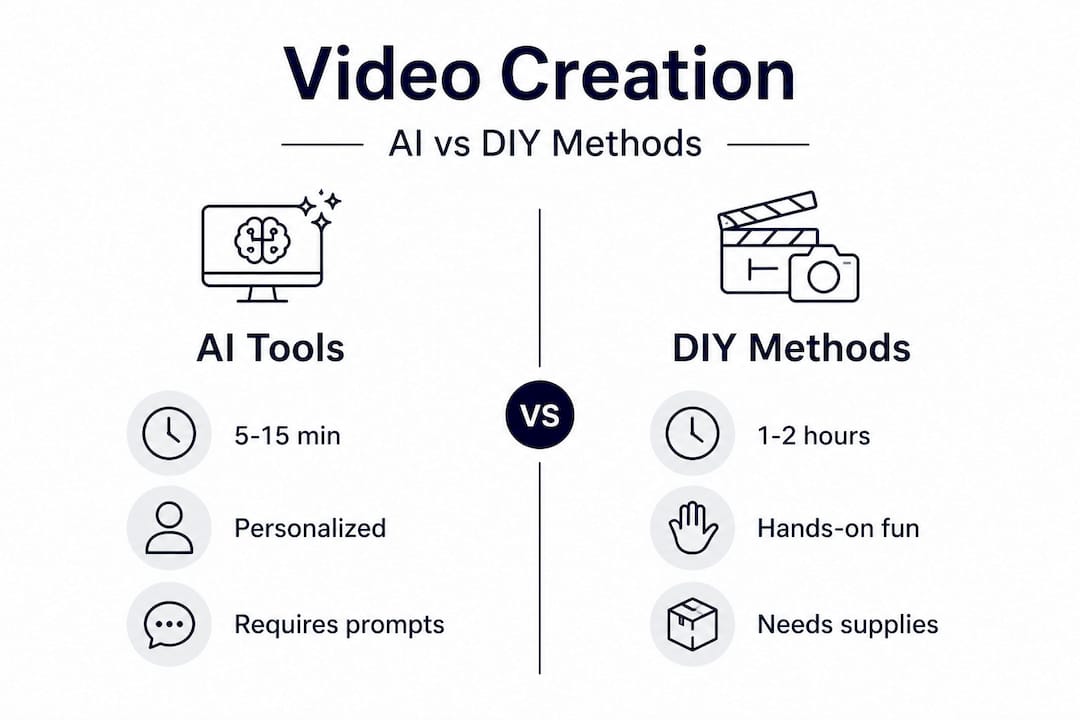
Research confirms that AI dominates for speed and personalization but requires good prompts and quality photo inputs, while DIY builds creative skills and patience at the cost of more time. The hybrid approach, combining AI-generated clips with family footage, is widely considered the best of both worlds, which is exactly what makes magical videos last long after the holiday season ends.
DIY and hybrid magical video methods
Let's explore how you can involve your child, build creative skills, and blend technology with hands-on fun. DIY methods add something AI alone cannot fully replicate: the warmth of your child's own hands in the creation.
Basic stop-motion technique
Stop-motion is one of the oldest and most satisfying forms of animation, and kids love being part of it. Here is how to create a simple stop-motion video at home:
- Set up your scene. Place a toy figurine, paper character, or homemade prop on a flat surface with good, consistent lighting.
- Position your camera. Use a tripod or lean your phone against something stable. Movement between shots ruins the illusion.
- Move slightly between frames. Shift your character by a tiny amount, roughly half a centimeter per shot, to create smooth motion.
- Take each photo deliberately. Move, shoot, repeat. A 10-second clip at 10 frames per second means you will need about 100 individual photos.
- Compile at 10fps. Use a free app like Stop Motion Studio to stitch your photos into a smooth animation playing at 10 frames per second.
Stop-motion is a wonderful rainy afternoon project and teaches kids patience, planning, and storytelling. Yes, it takes a few hours. But watching their toy elf walk across the kitchen counter is genuinely thrilling for children.
Montage and hybrid creation
A montage video pulls together family photos and short clips into a moving story. Think of it as a personalized holiday highlight reel. Free apps like iMovie, CapCut, or Google Photos Slideshow make this accessible even for parents who are not tech savvy.
The most enchanting results come from a hybrid approach combining AI and family montages. Generate a short AI clip of Santa or a fairy appearing in your home, then bookend it with real family footage: kids decorating cookies, opening ornaments, laughing together. The AI clip provides the wow moment, and the real footage grounds it in genuine family memory.
"The most memorable holiday videos are not the most polished ones. They are the ones where children can see their own world reflected back at them, with a little extra magic sprinkled in."
Pro Tip: When blending AI clips with family footage, try to match the lighting color temperature. If your home videos look warm and golden, look for AI-generated clips with similar warm tones. The visual consistency makes the final edit feel seamless and believable.
Explore more ideas through creative animated memories and find inspiration for animated characters in family photos that can make your hybrid videos truly shine.
Benefits of DIY and hybrid approaches:
- Children become active creators, not just passive viewers
- The process itself becomes a cherished family activity
- Personalization runs even deeper when real family footage is included
- Results feel unique and impossible to replicate elsewhere
Drawbacks to keep in mind:
- Stop-motion is time-intensive and requires patience from younger kids
- Hybrid editing requires a bit more technical comfort
- Quality may vary depending on the tools you use
Ensuring safety, quality, and magical reactions
Finally, to ensure a magical and memorable experience, let's review critical safety, quality, and troubleshooting tips. Creating these videos should be fun and stress-free.
Understanding AI tool limitations
Not every AI-generated clip will be perfect on the first try. Research on AI tools for kids' video creation shows a roughly 70% success rate per clip, with each generation costing between 8 and 58 credits depending on the platform. Short clips in the 5 to 10 second range are what these tools do best; they are not designed to produce full-length movies. Input photo quality directly affects the realism of the output, so blurry or dark photos will lead to disappointing results.
Key things to watch for:
- Credit consumption: Know your platform's pricing before you start generating multiple clips
- Clip length: Expect 5 to 10 second videos, which are perfect for sharing but not feature-length
- Age-appropriate content: Always preview videos before showing children
- Photo resolution: Higher-quality inputs consistently produce better outputs
Maximizing your child's reaction
The strongest reactions come from deep personalization. Research confirms that reactions are strongest with name and photo integration, and that AI excels for holiday occasions like Christmas and Easter but can easily extend to birthdays through custom characters.
"When a child hears their own name spoken by Santa, sees their living room in the video, and watches magic unfold in their actual home, the sense of wonder is completely different from a generic greeting. Their whole face lights up in a different way."
To elicit the strongest possible reaction:
- Set the scene before playing the video (turn off the lights, build anticipation)
- Watch together on a big screen, not a small phone
- Have a second phone ready to record your child's reaction
- Add the character that matters most to your child, whether that is a fairy, Santa, a dragon, or a superhero
Looking for ideas for specific holidays? Check out adding fairies to videos for springtime fun, or browse animated Easter videos to see how families are bringing Easter magic to life this season.
Our perspective: Crafting real magic with technology, tradition, and family
To wrap up, here is our take on why your involvement truly creates unforgettable magic. There is a lot of conversation about whether AI makes things too easy, whether the magic feels manufactured. We disagree with that framing entirely.
The magic has never been in the technology. It has always been in the intention behind it. A parent who spends 20 minutes carefully choosing the right setting, writing a thoughtful prompt, and personalizing every detail for their child has poured genuine love into that video. The child does not see the platform. They see Santa in their living room, calling their name.
What we have observed across families using both AI and DIY methods is this: the lasting magical memories are always the ones where a parent was actively involved in the creation. Not because the technology produced something better, but because the parent knew exactly what would make their specific child light up. They chose the right character, the right detail, the right moment to press play.
DIY stop-motion has incredible value because it turns the creation into a shared experience. But AI tools, when used thoughtfully, allow parents to produce something that genuinely looks and feels cinematic without spending an entire weekend on the project. The hybrid approach combines both: use AI to generate the magical centerpiece, then wrap it in real family moments. That combination is more powerful than either approach alone.
We believe the most important ingredient in any magical video is not a better algorithm or a fancier camera. It is a parent who cares deeply enough to make it personal.
Create unforgettable magical videos with WonderLens
For parents who want plug-and-play magic, here is how WonderLens makes enchanting videos easy. WonderLens is built specifically for families who want cinematic, realistic animated characters placed directly into their own home environments. There are no sticker overlays or flat AR filters here. Characters like Santa cast real-looking shadows, catch the light from your lamps, and move through your actual living space in a way that genuinely looks magical.
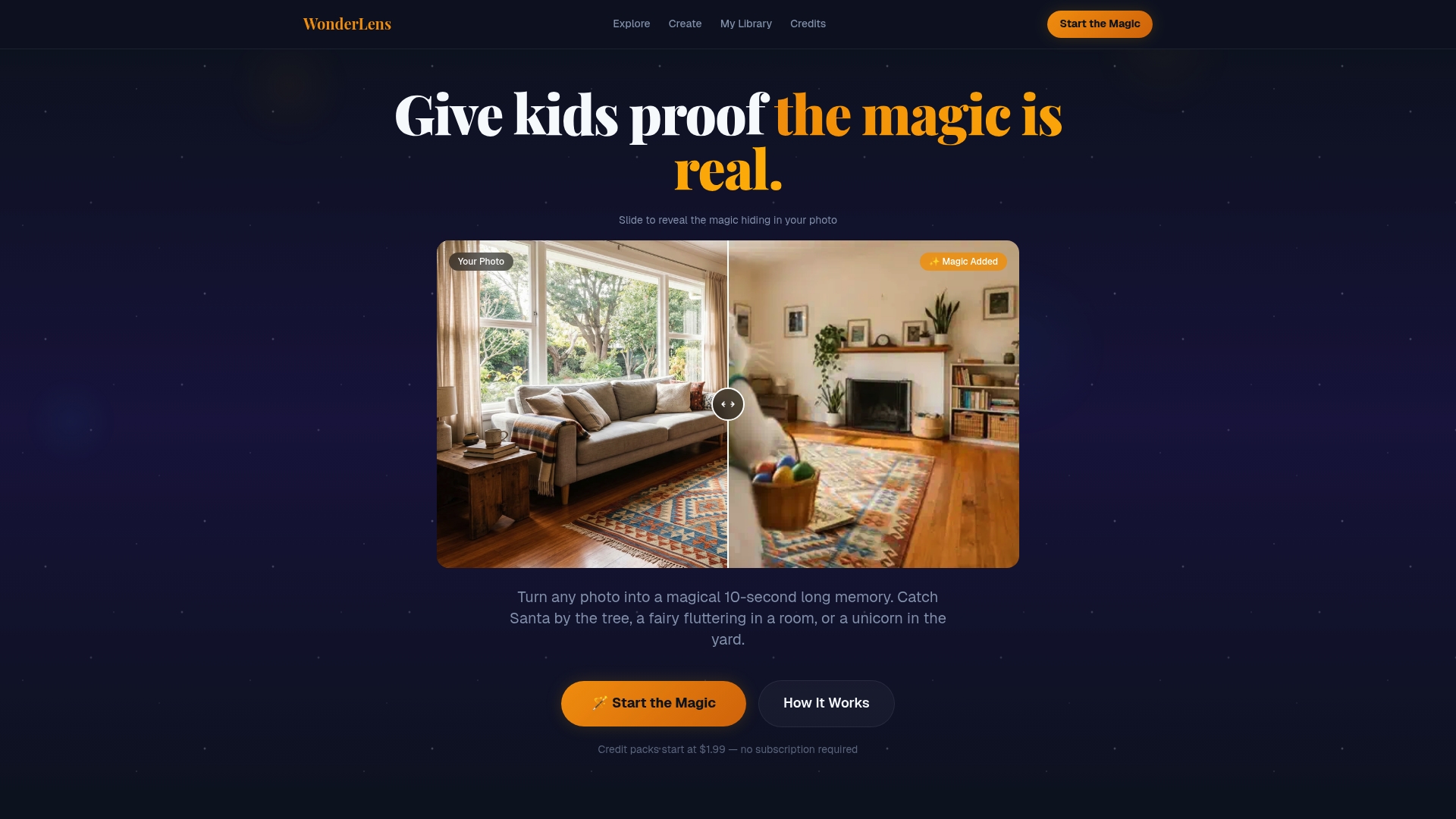
You can choose from a growing library of beloved characters: visit the Santa video page to see how St. Nick comes to life in your home, explore the fairy video for a touch of sparkling springtime wonder, or check out the superhero video for a powerful surprise your little hero will never forget. Credits start at just $1.99, making it easy to create something truly special without a big investment. Give your child a moment of pure, wide-eyed wonder that they will remember long after the holiday ends.
Frequently asked questions
How long does it take to create a magical video with AI tools?
Most AI platforms generate personalized video clips in 3 to 5 minutes, with platforms like Laila completing full stories in 3 to 4 minutes and tools like ImagineArt producing short clips in a similar timeframe.
What are the main limitations when using AI for children's videos?
AI tools typically produce short clips of 5 to 10 seconds, have a roughly 70% success rate per clip, and charge between 8 and 58 credits per generation, with output quality heavily dependent on the resolution and clarity of your input photos.
Is DIY video creation better than AI for magical moments?
DIY offers hands-on creativity and authentic family involvement, but AI excels in speed and personalization; combining both through a hybrid approach consistently delivers the richest, most memorable results.
What is the best way to personalize a video for a child?
Integrate your child's name, clear photos of their actual home, and their favorite characters, since reactions are strongest with name and photo integration rather than generic greetings alone.
Recommended
- How to add fairies to holiday videos kids will love — WonderLens | WonderLens
- How to make Easter fantasy videos for magical memories — WonderLens | WonderLens
- Why Magical Videos Make Holiday Memories Last for Children — WonderLens | WonderLens
- WonderLens — Give Kids Proof the Magic Is Real | WonderLens
- Jeanine McLeod: Capturing Childhood's Ephemeral Joy - 16W Media Group