AI-powered photo animation: create magical family memories
April 28, 2026
You don't need a film studio, a green screen, or a team of animators to put Santa in your living room. AI-powered photo animation has changed that completely. Today, any parent with a smartphone photo and a few spare minutes can create a short, lifelike animated video that makes their child's jaw drop. This guide walks you through what AI photo animation is, how it works, why realism alone isn't the whole story, and exactly how to use it to make your family's holidays feel genuinely enchanting.
Table of Contents
- What is AI-powered photo animation?
- How does AI-powered photo animation work?
- Why realism isn't everything: what makes animated videos feel magical for kids
- Fun ways to use AI-powered animation for holiday magic at home
- Why the best family memories aren't about perfect realism
- Bring the magic home with WonderLens
- Frequently asked questions
Key Takeaways
| Point | Details |
|---|---|
| AI brings photos to life | AI-powered animation transforms family photos into magical, moving videos for kids. |
| Expressiveness matters most | Kids respond more to lively, character-driven animation than technical realism. |
| Easy for families | Modern tools let parents create personalized holiday videos at home in minutes. |
| Imagination is key | The most memorable moments come from creativity and storytelling, not perfect visuals. |
What is AI-powered photo animation?
AI-powered photo animation is the process of using artificial intelligence to take a still image, typically a photo of a room, a person, or a scene, and add realistic, expressive movement to it. Think of it as giving your family photos a pulse. Instead of a frozen snapshot, you get a short video where characters move, breathe, and interact with your actual environment.
This is very different from what traditional animation requires. Old-school animation studios needed teams of artists drawing thousands of frames by hand. Even digital animation demanded expensive software, years of training, and days of rendering time. AI changes all three bottlenecks at once. The speed is measured in minutes instead of months. The accessibility is as simple as uploading a photo. And the customization allows you to place specific characters, from Santa to fairies to dragons, directly into your family's specific space.
Here is what AI-powered photo animation can do for families today:
- Add holiday characters like Santa Claus, the Easter Bunny, or magical fairies directly into photos of your living room or bedroom
- Generate lifelike movement so characters cast realistic shadows, react to the lighting in your room, and move naturally through your actual space
- Create shareable 10-second videos that can be sent to grandparents, posted on family group chats, or saved as yearly keepsakes
- Work from ordinary photos without requiring professional photography equipment or editing knowledge
- Personalize the experience by choosing characters and scenes that reflect your child's current favorite fantasy world
The technology behind this is constantly improving. Researchers now use tools like AnimationBench, a benchmark for image-to-video models focused on character-centric animation. It evaluates AI animation quality using pillars like Disney's 12 Principles of Animation and character preservation, which means the field is advancing far beyond simple visual tricks. This is what separates genuine AI animation platforms from basic sticker overlays or AR filters.
If you want to understand what animated photo transformation looks like in practice, the experience is closer to cinematic magic than anything a filter app delivers.
How does AI-powered photo animation work?
With a basic understanding in hand, let's peek under the hood and see how this magical transformation happens. The process is surprisingly approachable, even if the technology underneath is genuinely sophisticated.
Here is how the typical workflow unfolds:
- Upload your photo. You start by submitting a clear photo of your home environment, whether that's the living room on Christmas morning, a child's bedroom, or the backyard garden. The AI reads the lighting, shadows, colors, and spatial depth of your specific scene.
- Select a character. Choose from a library of animated characters. Popular options include Santa walking across the carpet, a fairy hovering near the Christmas tree, or a dragon perching on the windowsill.
- Choose your animation style and scene. Some platforms let you refine the mood, the direction of movement, or the interaction between the character and the environment.
- Generate the video. The AI processes your inputs and renders a short animated video, usually around 10 seconds, in a matter of minutes. The result shows your chosen character moving realistically through your actual home space, complete with matching light and shadow.
What makes this feel magical rather than mechanical is the AI's ability to recognize depth, surface texture, and light sources within your photo. It then maps the character's movement to those environmental cues so that Santa's boots actually cast a shadow on your hardwood floor, not a generic studio floor.
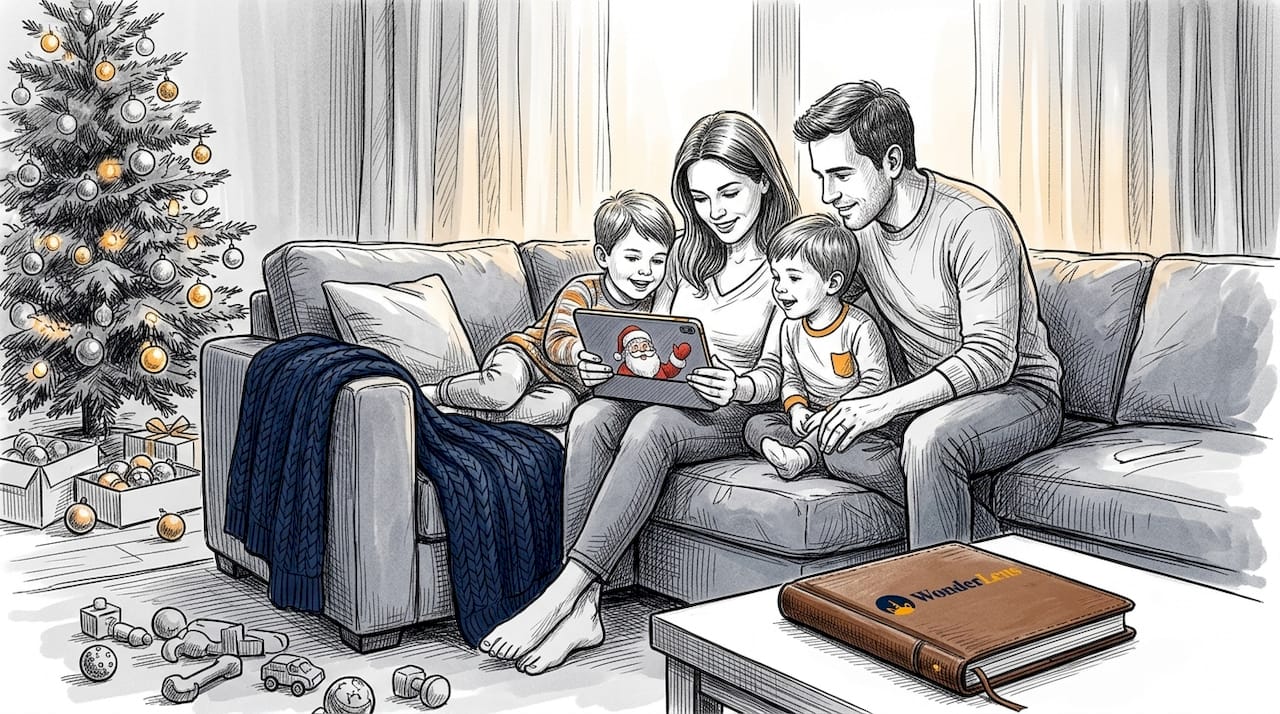
Here is a quick comparison of what the AI does versus what traditional animation requires:
| Task | AI-powered animation | Traditional manual animation |
|---|---|---|
| Time to create a 10-second clip | 2 to 5 minutes | Several days to weeks |
| Technical skill required | None, just upload and click | Advanced software training |
| Personalization | Uses your actual photo | Generic backgrounds only |
| Cost | Starting at $1.99 per video | Hundreds to thousands of dollars |
| Shadow and lighting accuracy | Automatically matched | Manually painted frame by frame |
Benchmarks like AnimationBench evaluate modern AI animation on Disney's 12 Principles of Animation, which means today's AI isn't just rendering pixels randomly. It is applying animation logic that professional studios developed over decades, and doing it automatically in your favor.
Pro Tip: Use photos taken near a window or in a well-lit room. Natural lighting gives the AI more accurate data to work with, which means the character's shadows and highlights will blend into your scene far more convincingly.
When you're ready to experiment, learning how to add animated characters to photos is simpler than you might think, and the results are immediately shareable.
Why realism isn't everything: what makes animated videos feel magical for kids
But is believable movement enough for true holiday magic? Let's explore what really captures a child's imagination. The answer might surprise you.
Parents often assume that the more photorealistic a video looks, the more their kids will love it. But that's not exactly how children experience animation. Research in child development and decades of storytelling from major animation studios tell a different story: kids respond most powerfully to expressiveness, character consistency, and surprise.
Consider how children react to classic animated films versus live-action blockbusters. The exaggerated expressions, bouncy movements, and clear emotional arcs in animated characters hold a child's attention far longer than hyper-realistic visuals ever could. This is why AnimationBench specifically evaluates AI animation on Disney's 12 Principles of Animation, principles like anticipation, squash and stretch, and exaggeration that were designed to make characters feel alive and emotionally resonant.
Here is a side-by-side look at what realism-focused animation offers versus what expressive animation delivers for kids:
| Feature | Photorealistic animation | Expressive animation |
|---|---|---|
| Child's first reaction | Mild interest or mild unease | Delight, laughter, excitement |
| Emotional engagement | Lower | Higher |
| Character connection | Harder to form | Immediate and strong |
| Replay value | Lower | Much higher |
| Belief in the "magic" | Moderate | Very high |
"Character preservation and story coherence matter far more than pure visual fidelity when animating for young audiences. A Santa Claus who moves with warmth and playfulness will win a child's heart faster than a technically perfect but emotionally flat rendering."
So what should you actually look for when choosing an animation style for your kids? Here are the qualities that matter most:
- Clear, recognizable characters that your child already loves, whether that's Santa, a unicorn, or a fairy
- Warm, expressive movement with personality, like a tail swish, a nose twitch, or a jolly wave
- Scene interaction that places the character inside your home rather than floating over a generic background
- Consistent character design so the magic feels believable across multiple viewings
- Surprise moments built into the animation, like Santa looking directly at the camera or a fairy leaving a tiny glowing trail across the room
The Santa animation magic for kids experience works precisely because it combines familiar, beloved character design with the personal detail of your actual living space. That combination is far more powerful than flawless CGI on a generic background.
Fun ways to use AI-powered animation for holiday magic at home
With all the animation power in your hands, here's how to make the most of it for magical holiday moments. The creative possibilities are wider than most parents realize.
Here are some of our favorite ideas to get you started:
- Santa's living room visit. Set up a photo of your living room on Christmas Eve, complete with cookies and milk on the table, and generate a video of Santa walking in, spotting the treats, and giving a jolly wave. Play it for your kids on Christmas morning as "proof" he was really there.
- Fairy lights come to life. Take a photo near your Christmas tree and add a glowing fairy weaving between the ornaments, trailing sparkles as she moves. Kids who believe in fairies will absolutely lose their minds.
- A dragon on the windowsill. For kids who are into fantasy and adventure, place a small dragon perching on the windowsill in a bedroom photo, wings folded, breathing a tiny puff of smoke. It makes for an incredible bedtime story starter.
- Talking pets and magical companions. Some platforms allow you to animate family pets with expressive movements and add a companion character alongside them. Imagine your dog meeting a friendly unicorn in the backyard.
- Easter magic in the garden. Spring isn't left out. Add the Easter Bunny hopping through your garden path, pausing to hide a glowing egg near the flower beds, twitching its nose as it moves through your actual outdoor space.
- Personalized birthday surprises. Holidays aren't the only occasion. Animate a favorite character arriving at your child's bedroom on their birthday morning for a surprise that outshines any store-bought decoration.
Getting kids involved in the creative process adds an extra layer of magic. Ask your child which character they want to appear and where in the house. Let them choose the scene. When kids have a hand in the creative decision, their excitement multiplies, and they are far more likely to watch the video again and again.
There are so many creative ways to use animated memories with kids beyond the obvious holiday ideas, from school celebrations to family milestones.
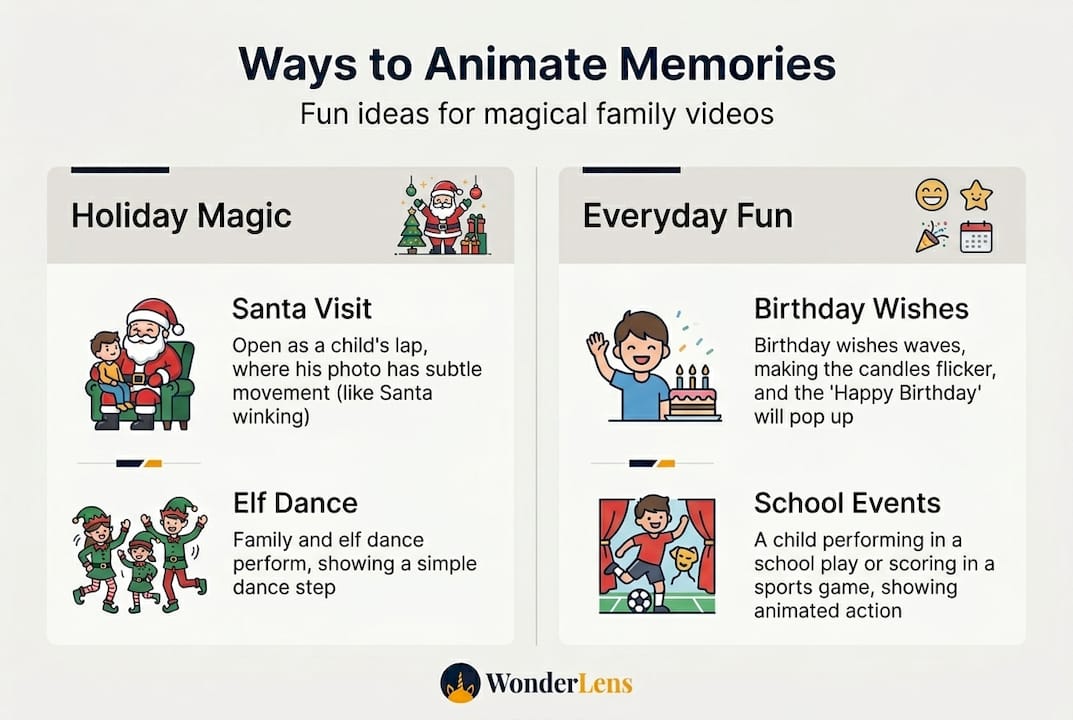
Pro Tip: Save the animated video files from each holiday season and create a yearly tradition. By the time your child is eight or nine years old, you'll have a growing collection of holiday animations that tell the story of their childhood in the most magical way possible. For inspiration on building out a complete holiday video collection, explore AI Christmas videos to see what other families are creating.
When it comes to AnimationBench quality standards, the benchmark confirms that character-centric animation that respects character identity across frames is what separates a memorable moment from a forgettable novelty. That consistency is what makes your yearly tradition feel connected and real.
Why the best family memories aren't about perfect realism
Let's step back and consider what families truly remember, versus what adults tend to stress about. This is something worth saying plainly: parents worry far too much about whether an animated video looks like a Hollywood film.
Here is the honest truth. Your child does not need perfect CGI. They need Santa in their living room. They need the fairy near their Christmas tree. The personal detail, the familiar couch cushion in the background, the family dog's toy on the floor, carries more emotional weight than any amount of technical rendering perfection.
Adults often judge animation through a lens shaped by years of watching big-budget films. Kids don't have that lens yet. A child who sees a dragon perching on their bedroom windowsill doesn't think "the rendering could be smoother." They think "there is a dragon in my room." That belief, even if it only lasts a few magical seconds, is what they'll remember at age twenty-five.
We've seen this play out over and over. A simple AI Christmas memory of Santa spotted in the living room at night, slightly grainy, slightly imperfect, delights a six-year-old far more than a flawless studio production would. Why? Because it happened at their house. It feels like evidence. It feels real in the way that matters to them.
The real magic is in the interaction. Sit with your kids when you reveal the video. Watch their faces. Let them ask questions. "Did Santa really know our Christmas tree?" "Was the fairy looking at me?" Those conversations are the memory. The video is just the spark.
Perfectionism is the enemy of wonder. Give yourself permission to embrace the slightly imperfect, deeply personal animated moment over the technically spotless but emotionally hollow one.
Bring the magic home with WonderLens
When you're ready to turn these ideas into memories, see how easy it can be with the right tool.
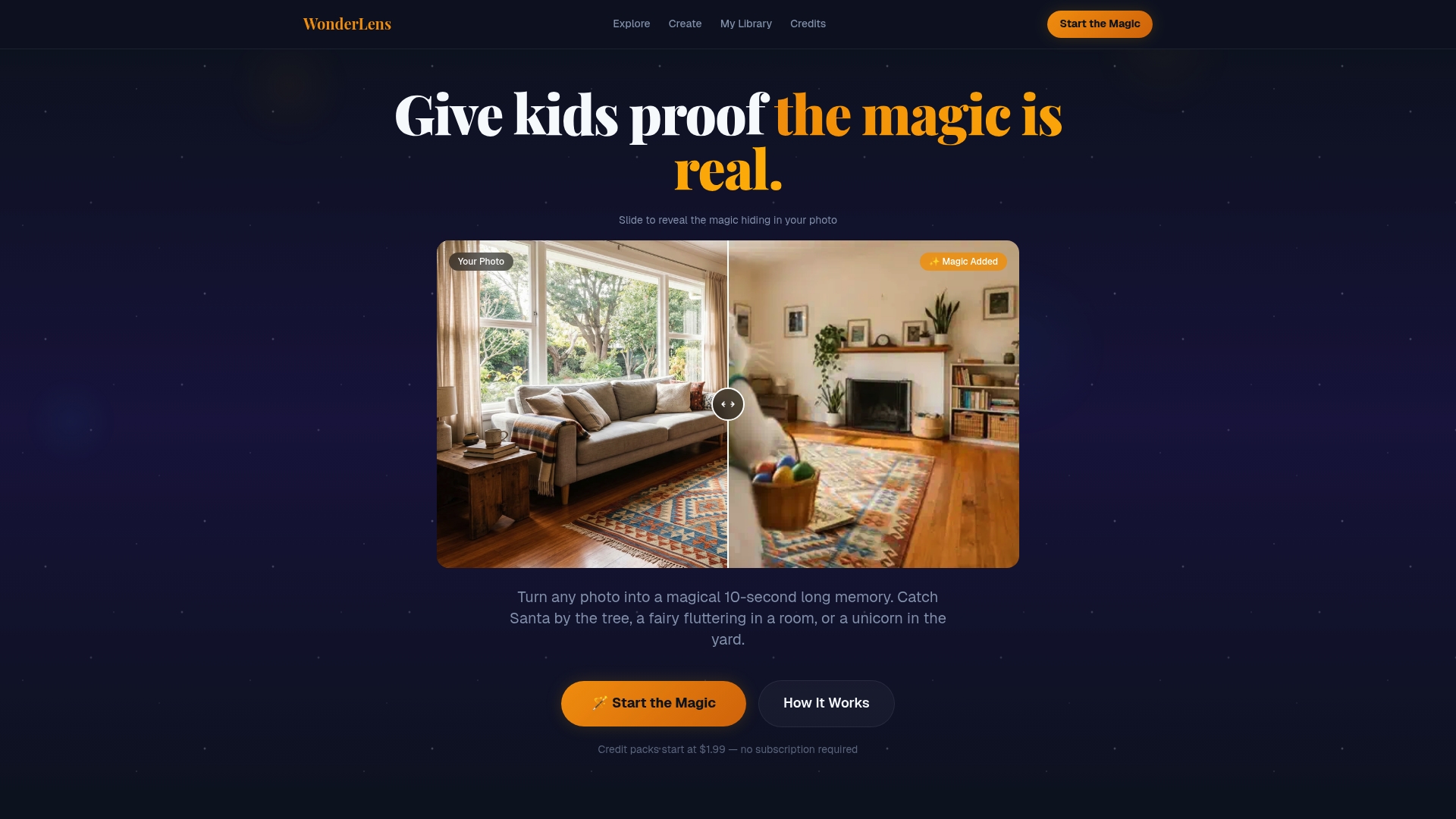
WonderLens makes the whole process simple, fast, and genuinely magical. You upload a photo of your home, choose a beloved character like Santa, a fairy, or a dragon, and within minutes you have a cinematic-quality animated video that places that character inside your actual living space, complete with accurate lighting and realistic shadows. There are no complicated editing tools, no design skills required, and no monthly subscription to manage. Credits start at just $1.99 per video, making it easy to create a magical moment for every holiday, every birthday, and every occasion your family wants to celebrate. Visit WonderLens to start creating memories your kids will talk about for years.
Frequently asked questions
What kinds of photos work best with AI-powered animation?
Clear, well-lit photos with visible room features and open floor space produce the most natural animated results, as the AI needs accurate lighting and depth information to blend the character into your scene convincingly.
Can I customize the characters or scenes in my animated videos?
Yes, most platforms let you choose different characters and backgrounds, so you can personalize every holiday video with a character that matches your child's current favorite fantasy world, from Santa to unicorns to dragons.
Is AI-powered photo animation safe for kids to use?
AI photo animation tools are designed with simple, family-friendly interfaces and are safe for supervised family use, with no complex settings or inappropriate content in family-oriented platforms like WonderLens.
How long does it take to create an animated holiday video?
Most tools generate a finished animated video in just two to five minutes after you upload a photo and select your animation options, which means you can create a magical surprise in the time it takes to pour a cup of coffee.