Examples of Animated Family Memories for Every Style
June 22, 2026

Animated family memories are visual storytelling formats that transform static photos and real moments into emotionally resonant, shareable videos. The industry term for this practice is "family memory animation," and it spans everything from AI-powered photo animation to hand-crafted narrative short films. Platforms like Revid.ai and MyHeritage have made these experiences accessible to any family with a smartphone and a few cherished photos. The result is a growing creative space where parents can preserve childhood magic, honor family history, and share stories across generations in ways that a printed album simply cannot match.
1. Examples of animated family memories powered by AI tools
AI-powered animation is the fastest-growing category of family memory animation examples. Platforms like Revid.ai let parents upload photos and generate animated videos in minutes, with credits starting at $1.99 per video and three free videos included at sign-up. That pricing removes the biggest barrier for most families: cost.
MyHeritage's Deep Nostalgia™ takes a different approach. It focuses on old family portraits, animating faces to blink, smile, and turn slightly. The effect is striking when applied to black-and-white photos of grandparents or great-grandparents, giving children a sense of connection to relatives they never met.
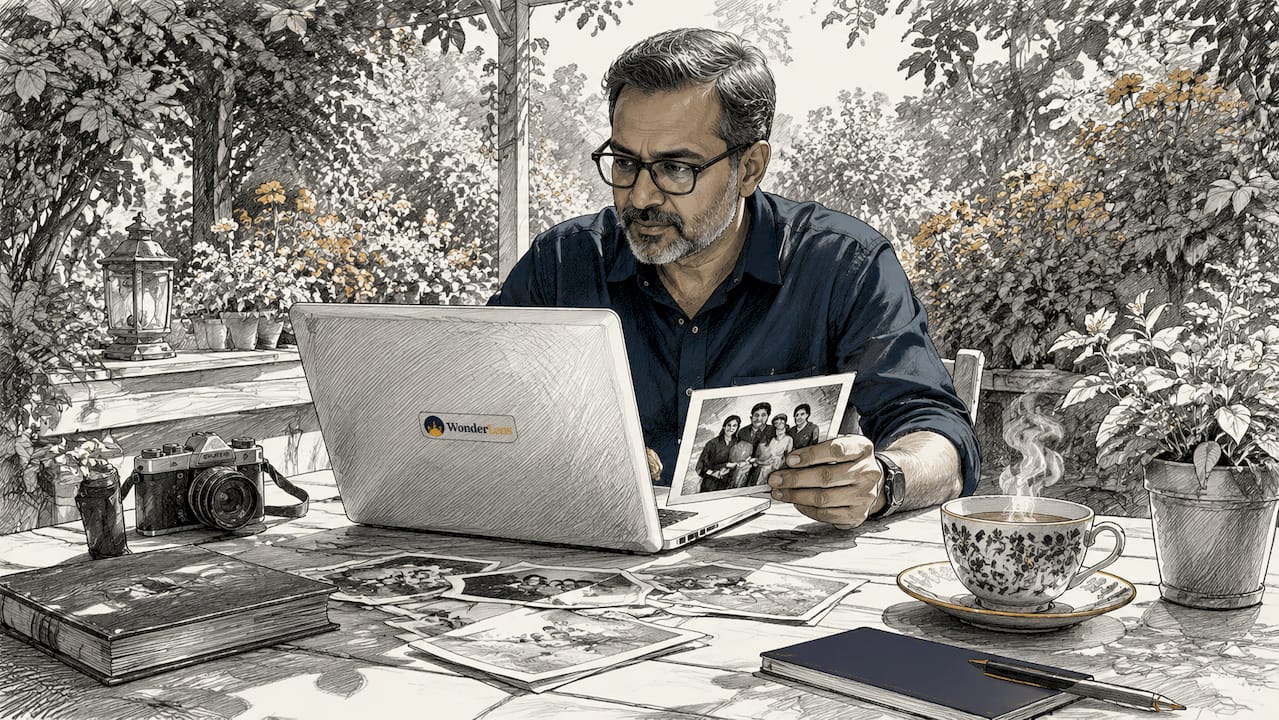
Here is how these two platforms compare on the most important factors:
| Feature | Revid.ai | MyHeritage Deep Nostalgia™ |
|---|---|---|
| Input required | Photos plus optional script | Single portrait photo |
| Output length | 10–90 seconds | 3–5 seconds (looping) |
| Best for | Full family story videos | Animating historical portraits |
| Sharing | Direct social media export | Download and share |
| Entry cost | $1.99 per video | Free tier available |
- Both platforms require minimal technical skill.
- Revid.ai supports narrative scripts layered over photos.
- Deep Nostalgia™ works best with clear, front-facing portraits.
- Output quality improves significantly with high-resolution source photos.
Pro Tip: Upload your highest-resolution photos first. Poor lighting causes visible distortion in AI-generated animations, and standardizing files to 1080p before uploading prevents the most common quality issues.
2. Narrative-driven animated family stories with emotional arcs
The most memorable animated family moments go beyond photo slideshows. They follow a story arc with a beginning, a turning point, and an emotional payoff. Productions like Milla&Mama and Long Story Short show exactly how this works.
Milla&Mama uses a personal, intimate tone to capture the relationship between a mother and daughter across different life stages. It blends present-day footage with animated flashbacks, creating a rhythm that feels both nostalgic and immediate. Long Story Short, developed by Raphael Bob-Waksberg, applies a similar philosophy: narrative depth over animation technique is what makes family stories land emotionally.
"The story is always the engine. The animation is just the vehicle." This principle, reflected in Raphael Bob-Waksberg's approach to family narrative animation, applies directly to the home videos and memory projects families create today.
Key storytelling techniques used in these productions include:
- Flashback sequences that contrast a child's early years with the present day.
- Cut-out and 2D animation styles that feel handmade and warm rather than clinical.
- Cultural identity threads woven into character design and setting.
- Relatable emotional themes like first days of school, family moves, or the arrival of a sibling.
Seamless transitions between present-day photos and animated flashbacks deepen viewer emotional engagement beyond what standalone animations achieve. That single technique is what separates a touching family video from a forgettable slideshow.
3. Creative animation styles and emotional triggers that make memories stick
The visual and audio choices in a family memory animation determine how deeply it connects with viewers. AI animations that run 10–90 seconds consistently use warm color palettes, soft lighting, and nostalgic music to trigger emotional responses. These are not accidental choices. They are proven psychological triggers that signal safety, love, and belonging.
Manually separating subjects from backgrounds before animating gives creators far more control over movement and depth. A child can appear to walk through a scene rather than simply float over a static background. That added dimension makes the animation feel alive rather than assembled.
Animated stories also work powerfully for young children. The BBC's Zog series, designed for children ages 4–6, demonstrates how relatable characters and accessible metaphors teach family values through animation. Families can apply the same principle to personal stories, creating short animated clips that help young kids understand concepts like kindness, courage, or family history.
Effective emotional triggers to build into your own creative family animation include:
- Warm golden tones in color grading to evoke comfort and nostalgia.
- Soft instrumental music timed to match photo transitions.
- Voiceover narration from a parent or grandparent for a personal touch.
- Contrast moments that show a child then and now within the same video.
Pro Tip: Separate your subject from the background before uploading to any AI tool. This single step, called scene reconstruction, gives the animation engine more flexibility and produces noticeably more emotional results.
4. Practical tips to create your own animated family memories
Creating high-quality family memories in animation does not require a film degree. It requires good source material and a clear emotional intention. Follow these steps to get professional results at home.
- Select your best photos. Choose images with clear lighting, sharp focus, and minimal background clutter. High-resolution, well-lit photos are the single biggest factor in animation quality.
- Standardize your files. Resize all photos to a consistent aspect ratio and resolution before uploading. Aim for 1080p to avoid jarring edits between frames.
- Choose your emotional theme. Decide what story you want to tell before you open any tool. A first birthday, a family road trip, or a grandparent's life story each calls for a different tone and pacing.
- Record a narration or script. A clear audio track tied to the emotional theme lifts any animation from a photo montage to a genuine story. Record in a quiet room and keep sentences short.
- Pick the right platform for your goal. For a quick, shareable video, Revid.ai delivers results in minutes. For a professional-grade film built from about 14 photographs and an audio clip, MutuStar produces story films that typically run around 88 seconds and feel cinematic.
- Add music last. Choose a track that matches the emotional tone of your narration. Upbeat music under a solemn story creates cognitive dissonance that pulls viewers out of the moment.
- Share intentionally. Export at the highest available resolution and share directly to the platform where your family gathers, whether that is a private group chat, a family social media page, or a digital group card for a celebration.
Pro Tip: MutuStar's model of 14 photos plus one audio clip is a useful creative constraint even if you use a different platform. Limiting yourself to 14 images forces you to choose only the most meaningful moments, which makes the final video stronger.
5. How to animate family photos: matching style to the story
The animation style you choose shapes how the memory feels to the viewer. Three styles dominate the family memory animation space in 2026, and each suits a different type of story.
Photo-realistic AI animation works best for recent family photos where you want the subjects to look exactly as they do in real life. Tools like Revid.ai apply motion to faces and scenes while preserving the original colors and details. The output feels like a living photograph.
2D and cut-out animation suits stories with a handmade, storybook quality. This style works especially well for children's stories or cultural family histories where you want to control character design. Animation gives creators control over environment and character appearance in ways that photo animation cannot, making it ideal for culturally specific family narratives.
Mixed media animation blends real photos with illustrated or animated elements. A family photo might have an illustrated border, animated falling leaves, or a drawn character walking through the scene. Wonderlens uses a version of this approach, placing realistic animated fantasy characters like unicorns, dragons, and fairies directly into home environments captured in a family photo. The result is a cinematic family memory that children experience as genuinely magical.
Choosing the right style comes down to one question: do you want the memory to look real, feel like a story, or spark wonder? Each answer points to a different tool and technique.
Key takeaways
Animated family memories are most powerful when storytelling depth, photo quality, and the right animation style work together rather than independently.
| Point | Details |
|---|---|
| Narrative beats photo effects | A clear story arc creates more emotional impact than any animation technique alone. |
| Photo quality determines output | High-resolution, well-lit photos standardized to 1080p prevent distortion and produce professional results. |
| Style should match the story | Photo-realistic, 2D, and mixed media animation each suit different family memory goals. |
| Short videos perform best | Animations running 10–90 seconds hold attention and are far more likely to be shared and rewatched. |
| Audio is half the experience | Narration or music timed to the emotional theme lifts any animation from a montage to a genuine memory. |
Why storytelling matters more than the technology
I have spent years watching families pour hours into choosing the perfect animation filter, only to produce a video that nobody watches twice. The technology is not the problem. The story is.
The families who create animated memories that actually get shared, saved, and rewatched are the ones who start with a clear emotional intention. They know what they want the viewer to feel before they open a single app. That clarity shows up in every frame.
What I find most exciting about 2026 is that the gap between "I have an idea" and "I have a finished video" has collapsed. Platforms like Revid.ai and MutuStar have removed the technical barriers. Wonderlens has made it possible to place a dragon or a fairy into your living room photo with the kind of lighting accuracy that used to require a production studio. The tools are genuinely good now.
My honest advice: spend more time on your story than on your software. Write down three sentences about what this memory means to your family before you upload a single photo. That constraint will make every technical decision easier and every creative choice more intentional. The technology will do its job. Your job is to give it something worth animating.
— Jeremiha
Wonderlens brings animated family moments to life
Wonderlens is built for exactly the kind of magical family memory that children talk about for years. The platform places realistic animated characters, including Santa, unicorns, dragons, and fairies, directly into your home environment using AI-driven lighting and shadow rendering. The result looks like the character was actually there.
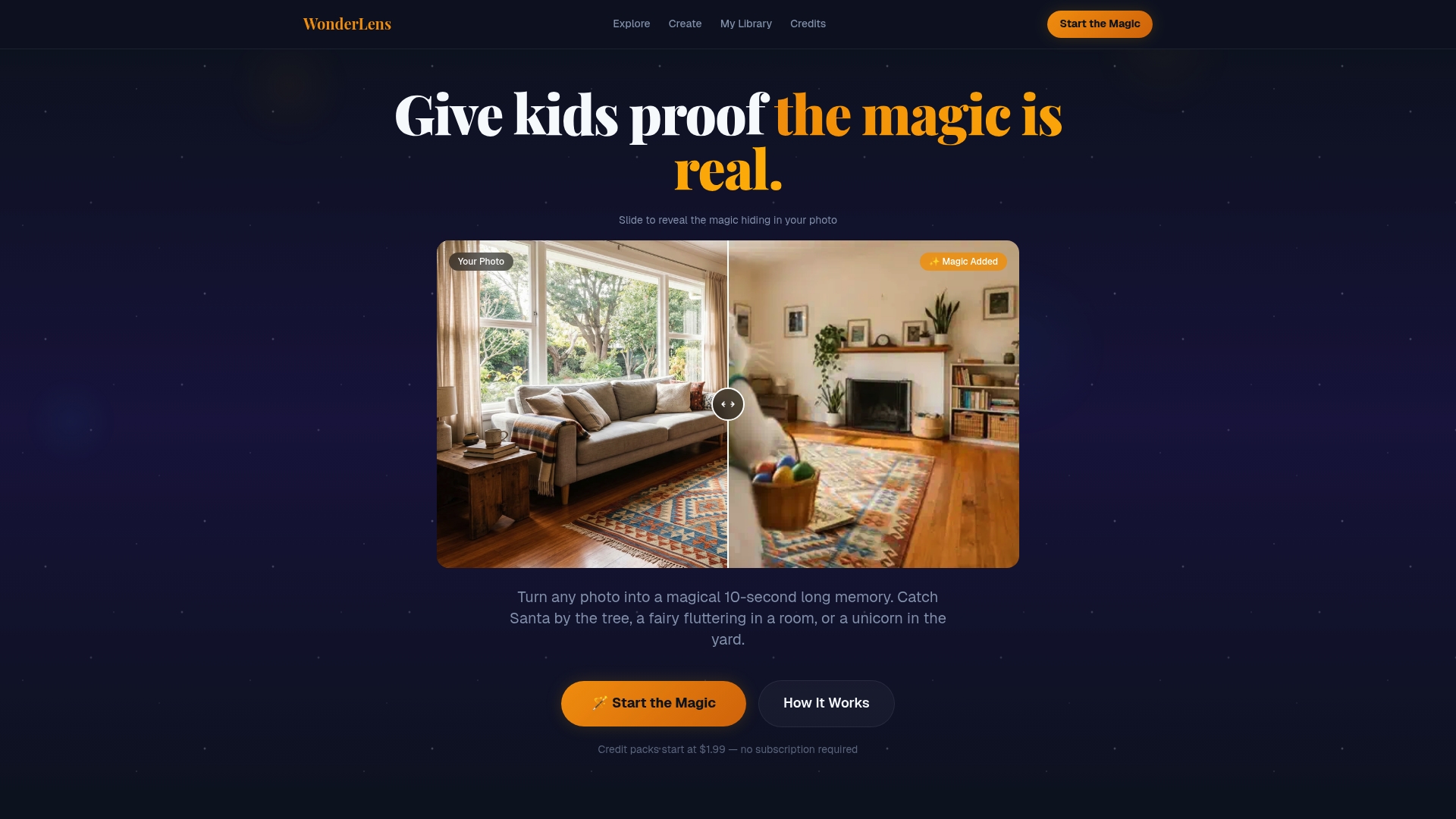
Getting started costs as little as $1.99 per video. You upload a photo of your living room or backyard, choose your character, and Wonderlens generates a short animated video where that character moves through your actual space. There is no editing experience required. For families who want to animate family photos with genuine cinematic quality, Wonderlens delivers results that simple AR filters cannot match. You can also explore creative ways to use animated memories with your kids to make every season feel special.
FAQ
What are the best examples of animated family memories?
The strongest examples combine clear storytelling with high-quality photos and an emotional theme. AI-powered platforms like Revid.ai and professional services like MutuStar both produce compelling results, with MutuStar's films typically running around 88 seconds from just 14 photographs.
How long should an animated family memory video be?
Animated family memory videos perform best at 10–90 seconds. Shorter videos hold attention, get rewatched more often, and are easier to share across messaging apps and social media platforms.
What photo quality do I need to animate family memories?
High-resolution, well-lit photos standardized to 1080p produce the best animation results. Poor lighting causes visible distortion in AI-generated animations, so consistent file quality before uploading is the most important technical step.
Can animated family stories work for young children?
Animated stories work especially well for children ages 4–6. Relatable characters and simple metaphors help young kids connect with family values and history, as shown by productions like the BBC's Zog series designed specifically for that age group.
Do I need technical skills to create animated family memories?
No technical skills are required for most AI-powered platforms. Tools like Revid.ai and Wonderlens are designed for parents with no editing experience, and both generate finished videos from a photo upload in minutes.