Fairy video animation: A parent's guide to magical memories
May 4, 2026
When most parents hear "fairy video animation," they picture classic cartoons or animated fairy tales from a streaming service. But in 2026, the term means something far more exciting and personal. Fairy video animation now includes technology that places glowing, wing-fluttering fairies directly inside your living room, floating through the same space where your child plays every morning. This guide will walk you through what fairy video animation really is, how it works, how to choose the right approach, and exactly how to use it to create unforgettable moments for your family.
Table of Contents
- Understanding fairy video animation: Definitions and forms
- How fairy video animation works: Mechanics and creative tools
- Personalization matters: Choosing the right fairy animation for your home
- Making magical memories: How to use fairy video animation for holidays
- What most parents miss about fairy video animation
- Bring fairy magic to life—your next step
- Frequently asked questions
Key Takeaways
| Point | Details |
|---|---|
| Fairy animation is versatile | It ranges from classic stories to magical effects and real home environments. |
| Personalization creates wonder | Using your child’s real space is key to making memories truly magical. |
| Evaluate services carefully | Look for explicit mention of home environment integration and AR tools. |
| Creative tools abound | Apps and editing platforms let you quickly add fairy effects to family videos. |
| Holiday magic made easy | Fairy video animation can transform holidays and milestones into unforgettable experiences. |
Understanding fairy video animation: Definitions and forms
The phrase gets used in a lot of different ways, and that can be confusing. As a starting point, "fairy video animation" generally means an animated video featuring fairies, whether that's a full fairy-story production or a fairy-themed animated effect placed into a scene. Those are two very different experiences, and knowing which one you're after changes everything.
Classic fairy animation tells a story. Think of films and series built around fairy characters with their own plots, worlds, and voices. These are beautifully crafted, but they're not personalized. Your child watches someone else's story in someone else's home.
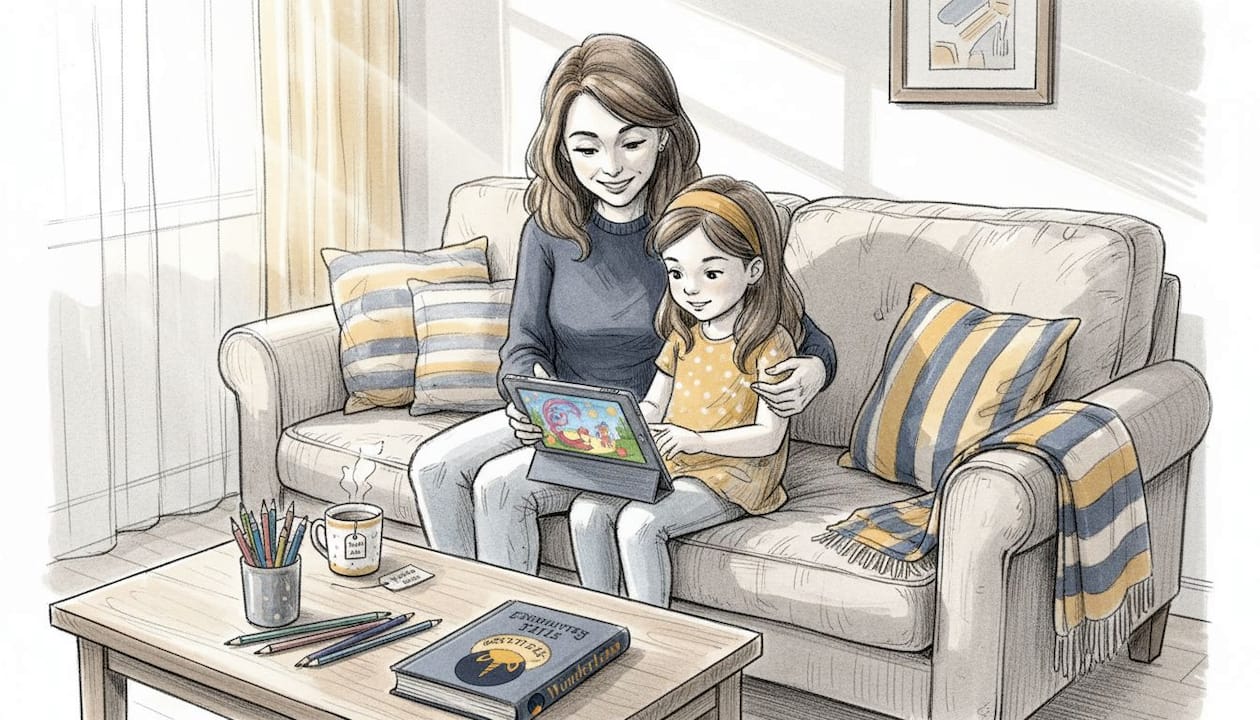
Modern personalized fairy animation flips that completely. Instead of your child watching a fairy on screen, the fairy appears in your home, in your living room, responding to the real lighting and shadows of your actual space. That shift from passive viewer to participant is what makes these experiences so magical for kids.
Here's a quick look at the main types of fairy video animation available today:
- Story animation: Full fairy-tale productions for streaming or cinema
- Personalized AR overlays: Fairies placed into your home using augmented reality (AR) tools
- Photo and video effects: Adding sparkles, wings, or fairy figures to existing footage
- AI-generated home animations: Advanced tools that render fairies realistically into your uploaded home photos or videos
| Feature | Story-driven animation | Personalized home animation |
|---|---|---|
| Uses your real home | No | Yes |
| Child is a participant | No | Yes |
| Custom to your family | No | Yes |
| Requires professional editing | Sometimes | No |
| Emotional impact for kids | Moderate | Very high |
| Rewatch value | Moderate | High |
The difference in emotional impact is real. When a child sees a fairy floating past their own couch or hovering near their favorite toy, the reaction is completely different from watching a cartoon.
"The most powerful experiences for children are those that enter their world, not the ones that invite them into a fictional one. Personalization turns animation into a memory." — Child experience design perspective
For families wanting to go further, exploring a fairy character video built specifically for home environments gives you a clear sense of what truly personalized fairy animation looks like. You can also get a broader picture by reading about how to add fairies to holiday videos in ways kids will genuinely love.
Now that we have a clearer sense of what fairy video animation encompasses, let's dive into how these magical effects are actually created in everyday settings.
How fairy video animation works: Mechanics and creative tools
Understanding the mechanics helps you choose the right tool and get better results. The process looks different depending on the approach you take, but most personalized fairy animations follow a recognizable pattern.
Here's a typical process for creating a personalized fairy animation at home:
- Take a photo or short video of your space. Use your phone to capture the room where you want the fairy to appear. Natural or warm lighting works best.
- Upload to your chosen platform or app. Some apps let you scan the room live; others work from a still photo you've already taken.
- Choose your fairy character. Select a style, color, and movement type that fits the mood you're going for.
- Place the fairy in the scene. Depending on the tool, you'll either drag and drop the character into the frame or let the AI do the placement based on your room's depth and lighting.
- Adjust for realism. Good platforms automatically match lighting, shadows, and scale. Some let you fine-tune fairy path, speed, and glow intensity.
- Preview and export. Watch your video, make any tweaks, and download a shareable version.
It's worth knowing that fairy animation tutorials range widely in complexity. Some platforms teach you a simple "fairy spark pop reveal animation" using editing tools like CapCut, which adds sparkle effects to existing footage without placing a 3D character in your room. That's fun, but it's a lightweight edit, not a full home environment animation.
On the more advanced side, AR home compositing tools depend on room mapping, camera movement, lighting, and path placement features like "Scan the Scene," "Place the Fairy," and record sequences. These tools generate a fairy that genuinely interacts with your environment rather than just floating on top of it. The difference in realism is significant.
Pro Tip: Always shoot your room video with steady hands and good lighting before uploading. Shaky footage or harsh overhead light makes it harder for the AI to render realistic shadows and fairy movement. A gentle lamp or window light gives the finished video that warm, golden glow that feels genuinely magical.
For parents curious about how AI powers these experiences at a deeper level, reading about AI-powered family photo animation explains how advanced rendering turns ordinary snapshots into cinematic moments. And if you want inspiration for going beyond fairies, exploring animated characters in family photos opens up a whole world of creative possibilities.
With mechanics clarified, parents often ask: How personalized can these animations really become? Let's compare approaches and help you choose the best fit for your family.
Personalization matters: Choosing the right fairy animation for your home
Not every fairy animation service delivers the same level of personalization. This is the part most parents overlook when searching for fairy video animation tools. They pick the first result, only to discover it generates a generic fairy-tale scene with no connection to their actual home.
The range of "fairy video animation" options includes full fairy-tale animation, AI-generated fairy effects on photos or videos, AR compositing in your home, and lightweight editing effects in tools like CapCut. If you're aiming for home-environment personalization, you need to look for services that explicitly mention using your real photo or video, or scanning and map-and-place AR in your actual room.
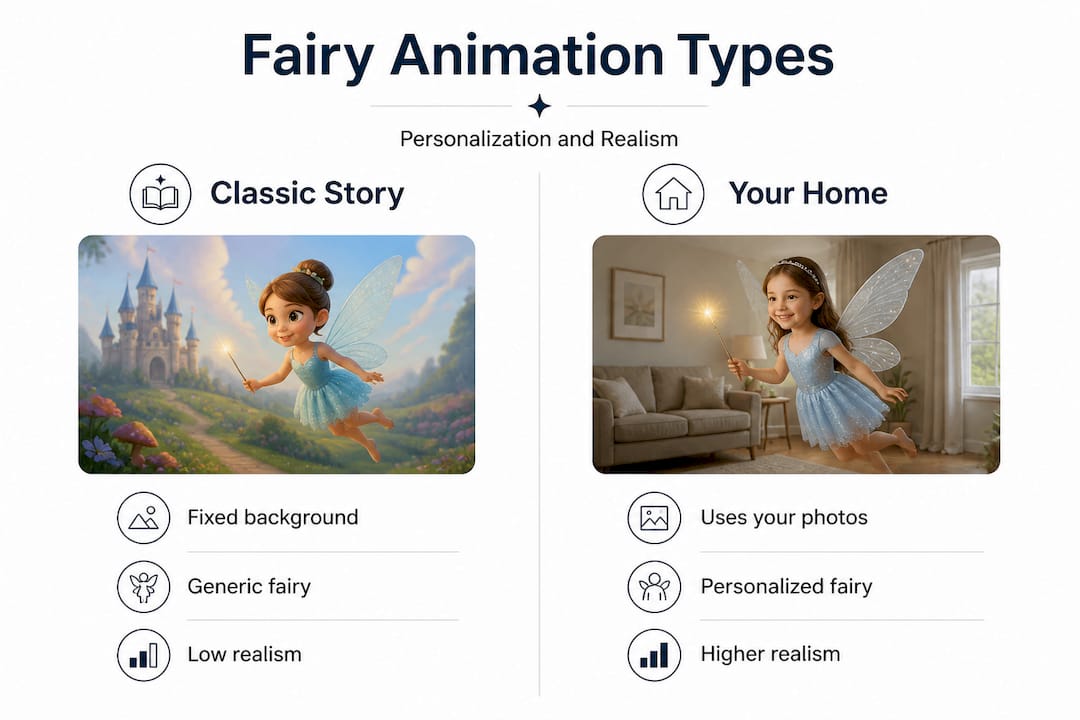
Some services that call themselves fairy animation tools are primarily stylized fairy-story content rather than individualized home footage. If a service only describes a general fairy tale with no personalization from the child's real environment, it won't deliver the "fairy in my living room" experience. Read descriptions carefully.
Here's what to look for before committing to any fairy animation service:
- Does the platform explicitly say it uses your uploaded photos or videos?
- Can you see real home environments in their example videos, not just stock rooms?
- Does the animation match the lighting and shadows in your uploaded image?
- Are there reviews from parents, not just general users?
- Is the fairy character clearly integrated into the scene, or does it look pasted on top?
| Service type | Uses your home? | Personalization level | Realism | Ease of use |
|---|---|---|---|---|
| AI home animation (e.g., WonderLens) | Yes | Very high | Cinematic | Easy |
| AR camera apps | Sometimes | Medium | Moderate | Moderate |
| CapCut-style effects | No | Low | Low | Very easy |
| Fairy-tale story content | No | None | Varies | N/A |
Pro Tip: Look for the phrase "uses your photo" or "your real home" in any service description. That phrase is the clearest signal that the animation will feel personal and not just like a cartoon your child happens to be watching.
For deeper inspiration on what genuinely magical memories with animation look like when done right, it helps to see examples from families who've already tried personalized animated videos. Exploring guides on personalized animated videos and tips for creating magical videos will sharpen your eye for quality before you spend a single dollar.
Now that you know how to evaluate and select fairy animation services, let's explore how to use these magical tools to create lasting family memories during the holidays.
Making magical memories: How to use fairy video animation for holidays
Once you have the right tool, the creative possibilities are genuinely exciting. Fairy video animation isn't limited to one occasion. The same platform that puts a fairy in your living room on Christmas morning can create a birthday surprise, a tooth fairy visit, or a springtime Easter scene with equal warmth.
Here are some of the best ways families are using fairy video animation right now:
- Christmas Eve: Place a glowing fairy carrying a tiny lantern through your living room, leading up to the Christmas tree
- Easter morning: A flower-dusted fairy scattering sparkles across your backyard before the egg hunt begins
- Birthdays: A fairy delivering a birthday wish directly into your child's bedroom, wings catching the morning light
- Tooth fairy nights: A tiny fairy visiting while your child sleeps, making the experience feel completely real
- Milestone celebrations: First day of school, graduation from kindergarten, or a new sibling announcement
- Bedtime magic: A gentle fairy wishing your child goodnight, floating near their favorite stuffed animals
The range of fairy animation uses has expanded well beyond fairy-tale films. Modern formats include bright 2D animation with flowers and glitters, fairy-themed animated stories, and fairy animation used as magical effects such as adding wings or sparkles to a photo or video. Each format has its place, but for holiday memories, home-environment animation delivers something that simple sparkle effects never can: your child in their own space, experiencing magic that feels genuinely real.
Sharing the finished video matters too. A 10-second clip of a fairy drifting through your kitchen gets shared with grandparents, saved to family albums, and rewatched every year as kids grow. These short videos become magical memories for kids that hold up over time, not just a one-time trick.
For holiday-specific inspiration, check out guides on Easter holiday animations and explore ideas for AI Christmas fairy videos that transform any ordinary morning into something extraordinary.
You've seen the tools and ideas; now, let's reframe what truly makes fairy video animation magical from an expert's perspective.
What most parents miss about fairy video animation
Here's something we've noticed: most parents searching for fairy video animation spend the majority of their time evaluating animation quality. They compare sparkle intensity, wing detail, movement fluidity. Those things matter, but they're not where the magic actually lives.
The real magic is in the moment of sharing. A fairy video that your child sees alone on a tablet is a nice distraction. A fairy video you play together on the living room TV, watching their eyes go wide when they realize it's their own home on the screen, that's a memory. The technology is just a tool. The shared experience is what lasts.
We've also noticed that parents underestimate the power of context. A fairy appearing in a generic background doesn't move kids the same way a fairy appearing near their specific toy shelf does. The personalization isn't a bonus feature. It's the entire point. It's what turns "cool video" into "was that real?"
Many families also miss how repeatable these experiences can be. You don't need to use fairy video animation only once as a big reveal. Building a small annual tradition, like a fairy visiting every Christmas Eve or leaving sparkle trails on Easter morning, creates a ritual your children will remember and eventually pass down. Traditions don't need to be elaborate. They need to be consistent and warm.
If you want to see how other families have turned animation into lasting traditions, the WonderLens blog is full of creative ideas, real examples, and honest guidance from parents who've been through it.
Bring fairy magic to life—your next step
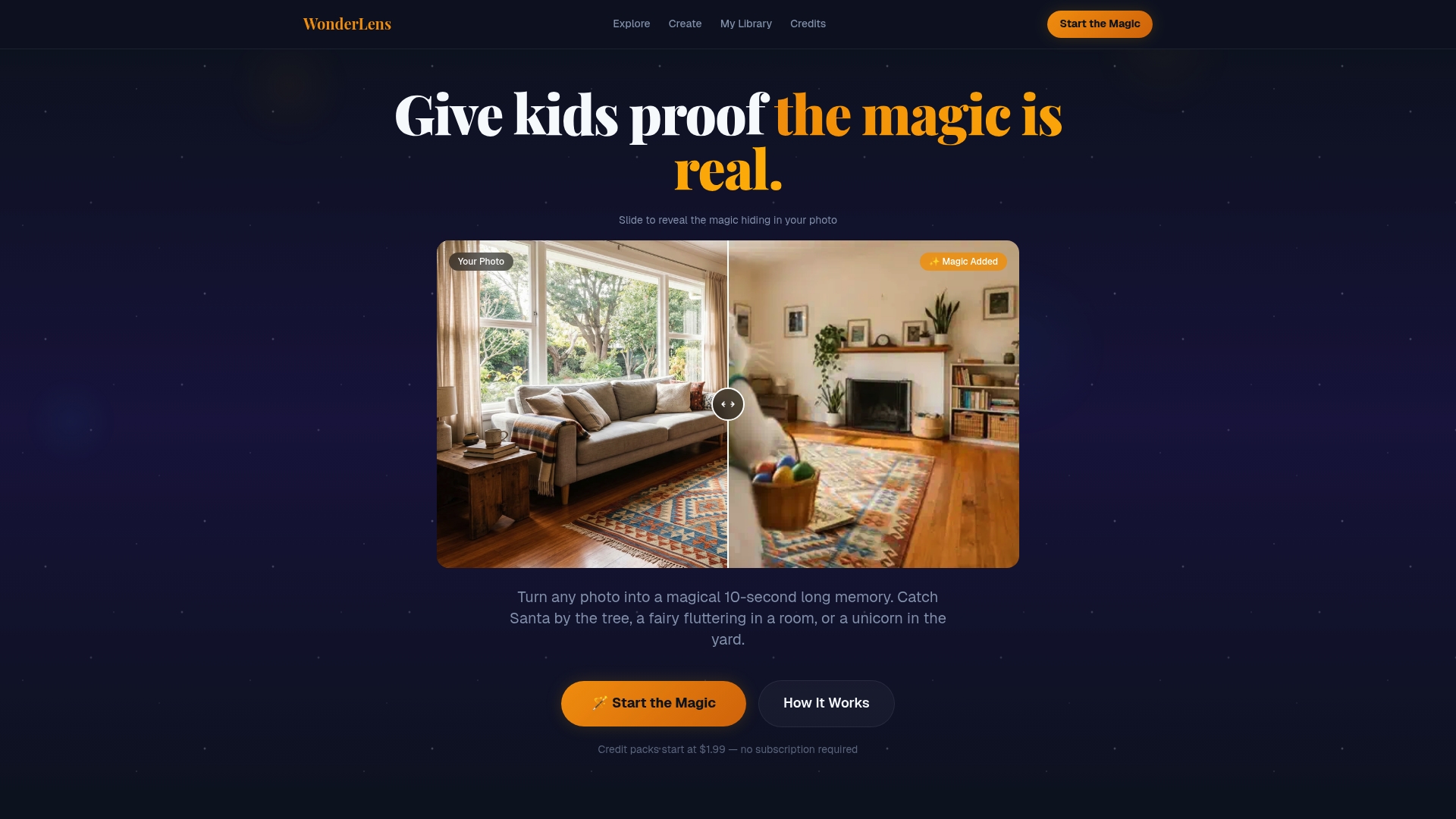
If you're ready to move from ideas to action, WonderLens makes it genuinely easy to get started. You can upload a photo of your home, choose a fairy character, and generate a realistic 10-second video where the fairy appears inside your actual living space, complete with matched lighting and natural shadows.
Browse the fairy character options to find the perfect match for your child's imagination. And if you want to expand beyond fairies into the full world of holiday characters, explore how a Santa Claus living room video can make Christmas morning feel completely magical. For step-by-step creative guidance, the holiday fairy videos guide walks you through the full process from photo to finished memory. Credits start at just $1.99, making it easy to try without any big commitment.
Frequently asked questions
What tools can I use to create fairy video animation at home?
Parents can use AR apps, video editing tools like CapCut (which has a fairy spark pop reveal tutorial), or specialized AI platforms like WonderLens that generate personalized fairy overlays using your own home photos.
How do I make sure the fairy animation uses my child's real environment?
Check if the service explicitly mentions using your photos or videos, and look for AR placement tools that scan and map your room for accurate lighting, depth, and path placement.
Are these animations safe for young children?
Yes, most fairy video animation tools are designed for family use, but always supervise the editing and sharing process since many apps require access to your camera and photo library.
Can I create fairy video animation for holidays and birthdays?
Absolutely. Personalized fairy animations work beautifully for holidays, birthdays, and milestones. Modern tools let you add fairy wings and sparkles to personal videos, making any occasion feel extra special.
Is fairy video animation only for traditional fairy tales?
Not at all. Modern fairy video animation includes AR overlays, stylized fairy story outputs, magical photo effects, and interactive home experiences that go far beyond classic animated storytelling.
Recommended
- A Fairy Just Flew Through Your Bedroom — Realistic Video | WonderLens | WonderLens
- 10 Magical Memories to Create With Personalized Animated Videos — WonderLens | WonderLens
- How to add fairies to holiday videos kids will love — WonderLens | WonderLens
- Why Magical Videos Make Holiday Memories Last for Children — WonderLens | WonderLens