Top 4 getsantaphoto.com Alternatives 2026
June 18, 2026
Finding a holiday character video generator that creates magical, realistic scenes in your own space without an editing headache is tricky. Many holiday video tools lock advanced features behind subscriptions or require technical edits that slow down family fun. You can pick a generator that fits your need for simplicity, realism, and family pricing without settling for limited magic.
Table of Contents
WonderLens
At a Glance
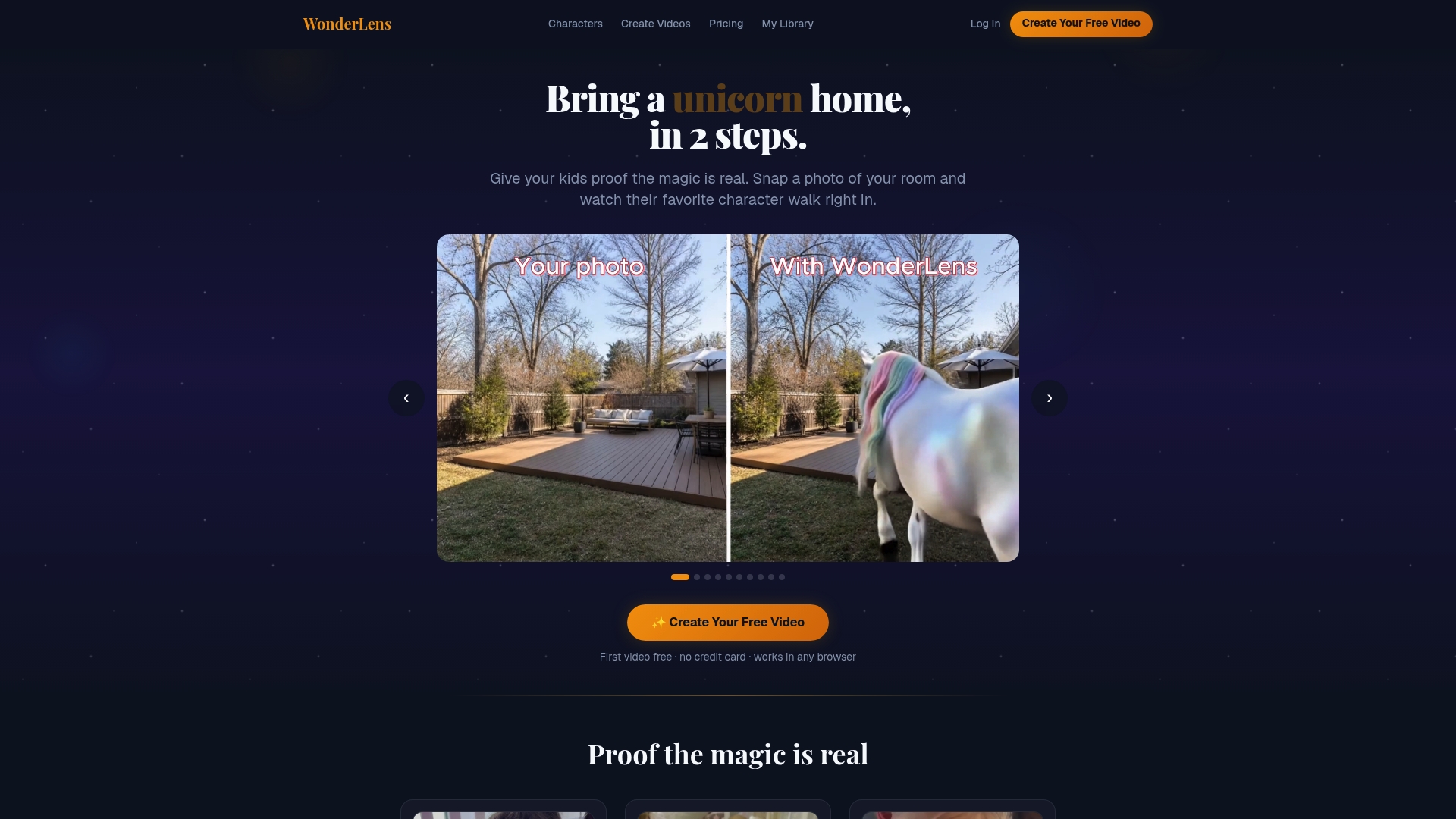
The first video is free, with packs starting at $5.99 for three videos, and no subscription required. WonderLens turns a single room photo into a realistic, downloadable 10 second video that places fantasy characters into your actual space. The result aims to feel cinematic, with matched lighting and grounded motion that encourages sharing and surprise for kids.
Core Features
You upload a photo of a room, pick a character, and the platform generates a short video that matches room lighting, shadows, and physics. The gallery includes family friendly characters such as mermaids, unicorns, dragons, and superheroes, all rendered without any editing or prompting from you. Videos are downloadable and shareable immediately, making them ready for birthdays, holidays, or bedtime stories.
Key Differentiator
Generates realistic character videos directly in users' actual rooms without the need for digital editing or special skills. That realism shows up as shadow casting, room-accurate lighting, and motion that respects the scene, which helps characters appear naturally present in photos. This makes WonderLens more like a miniature theatrical prop added to your living room than a sticker overlay.
Pros
Very easy to use with no technical skills needed, so parents can create a surprise quickly and privately. The rendering focuses on realistic integration, which helps characters look like they belong in the room and not pasted on top. A wide variety of characters plus the free starter video and pack pricing make occasional magical moments affordable, and safety guardrails keep the experience family friendly.
Cons
- Limited to short, 10 second clips
Who It's For
Parents and families who want simple, magical surprises for young children without props or editing work. You will appreciate quick, shareable keepsakes for birthdays, holidays, or plain weekday delight. This fits families that prefer one off purchases over ongoing subscriptions and who value realism in digital effects.
Unique Value Proposition
The platform’s no subscription, pay per pack pricing and a free starter video make it easy to test and create single moments of wonder without commitment. That pricing combined with the quick photo to video flow means you can produce a bedtime surprise or holiday teaser in minutes and pay only for the videos you keep. For families who use this occasionally, the model reduces upfront cost and friction.
Real World Use Case
A parent uploads a photo of a child’s bedroom, selects a mermaid character, and generates a short clip of the mermaid swimming along the rug. The child sees the video and imagines the mermaid visiting their room, which makes bedtime and story time feel more magical. The family downloads the clip and shares it with relatives for an immediate keepsake.
Pricing
First video free, then packs start at $5.99 for three videos, $8.99 for five videos, and $12.99 for eight videos. There are no subscriptions and each video is yours to keep.
Website: https://wonderlens.ai
Catch Santa In My House!
At a Glance
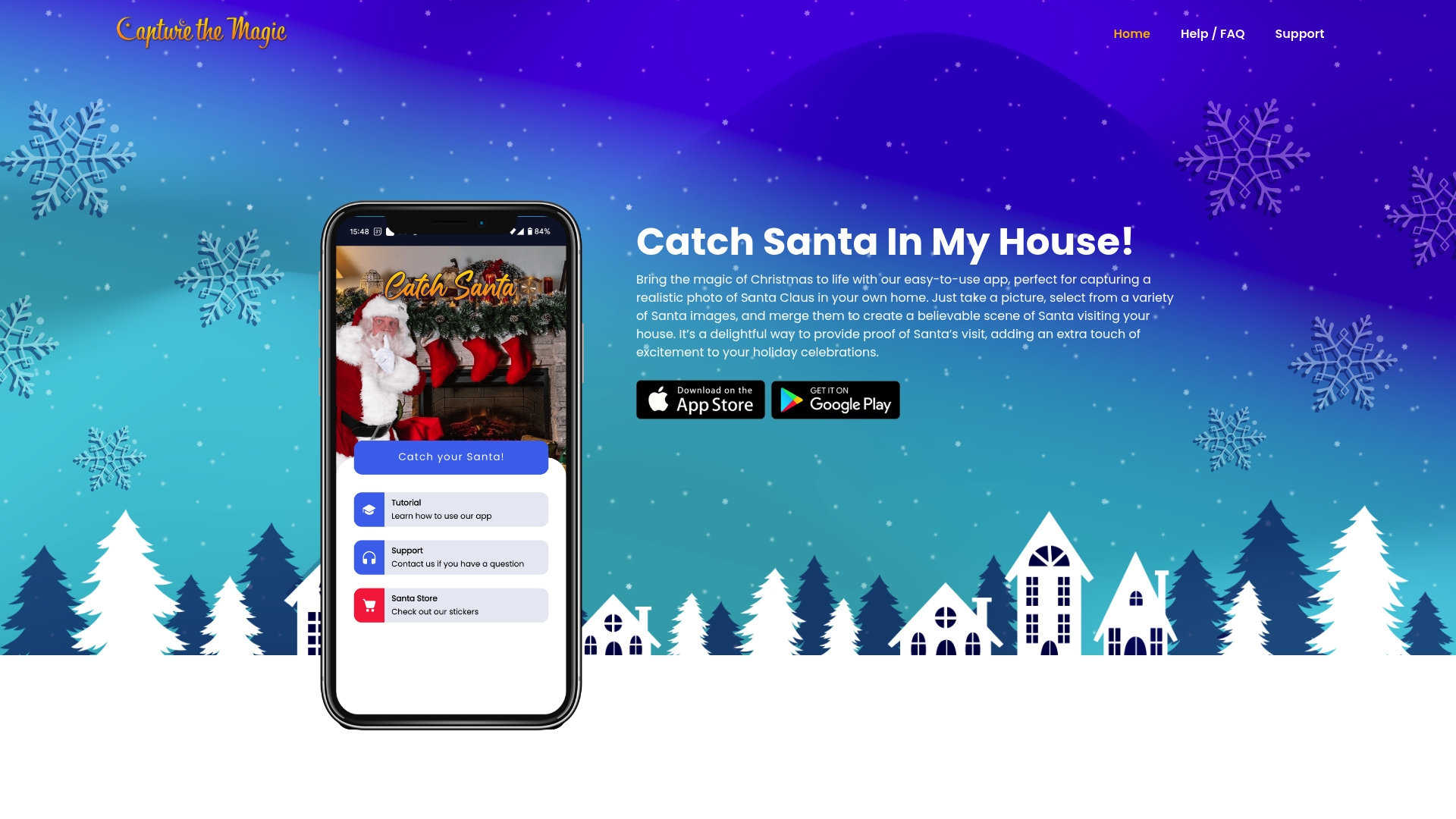
A live video feature called Santa Live places Santa into your living room to create moving proof of a visit. That live option sits alongside photo merging and online editing tools that work on iOS, Android, and web. The setup focuses on playful, family-friendly effects that aim to delight children rather than produce professional-level composites.
Core Features
Merge Santa and other holiday characters into personal photos and short videos, then tweak those scenes with rotate, sharpen, soften, brightness, and contrast controls. The product includes the Santa Live app for live video placement, plus additional characters such as Easter Bunny, Tooth Fairy, Reindeer, Elf, and Cupid. Clients can access the main features across devices so parents can edit on a phone or finish a scene on the web.
Key Differentiator
This product centers on merging characters into real family spaces across devices while keeping the result playful and believable for kids. It favors quick, magical moments over complex retouching, which helps parents produce shareable keepsakes in minutes. That cross-platform merging and focus on childhood wonder is what sets it apart from simple sticker overlays.
Pros
User-friendly controls let parents and older kids make convincing scenes without training, and the interface walks you through placing characters and adjusting light and shadow. The multi-device availability means you can start a draft on a phone and refine it on the web. The variety of seasonal characters and basic video tools make it easy to surprise children with a short animated clip or a single convincing photo.
Cons
- Third-party reviews suggest some merged images lack polish, and realism can vary across scenes.
- Character selection may feel small to families who want many niche or licensed figures.
- Editing tools are basic; professional photo editors may find the controls limiting.
- Feature updates appear to differ by platform, and that can affect which tools you can use on a phone versus the web.
When It May Not Fit
If you need studio-grade composites or fine-grain color grading, this product will feel limited. Professional photographers who require layered edits or RAW support will find the toolset basic. Families who want dozens of licensed characters or advanced scene control may prefer a product that targets pros rather than parents wanting quick surprises.
Who It's For
Parents and families who want a fast way to create magical holiday photos and short videos for children. It fits people who value playful, shareable proof of Santa over exact photographic realism. Ideal users are casual creators who want cross-device convenience and a small library of seasonal characters.
Real World Use Case
A parent snaps a picture of their child near the tree, opens the app on a phone, places a Santa pose in the corner, adjusts brightness so the figure matches room light, and saves a 10-second clip that shows Santa twitching his nose. The child wakes up, sees the image or video, and reacts with genuine surprise and delight. The family shares the moment with relatives on social media later the same day.
Website: https://capturethemagic.com
Vidu
At a Glance
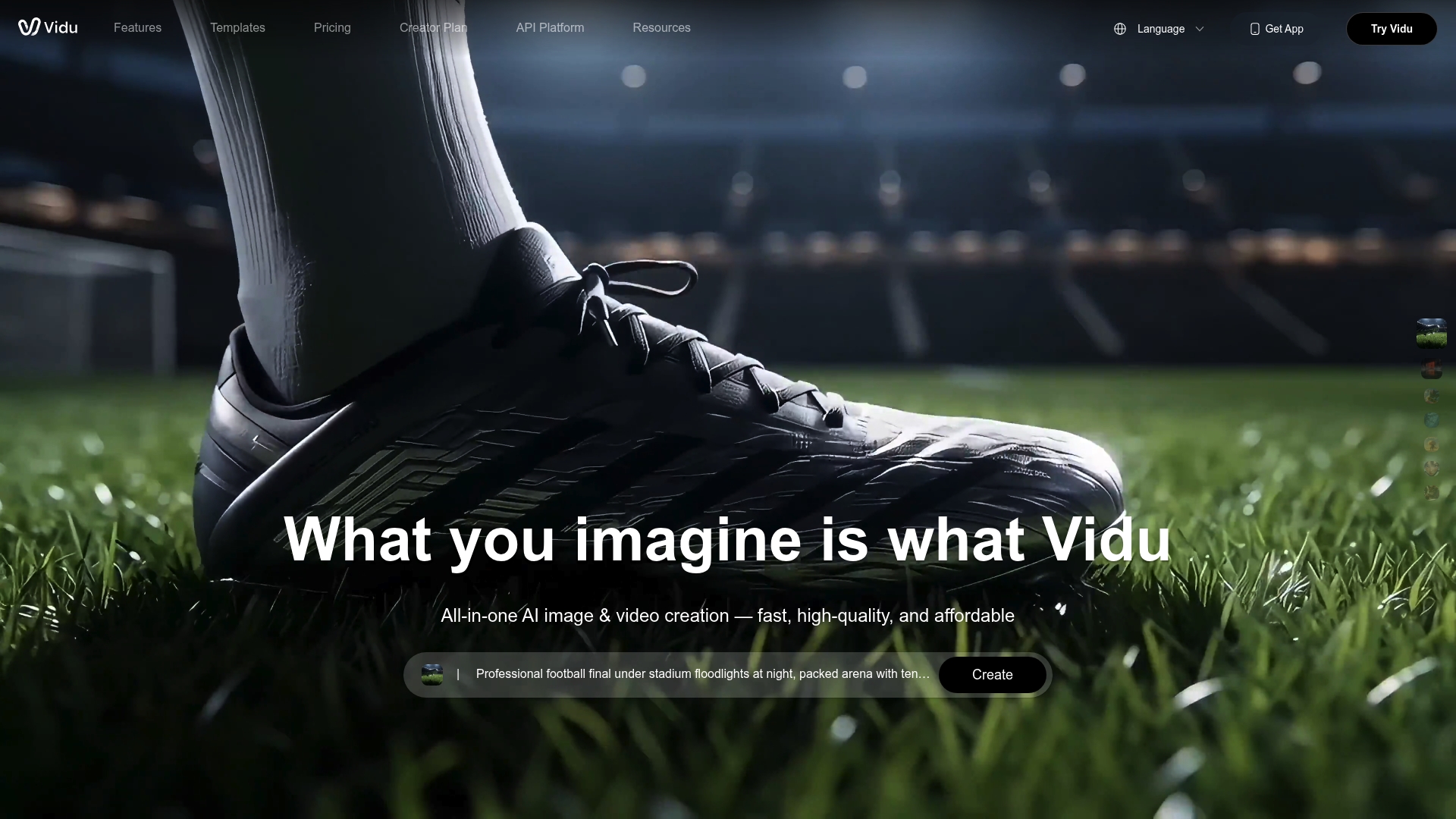
Vidu reports 10-second renders for many projects. That fast turnaround pairs with support for high-resolution output up to 4K/8K, which makes quick drafts look polished. Vidu aims to convert text, images, and references into cinematic short videos with consistent characters and scene continuity.
Core Features
Vidu offers Text to Video, Image to Video, and Reference to Video modes that work together to build multi-shot sequences. The platform includes multi-reference support for character and scene continuity and customizable prompts that let you control actions, camera framing, and mood. The interface also presents a broad AI tool set and templates to speed production.
Key Differentiator
Vidu stands out for its focus on advanced multi-reference consistency. That focus helps maintain the same character look, props, and environment across several shots. For families or creators who want the same toy, pet, or character to appear through a short cinematic scene, this continuity makes results feel intentional and real.
Pros
Vidu combines rapid rendering with high fidelity outputs, which helps teams iterate quickly while keeping cinematic quality. The multi-shot consistency feature suits serialized content and short ads where a character must remain recognizable. The platform also offers a friendly interface and a broad set of AI tools and templates that lower the barrier for Tech-savvy creators and small studios.
Cons
- Pricing tiers may become costly for high-volume production or advanced features. Small projects will notice subscription limits.
- Some users report a learning curve when optimizing prompts and references. Fine-tuning reference images improves results.
- The platform ships limited free credits, so most meaningful work sits behind a subscription paywall.
When It May Not Fit
Vidu may not fit teams that need heavy free usage for casual or one-off projects. The platform can also require high-quality reference images to hit the vendor quality expectations. For tiny budgets or single-use holiday clips, a pay-per-credit or lower-cost tool might be more practical.
Who It's For
Vidu fits content creators, filmmakers, marketing teams, and animation studios that need fast, high-fidelity AI-assisted video production. It suits teams that value character continuity across shots and have enough budget for a subscription. Tech-savvy creators who enjoy prompt engineering will get more from the platform.
Real World Use Case
A marketing team uploads product photos and a short script, then uses Reference to Video and Image to Video modes to generate an animated product demo. The team iterates three versions in under an hour thanks to that 10-second rendering claim. The final clip runs as a short ad across social platforms.
Pricing
Vidu links its detailed rates on a pricing page. Visit the vendor pricing page to compare tiers and feature access, including trial credits and subscription limits.
Website: https://vidu.com
viggle.ai
At a Glance
The vendor advertises that the public site is gated by Cloudflare protection, and casual browsing of product pages is blocked. That restriction makes the most visible fact about the offering its security posture rather than feature details. Parents and teams will likely see a verification step before any content loads.
Core Features
The visible capabilities focus on access control and bot verification, with a simple verification flow to confirm visitors are not automated. The site uses Cloudflare services for traffic filtering and performance work, which the vendor presents as a primary technical layer. Public documentation and deeper product descriptions are not accessible without passing the site verification.
Key Differentiator
The most distinct attribute is the reliance on Cloudflare for security and performance optimization. That claim frames the product as oriented toward protecting web traffic and deterring automated threats. For organizations that prioritize hardened perimeter controls, that protection is the main selling point.
Pros
The site emphasizes a security-first approach and keeps the public interface minimal, which reduces attack surface exposure. The verification steps are straightforward and aim to block malicious bots before they reach any interactive pages. Using a well known edge provider gives clarity about the kind of protection applied. That arrangement can increase reliability for visitors once they complete verification.
Cons
- Limited public content. Product features and workflows are not viewable without completing the verification step, which makes assessment slow.
- Unclear core functionality. The visible pages do not explain what the service actually delivers beyond access control.
- Potential friction for legitimate visitors. The verification flow may interrupt casual discovery or quick support lookups.
When It May Not Fit
Organizations that need to evaluate features quickly will struggle because public documentation is sparse behind the verification wall. Teams that rely on low friction onboarding for partners or parents will find the access checks intrusive. If you need a quick trial or a browsable feature list before a technical review, this setup will not match that need.
Who It's For
This is aimed at website administrators and security teams that want bot detection and perimeter filtering on their web properties. It fits teams that already plan for edge provider controls and who accept tighter visitor gating. It does not target parents looking for an immediately viewable family photo experience.
Real World Use Case
A security team implements the verification flow to stop credential stuffing and automated scraping on a public portal. Once enabled, the flow filters suspicious traffic before it reaches application servers. That keeps backend logs cleaner and reduces noise for incident responders.
Pricing
Public pricing is not listed. The product entry shows pricing as not applicable and informational only, so contact or account access appears necessary to learn cost. Budget discussions will require direct vendor contact or cleared access through the verification process.
Website: https://viggle.ai
Comparison of alternatives
When comparing options for generating immersive holiday character videos, realism and convenience significantly set providers apart.
Realism and integration with personal spaces
WonderLens excels in creating highly realistic character-rendered videos embedded into actual room settings. Its proprietary technology enables unique features such as accurate light and shadow matching, ensuring visuals appear as though characters belong naturally in the photo. On the other hand, "Catch Santa In My House!" prioritizes producing festive and playful scenarios over fine-grain realism, while Vidu caters to tech-savvy users by offering end-to-end AI-assisted video production with advanced multi-shot continuity, suitable for cinematic projects.
Use scenarios and character variety
"Catch Santa In My House!" provides a directed experience, emphasizing holiday-themed characters such as Santa or the Easter Bunny, each designed to delight children typically within celebratory seasonal settings. Vidu, with its support for text and reference-based prompts and enhanced resolutions, supports creators focusing on professional-grade storytelling, content marketing, or short films. Comparatively, WonderLens caters specifically to parents wishing to craft genuine, emotion-driven surprise videos for children, centering upon fantasy-themed characters embedded into real photographs.
Best fit
- For creating genuine, magical surprises for children at bedtime or celebrations, choose WonderLens for its realism and simplicity.
- For families seeking engaging, festive-themed moments for holiday celebrations, opt for "Catch Santa In My House!" as it offers traditional characters and features aimed at maximizing holiday cheer.
- For creators aiming for professional cinematic storytelling or high-quality promotional content, Vidu stands out with its advanced scene continuity and multi-shot expertise.
Our pick
WonderLens is the standout for families desiring realistic and heartwarming videos tailored to their unique environments and circumstances. Its ease of use and ability to produce immediate, memorable results set it apart. However, creators seeking specialized holiday visuals or professional-grade editing tools may find "Catch Santa In My House!" and Vidu, respectively, better suited to their requirements.
Here is a comparison for deciding among holiday character video generator tools, focusing on usage simplicity and realism.
| Product | Key Feature | Best For | Pricing | Limitation |
|---|---|---|---|---|
| Wonderlens | Realistic integration of characters into room photos | Families seeking magical moments | Free video; packs from $5.99 | Clips limited to 10 seconds |
| Catch Santa | Santa Live for adding Santa to photos and videos | Families creating holiday proofs | Not disclosed | Realism varies across merged images |
| Vidu | Multi-reference cinematic video generation | Creators needing scene continuity | Subscription-based; rates online | Subscription costly for high-volume projects |
| Viggle.ai | Website security-focused verification tool | Administrators needing bot control | Not disclosed | Limited visibility of product features without verification |
Discover a Magical Alternative to getsantaphoto.com with Wonderlens
Finding the right platform to create enchanting, realistic holiday videos can be challenging. Many parents seek quick, family-friendly tools that turn a simple photo into a magical memory without complicated editing or a subscription. Wonderlens answers that need by transforming your room photos into cinematic 10-second animations featuring beloved fantasy and holiday characters. Its advanced AI creates natural lighting and shadows, making characters appear as if they truly belong in your home.
Why Wonderlens stands out:
- No subscription needed with affordable pay-per-pack pricing
- Easy to use for quick, shareable surprises
- Wide range of characters like Santa, mermaids, and unicorns
Bring those special moments to life and create joyful memories your kids will treasure. Explore how Wonderlens compares as a top getsantaphoto.com alternative and start your own magical video today.
Visit Wonderlens to create your first free magical video and experience the wonder for yourself!
FAQ
How does Wonderlens create holiday character videos?
Wonderlens generates short, downloadable videos by transforming a single room photo into a realistic scene with fantasy characters. Users upload a photo and select a character, and the platform matches room lighting, shadows, and motion for a magical effect. This allows you to produce shareable video surprises for your family easily.
What is the difference between Wonderlens and Santa Live?
Santa Live offers a live video feature that places Santa in your living room, allowing for a dynamic proof of his visit. Wonderlens, on the other hand, focuses on creating cinematic character videos that blend seamlessly into existing room photos. Depending on your needs, either product can provide the desired holiday delight.
Which platform is best for creating shareable keepsakes?
Wonderlens stands out for its ability to generate realistic videos that look like characters are genuinely in your space. This realism makes it a great choice for quick and delightful keepsakes, especially for children. Users can obtain a free starter video and decide if they want to purchase more, making it a low-commitment option.
Does Wonderlens support various holiday characters?
Wonderlens includes a gallery of family-friendly characters such as mermaids, unicorns, dragons, and superheroes in its library. This variety means you can create different magical experiences for different holidays or occasions, making it a versatile tool for festive celebrations.
How quick is the process of generating a video with Wonderlens?
Wonderlens allows users to create a video in just a few minutes after uploading a photo. This fast turnaround helps parents produce surprise videos for birthdays or holidays with minimal effort, enhancing the magic of those moments.
Can I also use Wonderlens for non-holiday themes?
Yes, Wonderlens can be used for other themes beyond holidays, allowing for creativity in everyday scenarios. This flexibility enables users to craft fun and magical experiences for their children any time of the year.