12 Kids Birthday Video Ideas Parents Can Make Fast
August 25, 2026

If you want a fast, guaranteed hit, make a 60 to 90 second wishes montage or a 30 to 60 second character cameo using a template editor or an AI cameo service. Both need only a handful of clips, come together in under an hour, and land big on the reveal. Below you'll find the full idea list, step-by-step how-to guidance, and ready-to-copy contributor prompts.
TL;DR:
- Short wishes montages, character cameos, or blooper reels can be created on the same day for last-minute parties, while more emotional videos like year-in-review need two weeks.
- Keep contributor clips between 10 to 15 seconds and use plain file names to streamline editing, which should be done at 1080p or higher for best quality.
- Use mobile apps for quick, short videos; web template editors for montages; and AI cameo services for themed character appearances, choosing tools based on the project scope and budget.
- Plan the release schedule and reveal timing at least one week in advance, and test playback on the actual device before the party to ensure smooth presentation.
- Limit video length to under two minutes for better engagement, and incorporate repeating motifs or familiar songs to hold young kids' attention effectively.
Table of Contents
- Kids Birthday Video Ideas That Come Together Fast
- How to Make a Birthday Video Step by Step
- Choosing the Right Tool for Your Video Idea
- Planning the Reveal Without Blowing the Surprise
- What Actually Holds a Kid's Attention on Screen
- What to Ask Contributors to Say on Camera
- Let the Birthday Kid Help Make the Video Too
- Keeping Kids' Birthday Videos Safe When You Share Them
- Fixing the Editing and Sharing Problems That Come Up Most
- Why Short Videos Beat Long Ones Almost Every Time
- Try WonderLens for a Fast, No-Editing Cameo Surprise
- Sources
Kids Birthday Video Ideas That Come Together Fast
Not every idea needs a weekend of planning. Some of the best kids birthday video ideas take fifteen minutes and a phone full of photos. Others need a week of quiet coordination behind the scenes. Here's a menu built around two questions: how much time do you actually have, and how big do you want the surprise to feel?
1. Short wishes montage. Friends and family record 10 to 15 second birthday messages, stitched into one reel. Collect vertical video clips, keep the total run time short, and lead with the most enthusiastic message. This is the fastest option on the list if the party is tomorrow.
2. Year-in-review slideshow. A month-by-month or milestone-by-milestone look at the last year, built from your camera roll. Pull 15 to 25 photos, add one or two short clips per few months, and keep it to three to five minutes so it doesn't drag.
3. Family interview montage. Ask grandparents, siblings, or cousins one memory question each ("What's your favorite thing about [name]?") and cut the answers together. Keep each answer short to maintain pacing.
4. Themed character cameo. Drop a favorite fantasy or superhero character into a photo of your living room or backyard using an AI cameo service. One photo is all you need, and the output runs about 10 seconds, perfect for a quick "look who showed up" reveal.
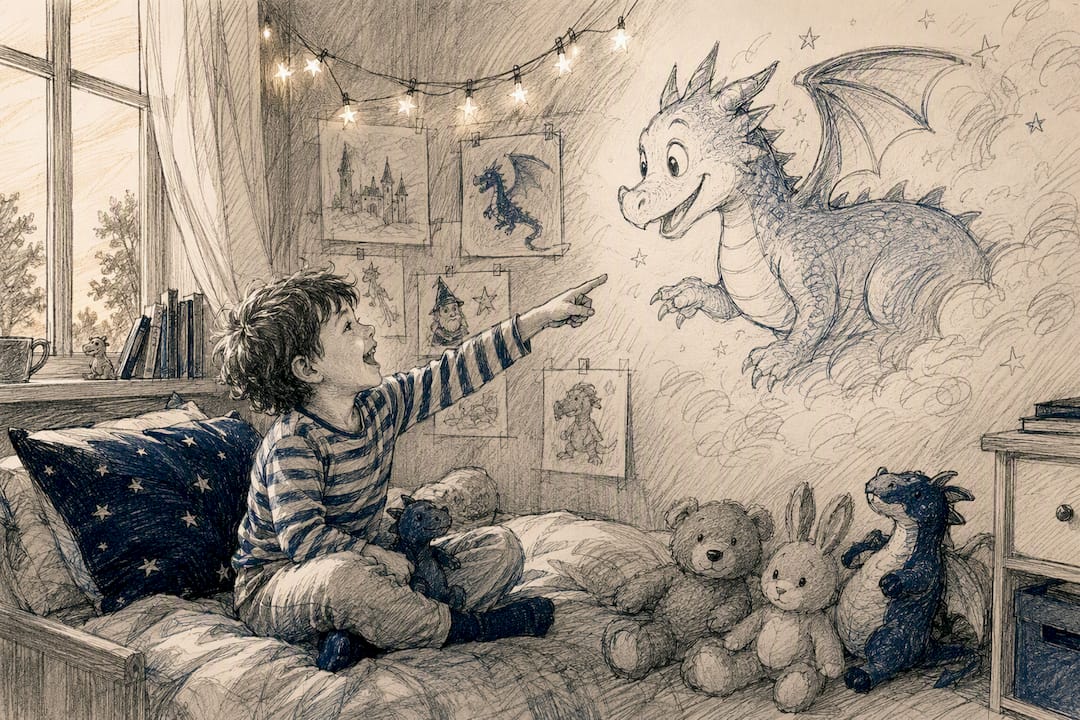
5. Animated cameo in a familiar space. Similar to the character cameo but built around a specific room, like the birthday breakfast table or the backyard cake setup, so the character seems to walk right into the celebration itself.
6. Sing-along or karaoke reel. Record the birthday kid, or the whole family, singing a favorite song, then layer captions with the lyrics. Keep clips brief when you cut between singers to hold attention.
7. Gift-reveal video. Film the unwrapping in real time, then trim the dead air. This works especially well for a build-up gift like a multi-activity cube for toddlers, where the reaction shot is the whole point.
8. Scavenger-hunt clue video. Record short clue clips leading to a hidden present or the party location itself. Short clips per clue keep momentum without feeling like a chore.
9. Birthday bingo video. Compile short clips of family members holding up handwritten predictions ("I bet they ask for cake before candles") for a laugh-heavy watch.
10. Blooper reel. The outtakes from filming everything else, cake-face moments, dropped presents, dogs barking mid-take. Low effort, high rewatch value.
11. Pet cameo. If there's a family dog or cat, a short clip of the pet "wishing" the birthday kid well (a costume or a prop sign works fine) adds an easy laugh.
12. Photo-and-clip collage. The catchall option: mix stills and clips with no strict theme, just chronological or thematic grouping, set to one song.
For a last-minute need, lean on the wishes montage, the character cameo, or the blooper reel; all three can be built same-day. For a planned reveal with more emotional weight, the year-in-review slideshow and the family interview montage reward the extra lead time.
How to Make a Birthday Video Step by Step
Once you've picked an idea, the process is the same no matter which concept you chose.
- Plan first. Decide the target length, the tone (funny, sentimental, or both), and the exact moment you'll play it, at the cake, before bed, or as a morning surprise.
- Set a contributor deadline. If anyone else is submitting clips, give them a hard cutoff at least two days before the party so you have editing buffer.
- Collect assets discreetly. Text a short prompt instead of a phone call, so nothing slips in front of the birthday kid.
- Edit with a template. Sequence clips in the order that builds emotion, add simple transitions, and drop in captions for names or dates.
- Export and share. Pick the right resolution for where it'll play, then test it before the big moment.
A few rules make the editing step painless:
- Keep photos on screen for 5 to 7 seconds each; anything longer feels static.
- Trim video clips to 3 to 6 seconds unless someone is mid-sentence.
- Ask contributors to save clips with plain file names ("clip1," "message2") so your folder doesn't turn into a maze of "IMG_4482.MOV."
- Export at 1080p or higher for a TV screen; a phone-only share can go lower.
- Add burned-in captions if the video is heading to social media, where sound is often off by default.
- Test playback and audio volume on the actual device you'll use before anyone else sees it.
Choosing the Right Tool for Your Video Idea
The tool you pick should match the idea, not the other way around. Trying to build a fantasy character cameo in a basic slideshow app wastes time; trying to build a five-minute year-in-review inside a cameo tool wastes money.
- Mobile apps are built for short reels: wishes montages, blooper cuts, sing-along clips. They're the fastest path, with a shallow learning curve, but privacy varies app to app, so check upload permissions before you connect a photo library. App store listings show dozens of options built specifically for short-form birthday content.
- Web template editors fit slideshows and year-in-review montages best. Template-based editors come with prebuilt animated scenes and music libraries, which cuts editing time dramatically for parents with zero design background.
- AI character cameo services are the right call for themed cameo ideas, dropping a fantasy figure or holiday character into your own living room using a single photo.
Cost shapes differ too: mobile apps often have a free tier with paid upgrades, template editors frequently run on subscription or one-time export fees, and cameo services tend to work on a pay-per-video credit system, so you only pay for what you actually generate.
Planning the Reveal Without Blowing the Surprise
Timing makes or breaks a surprise video. Give yourself about one week for a simple solo reel, and two to three weeks if you're wrangling contributions from a group of relatives and friends.
- Send a one-line prompt, not an open request. "Record a 10 to 15 second birthday message for [name], due Friday" works better than "send me a video sometime."
- Set a real deadline, and follow up once, two days before it hits.
- Pick your reveal moment: play it on a screen at the cake table, send a timed link that unlocks that morning, or queue it up privately before guests arrive.
- Run a playback check the night before: confirm the file format works on the intended device, audio levels are consistent, and you have a backup device charged and ready.
Planning the reveal before you build anything also means picking one emotional lane, funny or sentimental, and keeping the contributor circle small enough that word doesn't leak before the big moment.
What Actually Holds a Kid's Attention on Screen
Attention span is the real design constraint here, more than production value. Toddlers do best with 30 to 90 second videos, while school-age kids can hold focus for two to four minutes before the wiggling starts.
- Mix photos with short 3 to 6 second video clips of the birthday kid laughing, talking, or dancing rather than running a photo-only slideshow.
- Pick one upbeat, familiar song the child already loves; an unfamiliar soundtrack pulls focus away from the images.
- Keep any on-screen text short enough to read in three seconds, since younger viewers can't process a full sentence before the slide changes.
Pro Tip: Repeat one small visual motif throughout, a favorite stuffed animal, a signature dance move, a catchphrase someone always says. Kids latch onto repetition, and that one recurring detail is often what makes them ask to watch the video again the next day.
What to Ask Contributors to Say on Camera
Vague requests produce vague footage. Ask someone to "say something nice" and you'll get ten seconds of stammering. Give them a specific line to riff on, and the clip practically edits itself.
Try prompts like these:
- "Finish this sentence: [Name], the funniest thing about turning [age] is..."
- "Tell [Name] your favorite memory together in one sentence."
- "Say happy birthday and add one silly prediction for the year ahead."
- "Hold up a sign that says 'Happy Birthday' and do your best dance move for five seconds."
Keeping the prompt itself short matters as much as keeping the answer short. Contributor requests of 10 to 15 seconds, paired with one example message, consistently produce more usable clips than open-ended requests, mostly because people don't overthink a task with a clear boundary.
For scripted formats like the family interview montage, write the question exactly as you want it answered on camera, and text it directly rather than explaining it verbally. That removes the awkward pause where someone asks "wait, what should I say?" mid-recording, which almost always ends up as a blooper instead of usable footage.
Let the Birthday Kid Help Make the Video Too
A birthday video doesn't have to be a total surprise to feel special. Involving the birthday kid in part of the process, without spoiling the reveal moment, often makes the final result more personal.
Let them pick the soundtrack from a short list of songs you approve. Ask them to record a "message to future me" clip that gets folded into next year's version, building a tradition rather than a one-off. If you're building a character cameo video, let them choose which fantasy figure or holiday character shows up, a dragon, a unicorn, a favorite superhero, so the surprise still has their fingerprints on it even though the final cut stays hidden.
For older kids who are curious about editing, hand them the photo selection step. Let them flip through the camera roll and pick their five favorite moments from the year. You keep creative control over pacing and reveal, but they get ownership over the memories that made the cut, and that involvement tends to make the eventual watch feel more like a shared achievement than a passive gift.
Keeping Kids' Birthday Videos Safe When You Share Them
Sharing a birthday video is often the whole point, but a few habits protect your child's privacy without ruining the fun. Default to private links or closed family group chats instead of public posts when the video includes a home interior, school uniform, or any detail that identifies where your child spends time.
Turn off location tagging before uploading anywhere, and think twice before including a full name and birth date in the same caption, that combination is exactly what identity-theft guides warn against for minors. If you're using an app or web tool to build the video, check what happens to uploaded photos after processing: whether they're deleted, stored, or used to train other features. A quick scan of the privacy policy before you upload anything is worth the two minutes it takes.
If grandparents or extended family want to repost the video themselves, agree on where it's allowed to go beforehand. A video that's fine in a private family album can look very different once it's public on someone else's profile with different privacy settings than yours.
Fixing the Editing and Sharing Problems That Come Up Most
A few technical snags show up in almost every birthday video project, and most have a fast fix.
Clips won't import or play choppy. This usually means a format mismatch. Convert clips to MP4 before importing if your editor is rejecting a file, and close other apps eating up processing power on your phone or laptop.
Audio out of sync. Common when clips are trimmed after music is added. Add your soundtrack last, after all video trimming is locked, and re-check sync after any export.
File too large to share. Export at a lower resolution for phone-only viewing, or use your editor's built-in compression setting before sending through text or email, since many messaging apps compress oversized files automatically anyway and the quality loss is worse than doing it yourself.
Video won't play on the TV. Some smart TVs and streaming sticks don't support every file format. Export as MP4 with H.264 encoding, the most broadly compatible combination, and test it on the actual TV the night before, not the morning of.
Captions don't show up on social media. Many platforms strip embedded subtitle files. Burn captions directly into the video frame during export instead of relying on a separate subtitle track.
Why Short Videos Beat Long Ones Almost Every Time
The instinct when you love someone is to cram in everything, every photo, every message, every memory. It's the wrong instinct. A tightly edited 60 second cameo or wishes montage almost always gets a stronger reaction than a rambling eight-minute slideshow, because the surprise stays intact and nobody's attention drifts halfway through.
I've noticed the character cameo format in particular tends to produce the sharpest reactions parents describe: a dragon or a favorite superhero appearing to walk into their actual living room, filmed the moment they see it. It works because it needs almost no editing skill and the payoff is instant, not because it's flashy. Explore how personalized cameo videos work for a closer look at why that format lands the way it does.
— Jeremiha
Try WonderLens for a Fast, No-Editing Cameo Surprise
WonderLens is the quickest route to a themed character cameo birthday video, no template shuffling, no learning curve, and no waiting on relatives to send clips. Upload one photo of your living room or backyard, choose a character like a dragon, unicorn, or superhero, and WonderLens generates a 10-second animated video with realistic lighting and shadows that make the character look genuinely present in your space.

Your first video is free, so you can see the result before spending anything. After that, videos run on a simple credit system starting at $1.99 each, no subscription required. Pick a template editor for a slideshow or year-in-review montage, and pick WonderLens when the idea calls for a character that couldn't otherwise show up in your house. Try your first free cameo at WonderLens and see the reaction for yourself.
Sources
- Easy Birthday Slideshow Ideas That Kids Will Love - Made In A Pinch
- Surprise Birthday Video Ideas: How to Plan Without Ruining
- 8 Fun Birthday Video Ideas
Recommended
- 12 Creative Holiday Surprise Examples Kids Will Love. WonderLens | WonderLens
- Five Memorable Family Activity Lists You Can Start Today. WonderLens | WonderLens
- 20 Christmas Countdown Video Ideas for Families. WonderLens | WonderLens
- Tips for Personalized Holiday Videos Families Will Love. WonderLens | WonderLens