Step by Step Magical Video Guide for Families
July 11, 2026

A step by step magical video guide is the fastest way for parents to create personalized, enchanting videos that make children's eyes go wide with wonder. Whether you want a fairy dancing through your living room or Santa peeking around the Christmas tree, the process is simpler than most families expect. You need a clear plan, the right tools, and a few filming tricks that pros use every day. This guide covers everything from gathering your gear to sharing a finished video your kids will beg to watch again.
What tools do you need to start making magical family videos?
The right tools make the difference between a shaky clip and a video your child will remember for years. The good news is that most families already own the most important piece of equipment: a smartphone.
Essential tools by category:
- Camera: Any smartphone released in the last three years captures video quality good enough for magical family content.
- Stabilizer: A $15–$30 tripod or phone grip removes the shaky-camera effect that kills the magic instantly.
- Microphone: A clip-on lapel mic costing under $25 improves audio dramatically, though it is optional if you film close to your subject.
- Editing app: Free options like CapCut handle trimming, overlays, and text animation well. Paid platforms add AI effects and auto-editing.
- AI video platform: Wonderlens generates cinematic animated characters placed directly into your home environment, starting at $1.99 per video.
| Tool category | Ease of use | Cost range | Best for |
|---|---|---|---|
| Smartphone camera | Very easy | Already owned | All families |
| Basic editing app | Easy | Free | Beginners |
| Tripod or grip | Very easy | $15–$30 | Stable shots |
| Clip-on microphone | Easy | Under $25 | Clear audio |
| AI video platform | Easy | From $1.99 | Magical effects |
The Big Three of amateur production are lighting, audio quality, and story length. Expensive gear does not fix weak fundamentals. Get those three right first, then add effects.
Pro Tip: Start with the tools you already own. A well-lit, steady smartphone video beats a poorly planned shoot with professional equipment every time.
How do you plan and storyboard your magical video step by step?
Planning is what separates a video that feels magical from one that feels like a home movie. A simple written storyboard listing your required shots keeps the story focused and the editing fast.
Think of your video in four clear beats: the hook, the magical moment, the personal message, and the close. The hook grabs attention in the first three seconds. The magical moment is where your animated character appears or the special effect lands. The personal message is where your child or family speaks directly to the viewer. The close wraps up with warmth and a final image.
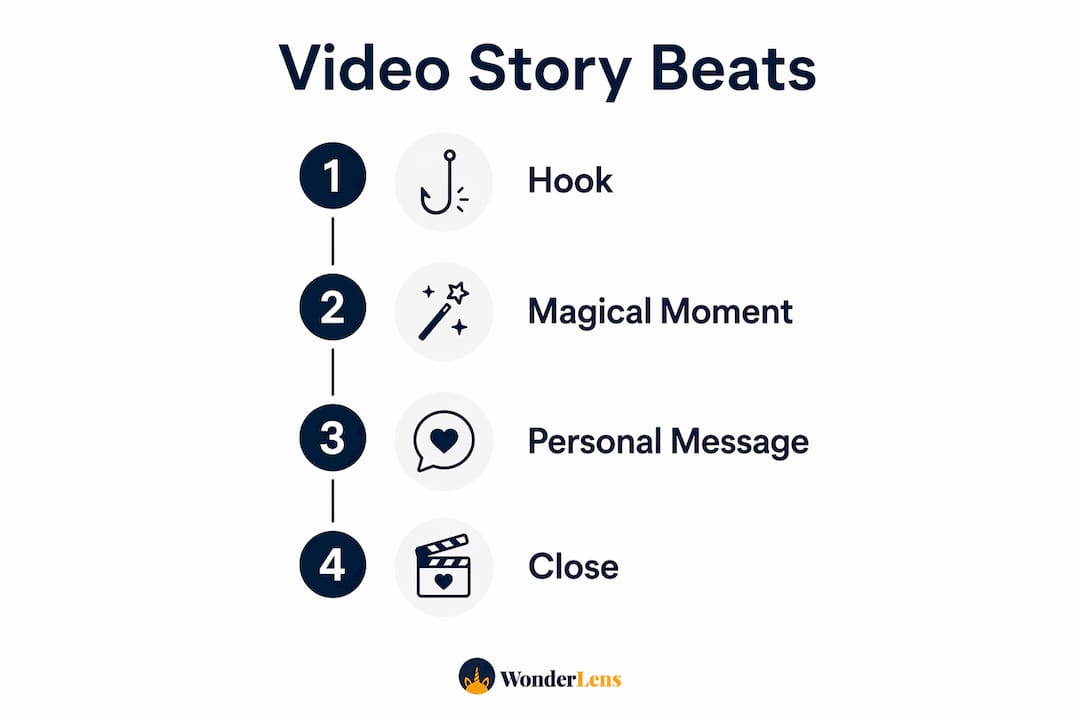
Intentional filming based on a pre-written scene outline reduces repetitive editing and keeps production moving. Writing out your beats before you press record means you shoot only what you need.
Sample storyboard outline:
| Beat | Scene description | Estimated length |
|---|---|---|
| Hook | Child opens door or looks at camera | 3–5 seconds |
| Magical moment | Animated character appears in room | 5–10 seconds |
| Personal message | Child or parent speaks to viewer | 10–15 seconds |
| Close | Family waves, text overlay appears | 5 seconds |
The ideal video length for personalized greetings is 30–60 seconds for the best viewer retention. Anything longer risks losing your audience before the magic lands.
Pro Tip: Write your storyboard on a sticky note and tape it to the wall behind the camera. You will glance at it naturally between takes without breaking the flow.
Step by step filming techniques for clear audio and natural light
Good lighting costs nothing. Position your subject facing a window so natural light falls on their face evenly. Avoid placing a window or bright lamp behind your subject, because backlighting turns faces into silhouettes and ruins the shot.
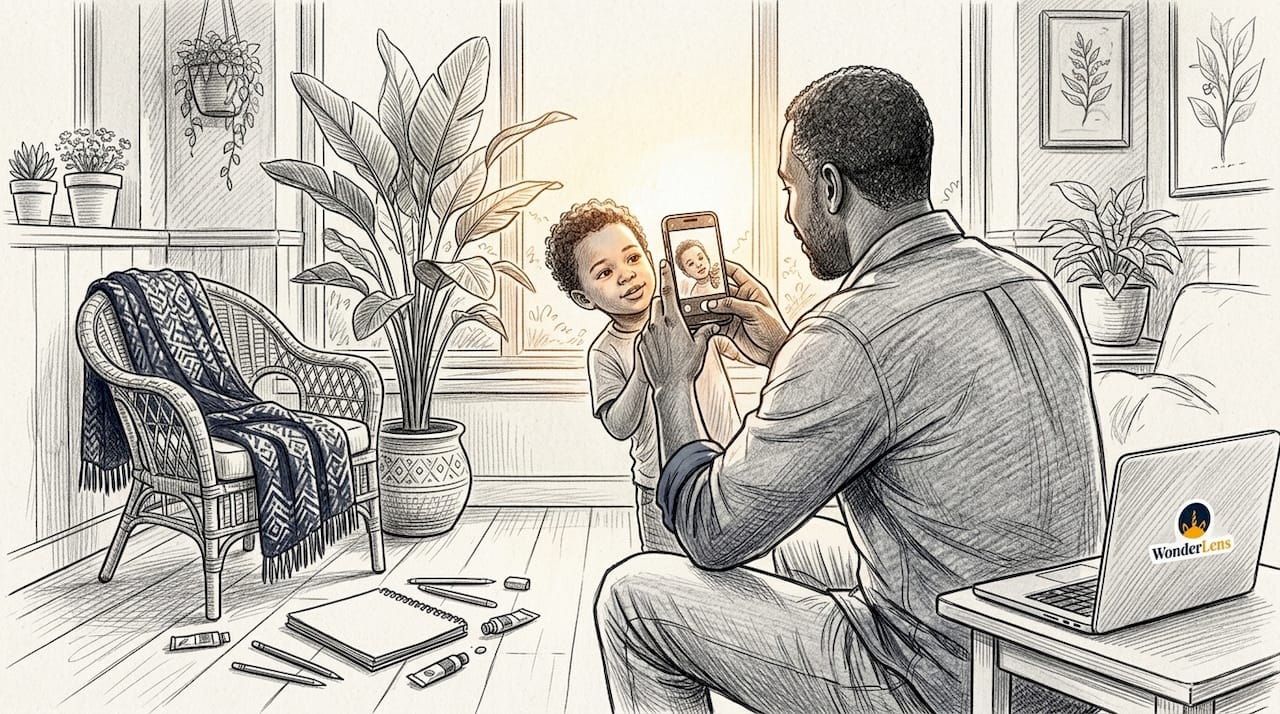
For audio, keep your smartphone within two feet of your subject's mouth when recording without an external microphone. That two-foot rule captures clear, warm audio without picking up every sound in the room. If you are filming in a large open space, move to a smaller room.
Rooms with soft furnishings like curtains, carpets, and sofas absorb echo and improve audio clarity without any extra gear. A living room with a rug beats a tiled kitchen every time. Some families even film quick messages inside a walk-in closet for surprisingly clean sound.
Quick filming checklist:
- Face a window or soft light source, never a bright background
- Lock your phone to a tripod or rest it on a stable surface
- Keep the phone within two feet of the speaker
- Film in a carpeted or curtain-lined room
- Record a 10-second test clip and play it back before the real take
- Shoot each scene twice so you have a backup take in editing
Frame your shots with the subject centered or slightly off-center using the rule of thirds. Leave a little space above the head and avoid cutting off chins or foreheads. These small framing choices make your personalized holiday videos look polished without any editing at all.
How do you edit your magical video with effects, music, and sharing?
Editing is where the enchantment comes to life. Start by trimming your clips down to only the strongest moments. Most editing apps let you drag the ends of a clip to shorten it. Cut anything that feels slow or off-topic.
- Trim and arrange clips in the order of your storyboard beats.
- Add overlays or animated effects such as sparkles, snow, or glowing light to reinforce the magical theme.
- Apply text animation for names, dates, or short messages that appear on screen.
- Add background music at a low volume so it supports the mood without drowning out voices.
- Use audio ducking to automatically lower the music volume whenever someone speaks. Audio ducking keeps your message clear while the music stays present in the background.
- Choose your format: vertical video (9:16) works best for phones and social sharing. Horizontal (16:9) suits TV screens and email links.
- Export and compress your file. Most apps offer a "share" quality setting that keeps file size manageable without visible quality loss.
- Upload to cloud storage such as Google Drive or iCloud and share the link. Sharing via cloud link is more reliable than sending a raw video file by email, especially for files over 50 MB.
Pro Tip: AI video platforms like Wonderlens generate cinematic characters placed in your actual home environment. The AI generation process typically takes 30–60 seconds per clip, so you can preview results quickly and adjust before committing.
For a step by step festive video tutorial that goes deeper on holiday-specific effects, the Wonderlens blog covers adding fairies to holiday videos with detailed visual examples.
Common mistakes to avoid in magical family video creation
Most video problems fall into three categories: audio issues, shaky footage, and videos that run too long. Each one has a simple fix.
Quick error remedies:
- Muffled or echoing audio: Move to a smaller, carpeted room and get closer to the microphone.
- Shaky footage: Use a tripod or prop the phone against a stack of books. Never hand-hold for more than a five-second clip.
- Video runs too long: Cut any scene that does not serve one of your four storyboard beats. If a clip does not hook, enchant, message, or close, remove it.
- Music drowns out voices: Apply audio ducking in your editing app or manually lower the music track volume to 20–30% during dialogue.
- Effects look fake or out of place: Match the lighting in your effects to the lighting in your room. Warm indoor light needs warm-toned overlays, not cold blue sparkles.
- File too large to share: Export at "medium" or "share" quality rather than maximum resolution. Most viewers watch on phones, where the difference is invisible.
Test your finished video by sending it to yourself first. Watch it on your phone with headphones and then without. If the audio is clear and the story makes sense in under 60 seconds, it is ready to share. A step by step animated video guide only works if you actually test the output before sending it to grandparents or posting it for the family.
Key Takeaways
A magical family video succeeds when clear audio, natural light, and a focused story come together in under 60 seconds.
| Point | Details |
|---|---|
| Plan before you film | Write a four-beat storyboard to keep your video focused and editing fast. |
| Audio quality first | Stay within two feet of the phone mic and film in a carpeted room for clear sound. |
| Keep it under 60 seconds | Videos between 30 and 60 seconds hold viewer attention best for personalized greetings. |
| Use AI for magical effects | Platforms like Wonderlens place animated characters in your home for cinematic results. |
| Share via cloud link | Upload to Google Drive or iCloud and send a link rather than a raw video attachment. |
Why the imperfect videos are the ones kids remember most
I have watched families spend hours perfecting lighting rigs and color grading only to produce a video that feels cold and rehearsed. The videos that make children gasp are almost always the ones where something small goes slightly wrong: a sibling laughs off camera, a dog wanders into the shot, or a parent stumbles over a word and keeps going anyway.
The magic is not in the production value. It is in the feeling that this video was made specifically for that child, in that house, on that day. A fairy gliding through your actual living room, catching the same golden glow from your lamp, lands differently than any generic animation ever could. That specificity is what Wonderlens is built around, and it is what no amount of editing polish can manufacture.
My honest advice: involve your kids in the filming process whenever the surprise element is not at stake. Let them hold the phone for one take. Let them suggest where the character should appear. Children who help create the magic feel the magic more deeply. And the bloopers reel you accidentally capture along the way becomes its own keepsake.
Embrace the imperfection. A heartfelt, slightly wobbly video made with love will outlast any technically perfect production in your child's memory.
— Jeremiha
Wonderlens makes magical family videos easy to create
Wonderlens is a web-based platform built for exactly this kind of creative family moment. You upload a photo of your home, choose a character like Santa, a unicorn, a dragon, or a fairy, and Wonderlens places that character into your space with realistic shadows, lighting, and movement.

The result is a 10-second cinematic clip that looks like the character is actually standing in your living room. There are no complicated editing steps and no design skills required. Credits start at $1.99, making it easy to create personalized animated memories for every holiday and special occasion. Visit Wonderlens to create your first magical video today.
FAQ
What is the ideal length for a magical family video?
The ideal length is 30–60 seconds for personalized video greetings. Shorter videos hold viewer attention and are more likely to be watched all the way through.
How do I get clear audio without a professional microphone?
Keep your smartphone within two feet of the speaker and film in a room with carpets or curtains. Soft furnishings absorb echo and improve sound quality without any extra equipment.
How long does it take to generate an AI magical video?
Most AI video platforms generate a short clip in 30–60 seconds after you submit your prompt or photo. Wonderlens follows a similar process, letting you preview and adjust results quickly.
What is the best way to share a finished family video?
Upload your video to a cloud service like Google Drive or iCloud and share the link. This avoids file size limits and gives recipients a clean viewing experience on any device.
Do I need special editing skills for a step by step fairy video tutorial?
No special skills are required. Free apps like CapCut handle trimming, overlays, and audio ducking through simple tap-and-drag controls that most parents learn in under 10 minutes.
Recommended
- How to create magical videos kids will truly love — WonderLens | WonderLens
- Your Guide to Magical Family Memories That Last — WonderLens | WonderLens
- Add animated characters to family photos: magical memories — WonderLens | WonderLens
- Fairy video animation: A parent's guide to magical memories — WonderLens | WonderLens