How to Create Digital Keepsakes Your Family Will Treasure
June 6, 2026
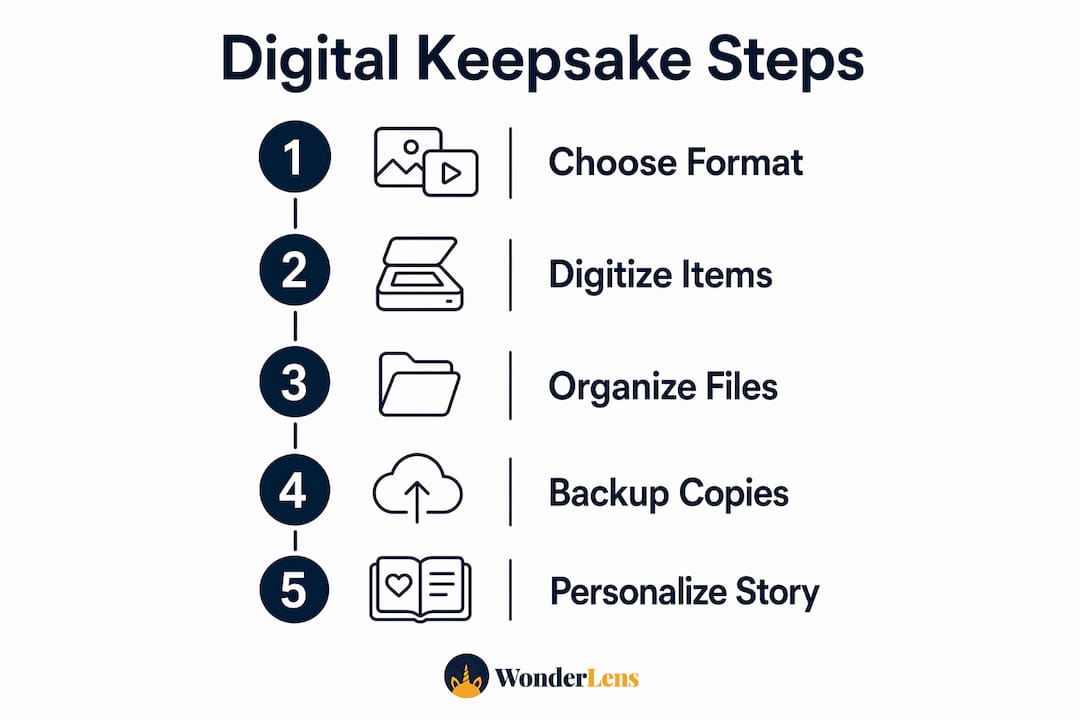
A digital keepsake is a personalized, multimedia memory preserved in digital form, combining photos, videos, audio, and text into something shareable and lasting. Families today are moving beyond shoeboxes of faded prints toward living archives that can be updated, shared across generations, and protected from physical decay. Knowing how to create digital keepsakes means choosing the right formats, digitizing physical media at the correct quality, organizing files so nothing gets lost, and backing everything up securely. This guide walks you through each step, with specific tools and techniques that actually work.
What are the best digital keepsake formats to choose?
A digital keepsake takes many forms, and the format you pick shapes how the memory feels and functions. Tribute videos, memory books, guest books, AI-written biographies, and printed memory books each serve a different purpose, and combining more than one creates a richer result.
Here is a quick comparison to help you decide:
| Format | Best for | Key benefit |
|---|---|---|
| Tribute video | Birthdays, memorials, holidays | Emotional, cinematic, easy to share |
| Digital scrapbook | Vacations, milestones | Visual storytelling with captions |
| Online memory book | Family history projects | Collaborative, multi-contributor |
| AI-written biography | Grandparent stories, eulogies | Captures voice and detail at scale |
| Printed memory book | Gifts, anniversaries | Tangible, archival, screen-free |
| Digital guest book | Weddings, reunions, parties | Real-time contributions from guests |
The most flexible approach is to maintain a living digital archive that grows over time, then pull fixed deliverables from it when needed. Think of the archive as your raw material and the printed book or tribute video as the finished product. For holiday-themed memories, a short personalized video featuring your child's favorite characters adds a layer of magic that a static photo simply cannot match. You can explore ideas for cinematic family videos to see how that format works in practice.
Pro Tip: Start with one format that excites your family most. A single well-made tribute video will motivate you to build the broader archive far more than a perfectly organized folder structure with nothing in it.
How to digitize physical keepsakes with lasting quality
Digitizing physical photos and documents is the foundation of any digital keepsake project. Getting the resolution right from the start means you will never need to rescan.
- Clean your originals first. Dust and fingerprints create artifacts that no software can fully remove. Use a soft microfiber cloth on prints and a blower brush on negatives.
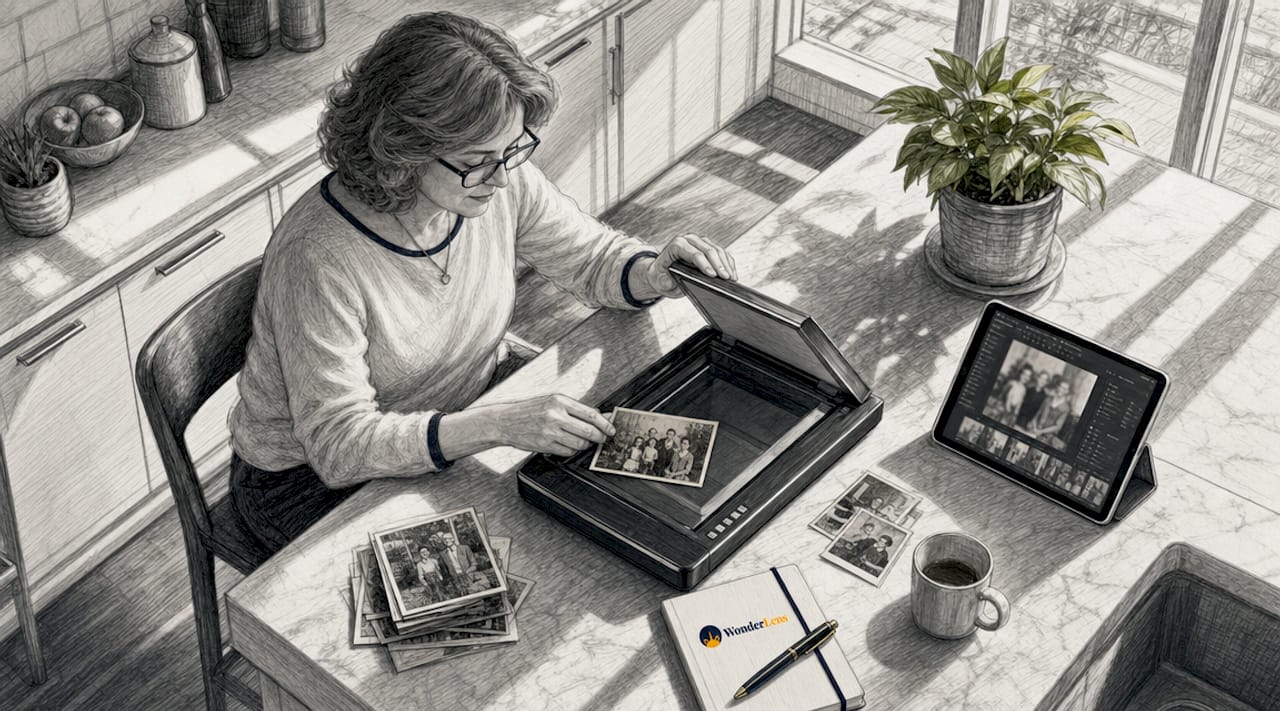
- Choose the right scanner. Flatbed scanners priced $80 to $150 deliver better resolution and consistency than phone camera apps. Phone apps are convenient for quick sharing but fall short for archival work.
- Set the correct resolution. Scan standard prints at 600 DPI and small or wallet-sized photos at 1200 DPI to retain enough detail for cropping and restoration. Higher DPI mainly benefits restoration work, so 600 DPI is sufficient for most family keepsake needs.
- Save in the right format. Use TIFF for photos and PDF/A for documents when building your archive. TIFF and PDF/A preserve metadata and remain accessible far longer than compressed formats. Use JPEG or MP4 only for sharing copies.
- Keep originals immutable. Maintain master files as read-only and create separate compressed copies for editing or sharing. This protects your best-quality source files from accidental overwriting.
Pro Tip: Scan everything in one dedicated session rather than a little at a time. Batching the work keeps your settings consistent and prevents half-finished projects from sitting untouched for months.
How to organize your digital keepsake files for easy access
Good organization is what separates a usable archive from a chaotic folder of unnamed files. The goal is a structure you can hand to a family member in ten years and have them find anything within two minutes.
- Use a year and event folder structure. A folder named "2024 / Christmas Morning" is self-explanatory. Vague names like "Misc Photos" become useless quickly.
- Separate archival masters from shareable copies. Keep masters in high-fidelity formats like TIFF, RAW, and WAV in one location, and generate smaller JPEG or MP4 copies for sharing. Never edit a master file directly.
- Add metadata immediately after scanning. Structured context including who, when, and where should be added right after digitizing, because future retrieval depends heavily on metadata completeness. A photo labeled "IMG_4821.jpg" tells you nothing. A photo with EXIF data reading "Grandma Rose, Thanksgiving 1987, Chicago" tells you everything.
- Use consistent file naming. A format like YYYY-MM-DD_EventName_Description.tiff works across all operating systems and sorts chronologically without extra effort.
- Centralize contributions from family members. Coordination failure is the biggest practical challenge in family archive projects. Use a shared cloud folder or a service like Google Drive or iCloud to collect contributions, then move approved files into your master archive with controlled access.
Pro Tip: Create a simple one-page "family archive guide" that explains your folder structure and naming convention. Share it with anyone who contributes files. This prevents scattered duplicates and misnamed folders from creeping in over time.
How to protect digital keepsakes with the 3-2-1 backup rule
A single hard drive is not a backup. Families lose irreplaceable memories every year to device failure, house fires, and accidental deletion. The 3-2-1 backup rule is the standard protection strategy used by archivists and photographers alike.
The rule is straightforward: keep 3 copies of every file, on 2 different media types, with 1 stored offsite. In practice, that means one copy on your computer, one on an external hard drive, and one in cloud storage like Google Photos, iCloud, or Amazon Photos. The offsite copy is the most critical because it protects against events like fire, theft, or flood that would destroy everything in one location.
Here is a practical format guide for long-term preservation:
| File type | Archival format | Sharing format |
|---|---|---|
| Photos | TIFF | JPEG |
| Documents | PDF/A | |
| Videos | MKV (archival codec) | MP4 |
| Audio | WAV | MP3 |
PDF/A follows ISO standard 19005, embedding fonts and restricting external dependencies to maximize future readability. It avoids features like encryption and JavaScript that can make files unreadable decades later. TIFF supports EXIF, IPTC, and XMP metadata, meaning your captions and dates travel with the file through any conversion.
Test your backups at least once a year by restoring a sample of files to a different device. A backup you have never tested is a backup you cannot trust.
Maintain two layers of file handling: a stable archival layer for masters and a device-optimized layer of compressed derivatives for daily access. This approach reduces cost and format fragility without sacrificing quality at the source.
How to craft personalized digital keepsakes that tell your family's story
Technical preservation matters, but the heart of any keepsake is the story it tells. A folder of correctly named TIFF files is an archive. A tribute video set to your grandmother's favorite song, with her voice recorded in a short clip, is a keepsake.
Here is how to build that emotional layer into your digital memories:
- Mix media types. Combine photos, short video clips, voice notes, and written captions. Short clips of around 30 seconds hold attention better than long recordings, and a 20-second voice note from a grandparent describing a photo adds context no caption can replicate.
- Use Canva for digital scrapbooks. Canva's template library lets you set a visual theme, arrange scanned photos, add captions, and export print-ready PDFs or shareable links. The process takes a few hours and produces something genuinely beautiful.
- Use AI writing tools for biographies. Tools like ChatGPT or the AI features built into keepsake platforms can help you turn interview notes or scattered memories into a polished written biography. This is especially valuable for capturing a grandparent's life story before details fade.
- Control sharing carefully. Public links can be forwarded unintentionally. Use password-protected sharing or platform-specific privacy settings when distributing keepsakes that contain personal family details.
- Make holiday keepsakes a tradition. A short personalized video of Santa walking through your living room or a fairy landing on your Christmas tree creates a memory your child will ask to watch every year. For personalized holiday video ideas, the key is placing characters in your actual space with realistic lighting and shadows, not just layering a cartoon over a photo.
The best keepsakes feel specific. A generic holiday card is forgotten. A video where Santa pauses in front of your child's actual bookshelf, lit by the same golden glow as your living room lamp, becomes a story your family tells for decades.
Key takeaways
Creating lasting digital keepsakes requires choosing the right format, digitizing at archival quality, organizing files with consistent structure, and protecting everything with the 3-2-1 backup rule.
| Point | Details |
|---|---|
| Choose formats intentionally | Match the keepsake format to the occasion: tribute videos for milestones, scrapbooks for travel, printed books for gifts. |
| Scan at 600 DPI minimum | Use a flatbed scanner at 600 DPI for standard prints and save masters as TIFF for long-term quality. |
| Organize before you accumulate | Set up year and event folders with consistent naming before adding files, not after the archive grows unwieldy. |
| Apply the 3-2-1 backup rule | Keep three copies across two media types with one stored offsite to protect against loss from any single event. |
| Add story, not just files | Voice notes, captions, and personalized video moments transform a file archive into a living family memory. |
Why I think most families wait too long to start
By Jeremiha
The families I see struggle most with digital keepsakes are not the ones who lack the tools. They are the ones who waited until a grandparent passed away or a house flooded before they started. By then, the photos are already faded, the stories are half-remembered, and the person who knew the context is gone.
My honest advice is to start with whatever you have right now, even if it is imperfect. A 600 DPI scan of a single photo album is infinitely more valuable than a perfect plan you never execute. The technical details in this guide matter, but they matter far less than the habit of capturing and preserving at all.
I also think families underestimate how much children value these memories as adults. A short video of Santa in your living room from 2026 will mean more to your child at 25 than almost any physical gift from that same Christmas. Personalized family memories are not a luxury project. They are the record of who your family was.
Start small. Pick one box of photos or one holiday this year. Build from there. The archive grows on its own once you give it a foundation.
— Jeremiha
Bring your family's memories to life with Wonderlens
You now have the framework for building a real digital keepsake archive. The next step is adding the kind of magic that makes children's eyes go wide.
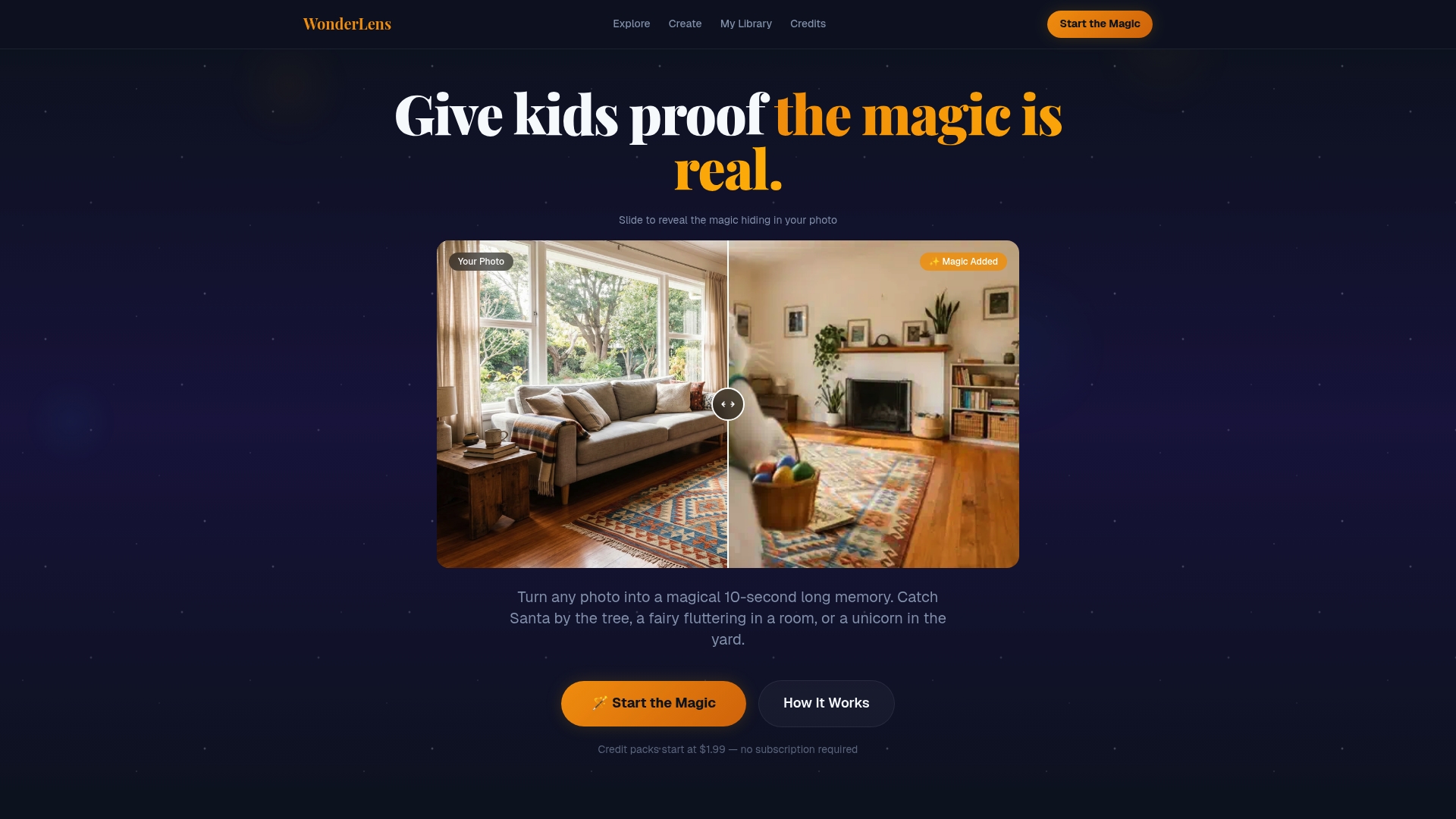
Wonderlens transforms a simple photo of your living room into a cinematic 10-second video featuring Santa, a unicorn, a fairy, or a dragon moving through your actual space, with realistic shadows, lighting, and movement. No editing skills required. Credits start at $1.99, and the whole process takes minutes. It is the kind of holiday keepsake your family will pull up every year, not just once. Create your first magical memory at Wonderlens and see exactly what your living room looks like with a little wonder added to it.
FAQ
What is a digital keepsake?
A digital keepsake is a personalized memory preserved in digital form, combining photos, videos, audio, and text into a shareable and lasting format. Unlike physical keepsakes, digital versions can be updated, duplicated, and shared across generations without degradation.
What file format is best for preserving digital photos?
TIFF is the recommended archival format for photos because it retains full image quality and supports EXIF, IPTC, and XMP metadata. Use JPEG only for sharing copies, not for long-term storage.
How do I back up digital keepsakes safely?
Apply the 3-2-1 rule: keep three copies of every file across two different media types, with one copy stored offsite in cloud storage. Test your backups by restoring sample files at least once a year.
What are good tools for creating digital scrapbooks?
Canva is a widely used tool for digital scrapbook creation, offering templates, drag-and-drop layout tools, and export options including print-ready PDFs. For AI-assisted biographies or personalized holiday videos, platforms like Wonderlens add a cinematic layer that static tools cannot match.
Why are digital keepsakes especially valuable for holidays?
Holiday digital keepsakes capture moments tied to specific traditions, characters, and emotions that children remember for life. A personalized video featuring a holiday character in your actual home creates a memory far more vivid and lasting than a standard photograph.
Recommended
- Creating Personalized Family Memories That Truly Last — WonderLens | WonderLens
- Create Cinematic Digital Memories for Kids: A Parent's Guide — WonderLens | WonderLens
- What makes a digital experience truly memorable for families? — WonderLens | WonderLens
- Your Guide to Magical Family Memories That Last — WonderLens | WonderLens