Fantasy Characters in Digital Media: A Family Guide
July 24, 2026
Fantasy characters are the emotional anchors of family holiday videos. They do not just add sparkle to a clip. They create wonder, trigger memory, and give children a sense that something real and magical happened in their own home. Before you pick a visual effect or a character style, decide the emotional role first: should your character comfort, surprise, or encourage? That single choice shapes everything else, from the dialog to the lighting.
Here is what this guide covers:
- The psychology behind why fantasy characters work so well in family media
- A step-by-step workflow for a 10-second holiday clip
- Design rules that make a character feel physically present
- Privacy and copyright basics every US parent should check
- How to personalize characters for your family's traditions
- How Wonderlens supports the whole workflow
Research by Karen E. Dill confirms that fantasy media shapes attitudes and memory, not just mood. SFWA's guidance on character development adds that even a 10-second interaction lands harder when the character reacts logically rather than just looks impressive.
Table of Contents
- Why do fantasy characters matter so much in family digital media?
- How to make a believable 10-second fantasy holiday video from a photo
- What design rules make short fantasy clips feel real at home?
- What safety, privacy, and copyright basics should parents check first?
- DIY apps or cinematic platforms: which tool fits your family?
- Common challenges when integrating fantasy characters into family photos
- How to personalize fantasy characters for your family's traditions
- Key Takeaways
- Why emotional fit matters more than visual flash
- Wonderlens makes your first holiday character clip easy
- Further reading and sources
Why do fantasy characters matter so much in family digital media?
Fantasy characters work because they trigger what philosophers call phenomenal knowledge: the genuine sense of wonder that emerges when a secondary world feels coherent and real. A Santa who waves from your actual living room couch produces a different emotional response than a Santa floating over a generic background. The setting anchors the experience in memory.
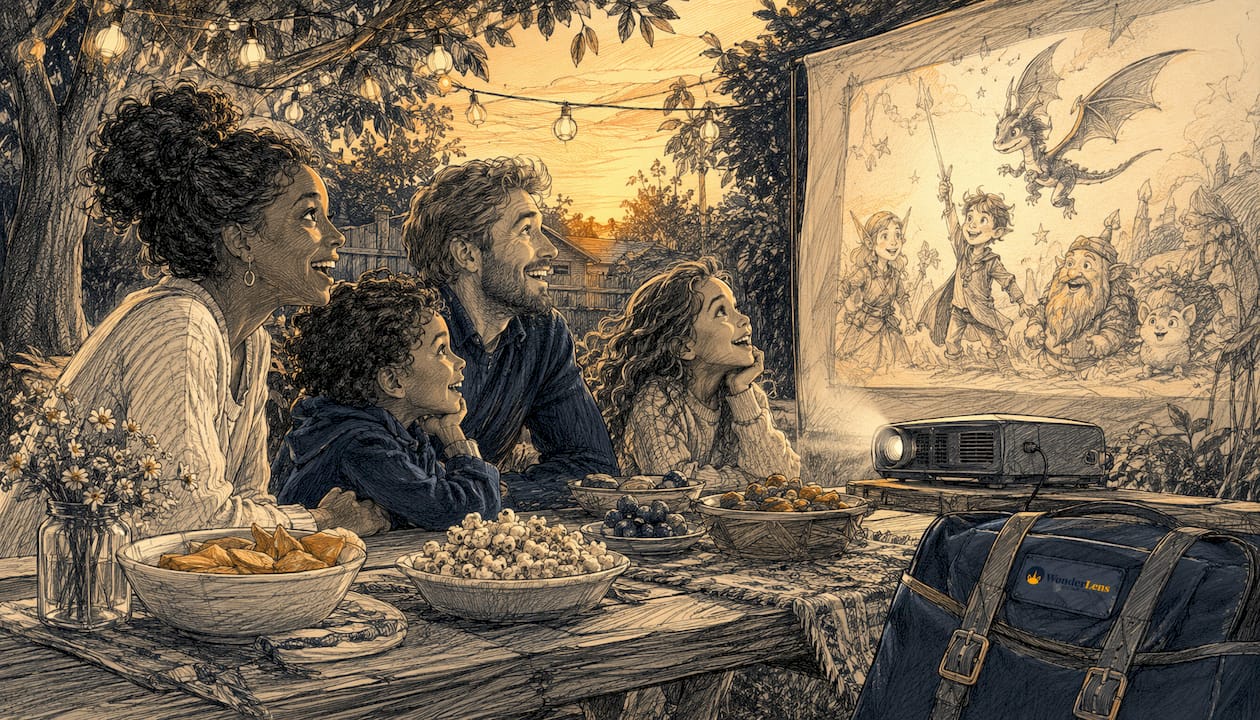
Litro Magazine's essay on fantasy and mental health describes fantasy characters as safe emotional anchors that help children process feelings and build social connection. For families, this means a well-designed holiday clip can do more than entertain. It can become a memory cue that children return to for years.
Fantasy characters can play several distinct emotional roles in a short clip:
- Comforter: a gentle fairy or guardian who reassures a nervous child before a big day
- Guide: a wizard or elf who explains a family tradition in a child's own language
- Mischief-maker: a dragon who hides gifts and leaves tiny scorch marks as clues
- Family historian: a character who names each family member and celebrates something specific they did that year
Statistic callout: Karen E. Dill's research shows that fantasy media has measurable influence on attitudes and self-image, extending well beyond entertainment into memory formation. Designing a clip with that in mind changes what you prioritize.
How to make a believable 10-second fantasy holiday video from a photo
A well-lit, emotionally clear clip takes a reasonable amount of time from photo selection to final export. Here is the full workflow:
- Choose your photo. Pick a well-lit image of your home space, ideally 1080p or higher. Natural or warm indoor light works best. Avoid heavy shadows across the main area where the character will stand.
- Decide the character's emotional role. Comfort, surprise, or encouragement? This drives everything: dialog, gesture, and expression.
- Select your character and style. Match the character's visual style to your family's holiday tradition. A classic Santa reads differently than a woodland fairy. Both are valid; pick the one that fits your story.
- Match lighting and scale. The character should catch the same directional light as objects in your photo. Scale matters too: a full-sized Santa should not float at ceiling height.
- Animate a believable reaction. The character should notice the environment, respond to it, and leave a small consequence: a glowing ornament, a sparkle trail, a tiny note. SFWA's character development guidance calls this logical progression, and it is what separates a memorable clip from a gimmick.
- Preview and adjust. Watch the clip once with the sound off to check spatial consistency, then once with audio to check dialog timing.
- Export and share. Use private links or family-only sharing settings. Avoid posting publicly without reviewing everyone's consent.
Quick checklist before you render:
- Photo resolution: 1080p minimum
- Character emotion selected (warm, playful, gentle)
- One short line of dialog or a caption ready
- Sharing permissions confirmed
Micro-example: A short animated Santa clip where he interacts personally with the child costs a small amount of credits on a platform like Wonderlens and can be produced in under half an hour.
What design rules make short fantasy clips feel real at home?
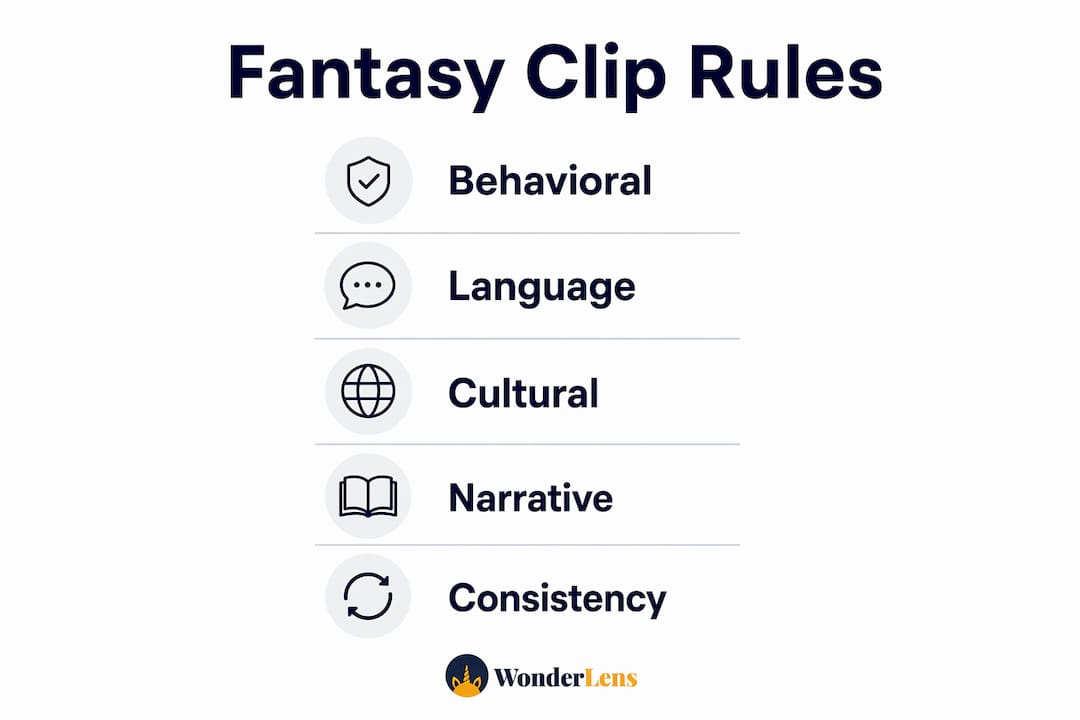
Visual realism and narrative structure work together. Get one wrong and the whole clip feels off.
Visual rules:
- Match the character's shadow direction to your photo's light source
- Place the character on a plausible ground plane, not floating mid-air
- Keep focal depth consistent: a blurred background should blur the character's feet slightly too
Behavioral rules: Audiences treat fantasy characters as active participants, not static images. Your character should notice the child, respond to the environment, and leave a small consequence. That three-beat structure (hook → reaction → payoff) is what makes a 10-second clip feel earned rather than decorative.
Language and timing: Keep dialog to one or two short sentences. For children under six, use simple words and a warm tone. For older kids, a little humor or a specific family reference lands well.
Cultural sensitivity: Choose character styles and holiday references that reflect your family's actual traditions. A Hanukkah-themed clip with a golden menorah glow reads as personal. A generic "winter magic" clip reads as generic.
Pro Tip: Pick one consistent narrative frame for your character, such as "family visitor" or "guardian friend," and keep it across every clip you make. Robin Hobb's technique of embedding a character in a single perspective applies here: consistency lets viewers fill in emotional detail themselves, which deepens the magic.
What safety, privacy, and copyright basics should parents check first?
Before you create or share any clip, run through these four areas:
- Photo consent: Anyone identifiable in the photo should know it is being used. For school or group photos, check the institution's sharing policy before uploading.
- Platform data handling: Verify whether the service stores your photos after rendering or deletes them on demand. Prefer platforms that offer on-demand deletion.
- Copyright and asset licensing: Use only licensed character assets or rights-cleared generative tools. Using a copyrighted character likeness (think a studio-owned elf design) without permission creates real legal exposure, even for personal use.
- Sharing controls: Send holiday clips via private links, password-protected albums, or family-only sharing settings. Avoid public posts that include children's faces without explicit consent.
This article provides general guidance for US parents and is not legal advice. For questions about specific character licensing or data privacy rights under laws like COPPA, consult a qualified attorney or review the platform's official terms of service directly.
DIY apps or cinematic platforms: which tool fits your family?
Entry-level phone apps are fast and free or low-cost. They work well for simple overlays and casual sharing. The tradeoff is realism: most produce flat sticker effects with no shadow casting or spatial integration.
Web platforms that render cinematic fantasy characters offer lighting, shadows, and movement that make the character feel physically present. They take a few more minutes but produce clips worth keeping.
When DIY apps make sense: low time investment, simple seasonal effects, no need for believable spatial integration.
When a rendering platform makes sense: you want the character to feel real in your home, you are creating a keepsake clip, or you need privacy controls and licensed assets.
Wonderlens is a web-based platform built for exactly this use case. It uses AI rendering to match lighting and cast shadows from your photo's actual light source, places characters on a real ground plane, and exports a shareable 10-second video. Credits start at $1.99 per clip. The platform is designed for families, with a straightforward upload-and-render workflow that requires no editing experience.
Checklist for evaluating any tool:
- Does it match directional lighting and cast shadows?
- Is the privacy policy clear about photo storage and deletion?
- Are character assets licensed for personal use?
- Can you export to a private link or download?
- Is customer support available if something goes wrong?
Pro Tip: Try a single low-cost test clip before committing to a batch. A 10-second draft tells you immediately whether the character's scale and lighting feel right in your specific home environment.
Common challenges when integrating fantasy characters into family photos
The most common problem is scale mismatch: a character that is too large or too small relative to the furniture immediately breaks the illusion. Fix it by comparing the character's height to a known object in the photo, like a door frame or a chair back.
Lighting inconsistency is the second most common issue. If your photo was taken near a window with warm afternoon light, a character rendered under cool overhead light will look pasted in. Always note your photo's dominant light direction before rendering.
Group photos add complexity because multiple faces and depths compete for attention. Place the character at the edge of the group rather than the center, so the family remains the focal point and the character reads as a visitor rather than an intruder.
Finally, motion blur in the original photo makes spatial integration harder. Sharp, well-lit photos produce the most believable results. If your only option is a slightly blurry image, choose a character with softer edges and warmer tones to help the two elements blend.
How to personalize fantasy characters for your family's traditions
Personalization is what turns a fun clip into a family keepsake. The most effective approach is specificity: name the child, reference something real from their year, and tie the character to a tradition your family actually practices.
A few approaches that work well:
- Name the child directly in the character's dialog. "Emma, I heard you learned to read this year" lands far harder than a generic greeting.
- Reference a family tradition. If you open gifts on Christmas Eve, have Santa mention it. If you light the menorah together, have a character acknowledge that moment.
- Match the character's visual style to your cultural background. Families with Latin American traditions might prefer a Three Kings character over Santa. Families celebrating Diwali might choose a character with warm golden light and traditional patterns.
- Create a recurring character. Using the same fairy or elf across multiple holidays builds a narrative thread children look forward to. Family storytelling research consistently shows that repeated characters and rituals strengthen children's sense of identity and belonging.
The goal is not a perfect production. It is a clip that feels like it belongs to your family specifically.
Key Takeaways
Fantasy characters work best in family holiday videos when emotional fit comes before visual flash. A believable 10-second clip built around a clear emotional role will outlast any technically impressive but emotionally empty effect.
| Point | Details |
|---|---|
| Choose emotional role first | Decide if the character comforts, surprises, or encourages before selecting any visual style. |
| Match lighting and scale | Align the character's shadow direction and height to your photo's actual light source and objects. |
| Use a three-beat structure | Hook, reaction, and payoff make even a 10-second clip feel earned rather than decorative. |
| Check privacy and rights | Confirm photo consent, platform data policies, and asset licensing before sharing any clip. |
| Wonderlens for cinematic results | Wonderlens renders AI-matched lighting and shadows for $1.99 per clip, with a family-friendly workflow. |
Why emotional fit matters more than visual flash
The conventional wisdom in family media is that better visuals equal better magic. A more realistic dragon, a more detailed fairy wing, a smoother animation. That framing misses the point entirely.
Children do not remember the rendering quality. They remember the moment the character said their name, or referenced the thing they were most proud of that year. The emotional architecture of a clip, its role, its dialog, its consequence, does more work than any shadow algorithm. The philosophical concept of phenomenal knowledge supports this: wonder emerges from coherence between story and world, not from technical sophistication alone.
The practical implication is that a parent who spends two minutes writing a specific, warm one-line greeting will produce a more memorable clip than one who spends twenty minutes adjusting visual settings. Use the tools that handle the technical side efficiently, so your creative energy goes where it actually matters: the story.
Wonderlens makes your first holiday character clip easy
Skip the sticker overlays. Wonderlens renders fantasy characters directly into your home photos with AI-matched lighting, real shadow casting, and smooth movement, so the result looks like the character was actually there. The credits model means you pay only for what you create, at $1.99 per clip, with no subscription required.

Upload a photo, pick your character's emotional role, and let the platform handle the spatial integration. The whole workflow takes under 20 minutes, and the result is a shareable 10-second video your child will ask to watch again. Privacy controls include on-demand photo deletion, and all character assets are licensed for personal use.
Start your first clip at Wonderlens and see what your living room looks like with a little holiday magic in it.
Further reading and sources
- How Fantasy Becomes Reality — Karen E. Dill (2009): foundational research on fantasy media's influence on attitudes and memory
- Character development lessons from video games — SFWA: practical guidance on believable character reactions in short-form interactions
- Phenomenal knowledge in fantasy — Stance Philosophy: philosophical treatment of how story and world produce wonder
- Fantastical feelings — Litro Magazine (2021): essays on fantasy's mental health and community benefits
- How Robin Hobb created a legendary hero — The Huntress and the Wolf: analysis of single-perspective character embedding
- Rhizomatic assemblages and fan interaction — Deakin University: research on spatial consistency and audience engagement with fantasy characters
- What realism in digital media means for holiday magic — Wonderlens: platform-specific guidance on lighting, shadows, and movement
- How to add fantasy characters to photos at home — Wonderlens: practical workflow resource for parents
- Family in storytelling: 5 key benefits for growth — Mark Watson Books: accessible reading on how repeated characters and rituals support children's identity
Recommended
- Transform holidays: fantasy characters create magical family memories — WonderLens | WonderLens
- What Is AI-Powered Fantasy Media? A 2026 Guide. WonderLens | WonderLens
- The Role of Fantasy in Children's Videos Explained. WonderLens | WonderLens
- What realism in digital media means for holiday magic — WonderLens | WonderLens