8 Santa Video Script Ideas You Can Copy and Personalize Tonight
August 27, 2026
Here are eight ready-to-use Santa video scripts you can copy and personalize in under five minutes. Each one comes with a placeholder pattern (swap in your child's [name], and a real [detail]) plus a quick note on tone so the clip actually sounds like Santa, not a recording of your uncle in a fake beard.
- The proud grandpa greeting: "Ho ho ho, [Name]! I heard you turned [age] this year and I couldn't be prouder." (15 seconds, warm and slow)
- The gift tease: "[Name], my elves tell me you've been eyeing something special... we'll see!" (10 seconds, playful)
- The good-habit shoutout: "I saw you [detail, e.g., 'helping your little sister with homework'] and it made my whole workshop smile." (12 seconds, gentle)
- The bedtime reminder: "Get some rest, [Name], because Christmas Eve is closer than you think!" (8 seconds, soothing)
- The talent recognition: "Word travels fast up here. Someone told me you're getting really good at [detail, e.g., 'soccer']." (12 seconds, encouraging)
- The sibling shoutout: "Say hello to [sibling name] for me too. You two have both been on my radar this year." (15 seconds, inclusive)
- The classroom or party clip: "Merry Christmas to everyone at [school/place]! I know [Name] is there and I'm keeping an eye out." (18 seconds, festive)
- The countdown closer: "[Name], only a few more sleeps! Keep being wonderful. I'll see you soon." (10 seconds, warm)
TL;DR:
- Using one specific, true detail in a Santa message makes it feel personal and believable, especially when kept under 45 seconds.
- Scripts should be tailored to the child's age, with simple lines for toddlers and more detailed, achievement-focused messages for older kids.
- Testing the final video on the device your child will hear it on improves authenticity and avoids audio distortions that undermine believability.
- Short, calm, and relaxed delivery of a single detail is more effective than lengthy or overly enthusiastic scripts that sound robotic or forced.
- Framing behavior updates as positive progress enhances reception, avoiding scolding or threats that can break the magic.
Table of Contents
- Santa video script ideas by age and interest
- Writing tone tips: keep Santa warm and believable
- How long should a Santa video be?
- Copy-ready Santa scripts by length
- How to turn a script into a finished Santa video
- How Wonderlens makes a Santa clip in minutes
- A more honest take on what actually makes Santa videos work
- Key Takeaways
- Sources
Santa video script ideas by age and interest
The right script depends less on creativity and more on precision. A 3 year old believes almost anything; a 10 year old is listening for cracks in the story. That means younger kids need simpler sentences and one big emotional beat, while older kids need a specific, verifiable detail that proves Santa "really" knows them.
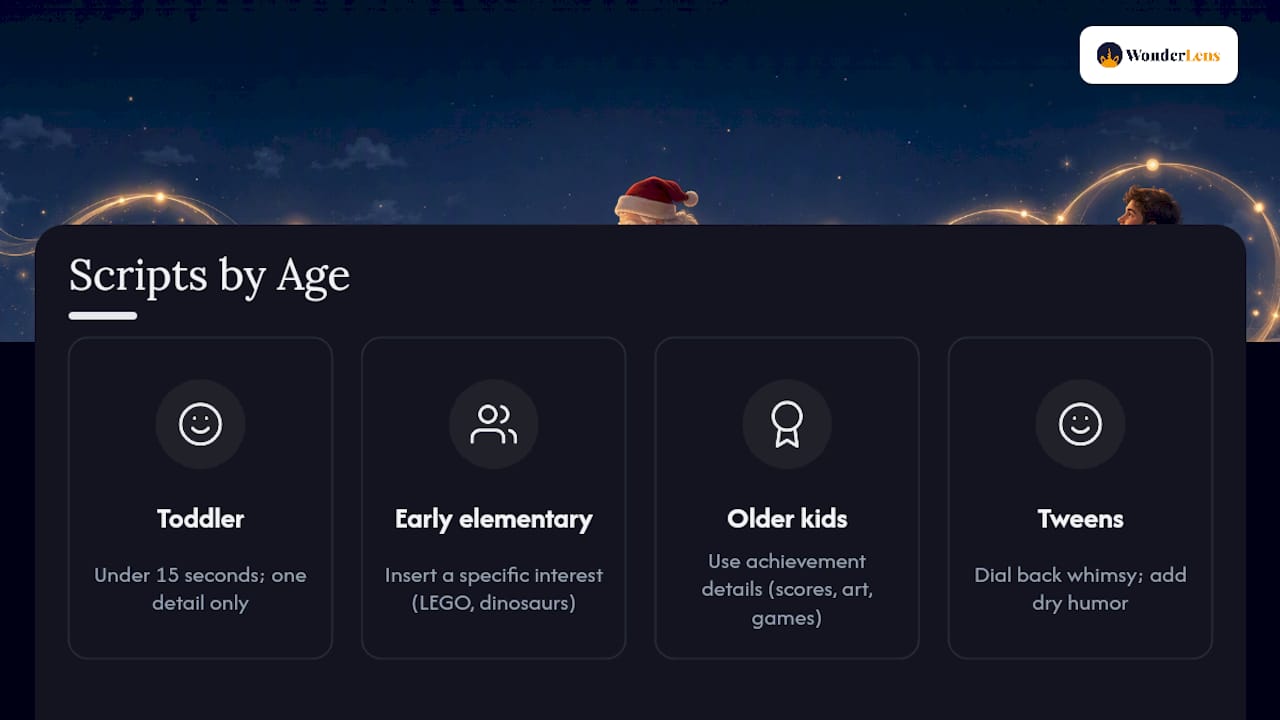
For toddlers (2 to 4), keep it under 15 seconds with simple, repetitive phrasing: "Ho ho ho, [Name]! I hear you've been a very good helper. I can't wait to see you soon!" One detail is plenty. Anything longer loses their attention before it lands.
For early elementary kids (5 to 7), add a specific interest: "[Name], I heard you've been building the most amazing [LEGO/train/blocks] creations. My elves are impressed!" Swap "LEGO" for dinosaurs, unicorns, or dance recitals depending on what actually lights them up.
For older kids (8 to 10), lean into achievement and identity: "I saw you scored [detail, e.g., 'two goals in your last game'], [Name]. That kind of hustle doesn't go unnoticed up here." Sports, gaming, and art all work well here because kids this age track their own progress closely.
For tweens (11 to 12), dial back the whimsy slightly and add dry humor: "[Name], you're getting a little old for the naughty list threats, so I'll just say: keep doing what you're doing." Tweens respond better to being treated like insiders than to being talked down to.
The swap is always the same mechanic: keep the sentence structure, change the noun. "Building the most amazing LEGO creations" becomes "drawing the most amazing dragons" with zero rewriting needed.
Writing tone tips: keep Santa warm and believable
The single biggest scriptwriting mistake is treating Santa like a disciplinarian. A gentle nudge about behavior works far better as a progress update than a threat, and parenting and gifting guides consistently recommend praise over scolding in Santa messages.
Here's the difference in practice:
- Instead of: "Santa's watching, and you need to stop fighting with your brother."
- Try: "I heard you and your brother have been getting along better lately. Keep that up, it makes my job a lot easier!"
The rewrite keeps the same underlying message (please be kinder to your brother) but frames it as recognition of effort already made. Kids respond to being seen as improving, not being caught misbehaving.
A few more rules worth following every time:
- Use one real detail, not three. A single specific achievement or habit reads as uniquely personal; stack too many and the illusion cracks.
- Keep sentences short. Eight to twelve words per line lets a young listener follow along without losing the thread.
- Build in a natural pause before the big reveal or compliment. A half-second beat before "I heard you've been such a good helper" makes it land like Santa is really thinking about the child.
Pro Tip: Write the line "I know you've been [detail]" and then stop. Resist the urge to add a second detail right after it. One well-placed fact beats three vague ones.
How long should a Santa video be?
Shorter almost always reads as more believable. A rambling two-minute monologue gives a child's brain more time to notice inconsistencies, while a tight 15 to 45 second clip feels like a genuine, busy Santa checking in between deliveries.
- Match duration to purpose. Private bedroom reveals and shareable clips both land best around 15 to 45 seconds; longer classroom announcements can stretch closer to a minute.
- Balance the audio mix. Keep Santa's voice as the loudest element, with any sleigh bells or music sitting well underneath. A soft, calm delivery at a slightly lower pitch reads as more authentic than a booming, theatrical one.
- Run a pre-flight check. Play the finished clip on the exact device your child will hear it on, not just your laptop speakers.
Testing on the same speaker your child will actually use matters more than most parents expect, since a phone earpiece, a tablet, and a living room TV all color a voice differently. Record two takes and keep the calmer one, even if the louder, more animated take feels more fun in the moment. Kids trust quiet confidence over performance.
Copy-ready Santa scripts by length
Read each one aloud before recording. If a 15 second script takes you 22 seconds to read naturally, trim a clause rather than rushing the delivery.
15 second scripts (best for quick, private reveals with toddlers through early elementary kids):
- "Ho ho ho, [Name]! I heard you turned [age] and I couldn't be prouder. Merry Christmas!"
- "[Name], my elves say you've been such a good helper this year. Keep it up!"
30 second scripts (best for kids 6 to 10 who want a fuller, more personal message):
- "Well hello there, [Name]! It's Santa, calling all the way from the workshop. I heard you've been working hard on [detail], and that kind of effort always makes my list a little brighter. Keep being you. Merry Christmas!"
- "[Name], I've been keeping an eye on the North Pole radar, and your name keeps popping up in a good way. Something about [detail]. My elves are impressed, and so am I. See you soon!"
45 second scripts (best for tweens, siblings together, or classroom shares):
- "Ho ho ho! Merry Christmas, [Name] and [sibling name]! I know you've both had a big year, especially with [detail]. Up here, we notice things like that. Keep looking out for each other, keep being kind, and I promise this Christmas is going to be one to remember. Sleigh's almost loaded. See you soon!"
Each template shortens easily by cutting the middle sentence, or lengthens by adding one more specific compliment, never two.
How to turn a script into a finished Santa video
- Write and rehearse. Read your chosen script aloud three times, timing it against your target length.
- Record the voice. Use your own voice slowed slightly and pitched a touch lower, or generate a text-to-speech voice if you'd rather not perform it yourself.
- Assemble the clip. Layer in soft background elements like sleigh bells or a crackling fire under the voice track, keeping the voice dominant.
- Add visuals if wanted. Parents who want a zero-edit reveal can simply play the audio near a decorated tree; parents who want a full animated Santa can use a platform that renders an avatar synced to the script.
- Export, test, and check privacy. Play the final file on the device your child will actually use, and think twice before posting any clip that uses a cloned voice publicly.
Wonderlens's guide on how AI creates realistic holiday video magic walks through how rendering, lighting, and shadow detail come together for a believable animated result.
How Wonderlens makes a Santa clip in minutes
Wonderlens turns a photo of your own living room into a 10 second animated clip with Santa walking through it, shadows and lighting matched to the actual room.
- Upload a photo of your home; the platform handles lighting and shadow placement so Santa looks like he's really standing there.
- No editing skills needed. The rendering happens on Wonderlens's end after you submit your photo and script cues.
- Credits start at $1.99 per video, and your first clip is free to try.
If you want to see what a rendered clip looks like before committing, Wonderlens's Santa character page shows sample renders in real home settings. Pair a script like the ones above with a Wonderlens-rendered visual, and you've got a believable Santa moment that also holds up as a shareable keepsake. For more format ideas, Wonderlens's guide to video Christmas card concepts covers how to fit a rendered clip into a card your family sends out.
If you're also sending physical cards this year, personalized Christmas stamps make a nice companion touch for anyone mailing printed photos alongside the digital version.
A more honest take on what actually makes Santa videos work
Most advice on this topic focuses on production polish: better microphones, fancier avatars, more dramatic voice effects. That misses the real lever. The scripts that actually fool kids and delight parents are the plainest ones, built around a single true detail stated simply and delivered calmly.
Parents consistently overwrite these scripts. They try to cram in three achievements, a joke, a naughty-list warning, and a sign-off, and the result sounds like a ransom note read by committee. A child doesn't need proof piled on proof. One accurate detail, said in a relaxed voice, does more convincing than five details rushed through in a booming one.
The other underrated factor is device testing, which almost nobody does. A script that sounds warm on a laptop can sound flat and metallic through a kitchen speaker or a phone held at arm's length. If you do one thing differently this year, spend less time perfecting the wording and more time listening to the finished clip on the exact device your child will hear it on.
— Jeremiha
Key Takeaways
Believable Santa videos succeed when a script contains one real detail, stays under 45 seconds, and gets tested on the child's actual playback device before it's shared.
| Point | Details |
|---|---|
| One detail beats three | A single specific achievement or habit feels more personal than a stacked list of facts. |
| Match script to age | Toddlers need short, simple lines; tweens respond better to dry humor than whimsy. |
| Praise over scolding | Frame behavior reminders as progress updates instead of naughty-list threats. |
| Keep it short | 15 to 45 second clips read as more authentic than long monologues. |
| Test before sharing | Play the final clip on the exact device your child will hear, not just your laptop. |
Sources
- Santa Voice Message: A Practical Guide to Magical Audio
- 14 Cute Messages From Santa 2026 - Ideas to Write From Santa to Kids