What Is Immersive Home Animation? A Clear Guide
July 20, 2026

Immersive home animation is defined as a computer-generated 3D video sequence that simulates moving through a residential space, giving viewers a cinematic walkthrough or flythrough experience. Unlike a static photo or a flat video clip, this format places you inside a digital home that breathes with light, texture, and motion. Animations typically run at 25–30 frames per second to produce continuous, smooth motion across sequences lasting 60 seconds to 3 minutes. The technique draws from the same rendering pipeline used in film production, making it far more expressive than a simple floor plan or a photo gallery. Wonderlens applies this same principle of spatial storytelling to create magical, AI-driven animated memories inside your actual home.
What is immersive home animation and how does it work?
Immersive home animation is the industry's shorthand for what professionals call a 3D architectural walkthrough or flythrough animation. The two terms describe the same core experience: a pre-rendered video that guides the viewer through a space along a carefully planned camera path. Every frame is computed, not captured by a physical camera, which gives creators total control over lighting, mood, and movement.
The production process starts with a 3D model of the space. A designer builds the room geometry, applies surface textures, and places virtual light sources. Software like SketchUp, V-Ray, and Lumion handles modeling, photorealistic rendering, and real-time lighting respectively. Each tool plays a specific role: SketchUp builds the geometry, V-Ray computes how light bounces off surfaces, and Lumion adds motion and atmospheric effects.
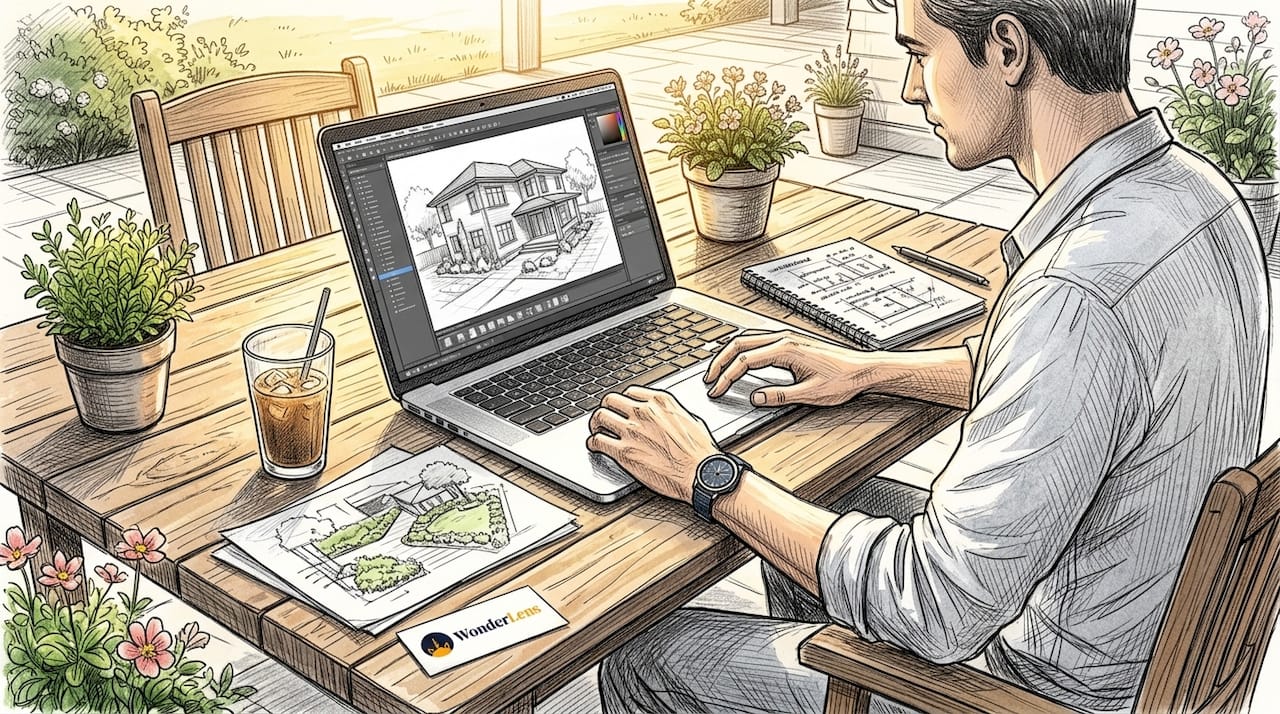
Once the scene is ready, the animator sets a camera path and exports thousands of individual frames. Those frames are stitched together at 25–30 fps to produce the final video. The result feels like a film shot inside a home that does not yet exist, or one that has been transformed by digital magic.
How does immersive animation differ from a virtual tour?
The clearest way to separate these two formats is by asking who controls the camera. In a virtual tour, you do. You click, drag, and navigate at your own pace through a series of 360-degree photographs or rendered nodes. Immersive animation uses a pre-set cinematic path instead, guiding the viewer through the space the way a film director would.
That distinction shapes the entire experience:
- Emotional storytelling. Animation controls pacing, music, and lighting transitions to build a specific mood. A virtual tour leaves those choices to the viewer.
- Cinematic polish. Animations use depth of field, motion blur, and color grading. Virtual tours prioritize navigational clarity over visual drama.
- Production complexity. A virtual tour requires fewer rendered assets. A full walkthrough animation demands frame-by-frame rendering, which takes significantly more time and computing power.
- Use case. Virtual tours suit real estate listings where buyers want to explore freely. Animations suit storytelling, entertainment, and emotional presentations where the creator wants to shape the viewer's reaction.
Pro Tip: If your goal is to make someone feel something specific about a space, choose animation. If your goal is to let them explore on their own terms, choose a virtual tour.
The emotional impact of cinematic moments is well documented in media research. Immersive animation borrows that cinematic grammar and applies it to interior spaces, which is why it connects with viewers on a deeper level than a self-guided tour ever could.
How are immersive home animations produced?
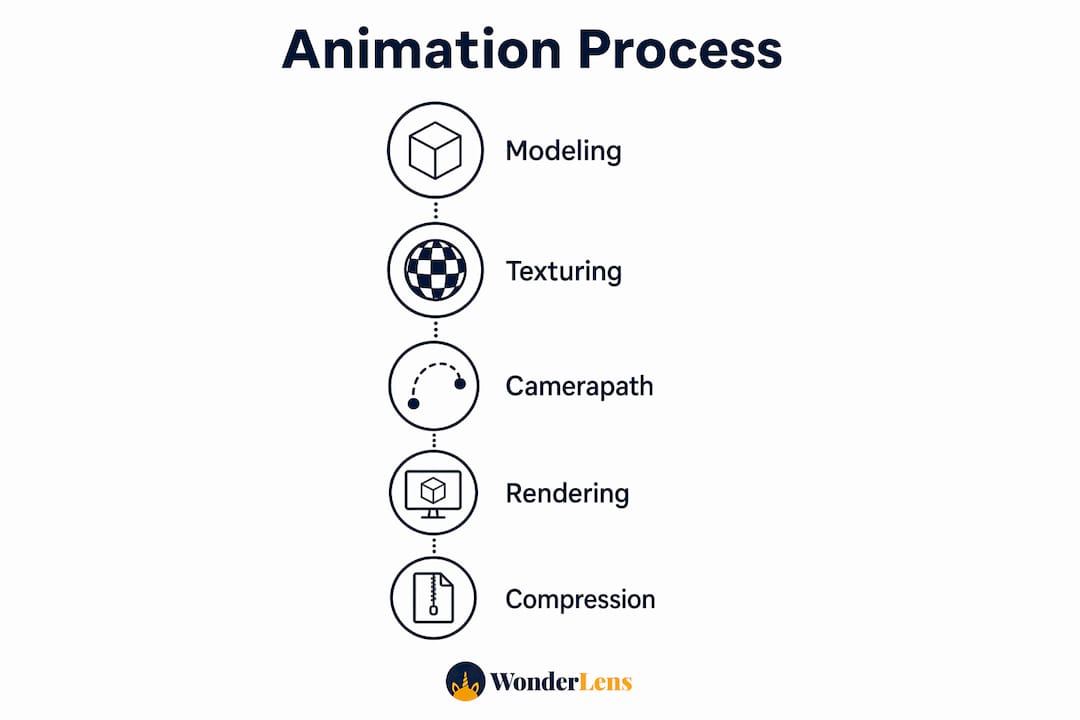
Production follows a clear sequence. Skipping any step produces a result that looks flat or unconvincing.
- Concept and layout. The designer sketches the camera path and identifies the key moments: a morning light flooding through a kitchen window, a fireplace casting a warm glow across a living room.
- 3D modeling. The space is built in software like SketchUp, with accurate dimensions and architectural details.
- Texturing and materials. Every surface gets a material: wood grain on floors, fabric weave on sofas, gloss on countertops.
- Lighting setup. V-Ray and Lumion simulate realistic lighting, including natural daylight, artificial fixtures, and the way light changes across a room.
- Rendering. The software computes each frame. High-quality renders can take minutes per frame, so a 30-second clip at 30 fps means 900 individual renders.
- Compositing and export. Frames are assembled, color-graded, and exported as a video file or an image sequence for web delivery.
Visualizations typically focus on living rooms, kitchens, and bedrooms, with finished animations running 3–4 minutes for full home presentations. Shorter clips of 30–60 seconds work better for social media and personal storytelling.
| Production stage | Primary tool | Output |
|---|---|---|
| 3D modeling | SketchUp | Room geometry |
| Photorealistic rendering | V-Ray | High-fidelity frames |
| Real-time lighting and motion | Lumion | Animated sequences |
| Web delivery optimization | WebP format | Compressed image sequences |
Pro Tip: Render at full quality, then compress for delivery. Never sacrifice render quality at the source. You can always compress a great render, but you cannot recover detail from a poor one.
How does immersive animation work on the web?
Delivering a smooth animation on a webpage requires a different approach than simply embedding a video file. Professional scroll animations use pre-extracted image sequences drawn to an HTML5 canvas element rather than a standard video tag. This eliminates buffering and decoder lag, two problems that make video-based animations feel sluggish.
The technique works like this:
- A "sticky container" locks the animation frame to the user's scroll position. As you scroll down, the frame advances. Scroll back up, and the animation reverses.
- Sequences of 80–160 frames at 8–12 fps balance visual quality against file size, keeping total assets between 3MB and 15MB.
- WebP image format compresses each frame efficiently without visible quality loss on modern browsers.
- Crossfade interpolation between frames creates smooth perceived motion even at lower frame rates. Alpha blending makes the transition between two frames look like continuous movement.
- Frames preload in the background before the user reaches the animation section, so playback starts instantly.
This approach produces what developers call an "Apple-style" scroll animation, where the visual feels locked to your hand rather than playing on its own. Mapping scroll events directly to frame numbers is the technical key. The result is an interactive home experience that feels physical and responsive.
Pro Tip: Preload your entire frame sequence before the user reaches the animation. A single dropped frame during scroll playback breaks the illusion completely.
Digital stories now live across multiple platforms, and scroll-based home animations are one of the most effective ways to hold attention in a web environment where video autoplay is often blocked.
What are the best uses of immersive animation for personal storytelling?
Motion and camera movement reveal spatial proportions, material finishes, and lighting changes in ways that static images cannot. A photograph shows a room. An animation shows how that room feels at different times of day, with different light sources, and from different angles.
For personal storytelling and entertainment, the applications are genuinely exciting:
- Holiday memories. Animate your living room on Christmas morning with warm firelight, falling snow visible through the window, and a magical visitor moving through the space. Wonderlens specializes in exactly this kind of holiday home animation, placing characters like Santa or a fairy into your actual home environment.
- Family keepsakes. A short animated walkthrough of a childhood home, complete with period-accurate lighting and decor, becomes a digital heirloom that photographs never quite achieve.
- Mood and atmosphere. Lighting changes over time demonstrate mood shifts that static renders fail to capture. A golden afternoon glow fading to a cozy lamp-lit evening tells an emotional story without a single word.
- Interactive entertainment. Scroll-based home animations let viewers control the pace of the story, creating a personal connection that passive video cannot replicate.
Understanding how mood and motion engage audiences is the foundation of effective home animation storytelling. The best animations do not just show a space. They make you feel like you belong in it.
Key Takeaways
Immersive home animation is the most expressive format available for showing how a space looks, feels, and moves, making it the right choice for personal storytelling, entertainment, and emotional memory-making.
| Point | Details |
|---|---|
| Core definition | Immersive home animation is a 3D rendered video simulating movement through a home at 25–30 fps. |
| Animation vs. virtual tour | Animation uses a pre-set cinematic path for emotional storytelling; virtual tours let users navigate freely. |
| Production workflow | SketchUp, V-Ray, and Lumion handle modeling, rendering, and lighting in sequence. |
| Web delivery method | Frame sequences drawn to HTML5 canvas at 8–12 fps eliminate buffering and create scroll-responsive playback. |
| Personal storytelling value | Lighting changes and camera motion convey mood and memory in ways static photos cannot. |
Why immersive animation matters more than most people realize
I have spent years watching people underestimate what animation actually does to a viewer. Most people think of it as a fancier version of a photo. It is not. It is closer to a short film. The moment a camera begins moving through a space, the brain shifts from observation to experience. You stop looking at a room and start feeling like you are inside it.
What surprises me most is how accessible this has become. The production pipeline that once required a dedicated studio and weeks of render time now runs on a mid-range laptop with software that costs less than a monthly streaming subscription. The technical craft of realistic digital animation has genuinely democratized. That shift matters for hobbyists and families, not just architects and developers.
My honest advice for anyone starting out: obsess over lighting before anything else. Geometry and textures matter, but lighting in home animations is what separates a convincing scene from a flat one. A well-lit mediocre model beats a detailed model with flat lighting every single time. Get the light right, and the magic follows.
— Jeremiha
Bring your home to life with Wonderlens
Wonderlens makes immersive home animation personal. The platform takes a photo of your actual living space and places cinematic, AI-rendered characters, including Santa, unicorns, dragons, and fairies, directly into your home environment with accurate shadows, lighting, and movement.

You do not need 3D modeling skills or rendering software. Wonderlens handles the entire production pipeline, from spatial analysis to final video output, in seconds. Each personalized home animation starts at $1.99 per video. The result is a shareable, 10-second magical memory that looks like it was filmed in your actual home. Families use it to surprise children on Christmas morning, Easter, and birthdays with a moment of wonder that no photograph could ever create.
FAQ
What is immersive home animation in simple terms?
Immersive home animation is a 3D computer-generated video that simulates moving through a home, running at 25–30 fps to create smooth, cinematic motion. It differs from a photo or standard video by placing the viewer inside a fully rendered, animated space.
How long does a typical home animation run?
Most home animations run between 60 seconds and 4 minutes, depending on the purpose. Short clips of 10–30 seconds work best for social media and personal keepsakes.
What software do creators use to make home animations?
SketchUp handles 3D modeling, V-Ray produces photorealistic rendering, and Lumion adds real-time lighting and motion. These three tools form the standard production workflow for immersive interior animations.
How is immersive animation different from a virtual tour?
Immersive animation follows a pre-set cinematic camera path controlled by the creator, while a virtual tour lets the viewer navigate freely. Animation prioritizes emotional storytelling; virtual tours prioritize user exploration.
Can I create immersive home animations without technical skills?
Yes. Platforms like Wonderlens use AI-driven rendering to place animated characters into a photo of your home, producing a cinematic result without any 3D modeling or software knowledge required.
Recommended
- What Is Home Environment Animation? A Family Guide. WonderLens | WonderLens
- Lighting in Home Animations: A Creator's Guide. WonderLens | WonderLens
- Realistic Digital Animation: A 2026 Craft Guide. WonderLens | WonderLens
- Holiday Animation for Parents: a Creative Family Guide — WonderLens | WonderLens