Magical home animation types to enchant your holidays
May 11, 2026

Every parent knows that look. Wide eyes, a sharp intake of breath, and then pure, uncontainable joy. Creating that moment at home during the holidays feels like the goal, but walking into the world of magical home animations can feel overwhelming fast. Should you rent a projector? Buy a commercial kit? Go fully custom? The options range from backyard projection mapping to AI-powered personalized video, and each one promises wonder in a different way. This guide walks you through every major format so you can choose the right magical experience for your family's space, budget, and energy.
Table of Contents
- How to choose the right magical home animation for your family
- Classic projection mapping: Creating animated fantasy scenes at home
- DIY projection and commercial kits: Custom vs. plug-and-play options
- Interactive and personalized magical animation experiences
- Quick comparison: Which magical animation type fits your home?
- Our perspective: The real magic is making it your own
- Bring magical characters to your home this holiday season
- Frequently asked questions
Key Takeaways
| Point | Details |
|---|---|
| Projection mapping leads | Projecting animated fantasy scenes is the most popular way to create magical home displays for holidays. |
| DIY vs. kits | DIY offers deep customization but commercial kits like Illumibot allow hassle-free magic with minimal setup. |
| Personalization matters | Adding your child's name or custom home outline makes animations far more memorable and engaging. |
| Interactive options | Motion-triggered or storytime projections boost excitement and make kids the heroes of your holiday story. |
| Match to your home | Consider your space, tech comfort, and family needs before choosing an animation type for best results. |
How to choose the right magical home animation for your family
Before you spend a single dollar or download any software, it helps to think through a few key questions. The best magical animation for your neighbor's sprawling backyard is probably not the right fit for your apartment living room. Knowing what matters most to your family narrows the field quickly.
Here are the five main criteria to evaluate:
- Indoor vs. outdoor use: Some setups shine on the exterior of your home while others transform an interior wall or ceiling. Think about where your kids spend the most time during the holidays.
- Tech skill level: Are you comfortable with software, calibration, and hardware? Or do you want something you can plug in and run within minutes?
- Budget: Options range from under $50 for simple kits to several hundred dollars for professional projectors and custom mapping services.
- Personalization: Do you want your child's name in the animation? Your actual home featured in the scene? Or is a beautiful generic fantasy display enough?
- Interactivity: Some families love passive displays. Others want kids to trigger animations by moving through a space.
Projection mapping is the primary method for creating magical home animations, projecting animated fantasy scenes onto house facades, walls, or everyday objects. It is the engine behind most of the jaw-dropping holiday displays you see shared online every December.
Following holiday magic best practices before you start can save you hours of frustration and help you land on the right setup the first time.
Pro Tip: If projection mapping feels intimidating, start with a single interior wall. Master that one surface before expanding to your home's exterior. The skills transfer directly and the learning curve becomes much gentler.
For outdoor setups, weather resistance and projector brightness are non-negotiable. A projector rated IP65 or higher handles rain and humidity, while lumens (a measure of brightness) determine how visible the animation is against ambient light.
Classic projection mapping: Creating animated fantasy scenes at home
Projection mapping works by using a projector to beam animated video content onto a physical surface, then using software to "map" the image so it perfectly fits the shape of that surface. Your flat front wall becomes a snowy mountain. Your plain ceiling becomes a sky filled with flying dragons. The effect is stunning because the animation interacts with the real geometry of your space.
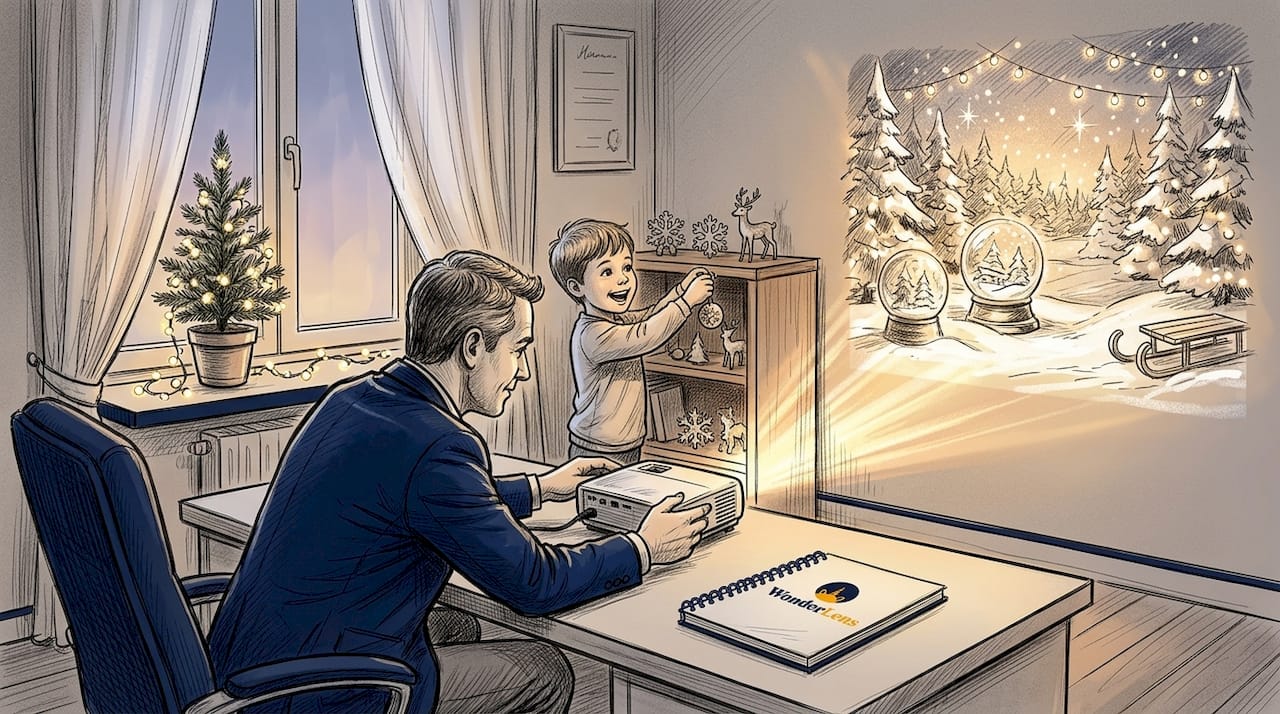
Some of the most popular holiday scenes include Santa and his reindeer gliding across your roofline, snow falling gently down your exterior walls, and fairies dancing across a child's bedroom ceiling. The visuals feel genuinely magical because they appear to exist in your actual environment, not just on a screen.
Key features that make projection mapping the top choice for high-impact displays:
- Large-scale visuals that cover entire walls, facades, or rooms
- Wide variety of fantasy scenes including Christmas, Easter, winter wonderland, and fairy tale themes
- High wow factor that impresses both kids and adults
- Reusable content you can play year after year
- Flexibility to swap animations for different holidays or occasions
When it comes to specs, 4,000 to 8,000 lumens are recommended for use in rooms with ambient light, and most systems work effectively in spaces of 20 to 30 square meters. For outdoor setups, coverage can reach up to 32 feet with IP65-rated weather-resistant hardware.
If you have a small yard or a compact garden, a short-throw projector is your best friend. These projectors sit close to the wall and still produce a large, crisp image. They are much more practical in tight spaces than standard throw projectors that need distance to fill a surface.
Pairing your projection display with thoughtful Santa animations for kids can elevate the experience from impressive to truly unforgettable. Kids who see Santa as part of their actual home environment respond on a completely different emotional level.
DIY projection and commercial kits: Custom vs. plug-and-play options
Once you know projection mapping is the right direction, the next decision is about how much creative control you want versus how much time you are willing to invest.
The DIY route uses software like MadMapper to give you full control over every element of your display. You choose the animations, design the mapping points, control timing, and customize the experience completely. The trade-off is a real learning curve. You need a projector, a capable computer, and enough patience to work through the calibration process. For parents who love tech and enjoy a creative project, this is deeply satisfying.
Commercial kits like Illumibot from AtmosFX and Luxedo offer pre-made and AI-generated holiday animations that connect through a simple app. You point the device, let the software auto-calibrate, and choose your scene. Done. No manual mapping required.
Here is a step-by-step overview of how both approaches work in practice:
- Select your device and software based on your budget and comfort level.
- Set up mapping and calibration by aligning the projected image to your chosen surface.
- Choose and trigger your holiday scenes through the app or software interface.
| Feature | DIY (MadMapper) | Commercial kit (Illumibot/Luxedo) |
|---|---|---|
| Customization | Very high | Moderate |
| Skill level needed | Intermediate to advanced | Beginner-friendly |
| Setup time | Several hours | Under 30 minutes |
| Cost | $150 to $500+ | $100 to $300 |
| Scene variety | Unlimited (you source content) | Pre-loaded library |
Both routes can produce genuinely magical results. The difference is in the journey to get there.
Pro Tip: If this is your family's first magical holiday project, start with a commercial kit. Once you see what projection mapping can do and your kids lose their minds over it, you will naturally want to go deeper. That is the perfect time to explore DIY customization and create truly unique AI Christmas videos to layer into your setup.
Interactive and personalized magical animation experiences
Here is where things get really exciting. Standard projection mapping creates a display. Interactive and personalized animation creates an experience, and that distinction matters enormously for kids.
Motion-triggered projections use sensors to detect movement and trigger animations in response. Imagine your child walking toward the front porch and suddenly a pair of reindeer appear on the wall, snorting and stamping their hooves. The child causes the magic. That feeling of agency, of being the one who summoned the wonder, is a completely different emotional experience than watching a passive display.
Indoor storytime projectors like the Lumi-1 take a different approach. They project personalized fantasy tales directly onto bedroom ceilings and walls, with the ability to embed your child's name into the story. Your daughter is not just watching a fairy tale. She is the fairy tale.
For the deepest level of personalization, custom house mapping services allow you to submit the outline of your home and receive animations specifically designed to fit your roof line, windows, and doors. Santa lands on your chimney. The Polar Express rolls past your front door.
Here is why personalization makes such a dramatic difference in how kids experience these animations:
- It makes children the hero of the magical story rather than a bystander to it.
- It deepens immersion because familiar surroundings make the fantasy feel real and possible.
- It boosts engagement because kids talk about, retell, and request these specific memories again and again.
- It creates lasting associations between home, family, and the feeling of being truly special.
"Personalize with your child's name and home for deeper immersion. When kids see their own space as part of the magic, they do not just believe in the fantasy — they remember it for life."
| Device type | Recommended room size | Best feature |
|---|---|---|
| Outdoor projector (8,000 lumens) | Large yard or facade | Epic scale, neighborhood wow factor |
| Short-throw indoor projector | 15 to 25 sqm room | Wall and ceiling scenes |
| Storytime projector (Lumi-1) | Small bedroom | Personalized narrative animations |
| Motion-sensor projection kit | Any interior hallway | Interactive triggered scenes |
| Custom mapping video service | Full home exterior | Tailored to your actual house |
Layering these fantasy character holiday memories into your home environment is one of the most powerful things you can do for a child's sense of wonder. And when you add animated characters directly into the family's own environment, the magic becomes genuinely theirs.
Quick comparison: Which magical animation type fits your home?
Now that you have seen what each option can do, here is a side-by-side breakdown to help you find your match quickly.
| Animation type | Best home situation | Skill level | Setup time | Cost range |
|---|---|---|---|---|
| DIY projection mapping | Large house with outdoor space | Advanced | 3 to 6 hours | $200 to $500+ |
| Commercial projection kit | Any home, beginner-friendly | Beginner | Under 30 min | $100 to $300 |
| Motion-triggered projection | Hallways, entryways, porches | Intermediate | 1 to 2 hours | $150 to $400 |
| Indoor storytime projector | Apartments, small bedrooms | Beginner | Under 15 min | $50 to $150 |
| Custom house mapping video | Houses with distinctive facades | None needed | Minutes to play | $20 to $100 |
For outdoor displays, systems rated IP65+ handle weather well and cover up to 32 feet, making them reliable even in unpredictable winter conditions.
Quick-reference recommendations:
- Fastest setup: Indoor storytime projector or commercial kit
- Highest wow factor: Custom house mapping or full outdoor projection mapping
- Most personalized: Custom mapped video services or AI-generated character animations
- Best for apartments: Short-throw indoor projector or storytime projector
- Best for outdoors: High-lumen projection mapping kit with IP65 rating
- Best for young toddlers: Soft ceiling projections with gentle fantasy animals
- Best for older kids: Motion-triggered interactive displays
Not every option suits every family, and that is completely fine. A parent in a ground-floor apartment with two toddlers has very different needs than a family with a large two-story home and kids aged six through twelve. The goal is always the same: create a moment of genuine wonder that your child carries with them.
Explore more holiday animation ideas to find creative combinations that match your specific space and the ages of your children.
Our perspective: The real magic is making it your own
Here is something the product listings will never tell you: the most magical holiday moments rarely come from the most expensive setup.
We have seen families invest hundreds of dollars in professional-grade projection systems and deliver technically flawless displays that kids forgot within a week. We have also seen a parent project a simple, looping reindeer animation onto a bedroom wall using a $79 device while whispering a made-up story about why the reindeer chose this house, and that child talked about it for two full years.
The technology is a vehicle. The story is the destination. What makes a child feel genuine wonder is not the resolution of the animation or the lumens of the projector. It is the sense that something magical chose them. That the fantasy found their home.
The most powerful thing you can do is involve your kids in the experience, not just expose them to it. Let your five-year-old help "call" the unicorns by saying a magic word. Allow your eight-year-old to pick which characters visit the living room. Make the imperfect moments part of the story. When the projection slightly misaligns and Santa appears to be floating above the chimney instead of landing on it, lean in: "He must be doing a practice run!" Children do not grade the technical execution. They feel the intention.
AI holiday animation insights show that when realistic lighting, shadows, and movement are present, children respond more deeply, not because they analyze the technique, but because their instincts tell them it is real.
The families who create the richest holiday memories are the ones who treat the technology as a starting point and their own creativity and love as the real magic-making ingredient.
Bring magical characters to your home this holiday season
If you are ready to skip the setup complexity and go straight to the wonder, WonderLens makes it simple to place realistic magical characters directly into your own home environment.

Upload a photo of your living room, bedroom, or front hallway, and WonderLens uses AI to render a cinematic-quality 10-second animation featuring your chosen character, complete with realistic shadows, lighting, and movement that match your actual space. You could catch Santa in your living room checking on the cookies, or watch a fairy land on your child's windowsill. These are not basic filters or sticker overlays. They are shareable video memories that feel genuinely real. Starting at just $1.99 per video, WonderLens magical animations are one of the fastest ways to give your child a holiday moment they will never forget.
Frequently asked questions
What equipment do I need for home projection mapping?
You will need a projector with at least 3,000 lumens, a computer running mapping software like MadMapper, and optional motion sensors if you want interactive triggered animations.
Are there simple options for parents who aren't tech-savvy?
Yes. Commercial kits like Illumibot and Luxedo offer plug-and-play animated holiday displays through easy apps that handle calibration automatically, with no advanced skills required.
How do I personalize magical animations for my child?
You can submit your home outline to custom mapping services that build animations around your specific house, or use storytime projectors that embed your child's name directly into the fantasy narrative.
Are these animation systems safe for outdoor use?
Many systems are rated IP65+ for weather resistance and are built to handle outdoor holiday conditions including rain, cold, and humidity without damage.
Which type is best for small spaces or apartments?
Short-throw projectors and indoor storytime devices like Lumi-1 are ideal for small rooms, creating beautiful ceiling and wall animations that fill a bedroom or living room without requiring distance or large open spaces.