Lighting in Home Animations: A Creator's Guide
June 13, 2026
Lighting in home animations is the single element that separates a flat, forgettable clip from a scene that feels genuinely alive. Whether you're placing a glowing Santa by the fireplace or a fairy drifting through your living room, the way light falls on that character determines whether your family believes the magic or just sees a digital overlay. The role of lighting in home animations covers everything from color temperature and shadow placement to smart home sync systems that extend the glow beyond your screen. Get it right, and your animation becomes a memory. Get it wrong, and even the most detailed character model falls flat.
How does lighting shape mood and depth in home animations?
Lighting is a primary narrative tool, not a finishing touch. Proper lighting increases narrative engagement by directing viewer focus and clarifying visual hierarchy. That means your audience's eyes go exactly where you want them, without any conscious effort on their part.
The foundation of professional animation lighting is the three-point setup:
- Key light: The main source that defines the character's shape and casts primary shadows. Position it at roughly 45 degrees to the subject for natural-looking depth.
- Fill light: A softer, dimmer light on the opposite side that lifts shadows without erasing them. This prevents the scene from looking too harsh or theatrical.
- Backlight (rim light): Placed behind the character to separate it from the background. Without this, even a beautifully rendered dragon will seem to melt into your living room wall.
Color temperature does as much emotional work as placement. Warm tones, around 2700K–3000K, signal comfort, safety, and holiday warmth. Cool tones, around 5000K–6500K, read as clinical, mysterious, or otherworldly. A Christmas scene bathed in warm amber light feels cozy and real. The same scene under cool white light feels like a product demo.
Contrast and shadow are where depth lives. Lighting controls readability and visual hierarchy, distinguishing characters from environments. Without strong value separation between light and dark areas, your animated character loses its three-dimensional form and reads as a sticker rather than a presence in the room.
Can smart home lighting sync with your animations?
Smart home lighting has moved well past simple on/off scheduling. Matter-enabled smart home lighting systems can synchronize with digital animations in real-time, enhancing immersion with dynamic color and brightness shifts. That means the golden glow of a unicorn's horn can literally spill into your living room as the video plays.
Platforms like Home Assistant, paired with Zigbee or Wi-Fi bulbs from brands like Philips Hue or LIFX, let you build custom lighting grids that respond to animation cues. You can program warm amber pulses timed to a character's footsteps or a slow blue fade as a fairy disappears. These setups require no costly rigging. A few smart bulbs and a basic automation script are enough to start.
The benefits of dynamic lighting go beyond spectacle:
- Atmospheric storytelling: Color shifts reinforce the emotional arc of the animation, making transitions feel intentional rather than abrupt.
- Extended immersion: When the room itself responds to the animation, viewers stop seeing a screen and start experiencing a scene.
- Replayability: Families who watch the same clip multiple times stay engaged longer when the ambient environment changes with each viewing context.
Pro Tip: Set your smart lights to a warm amber scene 10 minutes before playing your animation. This warm-up period primes the room's atmosphere and makes the transition into the animated scene feel natural rather than jarring.
For creators interested in how AI-powered animation tools interact with real-world lighting environments, the gap between screen and room is closing faster than most people realize.
How do you set up lighting for home animation viewing?
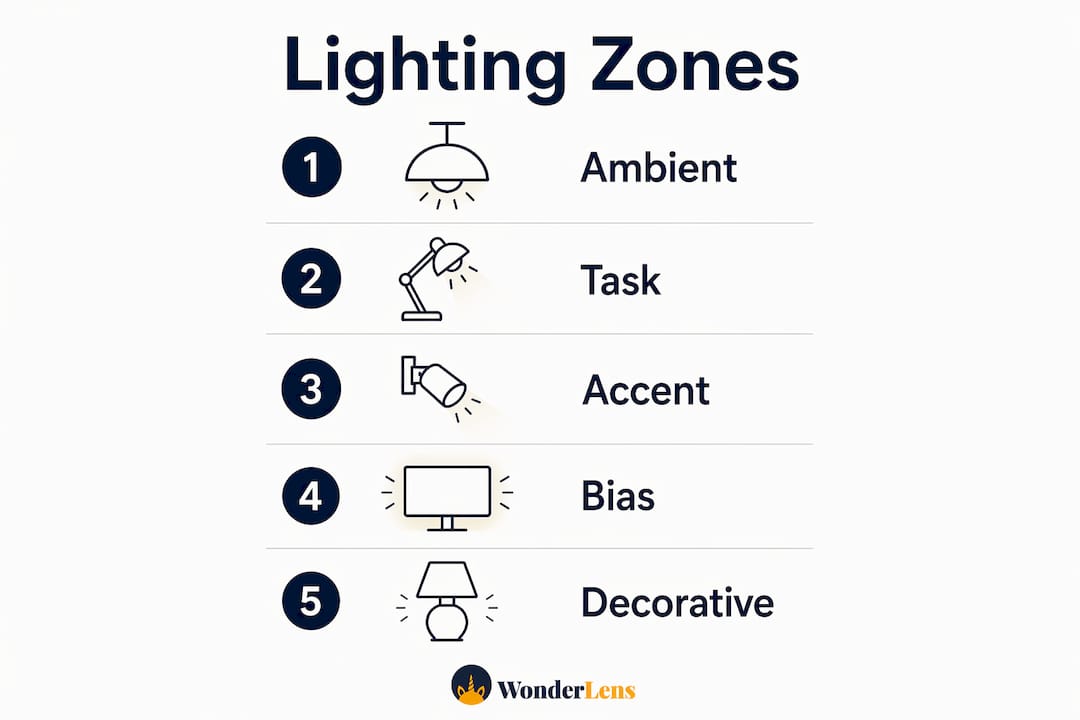
A well-designed home animation environment uses three distinct lighting zones working together. Effective home theater lighting layers bias, ambient, and accent lights precisely positioned to prevent visual fatigue and maintain scene dimensionality. Here is how to build that layered setup:
- Set your ambient base. Use dimmable ceiling lights or floor lamps to establish a low, even glow across the room. Aim for 10–20% of your screen's brightness level. This prevents the harsh contrast between a bright screen and a completely dark room, which causes eye strain over time.
- Add bias lighting behind the screen. Bias lighting placed 2–6 inches behind screens reduces eye fatigue and makes colors appear richer and more saturated. Use an LED strip matched to your screen's color temperature for the cleanest result.
- Place accent lights at key focal points. A small warm spotlight near where your animated character "enters" the room creates a visual anchor. It tells the viewer's brain that the character belongs in that space.
- Angle ceiling lights downward. Lights angled toward the floor prevent glare on the screen and preserve the cinematic atmosphere you've built. Upward-facing lights bounce off ceilings and wash out your carefully set contrast.
- Program a warm-up ramp. Industry best practices recommend warm-up ramps before viewing for optimal mood setting. A two-minute gradual dimming sequence signals to everyone in the room that something special is about to happen.
Pro Tip: Match your bias lighting color temperature to the dominant tone of your animation. A cool blue strip behind the screen works beautifully for winter scenes. Swap to warm amber for Christmas or Easter content and the room feels like it was designed for that exact moment.
| Lighting Zone | Placement | Purpose |
|---|---|---|
| Ambient | Ceiling or floor lamps, dimmed low | Reduces eye strain, sets base mood |
| Bias | 2–6 inches behind screen | Enriches color, prevents harsh contrast |
| Accent | Near character entry points or focal walls | Anchors animated characters in real space |
| Smart sync | Zigbee or Wi-Fi bulbs throughout room | Extends animation atmosphere into the room |
What lighting mistakes hurt your home animations?
Most home animation setups fail at the same predictable points. Recognizing these mistakes before you press play saves you from a scene that looks more like a screensaver than a cinematic moment.
- Flat, uniform lighting. A single overhead light at full brightness kills all depth. Even perfect character models fail to communicate without lighting providing value separation and contrast. Turn off the overhead and build your scene from the three zones described above.
- Ignoring color temperature alignment. Mixing a warm animation with cool white room lighting creates a visual disconnect. The character looks like it was pasted in from a different world. Match your room's color temperature to the animation's dominant palette.
- Skipping shadow consideration. Shadows are what make a character feel like it occupies real space. Platforms like Wonderlens specifically engineer realistic shadow casting into their AI-rendered animations. If your room lighting contradicts those shadows, the illusion breaks immediately.
- Glare on the screen. A light source reflected in your screen competes directly with the animation. Position all lights outside the screen's reflection cone, and use matte screen protectors if glare is persistent.
- Treating lighting as an afterthought. Lighting must be planned early in animation composition to avoid flat-looking scenes regardless of model quality. The same principle applies to your room setup. Design your lighting environment before you choose your animation, not after.
Traditional film techniques offer a useful model here. Colorist Dylan Hopkins uses power windows and masked brightness adjustments to direct viewer focus in animated features. You can apply the same logic in your living room by brightening the area where your character appears and dimming everything else.
Key takeaways
Lighting is the most controllable variable in home animation quality, and small adjustments produce outsized results in realism and emotional impact.
| Point | Details |
|---|---|
| Three-point lighting is foundational | Key, fill, and backlight together create depth, form, and character separation. |
| Color temperature sets emotional tone | Match warm or cool tones to your animation's mood for visual coherence. |
| Layered zones prevent flatness | Combine ambient, bias, and accent lighting to add dimensionality to any room. |
| Smart lighting extends immersion | Matter-enabled or Zigbee systems can sync room lighting with animation cues in real time. |
| Plan lighting before you animate | Early lighting decisions prevent flat scenes that no amount of post-processing can fix. |
Why lighting is the story, not the stage
I've reviewed hundreds of home animation setups, and the pattern is always the same. Creators spend hours choosing the right character, the right music, the right moment to reveal the video to their kids. Then they play it under a flat overhead light and wonder why the magic doesn't land.
Lighting is not the stage. It is the story. CG artist Bruno Amezcua frames lighting as essential for viewer engagement and emotional perception, not just visibility. That framing changed how I think about every animation environment I evaluate.
The creators who get the best results treat their living room like a film set. They dim the room before the video starts. They place a warm light near the fireplace where Santa will appear. They let the room breathe into the animation rather than fighting against it. The kids in those videos don't just watch. They gasp.
The uncomfortable truth is that most people underinvest in their viewing environment and overinvest in the animation itself. A technically average animation played in a thoughtfully lit room will outperform a technically brilliant animation played under harsh overhead fluorescents every single time. Stop-motion and traditional animation educators have understood this for decades, as holistic animation development consistently emphasizes environment as part of the creative process. The screen is only half the canvas.
— Jeremiha
Bring your home animations to life with Wonderlens
You now have the lighting knowledge. The next step is having an animation worth lighting for.
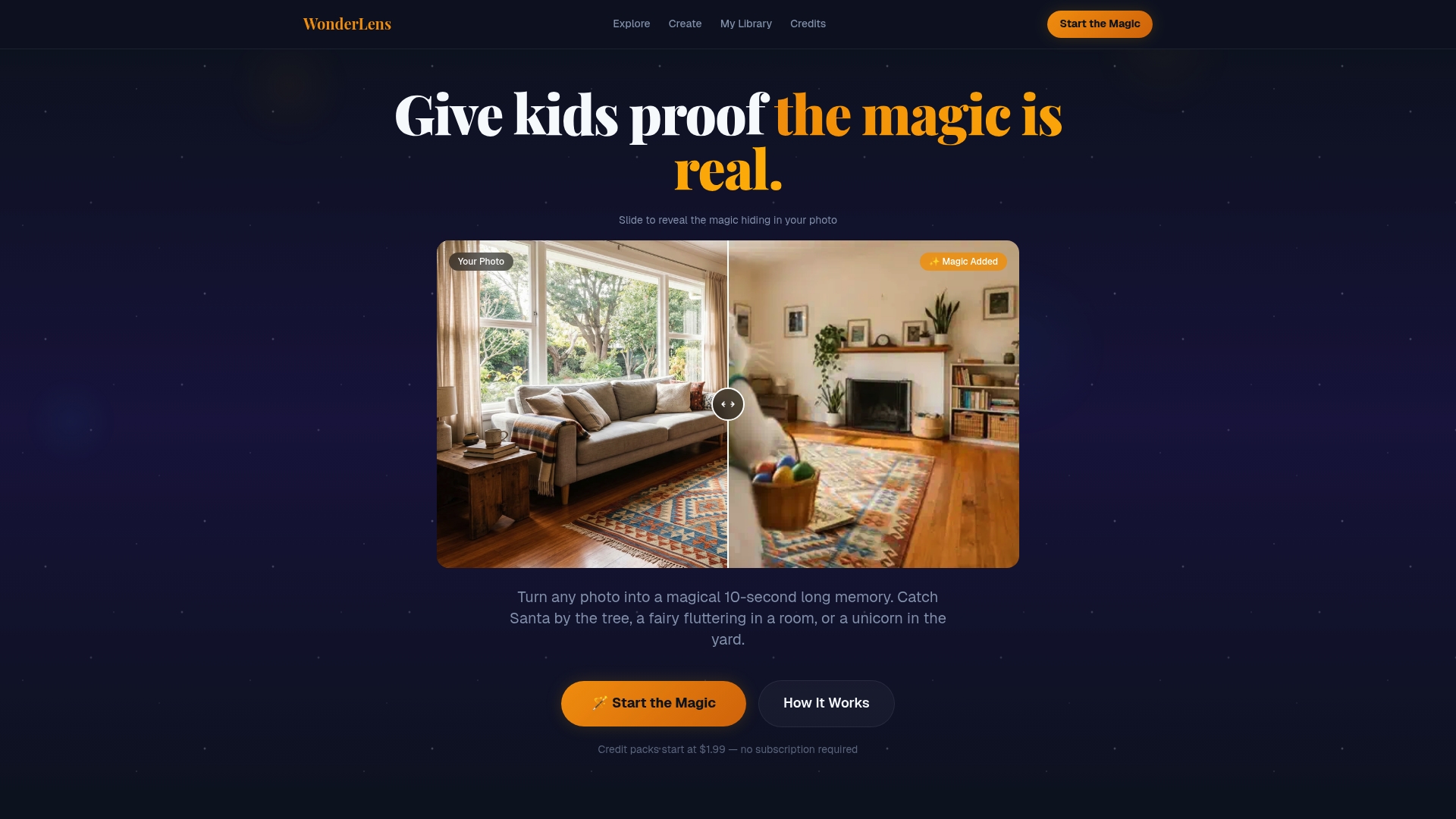
Wonderlens transforms a simple photo of your living room into a 10-second cinematic memory, placing characters like Santa, fairies, and dragons directly into your space with realistic shadows and light matching built into every frame. The AI rendering accounts for your room's actual lighting conditions, so the character catches the same golden glow your furniture does. Credits start at $1.99, and the whole process takes minutes. Explore the full range of holiday animation options and start creating moments your kids will talk about for years. Visit Wonderlens to get started today.
FAQ
What is the role of lighting in home animations?
Lighting defines spatial depth, emotional tone, and viewer focus in home animations. Without proper lighting, even detailed character models appear flat and fail to engage the audience.
How does color temperature affect animation mood?
Warm tones around 2700K–3000K create comfort and holiday warmth, while cool tones around 5000K–6500K feel mysterious or clinical. Matching your room's color temperature to the animation's palette makes characters feel like they belong in the space.
What is bias lighting and why does it matter?
Bias lighting is an LED strip placed 2–6 inches behind your screen. It reduces eye strain, enriches on-screen colors, and softens the contrast between the bright display and the surrounding room.
Can smart home lights sync with animated videos?
Yes. Matter-enabled systems and platforms like Home Assistant with Philips Hue or LIFX bulbs can synchronize room lighting with animation cues in real time, extending the visual atmosphere beyond the screen.
Why do animated characters sometimes look pasted in?
Characters look pasted in when the room lighting contradicts the animation's shadow direction or color temperature. Platforms like Wonderlens engineer shadow casting and light matching into their AI rendering to minimize this effect.
Recommended
- Holiday Animation for Parents: a Creative Family Guide — WonderLens | WonderLens
- Fairy video animation: A parent's guide to magical memories — WonderLens | WonderLens
- Create memorable Easter animations: a step-by-step guide for parents — WonderLens | WonderLens
- How to Animate Family Photos: A Magical Guide. WonderLens | WonderLens