Why Use Video over Photo Editing for Memories
May 17, 2026
Most families reach for a photo editor without a second thought. You snap a great shot, brighten it up, crop out the clutter, and call it a memory. But here's what that approach quietly misses: the laugh right before the shutter clicked, the song playing in the background, the way your child's eyes lit up in motion. Understanding why use video over photo editing is not about abandoning photos altogether. It's about recognizing that movement, sound, and story carry emotional weight that a still frame simply cannot hold. This article breaks down the evidence, the practical tools, and the creative possibilities waiting for your family.
Table of Contents
- Key Takeaways
- Why use video over photo editing for real memories
- Video editing vs. photo editing: what actually changes
- Captions and subtitles: the overlooked video advantage
- How video strengthens family bonds that photos cannot
- Transitioning from photo editing to video
- My honest take after years of watching families create
- Bring your family memories to life with Wonderlens
- FAQ
Key Takeaways
| Point | Details |
|---|---|
| Video preserves more of the moment | Motion, audio, and narrative continuity capture emotions a static image cannot replicate. |
| Captions multiply your reach | Captioned videos earn 40% more views and significantly longer watch times than uncaptioned content. |
| AI makes video creation accessible | Tools now transform photos into dynamic videos quickly, removing the technical barrier for families and creators. |
| Ordinary footage holds the most magic | Candid, informal moments carry more authentic emotional value than polished, posed edits. |
| Metadata protects future memories | Storing descriptive text files alongside video files keeps context intact for generations to come. |
Why use video over photo editing for real memories
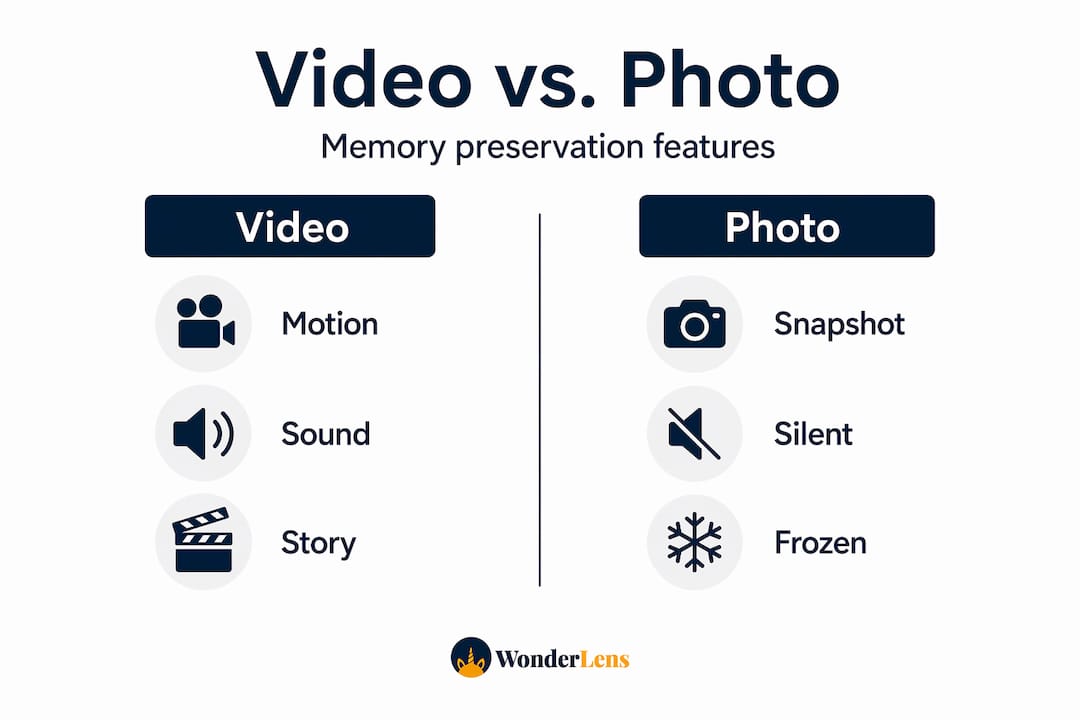
A photo freezes a single frame. Video captures the whole story playing out in real time. That distinction matters more than most people realize, especially when you're trying to preserve memories your family will actually feel something watching years from now.
Here's what video does that photo editing simply cannot:
- Motion brings expression to life. A child blowing out birthday candles is sweet in a photo. In video, you see the deep breath, the focused look, and the eruption of joy afterward. That sequence is where the real memory lives.
- Audio anchors you in the moment. The specific sound of your living room on Christmas morning, the voices, the paper tearing, the dog barking. No filter or preset can recreate that.
- Narrative continuity builds emotional resonance. fMRI studies show that fragmented short videos actually reduce accuracy and neural engagement during memory retrieval compared to continuous video. Longer, unbroken footage helps the brain encode and recall experiences more completely.
- Video supports emotional expression. Research in family contexts confirms that video memory-making supports co-creation and legacy building in ways static images cannot match.
Pro Tip: Record at least 30 seconds of uninterrupted footage during any meaningful family moment, even if you plan to edit it later. That continuous clip will feel far more powerful than a dozen short snaps.
The emotional payoff here is real. When a grandparent watches a video of their grandchild walking for the first time, they're not seeing a frozen moment. They're reliving one.
Video editing vs. photo editing: what actually changes
Photo editing is genuinely easier to learn. You open an image, adjust the exposure, maybe remove a background. Done. Video editing involves timelines, audio syncing, transitions, and pacing decisions. That complexity can feel intimidating. But the payoff in engagement is measurable and significant.

| Feature | Photo editing | Video editing |
|---|---|---|
| Learning curve | Low | Moderate to high |
| Storytelling capacity | Limited to one moment | Full narrative arc possible |
| Emotional impact | Moderate | High |
| Social engagement | Good | Significantly higher |
| AI tool accessibility | Widely available | Growing rapidly to $4.4 billion by 2033 |
| Audience reach | Static sharing | Algorithmic amplification on social platforms |
The engagement gap between video and photo content on social platforms is not subtle. Algorithmic preference for video on platforms like TikTok and Instagram pushes video content to wider audiences automatically. For creators, that means more eyes on every post. For families, it means the memories you share actually get watched.
Video editing also unlocks creative tools that photos cannot touch:
- Music and sound design that sets emotional tone
- Text overlays and captions that add context and personality
- Cuts and transitions that control pacing and build anticipation
- Slow motion or time-lapse effects that transform ordinary footage into something cinematic
AI tools are rapidly closing the gap between photo and video editing ease. Platforms that use AI to animate family photos into short videos now let families create moving memories in minutes, with no timeline editing required.
Pro Tip: Start with a simple slideshow video using existing photos before moving to raw footage editing. This builds your eye for pacing and music selection without technical overwhelm.
Captions and subtitles: the overlooked video advantage
One of the highest-return decisions you can make in video editing is adding captions. Photos simply have no equivalent. A caption on a video is not just accessibility. It's a retention tool, a discoverability signal, and a reach multiplier all at once.
The numbers are striking. Captioned videos receive 40% more views and 12 to 25% longer watch times than uncaptioned content. That's not a small lift. And 80 to 91% of viewers are more likely to watch a video all the way through when captions are present.
Here's why captions work so well from a cognitive standpoint. Dual coding theory explains that the brain processes visual and verbal information through separate channels simultaneously. When a viewer reads a caption while watching footage and hearing audio, they're encoding the information three times over. Retention goes up. Emotional impact goes up with it.
Captions also serve a community that is often overlooked. Video captions reach the 466 million people worldwide living with hearing disabilities, and they also serve non-native speakers who process written language more easily than spoken. That means your family memory video is watchable and meaningful to more people.
From a practical standpoint, your caption options include:
- Open captions: Permanently burned into the video, visible on every platform without any viewer action required.
- Closed captions: Toggleable by the viewer, standard for accessibility compliance on streaming platforms.
- Animated captions: Word-by-word highlighted text that boosts video views by up to 40% by keeping attention moving with the spoken content.
Search engines also index captions, which means captioned family or creator videos rank better in search results. Photo edits offer no comparable SEO benefit.
How video strengthens family bonds that photos cannot
There is something that happens when a family sits down to make a video together that simply does not occur during photo editing sessions. Video is inherently collaborative and social. Someone holds the camera while someone else performs. Someone chooses the music while another person decides which moments to include. That process builds connection on its own, before anyone even watches the finished result.
Research consistently shows that video supports co-creative family memory-making in ways that static photos do not. The act of making the video matters as much as having it.
"The value of ordinary footage lies in its emotional authenticity. Background interactions and informal moments capture the texture of daily life in ways that polished edits rarely do." — Family memory research, 2026
Families do not need professional setups to start. Here are realistic entry points:
- Film a 60-second "day in our house" clip every month and compile them at year end
- Let kids narrate their own birthday morning in their own words on camera
- Record grandparents telling a favorite story, then add photos from that era as a visual backdrop
- Create a cinematic memory for your child by adding animated characters to home footage for a moment they'll never forget
The barrier to starting is genuinely lower than most families expect. The emotional return, though, is enormous.
Transitioning from photo editing to video
Moving from photo editing to video does not require professional software or a film degree. What it requires is a clear starting point and a few smart decisions early on.
- Choose an AI-powered tool first. Before tackling traditional video editing software, try a platform that does the heavy lifting for you. AI-powered photo animation tools let you create moving memories from still images without touching a timeline.
- Start with short, meaningful clips. A 10 to 30 second video of a real moment beats a 5-minute polished production that took weeks to make. Short form also keeps memory encoding effective. Aim for continuous, unbroken footage rather than rapid-fire cuts.
- Store metadata with every video file. Proper archiving practices mean creating a simple text file for each video that notes the date, location, and who appears. Future generations will thank you.
- Match video length to intent. Emotional family memories work best between 30 seconds and 3 minutes. Anything longer risks losing the viewer before the most meaningful moments land.
- Avoid the perfection trap. The best family videos are not the most technically precise ones. Ordinary, candid footage consistently carries more emotional resonance than carefully staged scenes.
Pro Tip: Name your video files with the date and a short description the moment you create them (example: 2026-12-25-Christmas-morning-living-room). This takes 10 seconds and saves enormous confusion when you're organizing memories five years from now.
My honest take after years of watching families create
I've spent years watching families and creators navigate the choice between photo and video editing, and the pattern I keep seeing is the same. People delay video because they assume it requires more than it does. They wait for the right camera, the right software, the right moment. Meanwhile, the moments they're waiting to capture keep passing.
What I've learned is that the gap between photo editing and video editing is mostly psychological, not technical. The tools available now are genuinely accessible. AI platforms have made it so that a parent with a smartphone and 10 minutes can create something their child will remember forever. That was not true five years ago. It absolutely is today.
What surprised me most after working with families on memory projects is how rarely the polished, posed moments are the ones people return to. It's always the awkward pan across a messy living room on Christmas morning, or the unplanned moment where a sibling says something hilarious just before the camera stops. Those imperfect clips hold more emotional truth than any brightened, cropped, filtered photo ever will.
My advice is simple: do not wait until you have the perfect setup. Record something real today. Add a caption. Store it properly. That's the whole practice. The magic is already in the footage. You just have to let it move.
— Jeremiha
Bring your family memories to life with Wonderlens
If you're ready to experience the difference that video makes, Wonderlens gives you the fastest possible path there. The platform uses AI to place cinematic, realistic characters directly into your home environment, creating short, shareable videos your kids will talk about for years. Santa walking through your actual living room, catching the same warm light from your lamp, casting realistic shadows across your floor.

Starting at just $1.99 per video, Wonderlens makes the leap from static photo editing to magical moving memory genuinely effortless. No timeline editing, no technical setup, no design experience needed. You can place Santa in your home tonight and have a finished video ready to share by morning. Explore more ideas for making video memories your family will treasure on the Wonderlens blog.
FAQ
Why is video better than photos for preserving memories?
Video captures motion, sound, and narrative continuity that a still image cannot. fMRI research shows that continuous video improves memory retrieval accuracy compared to fragmented short clips or static images.
How do captions improve video performance?
Captioned videos receive 40% more views and up to 25% longer watch times, and they make content accessible to hearing-impaired viewers and non-native speakers while also improving search engine discoverability.
Do I need professional tools to start video editing?
No. AI-powered platforms now let families transform photos into moving videos in minutes with no editing experience required. Starting simple with short, candid clips is actually more effective for memory-making than polished professional productions.
How do I keep my family videos organized for the future?
Store a plain text file alongside each video with the date, location, and names of people appearing in it. This small habit protects the context of your memories for decades.
What types of video content work best for families?
Short, continuous clips between 30 seconds and 3 minutes work best. Candid, ordinary moments carry more emotional authenticity than staged scenes, and they're far easier to capture without any special equipment.