The Role of Dragons in Personalized Videos for Kids
July 4, 2026
Dragons are defined as the most emotionally powerful fantasy characters in personalized children's video storytelling. The role of dragons in personalized videos goes far beyond decoration. These creatures act as interactive companions that guide young viewers through story arcs, respond to personal details like a child's name, and make every viewing feel like it was made just for them. For parents who want to create a truly magical moment and for content creators building memorable experiences, understanding how dragons function as narrative engines changes everything about how you approach personalized video animation.
How do dragons enhance storytelling in personalized videos?
Dragons are narrative engines. They do not just appear on screen. They guide the story, react to the child's world, and give the video a beating heart that generic animations simply cannot match.
The most effective dragon characters serve three functions in a story arc. They act as guides who lead the child through a challenge or adventure. They act as companions who mirror the child's emotions. And they act as rewards, appearing at a peak moment to deliver wonder. When a dragon swoops into a child's living room, calls the child by name, and then turns to face the camera, the child stops. Every time.
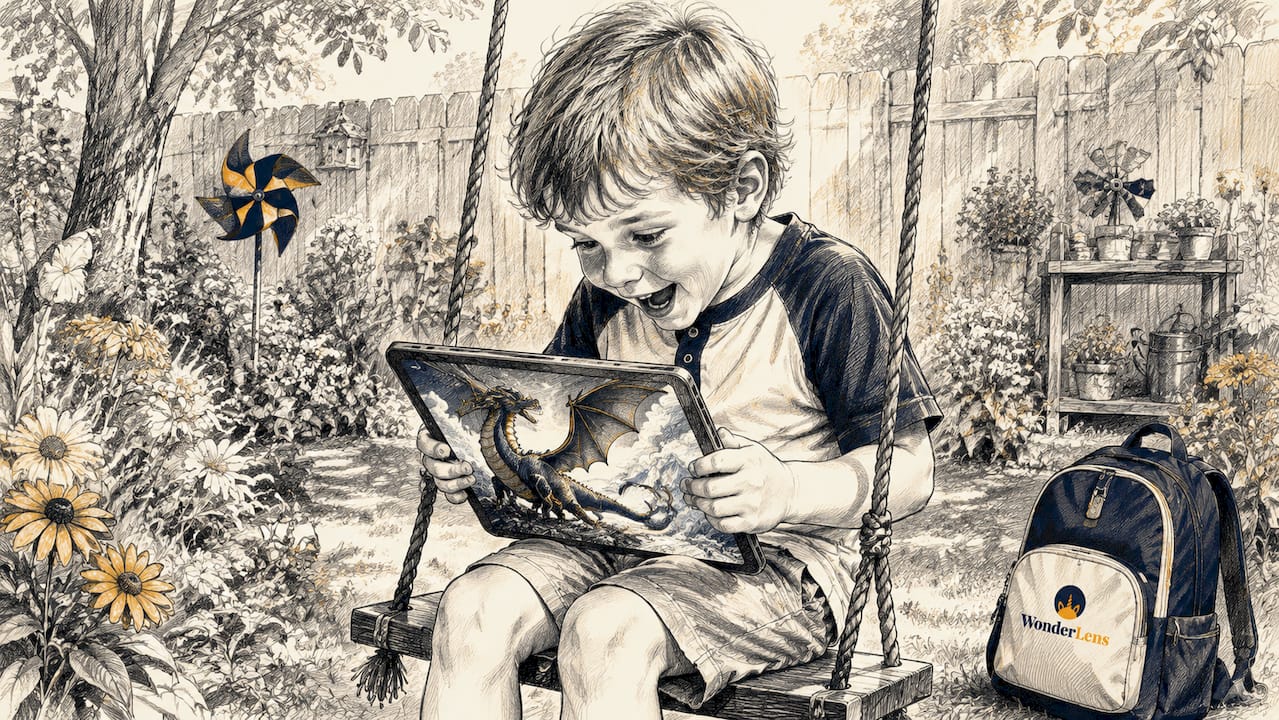
Personalized data is what separates a good dragon video from an unforgettable one. Inserting a child's name, age, or favorite color into the dragon's dialogue or the scene's visual details creates a sense that the dragon knows them. Engagement can improve up to 86% with personalized narrative-driven videos featuring dragons. That number reflects a real shift in how children process and remember content.
Here is what strong dragon storytelling does in practice:
- The dragon addresses the child by name in the first three seconds, creating an immediate hook
- The creature's behavior reflects the child's setting, appearing in their actual room or yard
- Story transitions use the dragon as a visual anchor, flying from one scene to the next
- Emotional beats are timed to the dragon's movements, such as a wing spread at a moment of triumph
- The dragon's exit leaves a visual trace, like a glowing footprint or a curl of smoke, to extend the magic
Pro Tip: Place the child's name in the dragon's first line of dialogue. Children who hear their own name spoken by a fantasy character within the first five seconds are far more likely to watch the full video.
How are dragons built for personalized videos?
Creating a believable dragon for a personalized video is a layered production process. The goal is not just to animate a creature. The goal is to make the dragon feel like it belongs in the child's world.
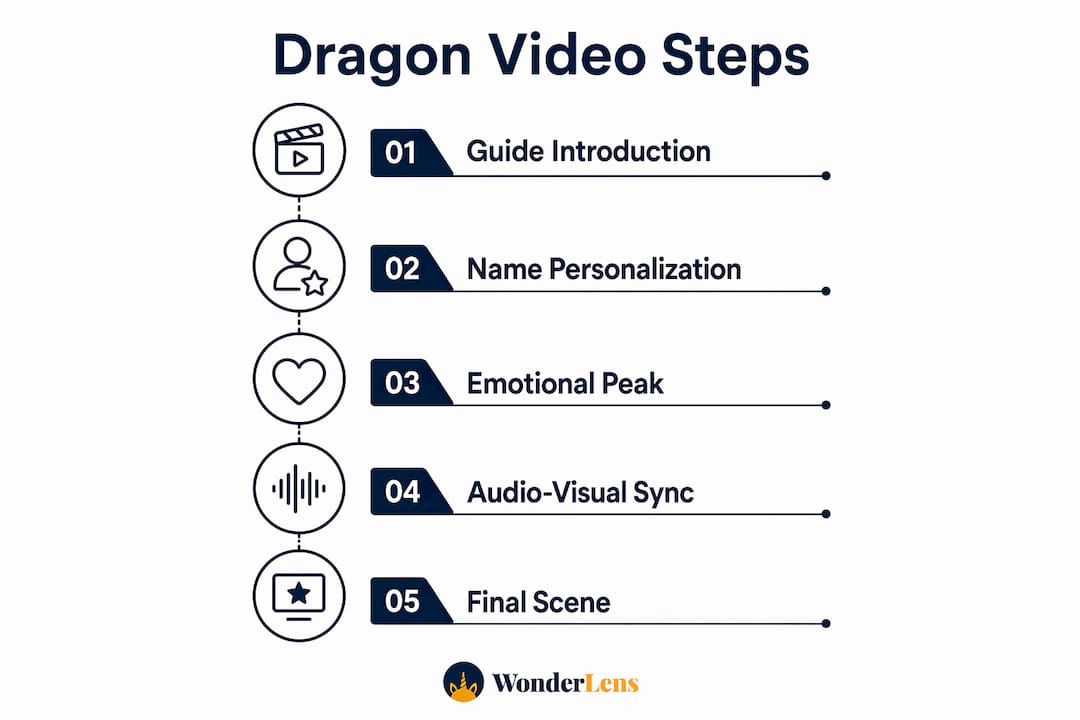
The technical process follows a clear sequence:
- AI asset generation. The dragon's base model is rendered with AI-driven tools that adapt scale, color, and movement to match the scene's lighting and perspective.
- Environmental integration. Shadow casting places the dragon's shadow on real surfaces in the room. The shadow shifts as the dragon moves, which is the single detail that sells realism to a child's eye.
- Cinematic audio layering. 10-second cinematic scenes use specific audio cues like low rumbling and wing whooshes timed precisely for immersion. The audio is not background music. It is a character in itself.
- Synchronization. Wing beats, smoke puffs, and shadow movements are locked to the audio timeline. A rumble hits exactly when the shadow darkens. A whoosh lands exactly when the wings extend.
- Modular rendering. The dragon is rendered as a separate layer from the background. This means creators can swap personal details, like the child's name on a banner or the color of the dragon's scales, without re-rendering the entire scene.
Synchronization of dragon animation elements with audio cues and narrative timing is what separates cinematic dragon videos from flat, unconvincing ones. When the timing is off by even half a second, the illusion breaks.
Pro Tip: Use a low rumble audio cue two seconds before the dragon appears on screen. This primes the child's attention and makes the reveal feel earned rather than sudden.
The result is a short video, often around 10 seconds, that feels like a scene from a film rather than a digital greeting card. Wonderlens uses exactly this approach, combining AI-driven shadow casting, precise audio timing, and environmental light matching to place dragons inside real family spaces.
What technology makes dragon personalization possible at scale?
The magic of dragons in custom videos is made possible by dynamic master templates. These are production systems where the dragon animation, the background, and the personal data all exist as separate, independent layers. Dynamic master templates render dragons as separate layers, allowing efficient updates without re-rendering entire videos. That efficiency is what makes large-scale personalization affordable and fast.
Here is how the layers work together:
| Layer | Function | Personalization point |
|---|---|---|
| Dragon animation | Core movement, expressions, and effects | Scale, color, behavior timing |
| Background scene | Room environment, lighting, surfaces | Child's actual photo or setting |
| Audio track | Rumbles, wingbeats, musical score | Name callout, personalized dialogue |
| Text and graphic overlays | Name banners, glowing runes, captions | Child's name, age, or message |
Generative AI and templates reduce production time significantly, allowing thousands of unique videos to be created in minutes. That scale matters for content creators who want to offer personalized dragon videos without a team of animators behind every order.
On-demand client-side rendering delivers one-to-one experiences at scale, reflecting real data like preferences and names. Brands using these techniques report stronger engagement compared to generic videos. The reason is simple. A child watching a dragon that knows their name is not watching a video. They are living a moment.
For parents, this technology means you do not need to understand the production process. You upload a photo of your home, enter your child's name, and the system handles the rest. The AI in digital keepsakes does the heavy lifting, placing the dragon into your space with accurate lighting and shadow so it looks like it was always there.
What are the best practices for using dragons in children's videos?
The most common mistake creators make is overloading the video with personalization. When every frame shouts the child's name or flashes their photo, the magic collapses into noise. Personalization is most effective when subtle and feels natural, focusing on emotional connection rather than technology display.
The dragon's presence should feel inevitable, not inserted. Here is what that looks like in practice:
- Keep the video short. Short, curiosity-driven sequences of about 30 seconds with immediate personalized hooks hold children's attention far better than longer narratives.
- Use the child's name once, at a high-impact moment, rather than repeating it throughout.
- Let the dragon's behavior tell the story. A dragon that sniffs the air, tilts its head, and then looks directly at the camera communicates personality without a single word.
- Match the dragon's energy to the occasion. A Christmas dragon should move slowly and warmly. A birthday dragon can be playful and quick.
- Avoid cluttered backgrounds. The dragon needs visual space to feel real. A clean, familiar room works better than a decorated set.
The timing of the dragon's key interactions with the narrative beats matters as much as the animation quality itself. A dragon that appears at the wrong moment in the story feels random. A dragon that appears exactly when the music swells and the child's name is spoken feels like fate. That feeling is what parents share with grandparents, post to family groups, and watch again on birthdays years later.
For creators building animated family memories, the dragon is not the product. The child's reaction is the product. Design every frame with that reaction in mind.
Key Takeaways
Dragons in personalized videos work because they combine emotional storytelling, precise technical production, and personal data to create moments children remember long after the screen goes dark.
| Point | Details |
|---|---|
| Dragons as narrative engines | Dragons guide story arcs and create emotional peaks that generic characters cannot replicate. |
| Personalization drives engagement | Inserting a child's name and setting into dragon scenes can improve engagement up to 86%. |
| Audio and shadow create realism | Synchronized rumbles, wingbeats, and shadow casting make dragons feel physically present in the room. |
| Dynamic templates enable scale | Separate animation layers allow thousands of unique dragon videos to be produced without manual re-editing. |
| Subtlety beats saturation | One well-placed name callout and a clean background deliver more impact than heavy-handed personalization. |
Why dragons hit differently than any other fantasy character
I have watched children react to a lot of personalized video characters over the years. Elves are cute. Fairies are pretty. Unicorns get a gasp. But a dragon? A dragon gets a full-body freeze. The child goes completely still, mouth open, eyes locked on the screen. Nothing else does that.
My honest read on why this happens is that dragons carry weight. Every culture that has ever told stories has a dragon in it. Children absorb that cultural gravity before they can name it. When a dragon appears in their living room and says their name, it does not feel like a video. It feels like a myth choosing them specifically.
The technology behind these videos is genuinely impressive. AI-driven shadow casting, modular rendering, and cinematic audio are real craft. But the technology is not the point. The point is the child's face. Every production decision, from the timing of the wing beat to the warmth of the lighting, exists to serve that one moment of pure wonder.
What I want to see more of in 2026 is creators treating the dragon as a character with a personality, not just a visual effect. A dragon that hesitates before it speaks, or tilts its head when it hears the child's name, feels alive. A dragon that just flies across the screen and roars feels like a screensaver. The gap between those two experiences is entirely in the craft. Parents and creators who understand that gap will make videos that families keep forever.
— Jeremiha
Wonderlens brings your child's dragon to life
Wonderlens places a cinematic dragon directly inside your home, using your own photo as the scene. The platform's AI matches the dragon's shadow and lighting to your actual room, so the creature looks like it truly landed on your floor.

You enter your child's name, upload a photo of your space, and Wonderlens generates a shareable 10-second video starting at $1.99. The dragon calls your child by name, moves through your real environment, and leaves the kind of memory that gets replayed at every family gathering. If you want to see what a personalized dragon video looks like in a real home, Wonderlens shows you exactly that. For more creative ideas on how to use fantasy characters with your kids, the creative ways to use animated memories guide is a great place to start.
FAQ
What is the role of dragons in personalized videos?
Dragons serve as interactive narrative guides in personalized children's videos, leading story arcs and delivering emotional peaks. They become more powerful when personal details like the child's name are woven into their behavior and dialogue.
How does personalization make dragon videos more engaging?
Inserting a child's name and home environment into the dragon's scene creates a sense that the video was made specifically for that child. Engagement can improve up to 86% with personalized narrative-driven content compared to generic video.
How long should a personalized dragon video be for kids?
Short sequences of around 30 seconds work best for young children. Curiosity-driven videos with an immediate personal hook, like the child's name in the first few seconds, hold attention far more effectively than longer formats.
What makes a dragon look realistic in a personalized video?
Realistic dragon integration depends on shadow casting, environmental light matching, and synchronized audio cues like low rumbles and wingbeats. When the dragon's shadow falls correctly on real surfaces and the audio timing is precise, the illusion holds completely.
Can parents create personalized dragon videos without technical skills?
Yes. Platforms like Wonderlens handle all rendering, shadow casting, and audio layering automatically. Parents upload a photo, enter their child's name, and receive a finished cinematic video without any editing knowledge required.
Recommended
- A Friendly Dragon Just Walked Into Your Room — Realistic Video | WonderLens | WonderLens
- Dragons in Digital Holidays: A Family Guide. WonderLens | WonderLens
- How to create magical videos kids will truly love — WonderLens | WonderLens
- Fairy video animation: A parent's guide to magical memories — WonderLens | WonderLens