Types of AI Photo Effects: 2026 Creative Guide
June 1, 2026
AI photo effects are AI-powered transformations that convert any digital image into a new visual style, from photorealistic camera simulations to surreal abstract compositions. The types of AI photo effects available today fall into six core categories: photorealistic photography styles, cinematic looks, macro and extreme close-up, traditional art styles, digital illustration styles, and abstract or experimental effects. Each category uses a different set of artificial intelligence image effects, and knowing which one fits your creative goal saves you hours of trial and error. This guide walks you through every major style with real examples, prompt tips, and practical applications.
1. Types of AI photo effects: photorealistic and cinematic styles
Photorealistic AI photo effects simulate the look of a high-end camera, complete with natural depth of field, accurate skin tones, and precise shadow detail. These effects use diffusion models to generate images that are nearly indistinguishable from DSLR photography. Prompt keywords like "photorealistic," "natural lighting," and "85mm lens" steer the AI toward this output. The result works especially well for product mockups, social media portraits, and marketing visuals where authenticity matters.
Cinematic AI photo filters push further by adding dramatic color grading, anamorphic lens flares, and wide aspect ratios that evoke a film set. Think of the teal-and-orange palette from a Hollywood blockbuster or the warm golden glow of a sunset scene in a prestige drama. Starting with high-quality source images that already have good lighting and contrast is critical here. Poor source material amplifies artifacts and destabilizes the mood effects the AI is trying to build.
- Use "cinematic poster," "film still," or "anamorphic" in your prompts for movie-grade results
- Pair these effects with visual realism techniques for the most convincing output
- Apply to concept art, brand campaigns, and social content where atmosphere drives engagement
Pro Tip: Add "shot on 35mm film" or "Kodak Portra 400" to your prompt to get that warm, slightly grainy cinematic texture that feels nostalgic and polished at the same time.
2. How macro and extreme close-up AI effects reveal unseen details
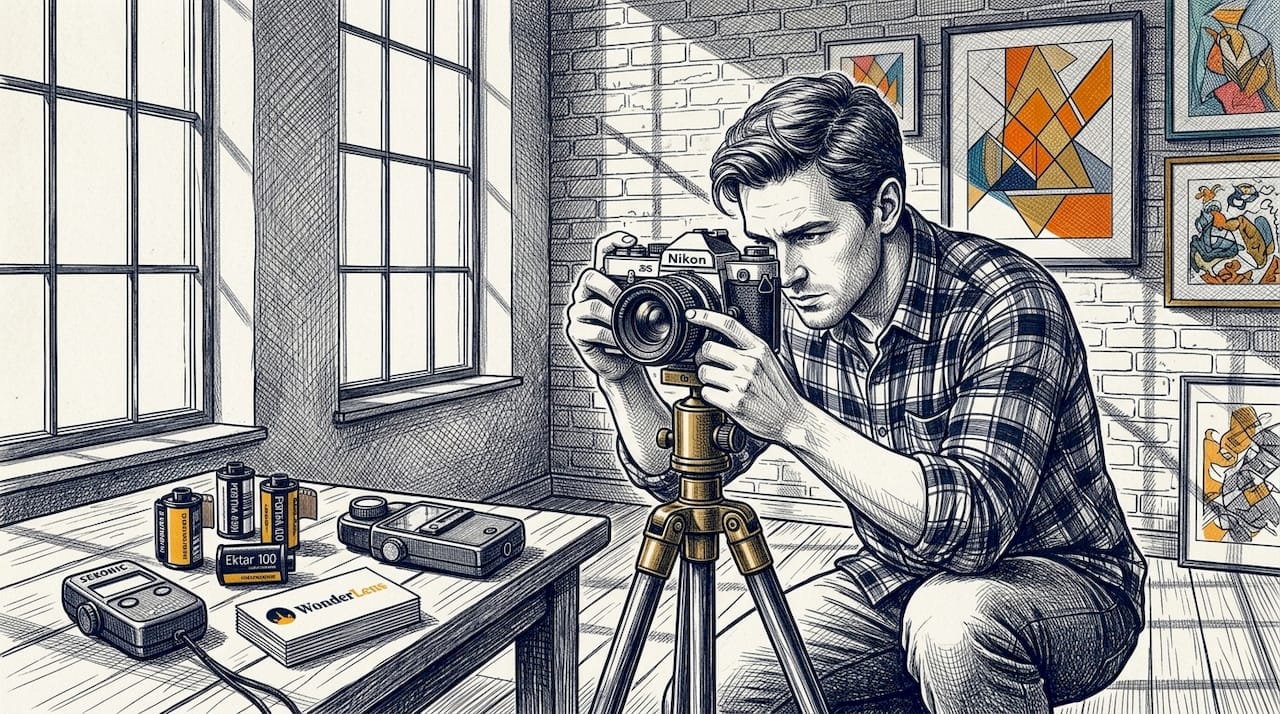
Macro AI photo effects simulate the look of extreme close-up photography, revealing textures and details invisible to the naked eye. A single dewdrop on a leaf, the compound eye of a dragonfly, or the crystalline structure of a snowflake all become vivid subjects. Traditional macro photography requires specialized lenses and precise lighting rigs. AI generates these effects from any source image, removing the equipment barrier entirely.
The creative applications span nature photography, abstract art, and advertising. A cosmetics brand can show the silky texture of a product at microscopic scale. A children's book illustrator can turn a simple flower into a world of intricate detail. Specifying composition keywords like "extreme close-up," "macro photography," and "hyperdetailed texture" in your prompt directly shapes how the AI renders depth and surface complexity. The AI advantage is speed and repeatability: you can generate dozens of macro variations in minutes rather than spending hours in a studio.
Pro Tip: Combine "macro photography" with a material descriptor like "iridescent scales" or "velvet petals" to push the AI toward genuinely surprising textures that feel tactile and real.
3. What traditional art styles AI photo effects can emulate
AI photo effects that mimic traditional art styles are among the most popular creative AI photo styles in use today. The three most requested are oil painting, watercolor, and ink illustration. Each has a distinct visual signature that AI models have learned to reproduce with remarkable fidelity.
Oil painting effects add visible brushstroke texture, rich impasto depth, and a warm color palette that recalls the Old Masters. Prompts like "oil on canvas," "Rembrandt lighting," and "thick brushstrokes" activate this style. Watercolor effects feature soft color bleeding, translucent washes, and the subtle grain of cold-press paper. They suit portrait work, botanical illustration, and greeting card design. Ink illustration strips color away and focuses on bold line work, cross-hatching, and high-contrast monochrome compositions, ideal for editorial graphics and tattoo-style art.
Use cases for these styles include:
- Fine art prints and gallery-ready digital artwork
- Classic reinterpretations of family photos or pet portraits
- Book cover design and editorial illustration
- Social media content that stands out against the sea of filtered photography
Prompt keywords like "watercolor," "oil painting," and "ink sketch" materially change the output, so specificity in your style descriptor is the difference between a generic result and a convincing artistic rendition.
4. Contemporary digital illustration and experimental AI photo effects
Digital illustration styles cover a wide range of creative AI photo styles, from clean vector-inspired gradients to anime cel shading and retro pixel art. These effects are especially popular among game designers, content creators, and social media artists who want a polished, non-photographic aesthetic.
| Style | Visual Signature | Best Use Case |
|---|---|---|
| Anime / Manga | Cel shading, expressive eyes, bold outlines | Character art, fan content, social media |
| Pixel art | Retro grid-based rendering, limited color palette | Game assets, nostalgic branding, profile images |
| 3D render | Simulated depth, ambient occlusion, soft shadows | Product visualization, architectural mockups |
| Digital illustration | Clean gradients, precise line work, flat color | Editorial graphics, app UI concepts |
| Abstract / Psychedelic | Non-representational forms, surreal color shifts | Album art, experimental creative projects |
The six broad categories of AI image styles recognized across major AI tools include these digital and experimental forms as a distinct group, reflecting how much demand exists for non-realistic creative output. Abstract and psychedelic effects are the most experimental of the bunch. They abandon representation entirely, producing swirling color fields, impossible geometries, and dreamlike compositions that work beautifully as album artwork or large-format prints.
3D render effects deserve special attention because they simulate depth and lighting without any actual 3D modeling software. You get ambient occlusion, subsurface scattering on skin, and realistic reflections purely from a text prompt or a source image. This makes professional-grade product visualization accessible to solo creators and small studios.
- Prompt with "anime style," "pixel art," "3D render," or "abstract surrealism" to activate each category
- Layer style descriptors with composition terms like "portrait," "wide shot," or "flat lay" for more control
- Experiment with hybrid prompts like "watercolor anime" or "photorealistic pixel art" for unexpected results
5. How instruction-based editing and AI restoration expand creative photo effects
Instruction-based editing is the technical backbone behind many of the most powerful AI photo filters available in 2026. Diffusion models outpace older GAN-based methods for fine-grained controllability, which is why tools built on this architecture can follow text commands like "remove the background" or "add fog to the midground" with coherent, natural-looking results.
Inpainting lets you mask a specific region of an image and fill it with AI-generated content that matches the surrounding scene. Outpainting extends the canvas beyond the original frame, generating new scenery that feels continuous with the source. Mask boundary quality is the single biggest factor in whether the result looks seamless or shows obvious seams. Iterating in small steps rather than making large changes at once produces far cleaner edges.
AI restoration is a separate but equally powerful category. It covers scratch removal, noise reduction, color correction, and face recovery for damaged or degraded photos. Advanced restoration tools use multiple domain-aware steps rather than a single filter pass, which is why they preserve authentic detail instead of smearing it. The correct workflow order matters: scratch removal before upscaling, and face enhancement early in the pipeline to avoid amplifying artifacts.
Popular viral effects that sit in this category include:
- Film grain and light leak overlays for an analog photography feel
- Toyification, which renders real scenes as miniature diorama-style images
- Cinematic poster compositing, blending portrait photos with dramatic backgrounds
- Motion blur applied to still images to suggest speed or emotional intensity
- Dynamic digital collages that layer multiple photos into a single cohesive composition
Pro Tip: When using inpainting, zoom into the mask boundary at 200% before generating. A rough or jagged mask edge almost always produces a visible seam in the final image. Clean the mask first, then generate.
Key takeaways
The most effective approach to AI photo effects is matching the right style category to your creative goal, then using precise prompt language and quality source images to get the best result.
| Point | Details |
|---|---|
| Six core style categories | AI photo effects divide into photorealistic, cinematic, macro, traditional art, digital illustration, and abstract styles. |
| Prompt specificity drives output | Keywords like "watercolor," "macro photography," or "3D render" directly determine the style the AI produces. |
| Source image quality matters | High-quality, well-lit source photos reduce artifacts in cinematic and restoration effects. |
| Instruction-based editing is the most flexible tool | Inpainting and outpainting let you modify specific regions or extend scenes with text commands. |
| Restoration requires ordered workflows | Scratch removal before upscaling and early face enhancement preserve realism and avoid amplified artifacts. |
Why I think most creatives are using AI photo effects backwards
Most people start with the tool and then figure out what they want. That approach wastes time and produces mediocre results. After working with AI image generation for years, the pattern I keep seeing is this: the creatives who get the most out of these effects start with a clear visual goal and work backward to the prompt. They know whether they want a mood, a texture, or a structural transformation before they open any software.
The other thing I have noticed is that traditional art style effects are dramatically underused in commercial work. Brands spend enormous budgets on photography and then apply a generic filter. A well-crafted oil painting or ink illustration effect applied to a product image creates something genuinely distinctive. It signals craft and intentionality in a way that a standard photo edit never does.
Restoration effects are the sleeper category. Most people think of them as a utility for fixing old family photos, which they absolutely are. But AI-powered photo animation and restoration together can turn a faded, damaged image into something that feels alive and current. That combination has real emotional power, especially for family memories and personal storytelling.
My honest advice: pick one style category, learn its prompt language deeply, and produce ten variations before moving to the next. Breadth without depth produces forgettable work. Depth in a single style builds a recognizable creative voice.
— Jeremiha
Bring your photos to life with Wonderlens
If you want to go beyond static effects and see your images actually move, Wonderlens is built for exactly that moment of wonder.
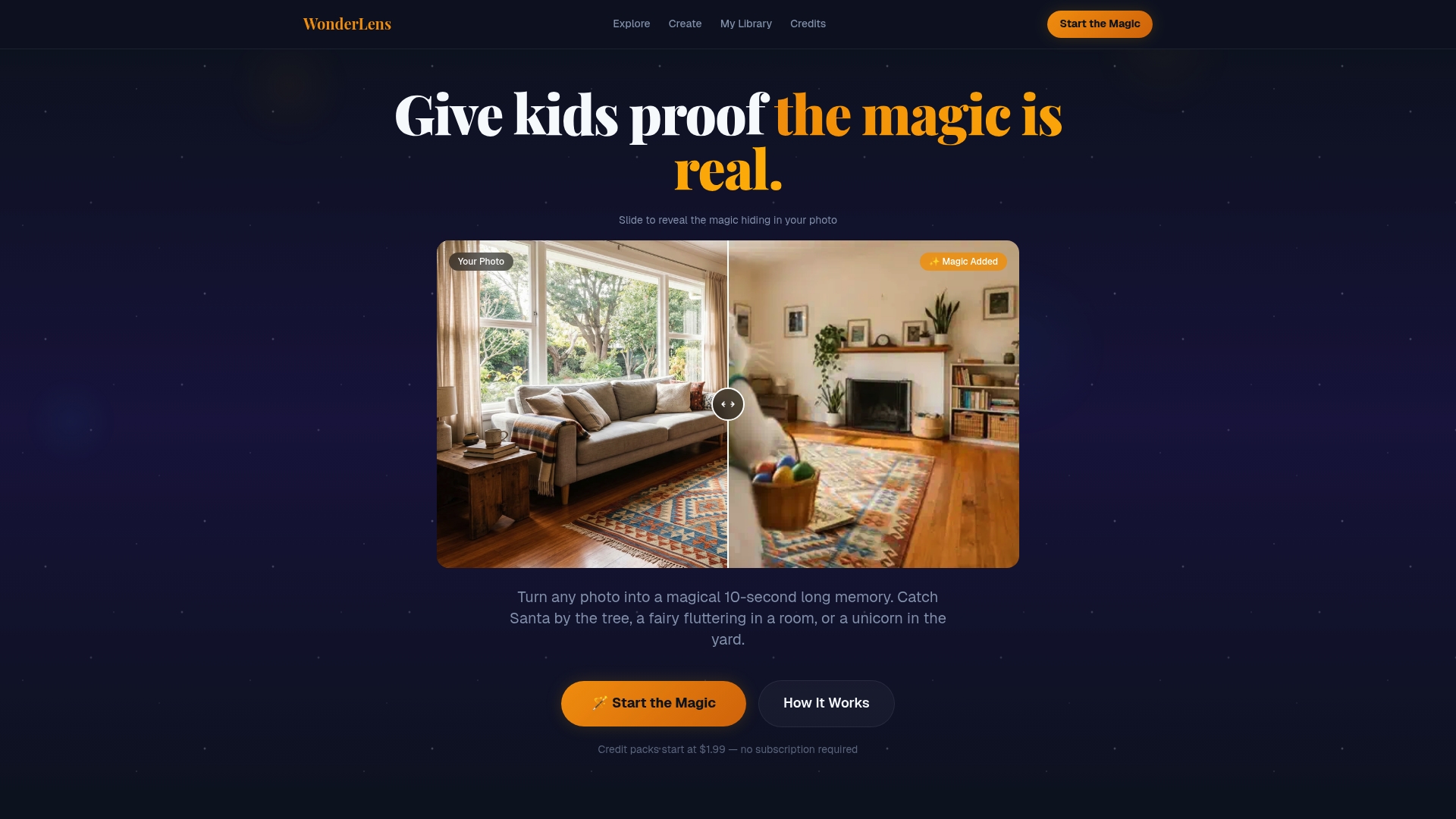
Wonderlens transforms your photos into cinematic animated videos where magical characters like Santa, unicorns, and fairies appear inside your real home environment, complete with accurate shadow casting, matched lighting, and fluid movement. The platform uses the same diffusion-based AI rendering that powers the best photorealistic and cinematic effects described in this guide. Credits start at $1.99, and the whole process takes minutes. If you have ever wanted to give a child a memory that feels genuinely magical, this is the place to start.
FAQ
What are the main types of AI photo effects?
AI photo effects fall into six categories: photorealistic photography styles, cinematic looks, macro and extreme close-up, traditional art styles, digital illustration styles, and abstract or experimental effects. Each category uses different prompt keywords and produces a distinct visual output.
How do I apply AI effects to my photos?
You apply AI photo filters by entering style-specific prompt keywords into an AI image tool, such as "watercolor," "cinematic," or "macro photography." The more specific your prompt, the closer the output matches your intended style.
What is inpainting in AI photo editing?
Inpainting is a mask-based editing technique where you select a region of an image and the AI fills it with generated content that matches the surrounding scene. Clean mask boundaries are critical for seamless results.
Can AI restore old or damaged photos?
Yes. AI restoration tools handle scratch removal, noise reduction, color correction, and face recovery. The best results come from running these steps in sequence rather than applying a single one-click filter.
What AI photo effects are trending in 2026?
The most popular viral effects in 2026 include film grain overlays, toyification, cinematic poster compositing, motion blur on still images, and dynamic digital collages that layer multiple photos into one composition.
Recommended
- Creative photo animation steps for magical family memories — WonderLens | WonderLens
- Photo to Video Transformation Guide for Families. WonderLens | WonderLens
- Top 3 liveimage.ai Alternatives 2026 — WonderLens | WonderLens
- AI Christmas Videos: Create Magical Holiday Memories Fast — WonderLens | WonderLens