Best join.magicmakers.ai Alternatives for Parents
July 30, 2026

If you want a short, cinematic AI video that places Santa, a unicorn, or a fairy directly into a photo of your living room, Wonderlens is the pick. It creates realistic 10-second animated clips with true lighting and shadow integration, has credit-based pricing starting at an affordable rate per video, and offers a free initial video. Most other tools searching parents land on are either the wrong category entirely or offer only face-swaps and template overlays.
Here's the quick shortlist:
- Wonderlens — best for true photo-insertion cinematic videos with realistic shadows; browser-based, family-safe, credit-based pricing
- Face-animation services (e.g., JibJab, ElfYourself) — best for quick, fun holiday cards where a family member's face goes onto a dancing character; template-driven, not photo-insertion
- Template-based holiday video apps — best for seasonal greetings with preset scenes; low cost, but no real home-photo integration
- Custom studio or freelancer options — best for one-of-a-kind productions; high quality, but slow and expensive
One important note: the query "join.magicmakers.ai alternatives" reflects real naming confusion. Several unrelated businesses use "Magic Makers" in their branding, including a French coding school for kids, a corporate leadership institute, and a physical magic-kit retailer. None of them are photo-to-video character animation platforms. If you landed here after a confusing search, you're in the right place.
Table of Contents
- How do usable alternatives actually compare?
- Which alternative category actually fits your family?
- What tools look like alternatives but definitely aren't
- How to pick the right tool for your family
- How to make your first personalized magical video
- Why Wonderlens is the recommended pick for parents
- Key Takeaways
- What actually matters when surprising kids with AI video
- Start your first magical video with Wonderlens
- Useful sources and demos to check
How do usable alternatives actually compare?
| Category | Best for | Character integration | Output | Price model | Ease of use | Family safety | Turnaround |
|---|---|---|---|---|---|---|---|
| Photo-insertion cinematic platform (Wonderlens) | Realistic holiday/fantasy surprise videos | True object insertion into your home photo | short video, downloadable | Credits from $1.99; first free | Browser, 3–4 steps | Kid-safe presets, content moderation | ~10 seconds |
| Face-animation service | Fun holiday cards, family dancing clips | Face mapped onto preset character body | Short looping clip, shareable link | Free tier + subscription | Mobile/browser, very fast | Generally family-friendly | Seconds |
| Template holiday video app | Seasonal greetings, school events | Character in preset scene, no home photo | Short video, varies by platform | Free or low subscription | Mobile-first, minimal steps | Varies; check each app | Seconds to minutes |
| Custom studio / freelancer | Premium keepsakes, unique characters | Full custom compositing | Any length, high resolution | typically costs vary widely, often higher for custom work | Requires briefing and back-and-forth | Depends on provider | Days to weeks |
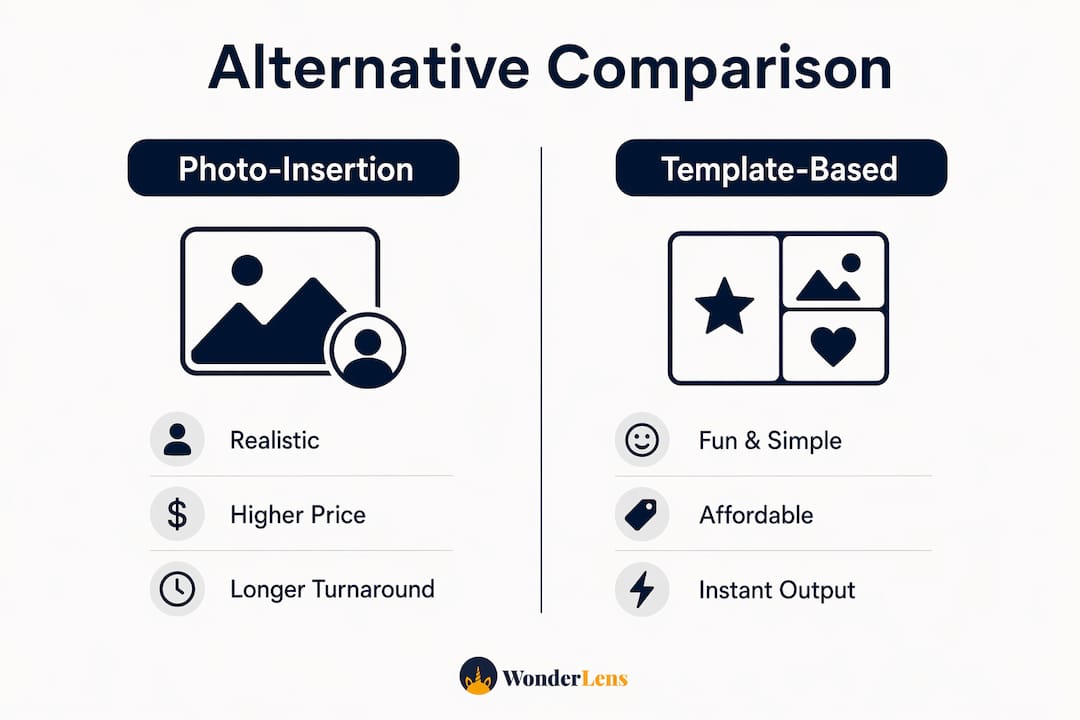
The single biggest trade-off to watch: photo-insertion quality versus price. True object insertion with realistic lighting costs more per video than a face-swap template, but the child's reaction to seeing Santa standing in their living room is incomparable. Template tools are cheaper and faster, but the magic lands differently when the background is a generic snowy scene instead of your actual couch.
Most tools in this space are browser-first or mobile-compatible. Wonderlens runs entirely in a browser with no app download needed.
Which alternative category actually fits your family?
Photo-insertion cinematic platforms do something technically distinct: they analyze your home photo's lighting, cast realistic shadows, and animate a character as if it physically occupies your space. The result looks like a short film clip, not a greeting card. The limitation is that processing takes a little longer than a simple template swap, and you pay per video rather than accessing unlimited exports. For a Christmas morning surprise or an Easter reveal, that trade-off is worth it. Wonderlens's guide to animated family memories shows what this looks like across different home settings.

Face-animation services like JibJab or ElfYourself are genuinely fun for holiday cards. You upload a face photo, pick a dancing elf or singing character, and get a shareable link in seconds. The character is always in a preset scene, though. Your living room never appears. These tools shine for quick social sharing but can't create the "Santa is in our house" moment that makes kids gasp.
Template-based holiday video apps work similarly: a character appears in a polished preset environment, sometimes with a personalized name or message. They're great for school parties or group sharing, but the personalization ceiling is low. The child sees a beautiful video, just not one that feels like it happened in their home.
Custom studio or freelancer options sit at the opposite end. A skilled compositor can place any character into any photo with broadcast-quality results. The catch is time and cost. A single custom clip can be expensive and take several days. For an annual holiday tradition, that's rarely practical.
What tools look like alternatives but definitely aren't
Automated review sites often generate "alternatives" lists from keyword matches rather than capability testing. A tool that shares the word "magic" or "maker" in its name ends up on the list even when it has nothing to do with video animation. Here's what to skip:
- Logo and graphic generators — create static images, not animated videos; no photo integration
- UI/product design AI (like Magic Patterns, which serves product teams building app interfaces) — built for wireframes and design systems, not family media
- Enterprise collaboration platforms — tools like Miro focus on team workflows and governance, not cinematic rendering
- B2B AI agent tools — platforms built around approvals, context, and enterprise workflows have no consumer video features
- Physical magic-kit retailers — the Magic Makers retail brand sells physical magic kits; it has no AI video product
- Coding schools for children — "Magic Makers" is also a French coding education company; completely unrelated to video creation
Pro Tip: Instead of searching "magic makers alternatives," try "AI video object insertion" or "photo-to-video character placement." Those phrases surface tools built for the actual task, rather than anything that happens to share a keyword with a brand name.
The broader pattern here: productivity-first AI tools dominate search results because they attract high traffic, pushing family video tools further down the page. Always check whether a tool's homepage mentions video rendering, photo upload, and character animation before you spend time on a free trial.
How to pick the right tool for your family
Before committing to any platform, confirm these five things:
- True photo insertion — does the character appear in your photo, or in a preset scene?
- Kid-safe content moderation — are characters and outputs reviewed for family-appropriate content?
- Downloadable video file — can you save the video to your device, or is it only a shareable link?
- Price-per-video clarity — is the cost per video clear before you upload anything?
- Data retention policy — how long does the platform store your home photos?
Ask the product page or support team: How long until my video is ready? Do you store my photos after processing? Can I reuse the same character in a new photo? For a gift surprise, also confirm whether the video can be downloaded privately before sharing. Turnaround expectations vary: most AI platforms process videos within a short time frame, while custom freelancers take days.
Match your scenario to the tool: a Christmas morning reveal calls for true photo insertion and realistic lighting. A birthday group message works fine with a template app. A keepsake you'll print or frame warrants a higher-resolution output.
How to make your first personalized magical video
Follow this sequence and your first attempt will land well:
- Choose your photo. Pick a well-lit room shot with a clear floor or ground plane. Simple backgrounds work better than cluttered ones.
- Pick your character and pose. Choose a character that fits the occasion: Santa for Christmas, the Easter Bunny for spring, a fairy or dragon for a birthday.
- Set framing hints. Crop the photo so the floor is visible. This gives the AI enough information to place shadows realistically.
- Select length and audio. Most platforms offer a short clip with optional music or sound effects. Ten seconds is plenty for a child's reaction video.
- Preview and approve. Watch the preview before finalizing. Check that the character's lighting matches the room.
- Download and share. Save the file to your device first. Test it privately before showing your child.
For better results, plan a simple story beat before you start: setup (the room looks normal), surprise (the character appears), payoff (the character does something delightful). A storytelling workflow like this dramatically increases the emotional impact of a 10-second clip. The Wonderlens guide on creating videos kids will love walks through this framing in detail.
Pro Tip: Download the finished video before revealing it to your child. Playing it from a private device prevents accidental spoilers and gives you full control over the moment.
Why Wonderlens is the recommended pick for parents
Wonderlens is the right starting point for parents who want a short, cinematic 10-second video that places a fantasy or holiday character directly into a photo of their home, with realistic lighting and shadows that make the scene feel genuinely magical.
Key reasons it earns the top spot:
- True photo insertion — characters are composited into your actual home photo, not dropped onto a generic background
- Realistic lighting and shadow rendering — the character catches the same light as your room, which is the detail that makes kids believe
- Browser-based, no download required — works on any device with a modern browser
- Credit-based pricing from $1.99 — pay per video, no monthly subscription; your first video is free
- Family-safe presets — characters and outputs are designed for children; content moderation is built in
- Example gallery — you can see finished videos before spending a credit
Use cases that fit perfectly: a Christmas morning reveal with Santa in the living room, an Easter surprise with the Easter Bunny in the backyard, a birthday message from a dragon or superhero, or a bedtime storytelling clip featuring a fairy. The AI-powered photo animation guide explains the rendering approach in plain language for parents who want to understand what's happening behind the scenes.
Key Takeaways
Wonderlens is the strongest starting point for parents who want realistic, kid-safe AI character videos placed into their own home photos, starting at credit-based pricing with an affordable rate and offers a free initial video.
| Point | Details |
|---|---|
| Search noise is real | Many "Magic Makers" results lead to coding schools, retailers, or enterprise tools — none create family AI videos. |
| True photo insertion matters | Tools that composite characters into your actual home photo produce a far more magical child reaction than template overlays. |
| Avoid productivity AI | Enterprise collaboration and workflow platforms have no video rendering features; skip them entirely. |
| Use capability-first search terms | Search "AI video object insertion" or "photo-to-video character placement" to find tools built for this task. |
| Wonderlens is the recommended pick | Credit-based pricing from $1.99, first video free, browser-based, family-safe, with realistic lighting and shadow integration. |
What actually matters when surprising kids with AI video
The conversation around AI video tools for families tends to focus on price and ease of use. Those matter, but they're not what determines whether a child's face lights up. The real differentiator is whether the character looks like it belongs in the room.
A face-swap dancing elf is fun. A Santa Claus standing in your actual living room, casting a shadow on your actual carpet, is something a child remembers. That gap in believability comes down to one technical capability: true object insertion with lighting-matched rendering. Most tools in this space don't offer it. They offer templates, overlays, or face animations, which are genuinely enjoyable but don't create the same sense of wonder.
Privacy is the other thing worth taking seriously. You're uploading photos of your home and, in some cases, your child's space. Before you use any platform, check the data retention policy. A trustworthy service will tell you clearly how long photos are stored and whether they're used for model training. That's not a minor detail when the photo shows your child's bedroom.
Start your first magical video with Wonderlens
Wonderlens gives you something the template tools can't: a character that genuinely inhabits your home. Santa stands on your floor. A fairy hovers near your child's bookshelf. The lighting matches your room because the AI actually analyzes it.

Your first video is free, and additional credits start at $1.99 each. No subscription, no commitment. Upload a photo of your living room, pick a character, and see the result in seconds. When you're ready, create your first magical video at Wonderlens and watch your child's reaction do the rest.
Useful sources and demos to check
- Wonderlens example gallery — finished video examples across different home settings and characters; start here to see what's possible
- AI Christmas video guide — step-by-step holiday video creation for families; useful before your first attempt
- Storytelling workflow for kids — practical setup-surprise-payoff framework that makes short videos more emotionally powerful
- SaaSHub alternatives lists — useful to see what keyword-matched lists look like; a good reminder to verify capability before trusting any aggregated list
- Magic Makers retail site — physical magic kits; included here so you can confirm it's not an AI video tool and move on
- Photo-to-video transformation guide — Wonderlens's own workflow guide for converting home photos into short animated clips
Search tip: Skip brand-name "alternatives" searches. Use "AI video object insertion" or "photo-to-video character placement" to find tools actually built for this task.